The auditor’s email lands on a Monday morning. “We need all visitor and contractor access records for the past 18 months by Thursday.”
For most enterprise visitor management and compliance teams, that’s not a request. It’s a crisis.
Across manufacturing facilities, corporate campuses, and multi-site operations, thousands of people walk through secured doors every week, including vendors, contractors, delivery personnel, and third-party auditors.
And in far too many organizations, the only record of those visits lives in a paper logbook at the front desk, a shared spreadsheet someone updates when they remember to, or worse, nowhere at all.
The consequences go beyond a stressful Thursday. Security and compliance frameworks like GDPR, HIPAA, and ISO 27001 treat physical access records as non-negotiable evidence. An incomplete or inaccurate compliance log doesn’t just slow down an audit; it can trigger findings, penalties, and, in regulated industries, operational shutdowns.
The real problem isn’t that organizations don’t care about compliance documentation. It’s that they’ve built their recordkeeping on systems never designed for audit-ready accuracy. This blog breaks down exactly how leading enterprises are solving that without adding a single manual step to their workflow.
Why Do Large Organizations Struggle to Maintain Compliance Logs?
Creating compliance logs is relatively simple. Maintaining accurate, complete, and audit-ready compliance logs across multiple locations, departments, and systems is where the challenge begins.
As organizations grow, manual recordkeeping often becomes unsustainable.
1. The Volume Problem: Too Many Entries, Too Many Sites
Large enterprises handle hundreds or even thousands of visitor check-ins, contractor visits, employee access events, and compliance-related activities every day. When records are generated across multiple offices, facilities, or campuses, maintaining consistency becomes increasingly difficult. Even small gaps in documentation can create significant compliance issues during an audit.
2. Human Error in Manual Recordkeeping
Paper logs and spreadsheets depend heavily on manual data entry. Missed sign-ins, incomplete forms, incorrect timestamps, and duplicate records are common, especially when multiple teams manage compliance processes independently. Over time, these errors accumulate and weaken the reliability of compliance logs.
3. Data Scattered Across Disconnected Systems
In many organizations, visitor logs, contractor records, access control data, compliance documents, and approval workflows exist in separate systems. When compliance teams need evidence, they often spend hours locating, validating, and consolidating information from multiple sources instead of accessing a single, reliable record.
4. Audit Preparation Becomes a Fire Drill Every Time
Without centralized, automated compliance logging, audit preparation becomes a reactive exercise. Teams scramble to gather records, verify documentation, and fill information gaps under tight deadlines. The challenge is not just collecting data—it’s proving that records are complete, accurate, and readily available when auditors request them.
What Are the Core Audit Log Requirements Enterprises Must Meet?
The core audit log requirements that enterprises must meet are:
- Who accessed the facility and when
- Document signing records
- Data retention and purging policies
- Tamper-proof, timestamped entries
- Regulatory standards: GDPR, HIPAA, SOC 2, ISO
Before an organization can automate its compliance logs, it needs clarity on what those logs must actually contain. Audit log requirements aren’t uniform across industries, but there is a non-negotiable baseline to which virtually every regulated enterprise is held, regardless of sector or geography.

1. Who Accessed the Facility and When
At the most fundamental level, every compliance audit trail must answer one question: who was physically present in your facility, in which zone, and at what time?
This means capturing the following:
- Full visitor identity — name, organization, purpose of visit, host contact
- Precise entry and exit timestamps for every individual
- Contractor and vendor access mapped to pre-approved clearance levels
- Zone-specific access records for restricted or sensitive areas
2. Document Signing Records: NDAs, Safety Waivers, and Policy Acknowledgments
Regulated industries, such as manufacturing, healthcare, finance, and critical infrastructure, require visitors and contractors to sign legal and safety documents before accessing the premises. Audit log requirements in these environments don’t just ask whether someone visited. They ask whether that person:
- Acknowledged your data handling and confidentiality policies
- Signed a non-disclosure agreement tied to their specific visit
- Confirmed receipt of site safety instructions or emergency procedures
3. Data Retention and Purging Policies
Holding compliance records indefinitely creates its own legal risk. Most regulatory frameworks specify exactly how long access records must be retained and when they must be securely deleted.
Key retention benchmarks enterprises must be aware of:
- HIPAA — Certain access-related records must be retained for a minimum of six years
- GDPR — Visitor data must be purged once it no longer serves its original collection purpose, with documented proof of deletion
- SOC 2 — Requires demonstrable evidence that retention policies are consistently enforced, not just documented
4. Tamper-Proof, Timestamped Entries
An audit log is only as credible as its integrity. Regulators and auditors evaluate not just what a record says, but whether it could have been altered after the fact.
Compliant audit trails must be:
- Locked at the moment of creation with immutable timestamps
- Structured so any post-entry modification generates a separate, traceable audit event
- Stored in a system where access to edit historical records is restricted and logged
5. Regulatory Standards That Define the Framework
Different regulations impose different specifics, but the major frameworks enterprises need to align with include:
- GDPR — GDPR governs visitor data collection, consent, and mandatory purging timelines
- HIPAA — HIPAA compliance requires documented physical access records for areas where protected health information is accessible
- SOC 2 (Type II) — Demands continuous, verifiable evidence of physical access controls
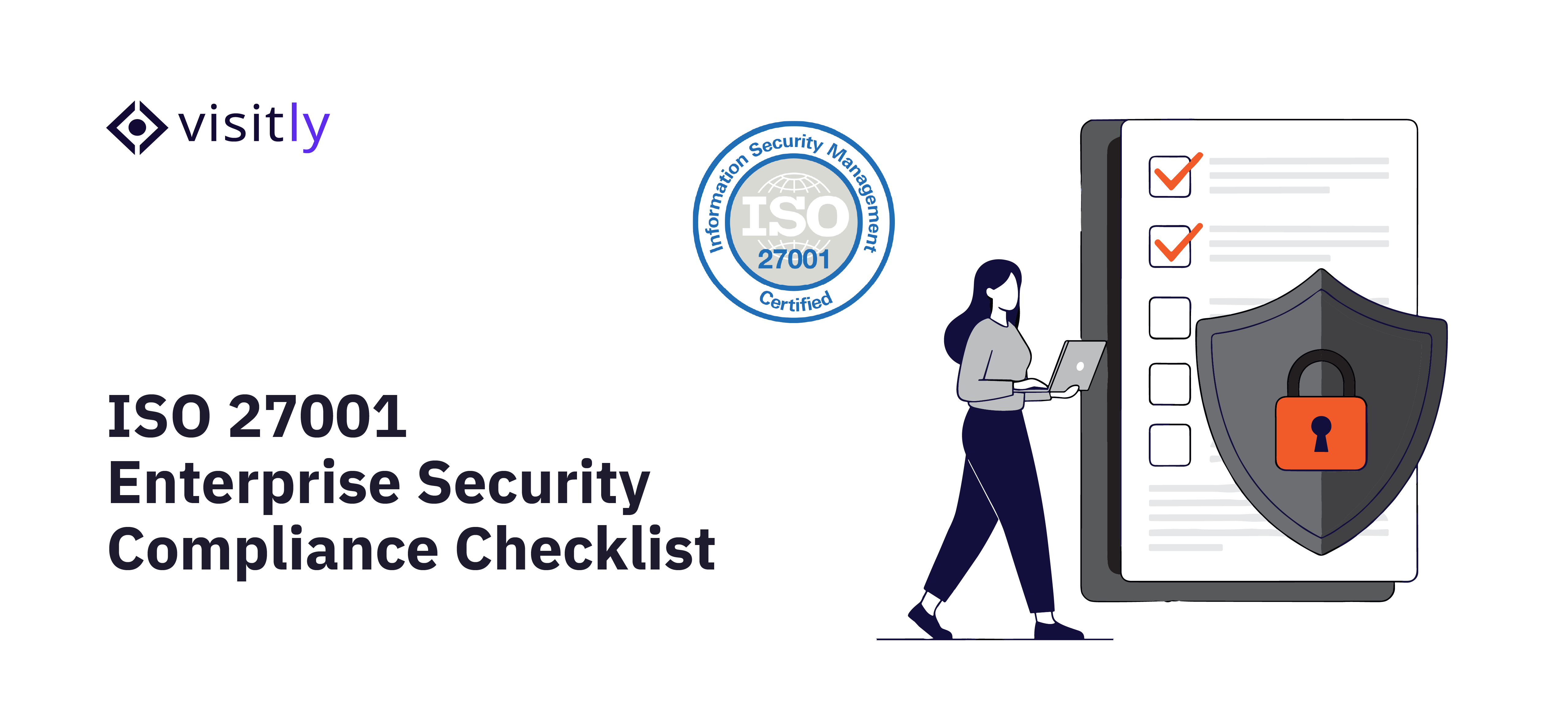
- ISO 27001 — Requires documented visitor management procedures as part of ISMS compliance
- OSHA / EHS regulations — Mandate accurate visitor and contractor records for safety incident investigations

What Should an Audit Readiness Checklist Include for Physical Access Compliance?
An audit readiness checklist for physical access compliance includes the following:
- Visitor, contractor, and employee entry/exit logs
- Photo capture and ID verification records
- Signed compliance documents
- Watchlist screening logs
- Multi-location reporting in one view
Audit readiness isn’t something you achieve the week before an inspection. It’s a state your organization either maintains continuously or scrambles to fake under pressure. Specifically for physical access compliance, the gap between “we have records” and “we have audit-ready records” comes down to whether your documentation checks five critical boxes before an auditor ever walks through the door.
1. Visitor, Contractor, and Employee Entry/Exit Logs
The foundation of any audit readiness checklist is a complete, unbroken record of everyone who entered and exited your premises. This sounds basic, but most enterprises discover gaps only when they’re asked to produce the data.
A compliant entry/exit log must capture the following:
- Full name, organization, and stated purpose for every visit
- Distinct entry and exit timestamps, not just check-in but check-out
- Differentiation between visitor types: guest, contractor, vendor, employee
- Records that are automatically generated at the point of check-in, not filled in later
2. Photo Capture and ID Verification Records
Knowing that “John Smith from ABC Contractors” visited on a given date is not enough. Regulated environments, particularly in healthcare, finance, and critical infrastructure, require verifiable proof of identity for each access record.
A compliant audit-readiness checklist includes the following:
- Photo capture at the point of check-in, stored alongside the visit record
- Government-issued ID scan or badge verification for contractor and vendor access
- A timestamped identity verification record that cannot be retroactively edited
- Records that link photo and ID data directly to the specific visit, not stored separately
3. Signed Compliance Documents
Every regulated site has documents that visitors and contractors must acknowledge before entry, including NDAs, health and safety briefings, data protection policies, and emergency procedures. The audit readiness checklist requirement here goes beyond collecting signatures.
It requires:
- Digital signatures captured at check-in and stored with the visit record.
- Document version tracking, which version of the NDA or safety policy was signed
- Proof that the document was presented and acknowledged, not just emailed afterward
- Secure, retrievable storage with no manual filing or folder management
4. Watchlist Screening Logs
For enterprises operating in regulated or high-security environments, watchlist screening is a mandatory access-control step, and auditors expect documented evidence that it occurs consistently.
A compliant checklist must include the following:
- Automated screening of every visitor against internal or third-party watchlists at check-in
- A timestamped record of each screening result, cleared or flagged.
- Documented escalation or denial records for any flagged individual
- Evidence that screening runs on every entry, not selectively
5. Multi-Location Reporting in One View
For enterprises operating across multiple sites, one of the most consistent audit failures is the inability to produce a consolidated compliance picture. Individual site logs stored in separate systems, or worse, separate spreadsheets, create reconciliation nightmares.
A complete audit readiness checklist demands the following:
- A centralized dashboard that aggregates access records across all locations
- Ability to filter, search, and export records by site, date range, visitor type, or individual
- Consistent data structure across locations, so records from Site A and Site B are directly comparable
- Exportable reports formatted for auditor review, generated in minutes, not days
How Does Automated Compliance Logging Eliminate Manual Effort?
Automated Compliance Logging eliminates manual effort through the following:
- Digital visitor sign-in replaces paper logs.
- Auto-capture of timestamps, photos, and signed documents
- Real-time host notifications as part of the audit trail
- Automation removes the human error variable.
Every manual compliance process has a breaking point. For most enterprises, it arrives somewhere between the third spreadsheet tab and the second unanswered email to a site manager asking for last quarter’s contractor records.
Automated compliance logging doesn’t just make recordkeeping faster; it removes the dependency on human consistency entirely, which is the only way to guarantee audit-ready records at scale.

1. Digital visitor sign-in replaces paper logs
Digital visitor sign-in eliminates the paper log’s most fundamental flaw: it only works when someone uses it correctly, every time, without exception. When a visitor completes a digital sign-in, accurate data capture becomes the default outcome of the process itself:
- Their name, organization, contact details, and visit purpose are captured in a structured, searchable format.
- The system timestamps the entry automatically; no receptionist input is required.
- Visitor type is categorized at sign-in to distinguish guests from contractors, vendors, or delivery personnel.
- Records are instantly stored in a centralized, cloud-based system accessible across all locations.
2. Auto-Capture of Timestamps, Photos, and Signed Documents
Automated systems capture all required data every time because capture is built into the check-in workflow, not added afterward:
- Timestamps are immutable and system-generated at the exact moment of entry and exit.
- Photo capture occurs at check-in and is automatically linked to the visit record.
- Document signing is embedded in the sign-in flow, NDAs and safety waivers are signed before entry, and stored with the visit record.
3. Real-Time Host Notifications as Part of the Audit Trail
Host notifications do more than alert someone their visitor has arrived. In automated compliance logging, every notification creates a traceable audit event:
- The system logs when a visitor is announced and to which host.
- Host acknowledgment or non-response becomes part of the access record.
- Unauthorized access attempts are flagged and logged automatically.
4. Automation Removes the Human Error Variable
Human error in compliance recordkeeping isn’t a training problem. It’s a structural problem. When accurate records depend on an individual performing the right action at the right time under varying conditions, errors are not a risk; they’re a certainty.
Automation addresses this at the structural level by:
- Enforcing mandatory fields at sign-in: no record can be submitted if incomplete.
- By removing discretion from the data capture process, every visitor follows the same workflow each time.
- Eliminating the gap between when an event happens and when it gets recorded: the two occur simultaneously.
- Flagging anomalies in real time, such as a contractor checking in without a pre-approved appointment, rather than discovering the gap during audit prep.
How Does Visitly Help Enterprises Stay Audit-Ready Year-Round?
Visitly helps enterprises stay audit-ready year-round through the following ways:
- Automatic logging of every check-in with a timestamp
- Digital document signing with secure storage
- Real-time reports and exportable visitor logs
- Watchlist screening with instant alerts
- Data retention controls are built into the dashboard.
Most compliance tools treat audit readiness as a reporting feature. Visitly builds it into the check-in process, so every visitor interaction automatically generates the documentation your compliance team needs, with no manual effort. Here’s exactly how that works in practice.
1. Every Check-In Is Logged Automatically With a Timestamp
The moment a visitor, contractor, or vendor completes sign-in on Visitly’s iPad-based visitor management system, a timestamped record is created and stored, no receptionist action required. The log captures full visitor identity, visit purpose, host details, and precise entry time as a single, structured record.
When the visitor checks out, the exit time is appended to the same record. Every entry is immutable from the moment it’s created, giving compliance teams a tamper-resistant access log that’s audit-ready by default, not by preparation.
2. Digital Document Signing With Secure, Retrievable Storage
Visitly embeds document signing directly into the check-in workflow. Visitors and contractors review and sign NDAs, safety waivers, data protection policies, or any custom compliance documents on the same device, and as part of the same process, before they’re cleared to enter.
Signed documents are:
- Stored securely within the individual’s visit record
- Linked to the specific version of the document signed
- Timestamped at the moment of signature
- Retrievable instantly by compliance or legal teams without a manual search
3. Real-Time Reports and Exportable Visitor Logs
Visitly’s compliance dashboard gives enterprise teams live visibility into access activity across all locations, not just at the end of the day or end of the week, but in real time.
When an audit request arrives:
- Compliance teams can filter records by date range, location, visitor type, or individual.
- Full visit reports, including identity, timestamps, signed documents, and screening results, can be exported within minutes.
- Multi-site organizations get a consolidated view across all facilities from a single dashboard.
- No data reconciliation, no format conversion, no chasing site managers for records
4. Watchlist Screening With Instant Alerts
Visitly automatically screens every visitor against configured watchlists at check-in before granting access. This isn’t a manual security step that depends on a guard’s judgment. It’s a system-enforced control that runs on every entry, every time.
The compliance trail it creates includes:
- A timestamped screening result for every visitor, cleared or flagged.
- Emergency notifications to designated security or compliance contacts when a match is detected
- Documented denial or escalation records for flagged individuals
- A consistent screening log that demonstrates due diligence to auditors and regulators
5. Data Retention Controls Built Into the Dashboard
Visitly’s platform includes configurable data retention and auto-purge controls. This allows compliance teams to align record storage directly with regulatory requirements without manual intervention.
Organizations can:
- Set retention periods by visitor type, location, or regulatory requirement.
- Schedule automatic purging of records once retention periods expire.
- Maintain documented proof of deletion for GDPR and similar compliance obligations.
- Ensure consistent enforcement of the retention policy across all sites, not just the ones someone remembered to update.

Closing Thoughts
Audit readiness used to mean a frantic two-week sprint before every inspection, pulling records, reconciling spreadsheets, and hoping nothing was missing. That model doesn’t hold up anymore. Regulatory expectations are higher, audit cycles are more frequent, and the cost of compliance gaps, in penalties, reputation, and operational disruption, is too significant to manage reactively.
The enterprises that consistently pass audits without the fire drill aren’t doing more work. They’ve simply replaced manual processes with systems that make accurate, complete, tamper-resistant compliance documentation the automatic outcome of every single visitor interaction.
That’s precisely what Visitly is built to do. From timestamped check-in logs and embedded document signing to watchlist screening and multi-site reporting, Visitly gives compliance teams the audit trail they need, built continuously, maintained automatically, and ready the moment an auditor asks.
For organizations serious about security and compliance, Visitly isn’t just a visitor management tool. It’s the most reliable compliance system your front desk has ever had to think about.
Book a demo and explore Visitly’s security and compliance features.
FAQs
What is a visitor audit trail?
A visitor audit trail is the complete, timestamped record of each visit: who arrived, who hosted them, what they signed, where they were allowed to go and when they left. It is audit-ready when records are created at check-in, cannot be edited without a trace, and can be retrieved by site and date.
Why are digital visitor logs better than paper registers?
Digital logs are better because every entry is complete, timestamped by the system and searchable across sites. A paper register depends on each visitor writing legibly, shows earlier entries to the next person, and rarely records a departure time. During an audit, a paper book has to be read page by page and reconciled by hand.
Can digital visitor logs track signed NDAs?
Yes, a digital visitor log stores the signed NDA with the visit record it belongs to. The visitor signs on the kiosk or their own phone before entry, and the signature is timestamped. In Visitly, NDAs, waivers and other documents are signed as part of the check-in flow and recorded in the audit log.
How do digital visitor logs support compliance?
They give auditors the physical-access evidence that frameworks such as SOC 2, ISO 27001, HIPAA and GDPR expect an organization to keep. The log shows who entered, when, who approved the visit and which policies the visitor acknowledged. It supports the program, and your compliance lead or counsel decides what each framework requires at your sites.
Can visitor records be exported for auditors?
Yes, a visitor management system lets you filter records by site, date range or visitor and export them for an auditor. Visitly keeps an immutable audit log as standard, and audit log search and export are included at $2,000 per location per year. A records request covering 18 months becomes a filtered export instead of a manual search.
How long should visitor records be kept?
It depends on the regulation and your own policy, so your compliance lead should set a period for each record type. GDPR expects personal data to be deleted once it is no longer needed, while other rules require records to be kept for years. Visitly applies the period you set for audit events and for visitor personal data, and does not impose one of its own.