Your Front Desk Is Stuck in 1995. AI Can Fix It.
A high-value client walks into your lobby and is handed a clipboard and plastic pen. Your competitors welcome theirs with facial recognition, auto check-in, and instant host notifications. Who makes the better first impression?
Clearly, your competitors do.
Here are some interesting stats:
- 82% of executives say visitor experience directly impacts their brand perception.
- Companies using AI-powered check-in systems report a 40% reduction in lobby wait times.
Despite billions spent on digital transformation, the front desk is often left behind – manual, slow, and unsecure. It creates friction for guests, adds workload for staff, and fails to meet modern compliance or safety standards.
AI transforms your lobby into a smart, touchless entry point that recognizes visitors, directs them quickly, secures the space, and records everything in real time. This blog shows how AI is reshaping the visitor experience, making the front desk faster, safer, and more efficient.
How AI Improves Front Desk Operations?
AI upgrades the front desk from a simple checkpoint to a smart access control system that is always on, learning, and improving.
Here’s what AI adds to the lobby experience:
- Facial recognition and computer vision: AI scans faces instantly to verify identity without ID cards or manual check-ins. For example, an employee can walk in and be recognized automatically, skipping the front desk.
- Predictive behavior detection: The system monitors entry patterns and flags anything unusual, like repeated failed access attempts. For instance, if someone tries to tailgate into a restricted zone, security is alerted immediately, helping organizations enforce workplace security policies more effectively.
- Touchless interfaces: Visitors can use voice assistants, QR codes, or smart displays instead of pens and paper. For example, a contractor could scan a QR code sent in advance to check in within seconds.
- Automated routing: AI directs visitors to the right host, room, or area without confusion. For example, a guest checking in for a meeting is automatically notified of the room location, while the host receives an instant alert.
- Data-rich insights: Every entry and interaction is logged for analytics and reporting. For instance, managers can see peak visitor times to improve staffing and boost workplace efficiency.
This leads to seamless check-ins and stronger on-site security. Thus, every visitor, contractor, and employee benefits from a smoother, faster experience.
How an Automated Front Desk System Is Redefining Visitor Experience
An automated front desk system reshapes the visitor experience by automating check-ins, verifying identities, and notifying hosts instantly. It removes delays, reduces manual errors, and gives real-time visibility into who’s on-site.
Here are some of the top ways AI is reshaping the visitor experience:
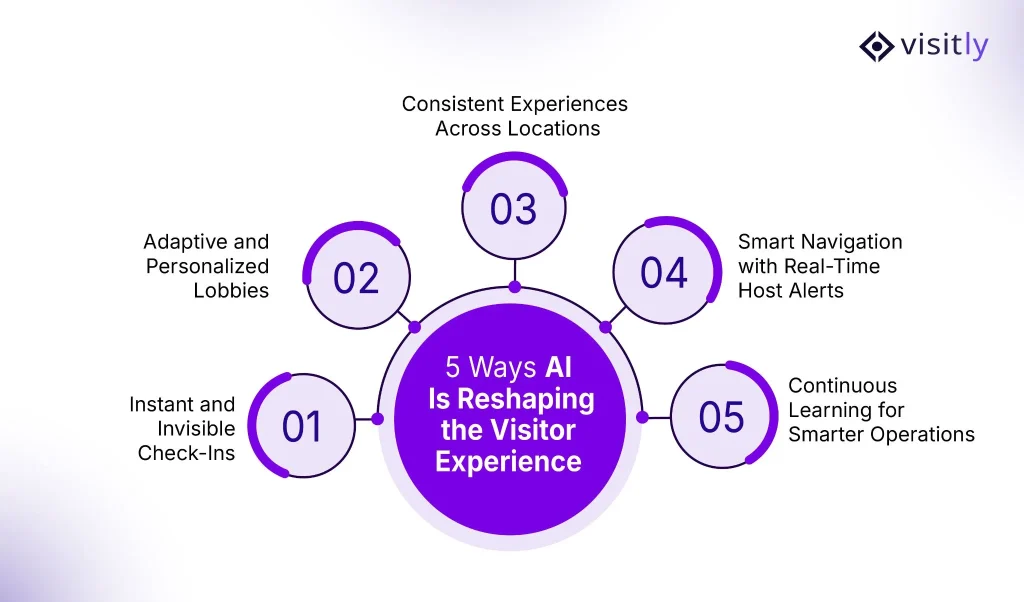
1. How Is AI Making Check-Ins Instant and Invisible?
AI makes check-ins instant by using facial recognition, mobile credentials, or license plate scanning to identify guests the moment they arrive. Pre-registered visitors can walk in without pausing at a kiosk or filling out forms.
The system automatically verifies their identity and alerts the host in real time. This eliminates wait times and creates a seamless, almost invisible check-in experience.
What it looks like in practice:
- Pre-check-ins via email or app
- Facial recognition upon arrival
- Instant host notifications
- Auto-logged entry for audit compliance
It’s fast, contactless, and secure without the need to stop or sign anything.
2. Can the Lobby Adapt to Who’s Walking In?
Yes, AI makes the lobby adaptive and responsive. The system can recognize whether someone is a VIP client, contractor, delivery personnel, or employee.
Based on that information, it adjusts access permissions, routing, and notifications instantly. This ensures every visitor gets the right experience without manual intervention.
What AI customizes:
- Digital signage and welcome messages
- Access routes (e.g., contractors vs. executives)
- Notifications and instructions on personal devices
- Temporary permissions based on guest type
The space responds to people, not the other way around.
3. How Does AI Bring Consistency Across Locations?
AI delivers consistent visitor management across all locations by using centralized rules and cloud-based automation. Visitor policies, branding, check-in flows, and security protocols remain the same, no matter the site.
Updates roll out instantly across offices without manual setup. This creates a unified, professional experience everywhere.
Benefits of multi-location deployment:
- Standardized visitor flows and compliance
- Central admin dashboards with local controls
- No need for on-site receptionists at every location
- Real-time visibility across all facilities
AI ensures every location runs with the same speed, security, and efficiency.
4. Does AI Help Guests Navigate and Notify Hosts Automatically?
Yes, AI guides guests through the building using digital maps, voice prompts, or mobile directions. It also sends instant notifications to the host once the visitor checks in or is detected.
This reduces confusion for guests and saves time for front desk staff. Thus, everything works in real time without manual effort.
Key capabilities:
- Sends SMS or app alerts to hosts when guests arrive
- Displays personalized navigation instructions on kiosks or screens
- Offers floor plans, room numbers, or access codes
- Can connect to elevators or doors to guide visitor flow
This eliminates delays and prevents missed connections.
5. Does AI Improve Over Time?
Yes, AI systems continuously improve through machine learning. They analyze patterns from every visitor interaction to optimize check-in times, reduce errors, and enhance security.
Over time, the system becomes faster, more accurate, and better aligned with your workplace needs. This leads to a smarter, more responsive front desk
What the system learns:
- Visitor patterns (who visits, when, how often)
- Security risks (flagged behaviors or policy gaps)
- Operational inefficiencies (wait times, bottlenecks)
- Compliance issues (expired credentials or unsigned NDAs)
The more it runs, the better it gets without needing manual updates.
Why AI Makes the Front Desk Predictive, Not Reactive
70% of workplace disruptions are caused by poor planning or miscommunication at the front desk. Most of them are preventable but only if your system sees them coming.
Receptionists wait. AI prepares. It doesn’t just process visitors, it anticipates what they need and acts before problems arise. This proactive shift transforms your lobby from a passive checkpoint into a smart, responsive hub that keeps everything running smoothly.
With AI, the front desk stops reacting and starts predicting. Here’s how it works:
- Sends Pre-Visit Instructions: Guests get check-in links, directions, or forms automatically before arrival reducing back-and-forth and delays.
- Blocks Entry Without Compliance: If a visitor skips safety training, NDA signing, or ID upload, the system denies access instantly.
- Notifies Teams in Advance: Facility or IT teams are alerted to prep meeting rooms, print badges, or arrange visitor equipment.
- Flags Issues Before They Happen: AI checks for expired credentials, overbooked lobbies, or flagged visitors, before they show up.
This predictive intelligence reduces manual work, avoids last-minute scrambling, and ensures that every guest is welcomed with precision and professionalism.
Why Visitly Is Leading the Front Desk Revolution?
Visitly is purpose-built to transform traditional lobbies into intelligent, secure, and efficient entry points. It empowers organizations to automate the entire visitor journey without compromising on compliance, data security, or user experience.
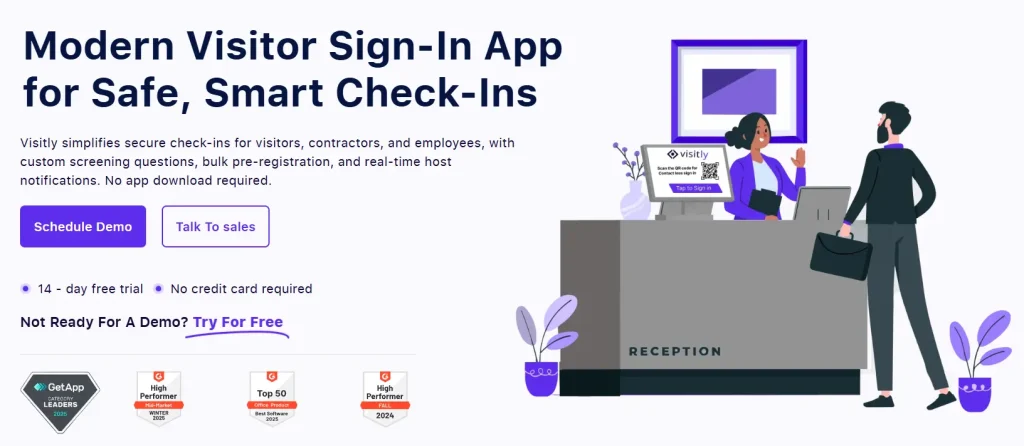
Here’s what sets Visitly apart:
- Instant & Touchless Check-Ins: Facial recognition and QR-based entry ensure fast, touchless, and secure access.
- Custom Workflows by Visitor Type: Tailored experiences for contractors, clients, employees, and vendors, no manual sorting required.
- Real-Time Notifications & Analytics: Keep hosts informed instantly while giving admins full visibility into foot traffic and trends.
- Enterprise-Ready Cloud Platform: Scalable across multiple locations, departments, and industries with support for all major devices.
- Built-In Legal & Compliance Tools: Automatically capture NDAs, safety protocols, and other documentation before access is granted.
Conclusion: The Front Desk Is Evolving, Is Your Organization Ready?
Artificial intelligence is fundamentally transforming how front desks operate, shifting them from manual, reactive processes to proactive, intelligent systems. From seamless check-ins and automated identity verification to predictive workflows and real-time alerts, AI is redefining the standard for security, efficiency, and visitor experience.
Organizations that adopt this shift gain a clear advantage: improved operational control, enhanced compliance, and a consistently professional first impression across every location. As expectations rise and workplace demands grow more complex, relying on outdated processes is no longer sustainable.
Discover how Visitly can help you future-proof your front desk with intelligent, AI-powered visitor management. Book a personalized demo today.
FAQs
1. Can AI replace front desk receptionists?
AI cannot fully replace receptionists, but it automates routine tasks like visitor check-ins, ID verification, and host notifications. This helps staff focus on guest interactions and complex service needs, improving overall efficiency.
2. How secure is AI-powered facial recognition at the front desk?
AI facial recognition is highly secure with encrypted data storage and access controls. Modern systems also comply with privacy laws like GDPR and CCPA, ensuring safe handling of personal information.
3. What if a visitor does not want to use facial recognition?
Most AI visitor management systems offer alternative check-ins such as QR codes, mobile apps, or manual verification. This ensures all visitors can access the workplace comfortably and securely.
4. Can AI handle multi-language visitors?
Yes, AI systems support multiple languages and voice commands. This allows international visitors to check in easily and receive personalized guidance in their preferred language.
5. Is AI suitable for offices with multiple locations?
Absolutely. AI centralizes visitor management policies while allowing local customization. This creates consistent, secure, and efficient visitor experiences across all offices.
6. What happens if the AI front desk system goes offline?
Most AI solutions have offline modes that maintain basic check-ins and access control. When connectivity is restored, all data syncs automatically with the cloud.
7. Can AI integrate with access control doors and elevators?
Yes, AI can seamlessly integrate with doors, turnstiles, elevators, and other access control systems. This enforces role-based permissions and ensures smooth visitor movement throughout the facility.
8. Is AI useful for industries like healthcare or manufacturing?
Definitely. AI helps enforce strict compliance, safety protocols, and restricted-zone access. This is especially important for industries handling sensitive data or hazardous environments.
9. How long does it take to deploy an AI front desk system?
Cloud-based AI platforms can be fully deployed in under a week. Deployment includes setup, integrations with existing systems, and minimal staff training.
10. What is the ROI of implementing AI at the front desk?
AI reduces staffing costs, shortens visitor wait times, improves compliance, and strengthens security. The result is measurable efficiency gains and enhanced visitor satisfaction.