Access doesn’t equal workplace security policies, and most organizations overestimate how much control they actually have.
The Verizon Data Breach Investigations Report shows that compromised credentials were involved in 38% of breaches in 2024, making it one of the most common entry points for attackers.
Many companies continue to use fragmented employee access control systems and basic employee check-in processes that only record entry, rather than enforcing control. While access is granted across systems, there is often a lack of real-time visibility, clear ownership, and integration.
The result is predictable: delayed access revocation, inconsistent permissions, and weak audit trails.
These are not isolated issues. They are structural gaps that turn everyday access into a business risk and prevent access control entry from doing its actual job.
In light of this, this blog breaks down the critical mistakes behind these failures and how to fix them.
7 Critical Mistakes That Break Employee Access Control Systems
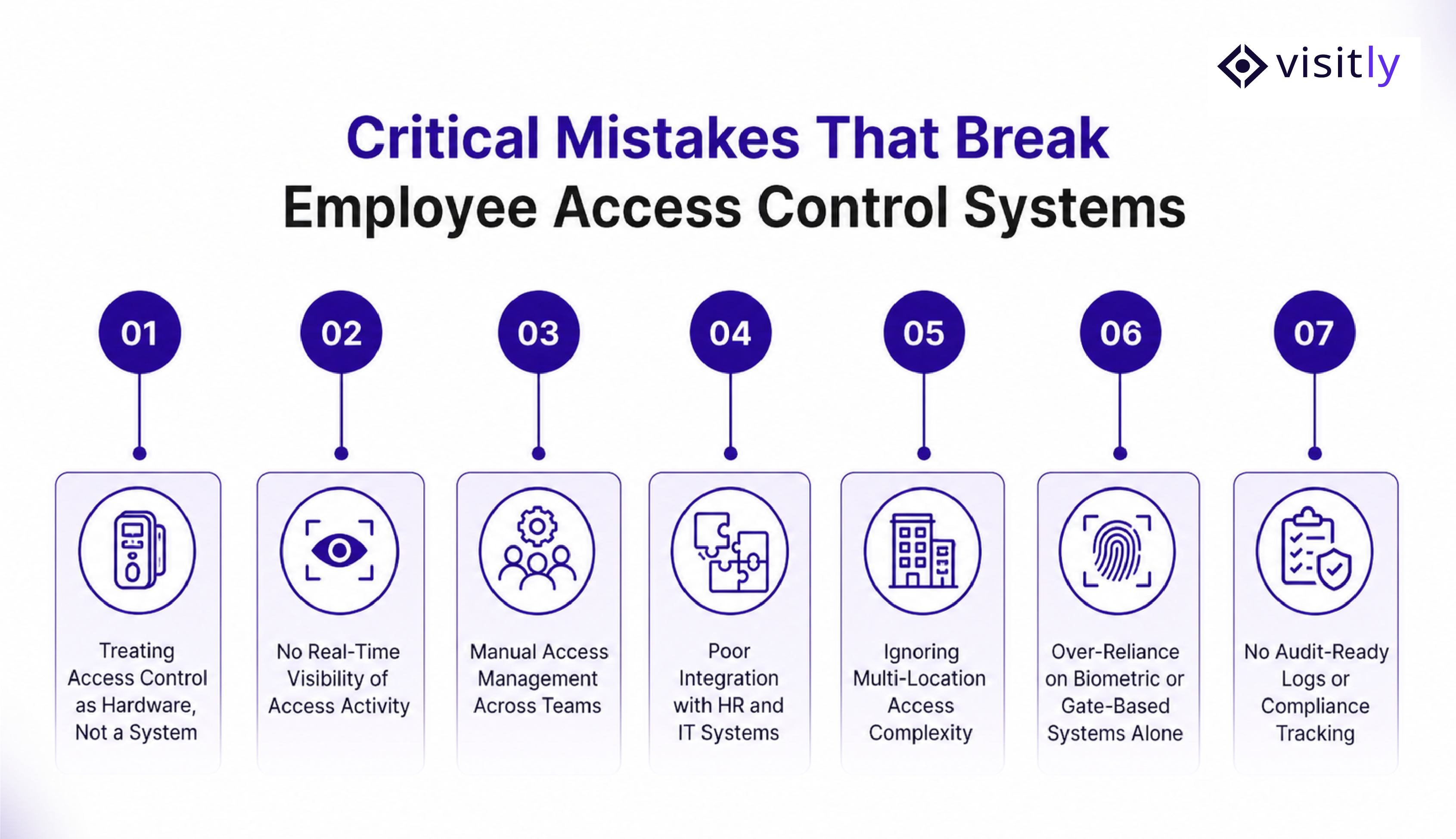
The 7 critical mistakes that break employee access control systems are:
- Mistake #1 – Treating Access Control as Hardware, Not a System
- Mistake #2 – No Real-Time Visibility of Access Activity
- Mistake #3 – Manual Access Management Across Teams
- Mistake #4 – Poor Integration with HR and IT Systems
- Mistake #5 – Ignoring Multi-Location Access Complexity
- Mistake #6 – Over-Reliance on Biometric or Gate-Based Systems Alone
- Mistake #7 – No Audit-Ready Logs or Compliance Tracking
Mistake #1 – Treating Access Control as Hardware, Not a System
Most organizations still approach physical access control system setup by installing gates, RFID cards, or biometric scanners and assume the problem is solved.
- What they focus on:
- Entry points like gates and doors
- Biometric devices or access cards
- What gets ignored:
- How access is granted, changed, or revoked
- How systems connect with HR, IT, and operations
- How decisions flow from access → action
- Why this breaks down:
Hardware controls entry, but it does not manage access logic. It cannot decide who should have access, when it should change, or how it aligns with business workflows.
Impact:
- No centralized visibility across locations or teams
- No consistent policy enforcement
- Access becomes fragmented and reactive
Access control becomes a set of tools rather than a working system.
Mistake #2 – No Real-Time Visibility of Access Activity
Many companies record access, but they don’t monitor it in real time.
- What’s missing:
- Live tracking of who is entering or exiting
- Centralized dashboards across locations
- Unified audit logs
- Why this breaks down:
Without real-time visibility, organizations only see what happened after the fact. There is no way to detect anomalies, unauthorized access, or unusual patterns in real time.
Impact:
- Security blind spots across offices and facilities
- Delayed incident response
- Compliance risks due to incomplete or scattered logs
Access data exists, but it is not actionable.
Mistake #3 – Manual Access Management Across Teams
Access control is often handled through manual coordination between teams.
- Common workflows:
- Spreadsheets tracking permissions
- Email-based approvals
- Multiple teams are involved in granting access
- Why this breaks down:
Manual processes cannot keep up with dynamic employee movement, role changes, or multi-location operations. Every request becomes dependent on people rather than on systems.
Impact:
- Delays in granting or revoking access
- Increased risk of human error
- Inconsistent permissions across departments
What should take minutes turns into hours or days.
Mistake #4 – Poor Integration with HR and IT Systems
Access control is closely tied to the employee lifecycle, yet most systems operate in isolation.
- Where the gap exists:
- Onboarding is not automatically linked to access provisioning
- Offboarding does not trigger immediate access revocation
- Role changes are not reflected in permissions
- Why this breaks down:
Without integration, access control depends on manual updates. Any delay or miss creates a security gap.
Impact:
- New employees wait for access to start work
- Ex-employees retain access beyond their tenure
- Role-based access becomes outdated quickly
This gap is a frequent cause of internal security exposure.
Mistake #5 – Ignoring Multi-Location Access Complexity
As organizations grow, access control becomes harder to manage, but many systems don’t scale with that complexity.
- What typically happens:
- Different systems are used in different offices
- Inconsistent policies across locations
- No centralized control or visibility
- Why this breaks down:
Each location operates independently, making it difficult to enforce uniform access rules or track movement across the organization.
Impact:
- Inconsistent security standards
- Limited control over cross-location access
- Operational inefficiencies and duplication of effort
As the business scales, the risk may increase if controls are not unified.
Mistake #6 – Over-Reliance on Biometric or Gate-Based Systems Alone
Biometric and gate systems are often treated as complete solutions, but they only solve part of the problem.
- What companies rely on:
- Fingerprint or facial recognition
- Physical entry control
- What’s missing:
- Workflow-based decision-making
- Role-based access logic
- System-level orchestration
Why this breaks down:
Biometric systems verify identity, but they do not dynamically manage permissions or integrate with business processes.
Impact:
- Access decisions remain static
- No control beyond the entry point
- False sense of security
The system verifies “who you are,” but not “what you should be allowed to do.”
Mistake #7 – No Audit-Ready Logs or Compliance Tracking
Many organizations cannot produce complete, reliable access records when needed.
- What’s missing:
- Centralized logging across systems
- Consistent reporting formats
- Real-time audit trails
- Why this breaks down:
Logs are often scattered across systems or incomplete due to manual processes and a lack of integration.
Impact:
- Audit failures or delays
- Regulatory compliance risks
- Low trust in accessing data
When visibility is required most during audits or incidents, it is often unavailable.
How to Fix These Access Control Mistakes?
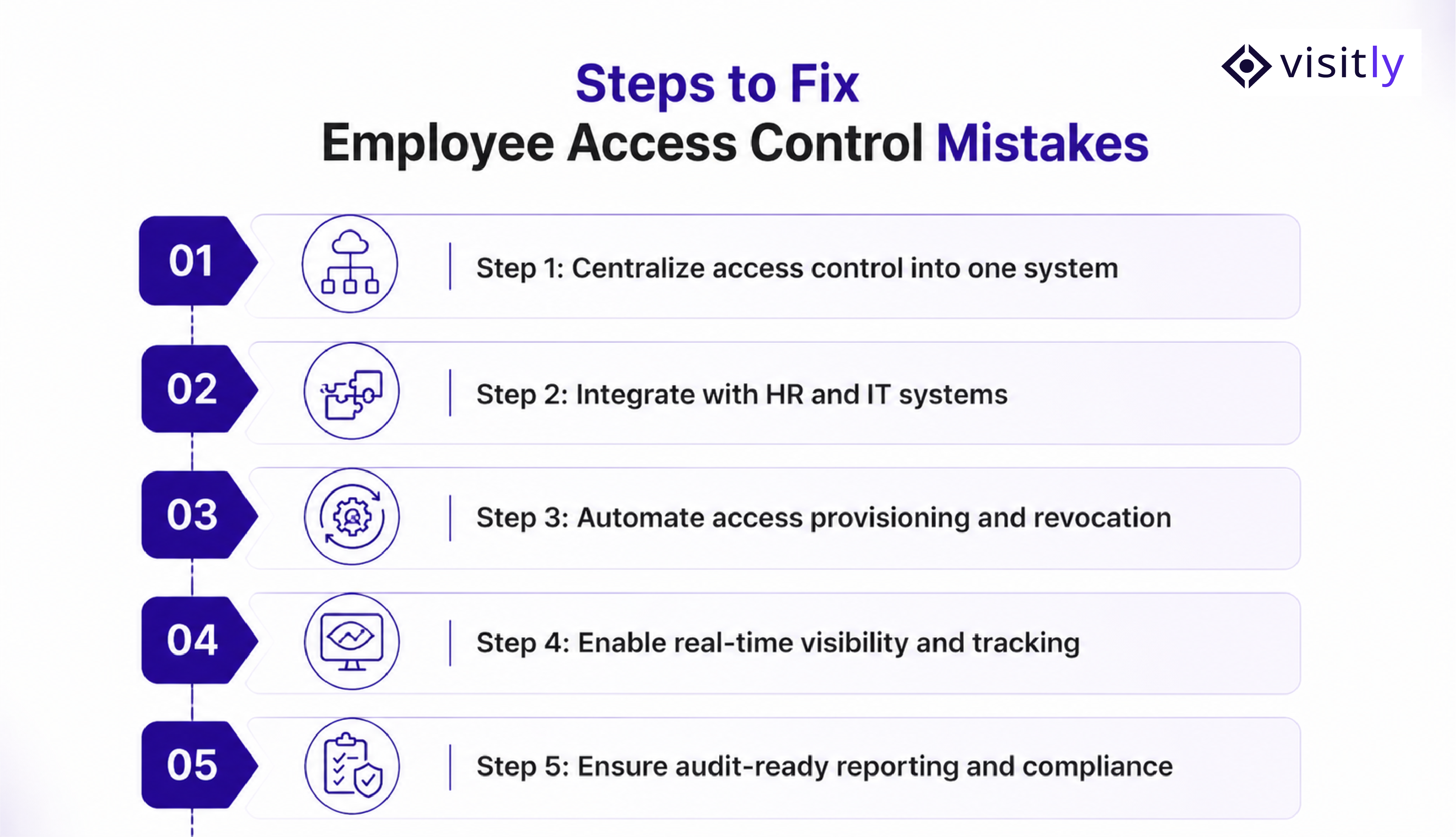
To fix these access control mistakes, follow these steps:
- Step 1: Centralize access control into one system
- Step 2: Integrate with HR and IT systems
- Step 3: Automate access provisioning and revocation
- Step 4: Enable real-time visibility and tracking
- Step 5: Ensure audit-ready reporting and compliance
Fixing access control is not about adding more tools. It’s about building a connected, system-driven approach that brings employee access control and visitor management systems into a single unified layer.
Step 1: Centralize Access Control into One Unified System
- Replace fragmented tools with a single access control system for business
- Combine employee access control + automated visitor management system into one platform
- Ensure all locations, users, and entry points are managed centrally
Result:
A single source of truth for access, eliminating silos and improving control across the organization.
Step 2: Integrate with HR, IT, and Visitor Management Systems
- Sync access control with HR systems for onboarding/offboarding
- Connect with IT systems for identity and role-based access
- Integrate with a digital visitor management system for unified entry control
Result:
Access automatically aligns with employee lifecycle and visitor flow; no manual intervention is needed.
Step 3: Automate Access Provisioning and Revocation
- Enable automatic access provisioning when employees join
- Trigger instant access revocation during offboarding
- Use role-based access control (RBAC) for dynamic permissions
Result:
Reduced delays, fewer errors, and stronger security with consistent access policies.
Step 4: Enable Real-Time Visibility and Tracking
- Implement real-time dashboards for employee and visitor movement
- Track employee check-in and visitor check-in activity live
- Maintain centralized logs across locations and systems
Result:
Full visibility into who is on-site, improving both security and operational decision-making.
Step 5: Ensure Audit-Ready Reporting and Compliance
- Maintain centralized, tamper-proof audit logs
- Generate compliance-ready reports on demand
- Track both employee access and visitor management software activity
Result:
Faster audits, reduced compliance risk, and higher trust in access to data.
How Visitly Helps You Build a Unified Access Control System?
Visitly is designed to move access control from fragmented tools to a connected, system-driven model. This brings together employee check-in/check-out software and visitor management into one unified platform.
1. Employee + Visitor Access in One Platform
- Manage employee access and the visitor check-in process from a single system
- Eliminate gaps between employee and visitor management security.
- Apply consistent access policies across both employees and guests
Result:
One unified access layer with complete control over who enters, when, and why.
2. Real-Time Tracking and Centralized Dashboards
- Live visibility into employee check-in software and visitor check-in activity
- Central dashboards across locations
- Instant insights into on-site presence
Result:
Full operational visibility with the ability to act in real time, not after the fact.
3. Integration-Ready Architecture
- Seamless integration with HR, IT, and security management systems
- Sync access with onboarding, offboarding, and role changes
- Connect with existing enterprise tools without disruption
Result:
Access control becomes part of your system, not a standalone tool.
4. Automation Across Access Workflows
- Automate access provisioning and revocation
- Enable role-based access control (RBAC)
- Remove dependency on manual approvals and emails
Result:
Faster operations, fewer errors, and consistent access management across teams.
5. Compliance-Ready Logs and Reporting
- Maintain centralized, audit-ready logs for employees and visitors
- Generate compliance reports instantly
- Ensure traceability across all access events
Result:
Stronger compliance, faster audits, and higher trust in accessing data.
Closing Thoughts
When access control fails, it’s rarely a device issue – it’s a system failure. Disconnected tools, manual processes, and a lack of visibility create gaps that no hardware can fix.
The modern approach is clear: unified, automated, and system-driven access control. When employee access control systems and visitor management systems work together, organizations gain real-time visibility, faster operations, and stronger security.
If your current setup still relies on fragmented tools or manual workflows, it’s time to rethink how access is managed.
Upgrade to a unified access control system with Visitly, and move from basic entry control to complete operational visibility and control.
Frequently Asked Questions
1. What are common mistakes in employee access control systems?
Common mistakes include relying solely on hardware, lacking real-time visibility, relying on manual access management, poor integration with HR systems, and missing audit logs. These issues lead to security risks, delays, and compliance challenges.
2. Why do employee access control systems fail in enterprises?
They fail due to fragmented systems, poor integration, and a lack of centralized control. Without real-time visibility and automation, access becomes inconsistent and difficult to manage across teams and locations.
3. How can companies improve their access control systems?
Companies can improve access control by centralizing systems, integrating with HR and IT tools, automating access workflows, enabling real-time tracking, and maintaining audit-ready logs for compliance.
4. What is the role of a visitor management system in access control?
A visitor management system helps track, manage, and control guest access. When integrated with employee access control, it creates a unified system for managing all entry points and improving security.
5. What are the benefits of unified access control systems?
Unified systems provide real-time visibility, reduce manual effort, improve security, ensure compliance, and allow organizations to manage employee and visitor access from a single platform.