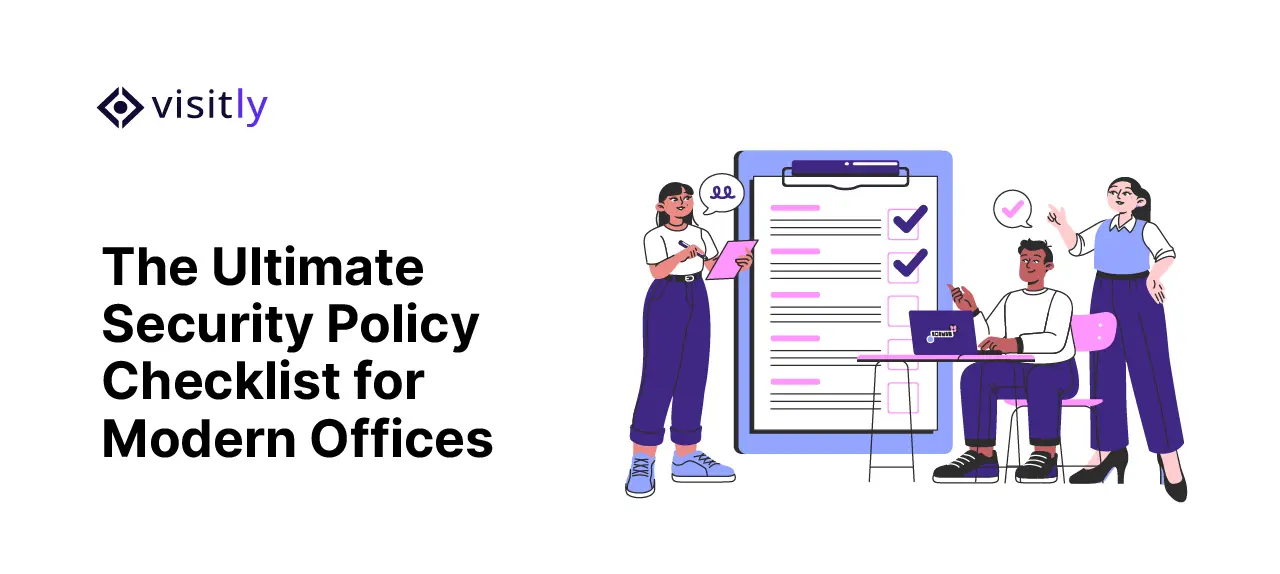
How is your workplace safety? Is it really helping you?
Many organizations focus on digital security but overlook basic internal risks that can cause serious damage. One missed visitor entry or a weak password is all it takes to expose sensitive data or systems.
Here are the most common workplace security problems companies face today:
- Lack of a clear access control system for managing who enters secure areas.
- Poor handling of visitor entries without a proper visitor management system.
- Weak password policies make systems easy targets.
- Untrained employees falling for phishing or social engineering attacks.
The solution? A clear set of workplace security policies that leaves no room for error.
In fact, according to a recent report by IBM, 95% of cybersecurity breaches are caused by human error, proving why workplace rules and policies are not just helpful but essential.
This blog outlines the essential workplace security policies every organization must implement to protect its assets, workforce, and data.
Essential Security Policies No Workplace Can Afford to Ignore
Every workplace needs a strong workplace safety checklist to stay safe. Workplace security risks like data theft, hacking, and unwanted visitors are real. These essential workplace rules and policies help protect the company, its people, and its information.
So, what are the key workplace security policies every organisation must follow?
Let’s see:
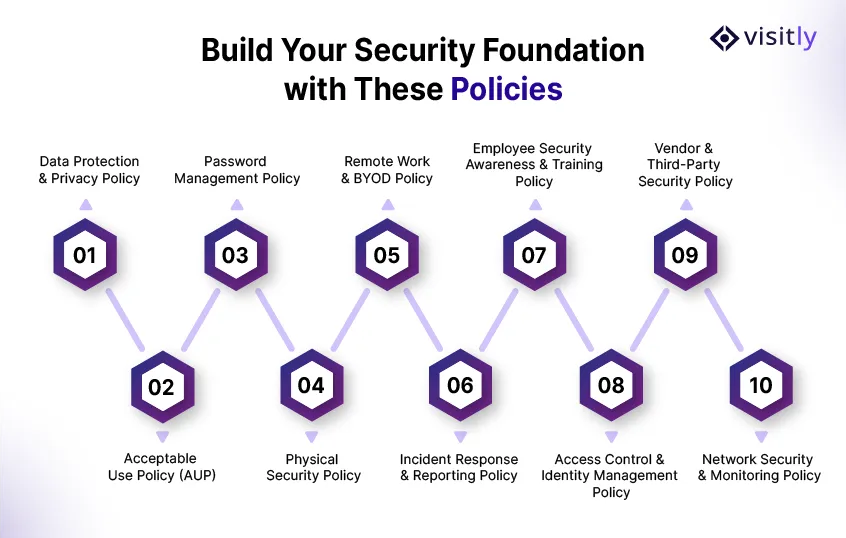
1. Data Protection & Privacy Policy
A Data Protection & Privacy Policy ensures that sensitive information, whether customer, employee, or business data, remains secure from unauthorized access or theft. Every company, big or small, handles confidential data that needs safeguarding.
Key Elements:
- Data classification (public, internal, confidential, restricted)
- Encryption security standards for data in transit and at rest
- Secure data storage locations (on-premises or cloud)
- Access control entry measures for sensitive files
- GDPR, CCPA, or other regional compliance adherence
Why it matters:
- Prevents data breaches
- Protects customer trust
- Avoids hefty legal penalties
2. Acceptable Use Policy (AUP)
The Acceptable Use Policy defines what employees can and cannot do with company-owned technology and systems. It sets clear boundaries to prevent resource misuse, reduce security risks, and ensure responsible digital behavior at work.
Policy Essentials:
- Restrictions on accessing unapproved websites
- Prohibiting unauthorized software installations
- Banning personal use of company systems beyond reasonable limits
- Guidelines on handling emails, social media, and file transfers
Benefits:
- Reduces malware or ransomware attacks
- Prevents misuse of resources
- Protects organizational data integrity
3. Password Management Policy
Weak passwords are a hacker’s easiest entry point. A Password Management Policy sets strict rules for creating and managing user credentials across the organization. It helps minimize the risk of unauthorized access and protects sensitive company systems and data.
Key Practices:
- Minimum password length and complexity requirements
- Mandatory Multi-Factor Authentication (MFA)
- Regular password changes every 60–90 days
- Prohibition of password sharing
Results:
- Stops unauthorized system access
- Strengthens network security
- Builds a habit of responsible password hygiene
4. Physical Security Policy
Protecting your organization physically is as vital as safeguarding its digital assets. The Physical Security Policy outlines procedures for managing entry points, secure zones, and visitor movement.
Crucial Components:
- Installation of a modern physical access control system
- Secured entry for restricted areas (server rooms, data centers)
- Surveillance cameras at key locations
- Visitor verification at reception desks using reception management software
Advantages:
- Prevents unauthorized entry
- Ensures staff and asset safety
- Deters internal theft or sabotage
5. Remote Work & BYOD Policy
As remote work and Bring Your Own Device (BYOD) trends rise, organizations must define boundaries for personal device use and secure remote access to corporate resources. This policy helps prevent data leaks, unauthorized access, and ensures that company information stays protected, even outside office walls.
Policy Requirements:
- Mandatory use of company-approved VPNs
- Device encryption and security software installation
- Guidelines for accessing corporate applications and data remotely
- Prohibition of storage of sensitive files on personal devices
Benefits:
- Prevents data leakage via personal devices
- Reduces risks of public Wi-Fi attacks
- Protects sensitive company information when working offsite
6. Incident Response & Reporting Policy
When incidents occur, the response must be swift and efficient to minimize damage. An Incident Response Policy prepares your team to tackle cybersecurity and physical breaches proactively.
Policy Framework:
- Definition of a “security incident” (data breach, system failure, unauthorized access)
- Clear step-by-step response plan
- Designated incident response team roles
- Reporting channels (helpdesk, IT support)
Impact:
- Minimizes downtime
- Reduces potential financial and reputational loss
- Encourages immediate threat mitigation
7. Employee Security Awareness & Training Policy
Even the best policies fail if employees lack awareness. Training programs ensure that the workforce becomes the first line of defense against workplace threats. Regular sessions, simulations, and updates keep staff informed about the latest compliance risks and safe practices.
Training Must Cover:
- Phishing and social engineering awareness
- Secure password handling
- Identifying suspicious activities
- Safe internet browsing habits
Results:
- Builds a security-conscious culture
- Reduces human error vulnerabilities
- Improves overall organizational resilience
8. Access Control & Identity Management Policy
An Access Control & Identity Management Policy establishes how you grant, review, modify, and revoke physical and digital access across your organization. This ensures that only the right people access the appropriate spaces, systems, and data at the right times.
Key Elements:
- Role-based access permissions for employees, contractors, and temporary staff
- Badge, PIN, or biometric access for restricted areas
- Approval workflows for new access requests
- Periodic access reviews to remove unnecessary permissions
- Immediate revocation of access during offboarding or role changes
Why it matters:
- Prevents unauthorized entry to secure areas and systems
- Reduces insider threat and privilege misuse
- Improves accountability with clear access logs and audit trails
9. Vendor & Third-Party Security Policy
A Vendor & Third-Party Security Policy sets security requirements for contractors, suppliers, service providers, and partners who interact with your workplace, systems, or sensitive data. This approach helps you reduce the risks introduced by external parties.
Key Elements:
- Security screening and risk assessment before vendor onboarding
- Confidentiality and data-handling requirements in contracts
- Limited, role-based, or time-bound access for third parties
- Visitor escort rules for contractors entering restricted areas
- Defined breach notification and compliance obligations
Why it matters:
- Reduces third-party security and compliance risks
- Protects confidential business and customer information
- Creates clear accountability for external access and activity
10. Network Security & Monitoring Policy
Your network is the backbone of your organization’s digital infrastructure. A Network Security & Monitoring Policy defines rules for protecting your internal and external network perimeters, controlling traffic flow, and maintaining continuous surveillance for suspicious activity.
Without these measures, you are exposed to intrusions, data interception, and unauthorized access that may go undetected for months.
Key Elements:
- Segmentation of internal networks (separating sensitive data zones from general access)
- Mandatory use of firewalls, intrusion detection systems (IDS), and intrusion prevention systems (IPS)
- Continuous network monitoring with real-time alerts for anomalies
- Strict controls over open ports, protocols, and external-facing services
- Regular vulnerability assessments and penetration testing (at least annually)
- Wi-Fi security standards — WPA3 encryption, separate guest and corporate networks
Results:
- Detects and neutralizes threats before they escalate into full breaches
- Reduces the attack surface available to external and internal threat actors
- Ensures network compliance with PCI-DSS, HIPAA, and NIST frameworks
- Provides actionable forensic data in the event of a security incident
Visitly: Best Visitor Management System
Physical entry points remain a weak link in many organizations. A reliable visitor management system like Visitly can seal this gap.
Visitly is an iPad-enabled visitor sign-in app designed to make workplace check-ins simple, fast, and secure.
It offers a modern digital solution for managing visitors, contractors, and employees, with features such as watchlist alerts, Face ID authentication, and emergency evacuation support, all without requiring an app download.
Why Visitly Stands Out:
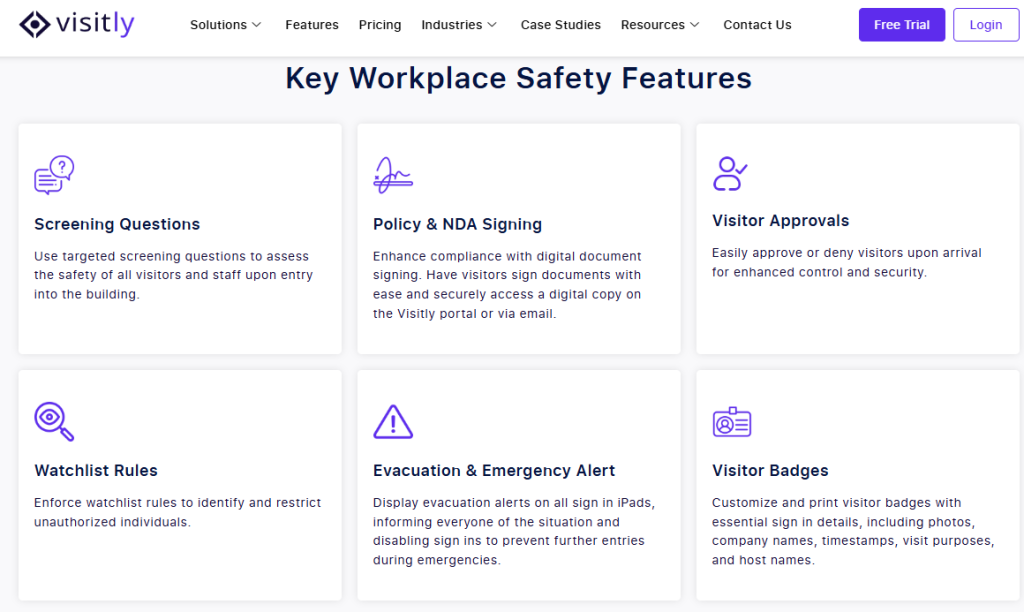
Visitor Watchlist: Effortlessly flag and track specific visitors with Visitly’s built-in watchlist for enhanced security.
Facial Recognition: Enable fast, secure check-ins with facial recognition for a smooth, hassle-free visitor experience.
Emergency Evacuation: Get instant access to real-time visitor logs to ensure safe, organized evacuations during emergencies.
iPad-Enabled: Enjoy a quick and digital visitor management system with easy sign-in and sign-out through an iPad, no extra devices or apps needed.

Conclusion
Workplace security is a business-critical necessity. Every organization must implement strong policies covering data protection, compliance risk management systems, acceptable use of technology, password management, physical access, remote work, incident handling, and employee training.
Organizations that act now can ensure not only safety but also regulatory workplace compliance and operational continuity.
Start reviewing your security policies today because when it comes to workplace threats, prevention is always better than cure.
1. What are workplace security policies?
Workplace security policies are formal rules and procedures that help protect an organization’s people, facilities, devices, systems, and data from threats such as unauthorized access, theft, cyberattacks, and unsafe behavior.
2. Why are workplace security policies important?
Workplace security policies are important because they reduce risk, improve employee awareness, support compliance, and give teams a clear process for preventing and responding to security incidents.
3. What should a workplace security policy include?
A workplace security policy should include its purpose, scope, responsibilities, access rules, data protection requirements, incident reporting steps, training expectations, and review procedures.
4. How often should workplace security policies be reviewed?
Workplace security policies should be reviewed regularly and updated whenever there are changes in technology, regulations, workplace operations, or security threats. Many organizations review them at least once a year.
5. What is the difference between workplace security and workplace compliance?
Workplace security focuses on protecting people, assets, and information from threats, while workplace compliance focuses on meeting legal, regulatory, and internal policy requirements. Strong security policies help support both.