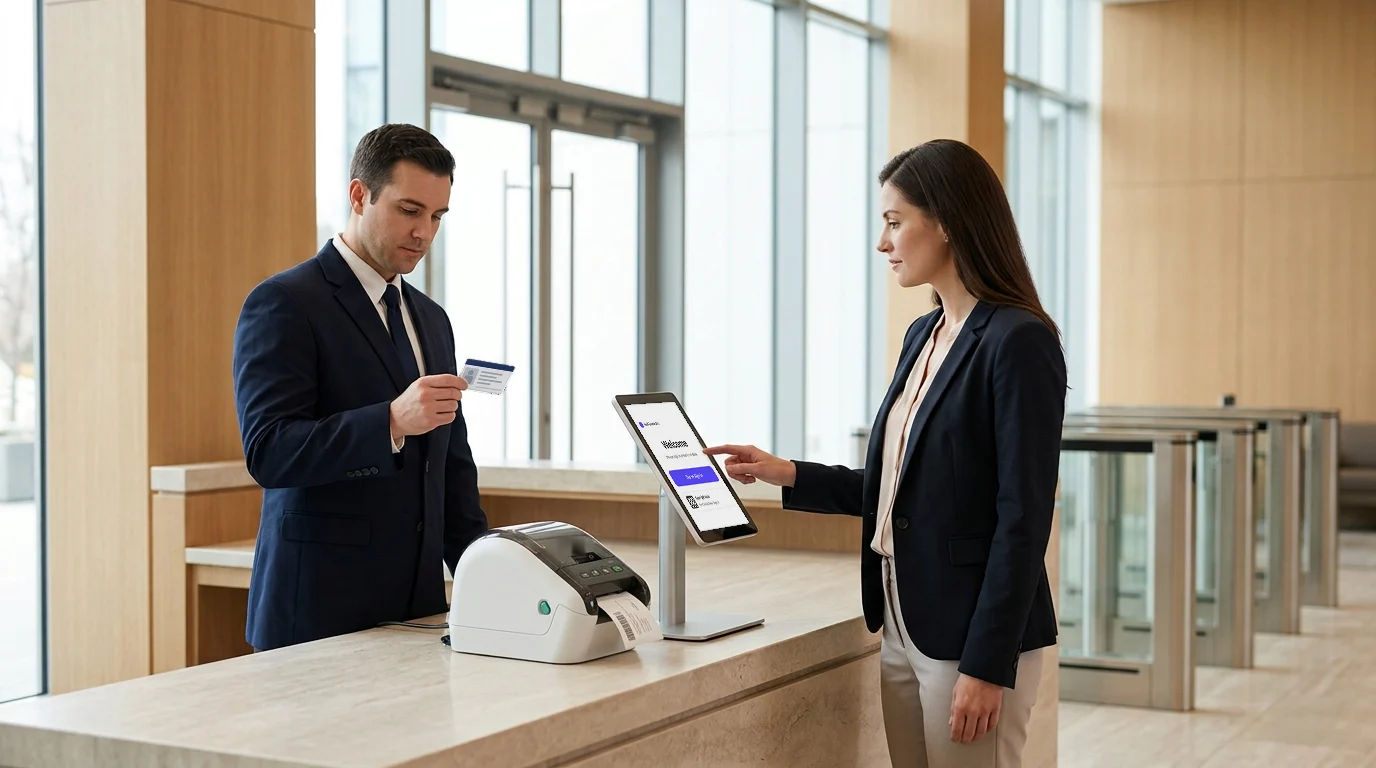
Your visitor management system controls who enters your workplace. But who controls access to the system itself?
As enterprises manage multiple offices, teams, and workplace locations, securing access to visitor management software becomes just as important as securing physical entry points.
- Separate employee logins increase IT workload and password risks.
- Manual user provisioning makes onboarding and offboarding difficult.
- Multiple locations require centralized access control.
The need for stronger identity controls is growing. Verizon’s 2026 Data Breach Investigations Report analyzed more than 22,000 confirmed breaches and highlighted the continued importance of strong security controls, with credential abuse remaining a key concern for organizations.
A single sign-on application checklist helps businesses evaluate visitor management software based on authentication, access control, and IT management capabilities. With the right SSO integration, organizations can simplify user access while maintaining better security across their workplace systems.
Why Does Visitor Management Software Need Single Sign-On Integration?
Single sign-on integration connects visitor management software with an organization's existing identity systems, allowing IT teams to manage access securely from one central platform.
For large workplaces, visitor management doesn't operate in isolation; it's another system IT and security teams are responsible for securing. Single sign-on integration is what keeps it inside the same access-control policies as everything else the organization runs.
Without SSO:
- Reception and front-desk teams manage a separate set of login credentials just for the visitor system
- IT manually creates and removes accounts every time someone joins or leaves the company
- Password resets, shared logins, and forgotten credentials become a recurring support burden
- Access reviews require checking the visitor platform separately from every other system
With SSO:
- Access follows the same company identity policies used across every other business system
- Employee accounts are provisioned automatically when they join the identity provider and removed the moment they leave no separate offboarding step
- Multi-factor authentication and role-based access rules apply consistently, without a parallel security policy to maintain
- IT manages one identity source instead of reconciling access across disconnected platforms
SSO gives IT and security teams:
- Reduced password management issues: One credential set, not a separate login to track and reset.
- Centralized employee access: Visitor system access lives inside the same identity provider as email, HR systems, and internal tools.
- Improved security policies: MFA, session rules, and access reviews apply the same way they do everywhere else.
- Simplified onboarding and offboarding: Accounts are created and revoked automatically, tied to the identity provider, not a manual IT ticket.
- Enterprise authentication support: SAML 2.0, OIDC, and SCIM-based provisioning meet the standards large IT and InfoSec teams require for sign-off.
| Without SSO | With SSO | |
|---|---|---|
| Login Credentials | Separate account just for the visitor system | One identity, same as every other tool |
| Onboarding | IT manually creates each account. | Auto-provisioned from the identity provider |
| Offboarding | Manual removal, often delayed | Access is revoked instantly when removed from the IdP. |
| Password Issues | Frequent resets, shared logins | No separate password to forget |
| Security Policy | Runs its own MFA and access rules | Inherits company-wide MFA and access rules |
| Access Reviews | Checked separately from other systems | Covered in the same identity audit |
What are the 7 Single Sign-On Application Checklists for Visitor Management?
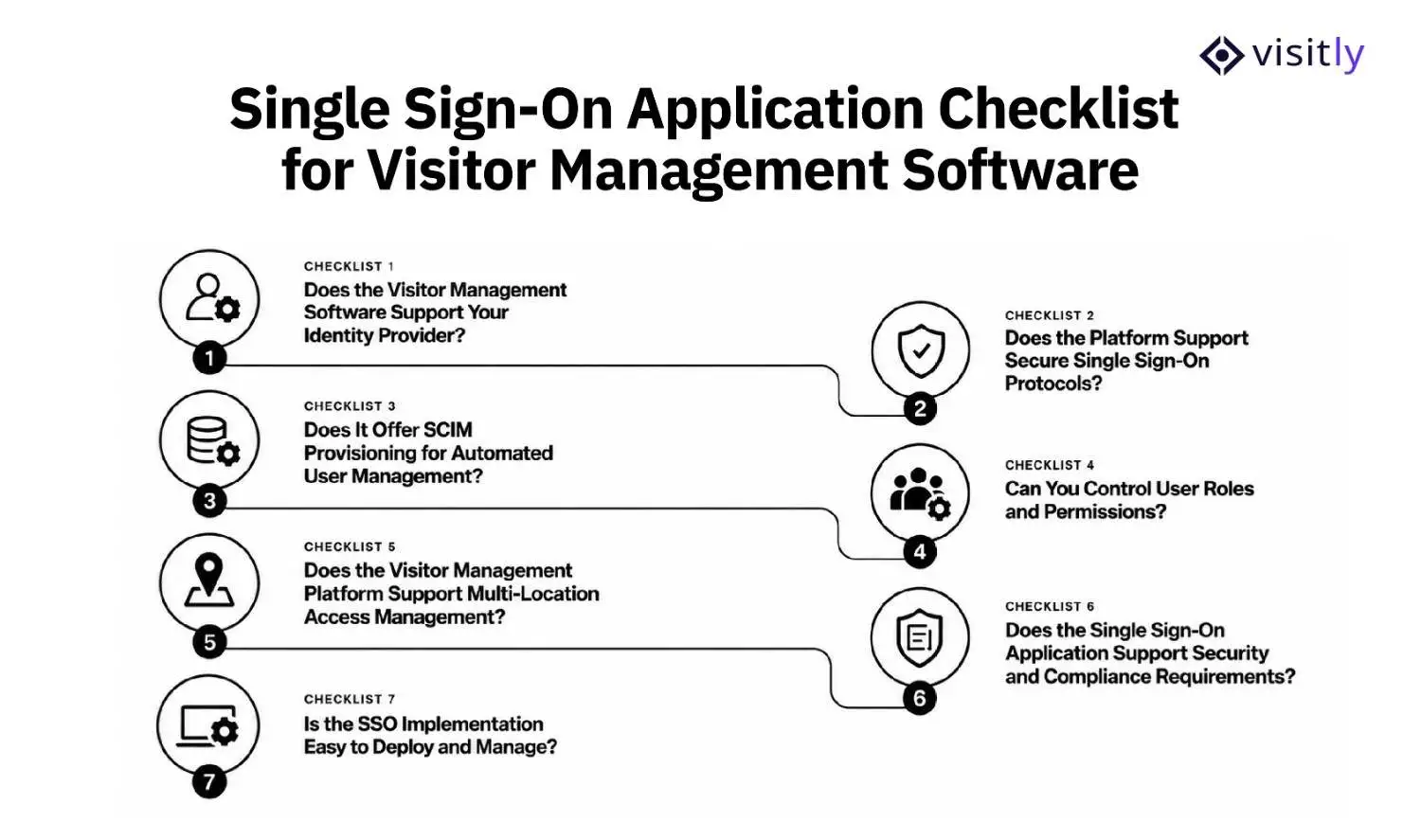
The 7-step single sign-on application checklists for visitor management are:
- Checklist 1: Does the Visitor Management Software Support Your Identity Provider?
- Checklist 2: Does the Platform Support Secure Single Sign-On Protocols?
- Checklist 3: Does It Offer SCIM Provisioning for Automated User Management?
- Checklist 4: Can You Control User Roles and Permissions?
- Checklist 5: Does the Visitor Management Platform Support Multi-Location Access Management?
- Checklist 6: Does the Single Sign-On Application Support Security and Compliance Requirements?
- Checklist 7: Is the SSO Implementation Easy to Deploy and Manage?
Choosing visitor management software with SSO capabilities requires more than confirming whether the platform supports a login integration. Enterprises need to evaluate how the system connects with their identity provider, manages user access, supports security policies, and fits into their existing IT environment.
A well-designed single sign-on application setup should help organizations reduce manual access management, improve security standards, and provide employees with a simpler way to access visitor management tools using their existing company credentials.
Before selecting a visitor management platform, use this checklist to evaluate the essential SSO capabilities.
Checklist 1: Does the Visitor Management Software Support Your Identity Provider?
Your visitor management software should work with the identity provider your organization already uses. A platform that supports your existing identity ecosystem avoids creating another disconnected authentication process for employees and IT teams.
Common enterprise identity providers include:
- Microsoft Entra ID
- Okta
- Google Workspace
- OneLogin
Before choosing a platform, ask vendors:
✓ Does the digital visitor management system support your current identity provider?
✓ Can employees sign in using their existing company credentials?
✓ Does the integration support your organization’s authentication policies?
✓ Can IT teams manage access through the existing identity platform?
For enterprises using Microsoft Entra ID, compatibility is especially important because it allows organizations to connect visitor management access with their existing employee identity controls.
A visitor management system that works with your identity provider helps IT teams maintain centralized control instead of managing separate accounts across multiple workplace applications.
Checklist 2: Does the Platform Support Secure Single Sign-On Protocols?
A reliable single sign-on software solution should support secure authentication protocols that allow identity providers and applications to communicate safely.
Before implementation, check whether the visitor management platform supports:
✓ SAML-based authentication
✓ OAuth authentication
✓ OpenID Connect
✓ Secure data exchange between identity systems and applications
These protocols help verify user identities before granting access to the visitor management platform.
A secure SSO setup should also:
- Follow your organization’s authentication standards
- Support existing security frameworks
- Reduce dependency on separate passwords
- Work alongside security controls such as multi-factor authentication (MFA)
The goal is not only easier login access but also stronger control over who can access visitor management systems and what information they can view.
Checklist 3: Does It Offer SCIM Provisioning for Automated User Management?
SCIM provisioning allows organizations to automatically create, update, and remove user accounts between their identity provider and connected applications.
For visitor management software, SCIM helps IT teams reduce manual user management tasks and maintain accurate access records.
A visitor management platform with SCIM provisioning capabilities should help organizations:
✓ Automatically create accounts for new employees.
✓ Update user details when employee information changes.
✓ Remove access when employees leave the organization.
✓ Reduce manual account creation and deletion tasks.
For example, when a new security team member joins, their visitor management access can be created based on identity system updates. Similarly, when an employee leaves, their access can be removed without requiring manual action from IT teams.
This helps organizations maintain better access control while reducing administrative effort.
Checklist 4: Can You Control User Roles and Permissions?
SSO controls how users authenticate, but organizations also need control over what each user can access after login.
Visitor management software should support role-based permissions that match different workplace responsibilities.
Check whether the platform allows:
✓ Administrator access controls
✓ Reception-level permissions
✓ Security team access
✓ Facility manager permissions
✓ Different access levels for different teams
For example, a receptionist may only need access to visitor check-ins and emergency notifications, while an IT administrator may require access to system settings and user management.
Clear role-based access prevents unnecessary exposure of visitor information and ensures employees only access the features required for their responsibilities.
Checklist 5: Does the Visitor Management Platform Support Multi-Location Access Management?
Large organizations often manage multiple offices, campuses, or facilities. Their visitor management software should support centralized access management without losing location-level control.
Evaluate whether the platform supports:
✓ Centralized administration
✓ Location-based permissions
✓ Multiple workplace locations
✓ Consistent security policies across offices
For example, a global company may want its IT team to manage authentication settings centrally while allowing individual office managers to manage local visitor operations.
A strong SSO-enabled visitor management system helps enterprises maintain consistent access policies while supporting different workplace requirements.
Checklist 6: Does the Single Sign-On Application Support Security and Compliance Requirements?
Enterprise visitor management systems handle sensitive information, including visitor identities, contractor details, and workplace access records. Because of this, secure authentication and monitoring are essential.
Before selecting software, check whether it provides:
✓ Audit logs
✓ Login activity tracking
✓ Access history records
✓ Workplace security policy controls
✓ Compliance reporting capabilities
These controls help organizations understand who accessed the system, when access occurred, and whether user permissions follow company security requirements.
For regulated industries such as healthcare, finance, and technology, these security features are important when evaluating visitor management software.
Checklist 7: Is the SSO Implementation Easy to Deploy and Manage?
A good single sign-on integration should reduce IT complexity, not introduce another difficult system to maintain.
Before deployment, evaluate:
✓ Availability of setup documentation
✓ IT administrator controls
✓ Testing environment or trial configuration
✓ Vendor implementation support
✓ Employee onboarding process
A smooth implementation process helps teams configure access correctly, test permissions, and ensure employees can use the integrated visitor management system without unnecessary delays.
Single Sign-On Application Checklist for Visitor Management Software
Before choosing a visitor management platform with SSO capabilities, enterprises should verify whether the solution meets their authentication, access control, security, and integration requirements. Use this checklist to evaluate whether the platform can support your organization’s identity management needs.
| Checklist Area | What to Verify | Completed |
|---|---|---|
| Identity Provider Compatibility Verified | Confirm support for existing identity providers such as Microsoft Entra ID, Okta, Google Workspace, or OneLogin. | ☐ |
| SSO Protocols Reviewed | Check support for secure authentication standards such as SAML, OAuth, or OpenID Connect. | ☐ |
| SCIM Provisioning Requirements Checked | Verify automated user creation, updates, and access removal through identity systems. | ☐ |
| User Roles and Permissions Configured | Ensure different teams have appropriate access levels based on their responsibilities. | ☐ |
| Multi-Location Access Reviewed | Confirm centralized management with location-based permissions for different offices. | ☐ |
| Security and Audit Requirements Verified | Review audit logs, login activity tracking, access history, and compliance controls. | ☐ |
| Implementation Process Tested | Test SSO configuration, user access, permissions, and employee onboarding before launch. | ☐ |
What Mistakes Should Businesses Avoid When Implementing SSO for Visitor Management?
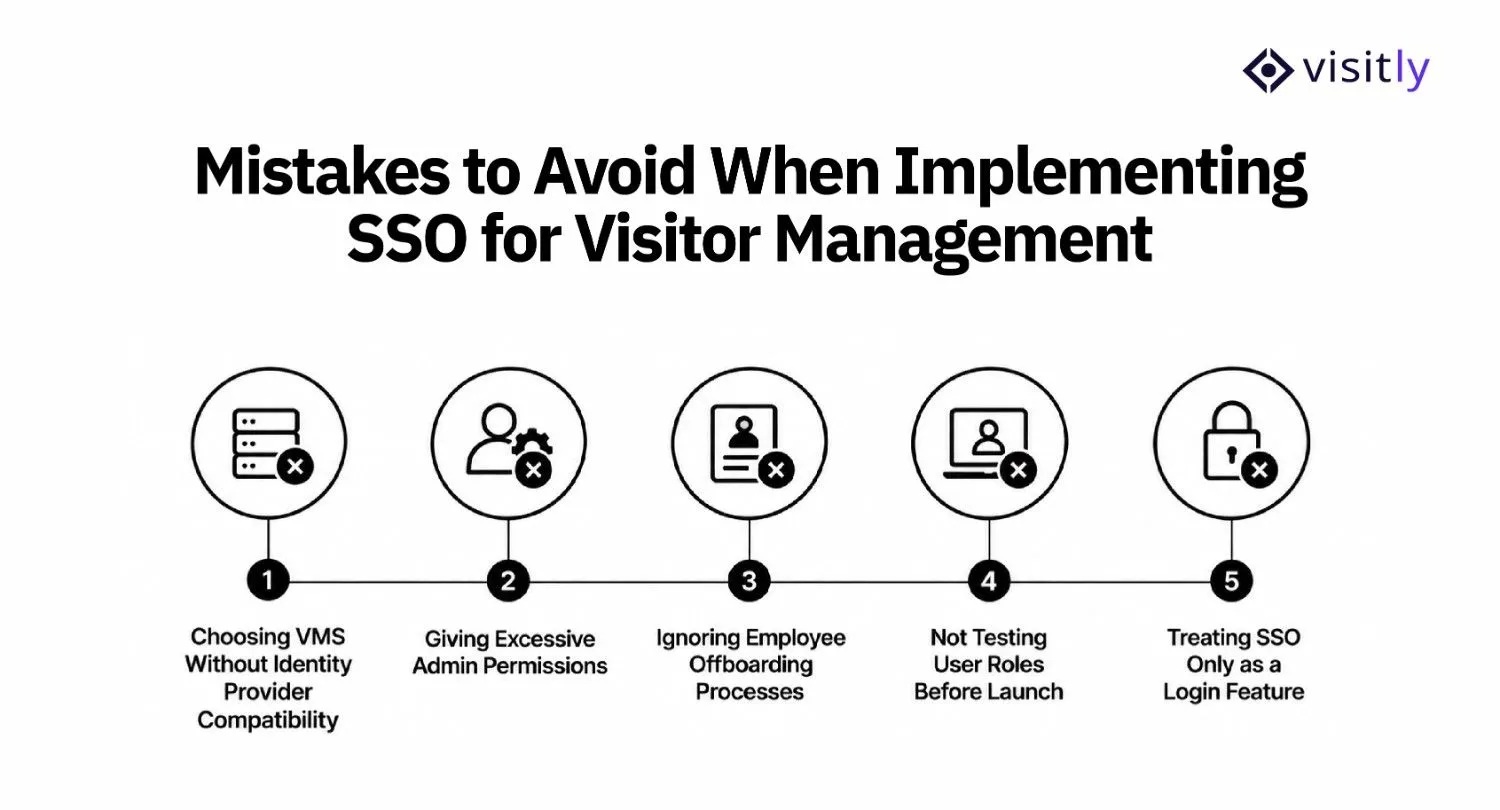
The mistakes businesses should avoid when implementing SSO for visitor management are:
1. Choosing VMS Without Identity Provider Compatibility
2. Giving Excessive Admin Permissions
3. Ignoring Employee Offboarding Processes
4. Not Testing User Roles Before Launch
5. Treating SSO Only as a Login Feature
Implementing SSO for visitor management software can improve security visitor management and reduce IT workload, but poor configuration can create access issues and security gaps. Before deployment, organizations should avoid these common mistakes.
1. Choosing VMS Without Identity Provider Compatibility
A visitor management platform should work with the identity systems your organization already uses. Selecting software that does not support platforms like Microsoft Entra ID, Okta, or Google Workspace can create additional login processes and increase IT management effort.
Avoid this mistake by:
- Verifying identity provider compatibility before purchase
- Confirming supported authentication standards
- Checking whether the integration fits existing IT policies
2. Giving Excessive Admin Permissions
Not every user managing visitors needs complete access to system settings or visitor data. Over-permissioning increases security risks and makes it harder to maintain proper access control entry.
Avoid this mistake by:
- Creating role-based permissions
- Limiting admin access to authorized users
- Reviewing user roles regularly
For example, a receptionist may only need visitor check-in access, while IT administrators may require system configuration permissions.
3. Ignoring Employee Offboarding Processes
When employees leave an organization, their access to visitor management systems should be removed immediately. Failing to update user access can leave inactive accounts exposed.
Avoid this mistake by:
- Connecting user lifecycle management with identity systems
- Using automated provisioning and deprovisioning where possible
- Reviewing inactive accounts regularly
4. Not Testing User Roles Before Launch
A successful SSO implementation requires testing before employees start using the system. Incorrect permissions can prevent users from accessing required features or provide access they should not have.
Avoid this mistake by:
- Testing different user roles before rollout
- Verifying login permissions
- Checking access across different locations and teams
5. Treating SSO Only as a Login Feature
SSO is more than a way to reduce passwords. It is an important security control that helps organizations manage authentication, user access, and identity policies.
Avoid this mistake by:
- Aligning SSO with security policies
- Using it alongside MFA and access controls
- Reviewing authentication activity regularly
How Does Visitly Support Secure Visitor Management Access?
Visitly is built around security, safety, and compliance, not just visitor sign-in. It gives security, facilities, and IT teams a shared visitor record with controls for screening, emergency response, identity management, and audit readiness.
For organizations choosing visitor management software, Visitly supports these areas through:
1. Screen Visitors Before They Enter
Visitly can screen visitors against internal and third-party watchlists and support visitor approvals and escort workflows. Security teams can also configure screening rules by site and threat level.
2. Verify Visitor Identity at the Perimeter
Visitly supports government ID scanning and verification, photo capture, and configurable visitor types. It can also apply different controls to specific visitor categories and access zones.
3. Know Who Is Onsite During an Incident
Visitly provides a real-time presence dashboard across sites, helping security teams see who is currently on-site. During an emergency, teams can use evacuation alerts and generate site-specific evacuation rolls for accountability.
4. Capture Safety Requirements Before Access
Visitly can require visitors to acknowledge site-specific safety guidance, hazards, PPE requirements, or other instructions before receiving a badge. It also supports configurable safety and hazard acknowledgments by zone.
5. Create an Audit-Ready Visitor Record
Visitly maintains an immutable audit log with time-stamped check-ins, document acknowledgments, and badge issuance. Teams can search and export records, configure retention periods, and use legal-hold controls where required.
6. Support Regulated Workplace Requirements
Visitly provides visitor-side controls and evidence tooling that support programs involving HIPAA, ITAR, CMMC, NISPOM, FERPA, OSHA, and GDPR. Visitly also offers ITAR-aware citizenship controls and integrations with PACS, CCTV, and SIEM systems.
7. Connect Visitor Management With Enterprise IT
Visitly supports SAML 2.0 SSO, OIDC, SCIM 2.0, role-based access control, MFA, multi-IdP support, and Active Directory federation. This lets IT teams manage visitor-management access through the same identity infrastructure used elsewhere in the organization.
Together, these capabilities make Visitly more than a digital visitor sign-in tool. It connects visitor identity, perimeter security, emergency response, compliance evidence, and enterprise identity management in one visitor management platform.

Closing Thoughts
Choosing visitor management software is not only about simplifying check-ins. It is about ensuring the right people have the right access while protecting sensitive visitor information. A secure single sign-on application approach helps organizations connect workplace security, employee access, and visitor data management through a centralized authentication process.
Before selecting a platform, businesses should evaluate SSO compatibility, user permissions, identity provider support, and security requirements to ensure the solution fits their existing IT environment.
Visitly helps organizations build a secure visitor management workflow by combining digital visitor check-ins, workplace visibility, and integrations that support modern access management needs, including SSO-enabled environments.
Ready to create a more secure visitor management experience? Explore Visitly and see how secure visitor access can fit into your workplace technology ecosystem.
FAQs
What is single sign-on in visitor management software?
Single sign-on lets employees log in to the visitor management system with their existing company credentials instead of a separate username and password. Authentication happens at your identity provider, so password rules and MFA are set once by IT and apply to every admin and host who uses the platform.
Why should visitor management software support SSO integration?
SSO support matters because visitor records hold personal data, and access to them should follow your corporate identity rules. With SSO, IT grants and removes access in one place, offboarding ends the login, and there are no shared reception passwords. It also gives auditors one login record to review.
Does visitor management software work with Microsoft Entra ID?
Yes, most enterprise visitor management platforms work with Microsoft Entra ID through SAML 2.0, but confirm it before you shortlist a vendor. Ask whether directory sync is included as well as login. Visitly connects to Entra ID for SSO and employee directory sync, and supports Okta, ADFS, OneLogin, PingOne and Google Workspace for SSO.
Does a visitor management platform need SCIM as well as SSO?
For a multi-location enterprise, yes in most cases. SSO handles the login, while SCIM creates, updates and removes the user accounts themselves from your identity provider. Without it, someone has to add new hosts and delete leavers by hand. Smaller deployments can often manage with scheduled directory sync instead.
Is SSO included in visitor management pricing, or is it an upgrade?
It varies by vendor, so check which plan carries SSO before comparing prices. Envoy lists SSO from its Premium plan at $362 per location per month, billed annually. Sign In App lists SSO and SCIM on Pro at $1,890 per site per year. Visitly includes SSO as standard, from $1,000 per location per year. Prices as of Q4 2026.
What should IT test before rolling out SSO for visitor management?
Test role mapping and offboarding before go-live. Sign in as each role, such as global admin, location admin and host, and confirm each one sees only its own locations. Then disable a test user in the identity provider and check that access ends. Keep one documented emergency admin account in case the identity provider is unavailable.