Imagine this: You’re managing a business with 200 employees, 50 visitors a day, and several contractors coming through the office.
Now, imagine relying on outdated paper logs or a slow, inefficient manual system for tracking all these visitors. It’s not just frustrating—it’s a serious security and compliance risk.
Did you know that nearly 40% of businesses still use paper-based visitor check-in processes, despite the growing need for a modern, efficient solution?
Worse, 60% of those systems don’t integrate with existing security standards, leaving gaps that could expose your business to regulatory violations.
In today’s fast-paced business environment, selecting the right visitor management system is not a luxury—it’s a necessity.
This guide will walk you through the key factors to consider when choosing the right check-in system for your office, ensuring enhanced efficiency, workplace safety, and compliance with industry standards.
Let’s dive in!
Why Do You Need a Check-In System for the Office?
You will need a check-in system for the following reasons:
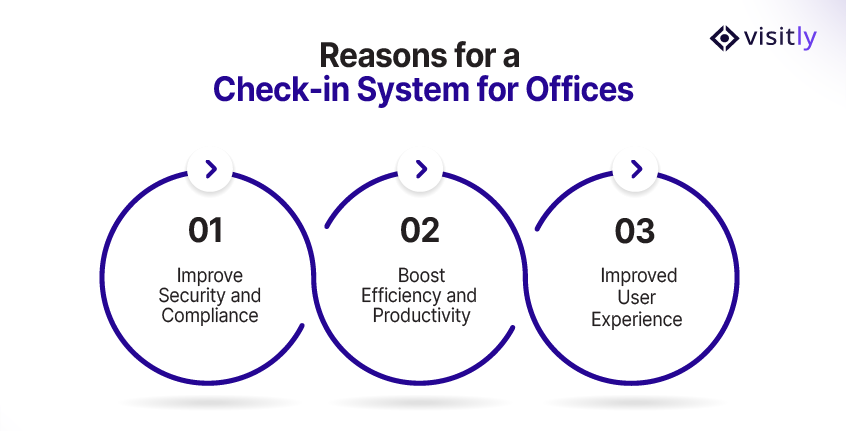
1. Improve Security and Compliance
2. Boost Efficiency and Productivity
3. Improved User Experience
Efficiently managing visitors while maintaining security and compliance is essential in the office. Office check-in software can streamline this process and deliver multiple benefits to businesses of all sizes.
Here’s why adopting a sign-in system for the office is crucial for modern offices:
1. Improve Security and Compliance
- Visitor Authentication: Ensures that only authorized visitors gain access to your office.
- Real-Time Alerts: Notifies security personnel instantly when visitors arrive, minimizing security risks.
- Compliance with Regulations: Helps meet GDPR, HIPAA, and other compliance standards with automated data handling.
- Audit Trails: Automatically logs all visitor activity, making audits seamless and less time-consuming.
- Visitor Screening: Customizable questions ensure compliance with internal security or health protocols.
2. Boost Efficiency and Productivity
- Automation of Tasks: Reduces time spent on manual check-ins and paper logs.
- Instant Data Collection: Automatically collects visitor details, reducing human error and improving accuracy.
- Real-Time Updates: Notifications to HR, IT, or security teams help them prepare for the visitor’s arrival.
- Improved Workflow: Integration with existing systems (e.g., access control, HR) streamlines operations.
- Reduced Wait Times: Faster check-in processes for visitors and contractors, making the office environment smoother.
3. Improved User Experience
- Frictionless Check-Ins: Simple, user-friendly interfaces make security check-in systems quick for visitors and contractors.
- Customizable Features: Personalize the system to meet specific business needs and compliance regulations.
- Self-Registration: Visitors can sign themselves in without needing assistance, reducing delays.
- Real-Time Communication: Automated notifications sent to hosts improve coordination and visitor experience.
- Visitor History: Quick access to past visitor data for easy reference and improved planning.
How to Choose the Right Office Check-In System for Your Business?
Choosing the right check-in system for your office is crucial for streamlining operations, enhancing security, and ensuring compliance.
What are the Key Features to Look For:
The key features to look for in an office chec-in system for an office are:
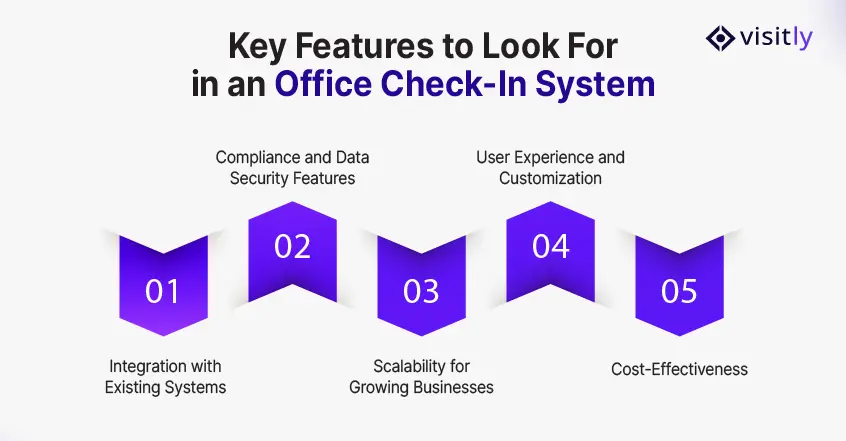
1. Integration with Existing Systems
2. Compliance and Data Security Features
3. Scalability for Growing Businesses
4. User Experience and Customization
5. Cost-Effectiveness
Let’s break down the key features that will guide you in choosing the right check-in system for your office.
1. Integration with Existing Systems
One of the most important factors to consider when choosing a sign-in system for work is how well it integrates with your existing IT infrastructure. A seamless integration with HR software, security systems, and other enterprise tools is essential for smooth operations.
When the office visitor sign-in app works in tandem with systems such as employee scheduling, access control, and email notifications, it reduces manual input, enhances data accuracy, and improves efficiency.
For instance,Visitly integrates with your HR management system, enabling automatic data flow without additional effort.
- Integration with HR systems: Ensures that employee check-ins sync with HR records.
- Security System Compatibility: Integrates with office access control entry systems to allow entry based on check-in data.
- Automated workflows: Streamline operations by reducing redundant tasks and minimizing errors.
2. Compliance and Data Security Features
Workplace security is non-negotiable in today’s business landscape, and choosing a system that ensures data privacy is crucial.
Look for an office check-in system that offers robust data security features, including encryption and user role management.
These features ensure that sensitive information, such as visitor logs and employee data, is secure, compliant with regulations (such as GDPR and HIPAA), and accessible only to authorized personnel.
- Encryption: Protects sensitive data from unauthorized access.
- Role-based access control: Limits access to confidential visitor data based on user roles.
- Compliance with industry standards: Meets regulatory standards such as GDPR, HIPAA, and SOC 2, ensuring your office remains compliant.
3. Scalability for Growing Businesses
As your business grows, so do your visitor check-in needs. A scalable system is crucial for ensuring long-term utility.
The best office check-in systems are flexible enough to accommodate higher visitor traffic, adapt to changing compliance regulations, and expand to additional office locations or facilities.
- Adaptability: Supports business growth by scaling to multiple offices or locations.
- Future-proof: Easy to update as business needs evolve.
- Volume handling: Efficiently manages high visitor traffic without compromising system performance.
4. User Experience and Customization
A user-friendly check-in system is essential for reducing friction for both employees and visitors. The more straightforward the process, the smoother the experience.
Look for an intuitive system with minimal setup, easy-to-read screens, and quick check-in flows.
Additionally, customization options ensure the system meets your specific office needs, including branding and security protocols.
- Ease of use: Allows employees and visitors to check in quickly without confusion.
- Customization: Tailor the interface, check-in questions, and badges to reflect your company’s needs.
- Visitor flow: A streamlined process reduces wait times and prevents bottlenecks at the front desk.
5. Cost-Effectiveness
As with any office solution, the cost should align with the value you receive.
When considering a check-in system for the office, ensure the pricing structure is transparent with no hidden fees. Ensure the system scales without significant price increases as your business grows.
- Transparent pricing: Clearly defined pricing with no hidden fees.
- Value for money: Choose a system that provides all the features you need at a reasonable cost.
- ROI: A well-integrated, efficient check-in system can save time, improve security, and reduce manual labor, justifying the investment.
Types of Office Check-In Systems
Manual vs. Digital Systems: The Shift to Automation
In the past, many offices used manual sign-in systems such as paper logs, which were not only time-consuming but also prone to errors.
However, as offices scale and the need for security management systems and efficiency grows, digital sign-in systems are rapidly becoming the norm.
Digital systems offer:
- Automated visitor logging: No more handwritten logs and human error.
- Instant access for security: Real-time notifications to security staff.
- Easy tracking and reporting: Simple to generate visitor reports or audit trails.
In comparison, manual systems create more room for errors, security risks, and missed opportunities for integration. Choosing a digital sign-in system for the office eliminates these issues and enhances the visitor experience.
Key Features of a Modern Digital Check-In System
When opting for a digital visitor management system, look for the following core features:
- Touchless Sign-In: Allows for quick, hygienic sign-in without contact, essential in the post-pandemic era.
- Pre-Registration: Enables visitor pre-registration to sign in before arriving, reducing wait times and improving workflow.
- Real-Time Alerts: Sends instant emergency notifications to hosts upon visitor arrival, ensuring a smooth transition.
- ID Scanning: Helps verify visitors’ identities, enhancing security.
- Customizable Questions: Tailor visitor check-in questions to meet your office’s specific compliance needs.
Choosing Between Cloud-Based and On-Premise Solutions
When selecting an office check-in system, you’ll often face the decision of choosing between cloud-based or on-premise solutions.
Here’s what you need to know:
Cloud-Based Solutions
Cloud-based systems offer a range of advantages, including:
- Remote Access: Can be accessed from anywhere, ideal for businesses with multiple locations.
- Automatic Updates: The system is always up to date, ensuring compliance with the latest regulations.
- Lower Upfront Costs: Typically subscription-based, reducing the initial investment needed.
- Scalability: Easily scales as your business grows, handling increased visitor volume.
On-Premise Solutions
On the other hand, on-premise solutions are:
- Self-Hosted: Gives you complete control over the system and data.
- Initial Setup Costs: Typically, they are more expensive upfront and require more technical setup.
- Customization: Offers greater flexibility in tailoring the system to your exact specifications.
- Security: Offers the potential for greater control over data security, but requires strong internal resources to manage it.
Ultimately, choosing the right type of solution depends on your business size, budget, and specific needs.
Compliance Considerations for Office Check-In Systems
Whether you’re managing a small startup or a large enterprise, understanding how your check-in system aligns with industry regulations such as GDPR, SOC 2, and HIPAA helps protect sensitive data and minimize legal risks.
Let’s take a closer look at key compliance considerations for office check-in systems.
1. Ensuring Data Security and Privacy
An office check-in system should ensure data privacy and comply with regulations such as GDPR, SOC 2, and HIPAA.
- GDPR: Ensures data is securely stored with consent.
- SOC 2: Verifies your system’s security controls.
- HIPAA: Protects sensitive health data.
Key features to look for include data encryption, multi-factor authentication, and role-based access control to safeguard sensitive information.
2. Audit Trails and Reporting for Compliance
Digital check-in systems provide audit trails and reporting features, making it easy to maintain compliance:
- Real-time Logs: Track all visitor interactions.
- Custom Reports: Tailor reports to specific compliance needs.
- Automated Logging: Reduce human error and ensure accuracy.
These features simplify audits and ensure that all records are readily available when required for compliance checks.
What are the Benefits of Switching to a Digital Check-In System?
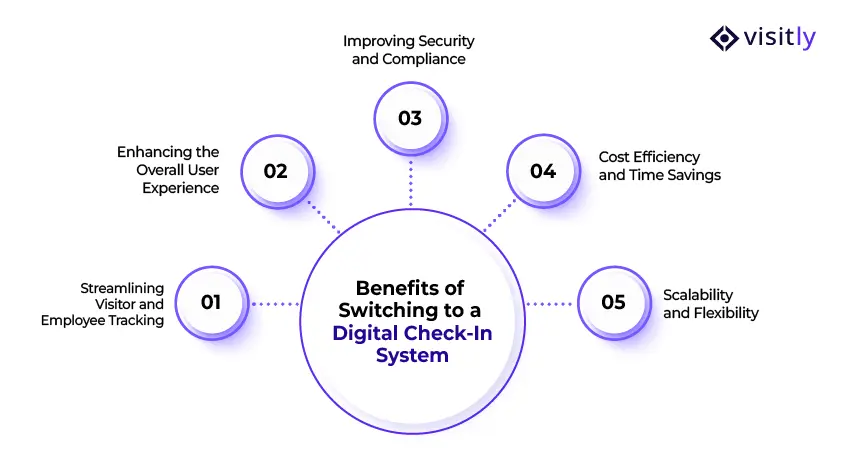
The benefits of switching to a digital check-in system are:
- Streamlining Visitor and Employee Tracking
- Enhancing the Overall User Experience
- Improving Security and Compliance
- Cost Efficiency and Time Savings
- Scalability and Flexibility
1. Streamlining Visitor and Employee Tracking
- Real-Time Tracking and Notifications: With an office check-in system, you can track visitors and employees in real time. Instant alerts notify the right people when a visitor arrives, ensuring smooth coordination and minimal waiting.
- Eliminating Manual Logs and Paper Records: Traditional check-in methods rely on manual logs, which are often prone to errors and inefficiencies. Switching to an electronic sign-in system for the office eliminates this, improving accuracy and accessibility.
2. Enhancing the Overall User Experience
- Benefits for Visitors, Employees, and Contractors: Visitors, employees, and contractors will benefit from a quicker, hassle-free check-in process. The streamlined approach improves the overall experience, reducing frustration for both guests and staff.
- Speed, Security, and Simplicity: Digital check-ins allow guests to sign in quickly and securely, often with ID scanning or a QR code check-in system, improving both security and convenience. The office visitor sign-in app eliminates the need for complex paperwork, making it a seamless experience for everyone involved.
3. Improving Security and Compliance
- Data Protection and Encryption: Digital check-in systems can automatically encrypt sensitive data to ensure compliance with industry regulations such as GDPR and HIPAA. They also allow role-based access controls, enhancing the security of sensitive information.
- Audit Trails for Compliance: With a sign-in system for work, every visitor’s check-in is logged and timestamped, providing businesses with an easily accessible audit trail for compliance. This ensures businesses can meet regulatory requirements and avoid potential security breaches.
4. Cost Efficiency and Time Savings
- Reduced Labor Costs: Digital check-in systems automate the process, reducing manual data entry time and freeing employees to focus on other tasks. Over time, this can lead to significant cost savings.
- Minimized Time Loss: With automatic visitor management for check-ins and real-time notifications, employees and visitors no longer need to waste time filling out forms or waiting for access. Everything from registration to sign-in is faster, making the workplace more efficient.
5. Scalability and Flexibility
- Growing with Your Business: As businesses scale, so too must their check-in systems. Digital solutions can easily accommodate increased volumes of visitors, contractors, and staff without requiring additional manual intervention.
- Customizable to Your Needs: A digital check-in system can be customized to suit your office’s unique needs, from adding custom questions for visitors to integrating with your existing software stack. This adaptability ensures that the system grows with your company.
Top 3 Check-In Systems for the Office: A Quick Comparison
Choosing the right check-in system is crucial for efficiency, security, and compliance. With so many options available, it’s essential to evaluate which solution aligns best with your office’s needs.
Here’s a quick comparison of Visitly and three other popular check-in systems.
1. Visitly vs. Other Solutions
Visitly stands out as a top choice for office check-in systems. Here’s how it compares to its competitors:
Key Features of Visitly:
1. Bulk Pre‑Registration and Customizable Visitor Flows
- Pre‑register visitors in advance to reduce lobby wait times.
- Tailor check‑in experiences by visitor type (guests, contractors, and employees) with customizable flows.
- Speeds up check‑ins and improves operational efficiency.
2. Real‑Time Tracking & Host Notifications
- Hosts receive instant notifications when their guests arrive.
- Real‑time tracking of who’s on‑site improves coordination and reduces confusion.
3. ID Scanning & Visitor Badge Printing
- Automates ID capture and visitor badge printing during check‑in.
- Improves visitor management system security and makes identification easier for staff and visitors.
4. Emergency Alerts & Evacuation Management
- Provides a real‑time list of all visitors on‑site for emergency response.
- Helps security teams execute efficient evacuation plans.
5. Integrations with Enterprise Tools
- Works with Microsoft Teams, Slack, Azure AD, Okta, Google Workspace, and more.
- Enables Single Sign‑On (SSO) and directory sync for smoother workflows.
6. Secure Data Handling & Compliance
- Built for compliance with security standards and privacy regulations like GDPR and SOC 2.
- Centralizes visitor data securely and supports audit readiness.
7. Employee Check‑In & Staff Tracking
- Tracks employee arrivals and departures digitally.
- Syncs with staff directories for accurate presence data.
8. Contractor Management
- Custom workflows and compliance checks for contractor management.
- Ensures risk and access policies are followed consistently.
9. Mailroom & Package Management (Optional)
- Digitizes mailroom management and operations with centralized logs and instant alerts.
- Improves tracking of deliveries and pickups.
10. Analytics & Reporting
- Provides insights into visitor trends, peak traffic times, and compliance data.
- Helps optimize office operations and audit functions.
Advantages Over Other Systems:
- Seamless Integrations: Visitly integrates easily with existing HR systems, access control tools, and more, helping eliminate silos in your workflow.
- Compliance-Friendly: It meets critical compliance standards, including GDPR and HIPAA, ensuring secure data management for businesses in regulated industries.
- Ease of Use: Visitly offers a user-friendly interface, minimizing training time for both visitors and staff.
2. Envoy
Envoy is a widely used office check-in software, particularly favored for its ease of use and intuitive design. It’s known for creating a seamless visitor experience, from digital check-ins to easy visitor tracking.
Key Features of Envoy:
- Visitor Passes: Allow visitors to check in and receive a digital visitor pass.
- Integration with Office Systems: Easily integrates with building security, access control, and other office management tools.
- Custom Branding: Personalizes the visitor experience by allowing custom branding for the check-in process.
Envoy is ideal for businesses that want a sleek, modern solution with excellent customer service.
3. The Receptionist
The Receptionist offers a simple yet effective visitor management solution. It’s designed to reduce waiting times while providing basic compliance and security features.
Key Features of The Receptionist:
- Visitor Log: A detailed log for each visitor, making it easy to track who is in the office and when they checked in.
- Custom Sign-In Flow: Tailor the visitor sign-in process to meet specific office needs.
- Badge Printing: Print visitor badges for easy identification and security management.
It’s a solid choice for small to mid-sized businesses looking for a straightforward, affordable visitor check-in system.
How Visitly Fits Into Your Office Check-In Needs?
Visitly offers a compelling office visitor sign-in app that is not only easy to use but also packed with essential features that improve office management.
Here’s why Visitly is an ideal choice for businesses looking to modernize their check-in systems:
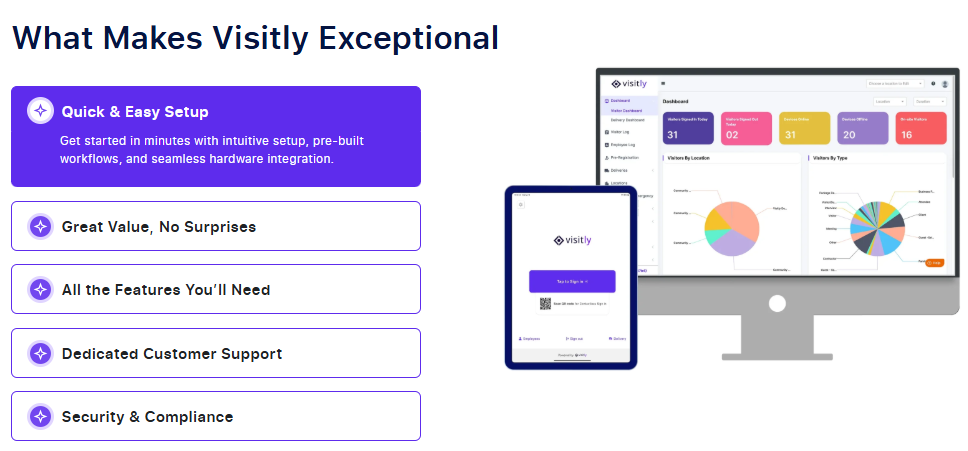
- Simple Setup: The system is designed to be up and running in minutes. There’s no complicated setup or long implementation process. Whether you have one office or multiple locations, Visitly can be deployed quickly.
- Affordable Pricing: Unlike many competitors’ solutions, Visitly offers a flexible pricing model that delivers value without breaking the budget. Whether you have a small team or a large organization, Visitly has an option tailored to your needs.
- High Scalability: As your business grows, Visitly can grow with you. The system is designed to handle increasing visitor volumes while maintaining efficiency and security.
- Compliance Risk Management Solutions: For industries with stringent regulations, such as healthcare, education, and finance, Visitly ensures full compliance with laws like GDPR, HIPAA, and SOC 2. By offering secure visitor data handling and storage, Visitly helps businesses meet compliance standards with ease.
- User-Friendly Interface: Visitly’s interface is designed for simplicity. It is intuitive for employees, visitors, and contractors, ensuring a smooth experience for everyone.
- Enhanced Security: With its integrated security features, Visitly minimizes risks by tracking visitors and employees. The ability to log visitor history and document access helps ensure that your office space remains secure at all times.
Closing Thoughts
As your business continues to grow, it’s crucial to have a check-in system that matches your office’s evolving needs. A check-in system for the office is not just about tracking visitors—it’s about ensuring compliance, enhancing security, and streamlining workflows.
With Visitly, you’re getting more than just an office sign-in tool. You’re investing in a solution that empowers your team, keeps your office secure, and improves overall visitor experiences.
Take the Next Step Toward a Smarter Office Check-In System
Now that you’ve explored the benefits and key features of a check-in system for the office, it’s time to take the next step. Visitly offers a modern, secure, and fully customizable office visitor sign-in app that can transform your check-in process.
Here’s how you can get started:
- Start Your Free Trial: Experience how Visitly seamlessly integrates into your office’s workflow with a free trial.
- Tailored to Your Needs: Visitly’s office check-in software can be customized to meet your office’s specific requirements. From visitor pre-registration to real-time host notifications, every feature is designed to provide convenience and security.
- Compliance Built-In: Whether it’s GDPR, HIPAA, or SOC 2, Visitly ensures your business stays up to date with regulatory standards and keeps your data safe.
- Easy Setup: Setting up Visitly is quick and hassle-free. You can get started in minutes, without the need for complicated integrations or extensive training.
Don’t wait for outdated systems to slow you down—choose Visitly and experience the future of office check-ins today!
Start your free trial now and see firsthand how Visitly enhances security, compliance, and productivity for your office.pliance needs.
FAQs About Mailroom Management Software
1. What is a check-in system for the office?
A check-in system for the office is a digital tool that allows employees, visitors, and contractors to register their arrival, helping businesses manage and track who is on-site in real time.
2. Why do I need a digital check-in system?
A digital check-in system improves security, ensures regulatory compliance, reduces human error, and enhances the visitor experience.
3. Can Visitly integrate with existing HR and security systems?
Yes, Visitly integrates seamlessly with various HR, security, and access control systems, ensuring smooth workflows.
4. How does Visitly ensure compliance with regulations?
Visitly offers data encryption, audit trails, customizable visitor screening, and reporting, all designed to meet compliance standards like GDPR and HIPAA.
5. Is Visitly suitable for growing businesses?
Yes, Visitly is highly scalable and can adapt to your business’s evolving compliance and check-in needs, making it perfect for growing organizations.