You’ve probably heard the stat by now: a big chunk of small defense subcontractors are walking into CMMC assessments and failing on controls they thought were covered.
Not because their cybersecurity is bad. Because their front door isn’t compliant.
Paper visitor logs. No watchlist screening. A receptionist handing out the same generic badge to a cleared employee and a vendor who just walked in off the street. These are the things that show up as findings—and they’re showing up constantly at 50- to 200-person manufacturing shops that have spent months worrying about the wrong things.
If you’re a small manufacturer trying to figure out CMMC visitor management and small manufacturer compliance without blowing your budget or pulling your one IT person off real work, this is the post for you. Think of it as a working CMMC compliance guide covering the exact gaps that get flagged, what a practical visitor management system actually does for your compliance posture, and how you can close your biggest PE and AU risks in less time than you’d expect.
So Why Are Small Manufacturers Still Failing CMMC Physical Access Audits?
Honestly? Because the tools they’re using for the visitor management system were never built for this.
A spiral-bound sign-in notebook doesn’t create an audit trail. A printed watchlist on the reception desk doesn’t count as screening. And when an assessor asks for 90 days of physical access logs, “I think Sarah has the binder from last quarter” isn’t an acceptable answer.
The Physical Protection domain (PE 3.10.1 through 3.10.4) and Audit & Accountability (AU 3.3.1) are two of the first places a C3PAO assessor looks-and two of the places where the evidence either clearly exists or clearly doesn’t. Under the new CMMC requirements introduced with CMMC 2.0, these aren’t suggestions. They’re hard CMMC compliance requirements with no partial credit. Either you have timestamped, verifiable records of who entered your facility, when, with what authorization, and how their identity was confirmed-or you don’t.
For most small subs, the problem isn’t that they ignored these requirements. It’s that the manual systems they’ve been using for years look like they should work until someone actually tries to use them as compliance evidence.
Add to that the fear of CUI scope creep. Every time a shop owner hears about a new tool, the first question is: will this drag more of my systems into scope? That’s a fair concern. But it’s also one that’s kept a lot of small manufacturers from fixing gaps with a system they could deploy in about a week.
A quick CMMC compliance checklist for physical access. What assessors actually flag:
- No digital visitor sign-in or check-out log
- Visitor identity not verified at entry (no ID scan, no photo)
- No watchlist screening at sign-in
- No differentiation between escort-required and unescorted visitors
- Paper logs with missing entries, unclear timestamps, or no retention policy
- No exportable audit record for assessors to review
If two or more of those sound familiar, keep reading.
Does Fixing Visitor Management Actually Move the Needle on CMMC?
More than most people realize. And faster than almost any other control category.
Here’s the thing about PE and AU: they’re documented or they’re not. You can’t partially close PE 3.10.3 (escort visitors and monitor visitor activity). You either have a system that tracks who’s escorted, who isn’t, and what kind of access they’re authorized for. Or you have a gap. Same with AU 3.3.1. Either your visitor management system is generating tamper-evident, timestamped logs that you can export on demand, or you’re not meeting the requirement.
What makes visitor management such a high-leverage fix is that the right CMMC compliance tools don’t have to be enterprise-grade to be effective. A good digital visitor management system closes multiple CMMC practices in one deployment. PE 3.10.1 through 3.10.4 all map directly to what happens at your front desk: who comes in, how their identity is verified, what kind of access they get, and whether the record of that interaction can be audited later.
That’s four PE practices and one AU practice. Five CMMC requirements are handled by the same tool your receptionist uses to check people in.
And because a purpose-built visitor management software like Visitly doesn’t process or store Controlled Unclassified Information, it doesn’t expand your CUI environment. You document it as out of scope in your SSP, and you move on. No enclave drama, no additional scope review, no new systems pulled into your assessment boundary.
What CMMC coverage looks like from a visitor management lens:
- PE 3.10.1 – Limit physical access control system to authorized individuals → Visitly enforces sign-in workflows; no one gets in without a logged entry and ID verification
- PE 3.10.2 – Protect and monitor the physical facility → Real-time check-in/out with photo capture and ID scan
- PE 3.10.3 – Escort visitors and monitor activity → Color-coded badges: escorted visitors, authorized personnel, and foreign nationals are visually distinct; escort enforcement is part of the workflow
- PE 3.10.4 – Maintain audit logs of physical access → Every entry, exit, NDA sign, and badge assignment is logged and exportable
- AU 3.3.1 – Create and retain audit logs → Digital, timestamped visitor records replace paper entirely
- AT 3.2.1-3.2.2 – Awareness & training evidence → Digital NDA and policy sign-off at check-in documents, visitor acknowledgment
- PS 3.9.1-3.9.2 – Personnel security → Automated watchlist screening at every sign-in, no manual lookup required
- SR (ITAR) – Supply chain/ITAR support → Citizenship capture, foreign national flagging, and escort enforcement for ITAR-controlled areas
What Does Visitly Actually Do? And How Quickly Can You Be Up and Running?
Let’s get specific, because “deployed in about a week” sounds like marketing until you see what’s actually involved.
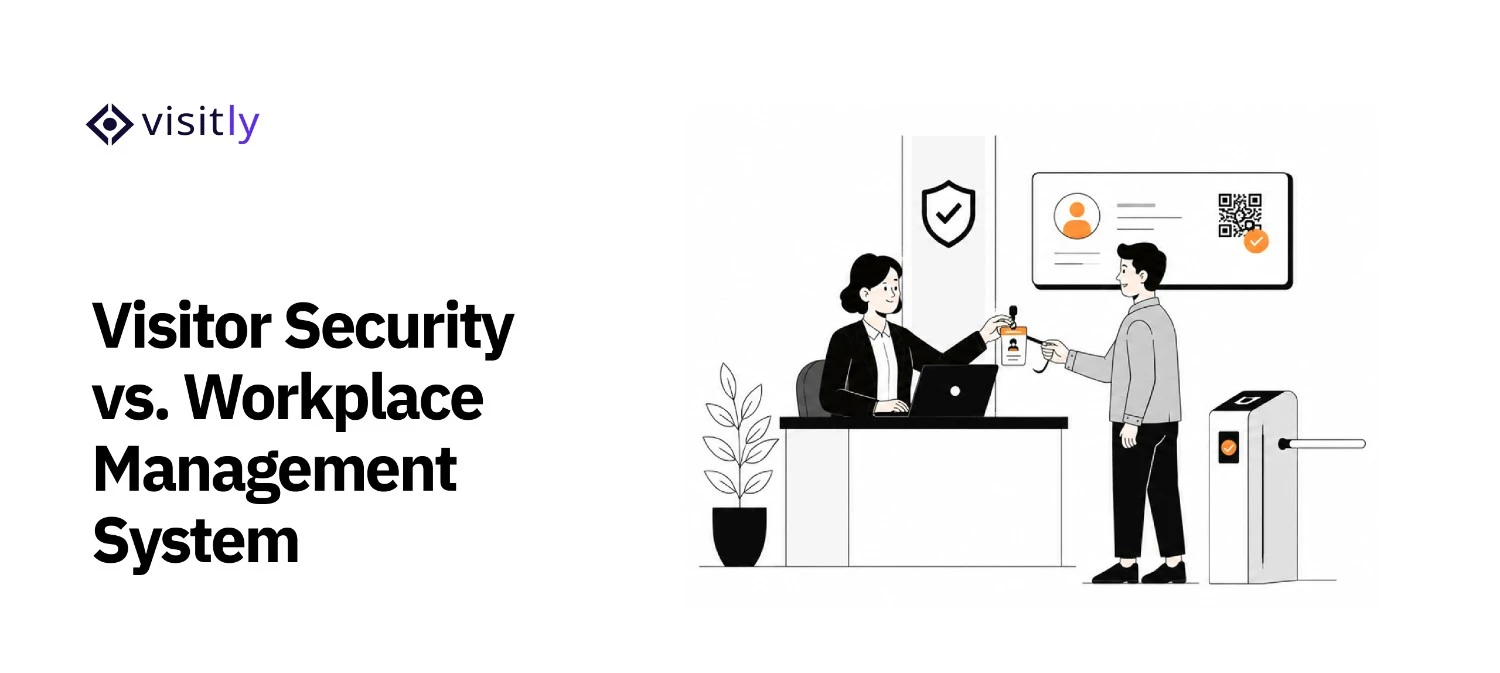
Visitly is a visitor management system for defense contractors and regulated facilities. It runs on an iPad at your front desk. Visitors sign in digitally, have their ID scanned and a photo taken, are automatically screened against your watchlist, sign any required NDAs or security acknowledgments, and receive a color-coded badge that tells anyone in the facility exactly what kind of access they’re authorized for.
Everything is logged. Everything is timestamped. Everything is exportable.
Here’s the setup reality for a typical 75- to 150-person shop:
Day 1–2: Account setup, visitor type configuration (employee, vendor, contractor, foreign national), badge color assignment, and NDA/policy document upload.
Day 2–3: Watchlist upload and configuration of screening rules. If you’re running Lenel, Genetec, or HID for physical access control, Visitly layers on top without replacing anything. Allow a couple of days for the integration.
Day 4–5: Front desk staff walkthrough. Seriously, it’s an iPad app. Training takes an hour, not a week.
Day 6–7: Go live. First compliant visitor logs start generating immediately.
What you don’t need: Servers. A new network segment. Your IT contractor’s weekend. A change management ticket. Any of it.
Visitly is cloud-managed. Updates are automatic. Your receptionist runs it day-to-day. Your IT person, if you have one, is not involved in ongoing operations.
One thing worth calling out specifically for ITAR compliance checklist facilities: Visitly captures citizenship information at sign-in, enforces escort requirements for foreign nationals, and generates the kind of access documentation that ITAR audits look for.
If you’re already navigating ITAR compliance alongside CMMC, automated visitor management software that handles both is no longer a nice-to-have. It’s the right call.

What Happened When a 75-Person Sub Used Visitly Before Their C3PAO Assessment?
This is a representative composite based on patterns common among Visitly customers in the defense manufacturing space.
Midwest Precision is a contract machining shop with 75 employees running aerospace compliance obligations under a Tier 2 DoD subcontract. They had 90 days’ notice that their prime required CMMC Level 2 evidence.
Their visitor situation at the start: legal pad at the front desk, printed watchlist that was 14 months old, one HID badge reader with no visual distinction between visitor types, and no audit logs in any usable form. One part-time IT contractor managed the MRP system and wasn’t available for a compliance project.
A CMMC consultant flagged PE 3.10.1 through 3.10.4 and AU 3.3.1 as immediate high-severity gaps. The recommendation was direct: fix the visitor check-in process first, because it’s the fastest evidence you can generate and the gaps are the most obvious.
Week 1: Visitly went live on an iPad at the front desk. The HID integration took a couple of days. Badge templates were configured: blue for escorted visitors, green for cleared/authorized personnel, orange for vendors, and red for foreign nationals. The watchlist was uploaded. Auto-screening activated.
Week 2: Fourteen days of clean digital visitor logs were exported and reviewed with the consultant. Timestamped. Complete. Exportable in a format assessors can actually read. NDA sign-off records were pulled as AT domain evidence. An out-of-scope declaration for Visitly was drafted into the SSP.
The C3PAO assessor reviewed the physical access documentation and passed PE and AU without a single finding.
Total IT time invested: about 4 hours. No new infrastructure. No scope expansion. No weekend emergency. And the CMMC compliance cost for Visitly? A fraction of what a single GRC platform license runs annually.
What’s the Fastest Path From Where We Are Now to Audit-Ready?
The five steps to get your physical access evidence ready in 2 to 3 weeks are:
Step 1: Walk to your front entrance today.
Step 2: Map your gaps to NIST SP 800-171 Rev 2.
Step 3: Deploy a digital visitor management solution.
Step 4: Generate 2 weeks of clean logs.
Step 5: Document Visitly as out of scope in your SSP.
Five steps. Most small manufacturers can get through all of them in 2-3 weeks, well before any CMMC compliance deadline, their prime hands down.

Step 1: Walk to your front entrance today.
Is there a sign-in log? Is it digital? Are visitors’ IDs checked? Does anyone look at a watchlist before someone walks in? Is there any visual difference between a cleared employee and a vendor? Every “no” is a PE or AU gap. Write them down.
Step 2: Map your gaps to NIST SP 800-171 Rev 2.
Pull Section 3.10 (Physical Protection) and Section 3.3 (Audit & Accountability). Match your gap list to the specific practices. This becomes the evidence list your SSP needs to address.
Step 3: Deploy a digital visitor management solution.
Talk to sales to get Visitly set up. Configure your visitor categories, badge colors, watchlist, and any required NDAs. If you have an existing badge system (Lenel, Genetec, HID), connect it. Go live.
Step 4: Generate 2 weeks of clean logs.
Let the visitor log software run. Export your records after two weeks. This is your PE and AU evidence package: timestamped visitor entries, photo IDs, screening confirmations, NDA sign-offs.
Step 5: Document Visitly as out of scope in your SSP.
With your CMMC consultant, RPO, or CMMC compliance services provider, add a clear SSP statement that Visitly does not process CUI and operates outside your CUI enclave boundary. This is your scope protection-and assessors expect to see it documented. If you don’t have an RPO yet, this is also the point where CMMC compliance support from a qualified advisor pays for itself.
Two to three weeks. Five highest-risk CMMC practices closed.

Closing Thoughts
Small defense contractors are often caught off guard during CMMC assessments, failing on basic physical access and audit log requirements. The traditional methods—paper sign-in sheets and manual processes—just don’t meet the standards anymore. Visitly simplifies this by providing a digital, tamper-evident visitor management system that supports your CMMC program on the PE and AU requirements and can be deployed in about a week. With no need for an IT team and no risk of CUI scope creep, Visitly offers a quick solution that transforms your visitor management process.
Get started today with Visitly to close your CMMC compliance gaps fast.
Book a demo now and ensure your defense contracts are audit-ready!
FAQs
Do small defense subcontractors need to meet CMMC?
Yes, if the contract involves Federal Contract Information or Controlled Unclassified Information, the requirement flows down from the prime whatever the company size. Level 1 covers basic safeguarding of Federal Contract Information, including escorting visitors and logging physical access. Level 2 applies where Controlled Unclassified Information is handled. The contract states the level.
What does CMMC Level 1 require for visitors?
CMMC Level 1 requires a contractor to escort visitors, monitor visitor activity, keep audit logs of physical access and control physical access devices such as keys and badges. The practice comes from the federal basic safeguarding rule for Federal Contract Information, so it applies to small subcontractors as well as large primes.
Will a visitor management system bring more of my environment into CMMC scope?
That depends on what the system stores and how it connects, and the determination belongs to your compliance lead or assessor. A visitor management system holds visitor identity and visit records, which are not normally Controlled Unclassified Information. Document its role and data in your system security plan, and keep controlled documents out of visitor workflows.
How much does a visitor management system cost a small contractor?
Most vendors price per location per year, so a single-site shop pays for one location. Visitly publishes $1,000 and $2,000 per location per year. One of our compliance experts can walk you through its ITAR and CMMC program evidence support. There is no server to buy: it runs on an iPad and a standard badge printer.
How long does it take to deploy a visitor management system at a small site?
A basic setup at a single location can be done in under an hour, since there is no server to build. Integrations such as single sign-on or an existing badge system take a couple of days. The longer task is yours: writing the visitor policy, naming controlled areas and deciding who must be escorted.
Does the same visitor management system cover ITAR-controlled work?
Yes, the same platform can serve both programs. Visitly records citizenship at check-in, gates controlled areas by nationality, captures a signed US-person declaration where you require one and runs an escort workflow. Our team can show you how these controls work for your program. Visitly supports your ITAR program, and your compliance lead decides who may enter controlled areas.