A workplace dashboard can show how office space is used. But can it tell security teams who entered, whether they were cleared, and whether they are still on-site?
That visibility gap matters. 2026 ASIS International research involving 900+ security professionals found that 72% want to improve visitor management, while only 43% are confident they could obtain an accurate headcount during an emergency.
For organizations evaluating how to improve security at workplace locations, effective visitor management system security requires answers to critical questions:
- Was each visitor security verified and authorized?
- Were required policies or NDAs acknowledged?
- Can visitors be accounted for during an emergency?
- Is reliable audit evidence available?
When workplace security and workplace compliance are the priorities, desk booking and occupancy tools are not enough. Organizations need purpose-built controls for visitor identity, screening, access, onsite visibility, and compliance records.
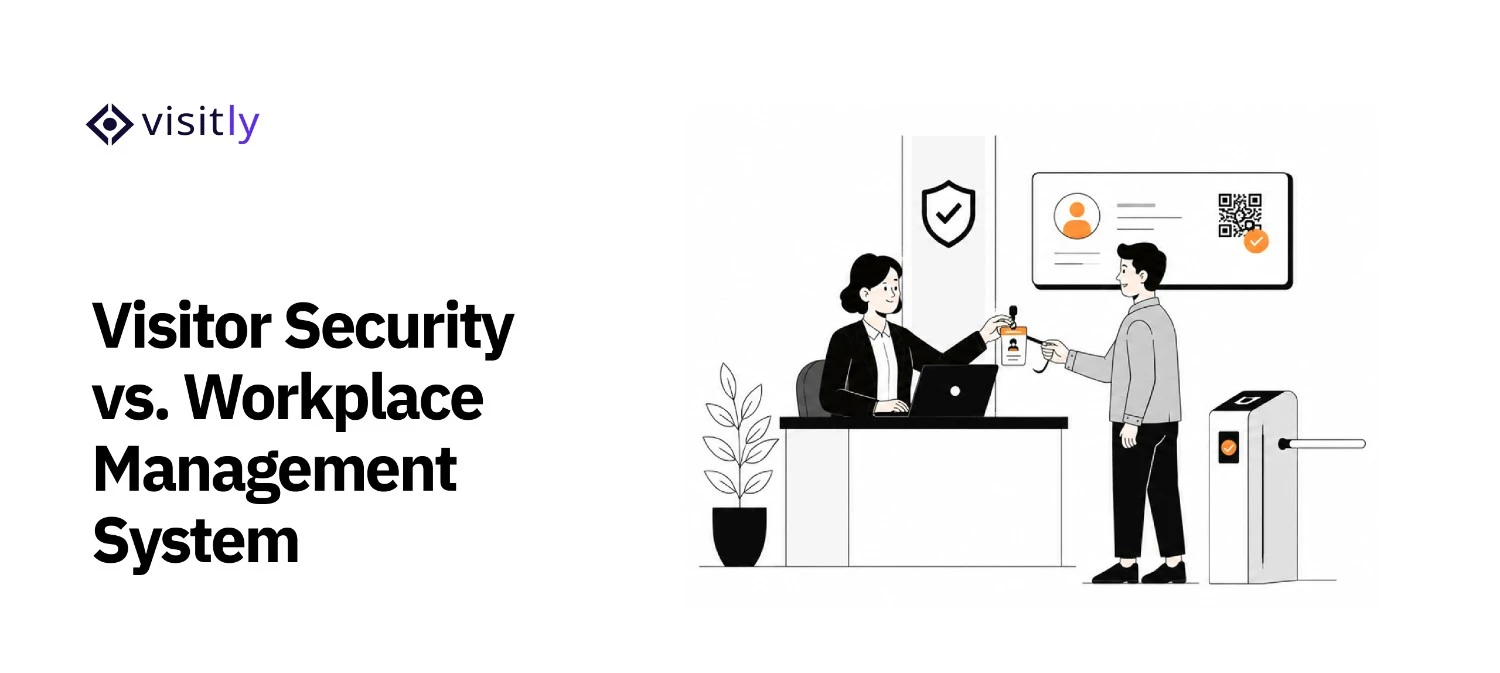
What Is the Difference Between a Workplace Management System and a Visitor Security and Compliance System?
A typical workplace management system primarily manages how employees use offices, including desk and room booking, occupancy, workplace services, and employee coordination.
A visitor security and compliance system focuses on who enters the facility and whether they meet defined access requirements. It supports workplace security through identity verification, visitor authorization, screening, policy acknowledgments, real-time presence tracking, contractor access, and audit records.
| Requirement | Typical Workplace Management System | Visitor Security & Compliance System |
|---|---|---|
| Desk/Room Management | Primary capability | Not the primary purpose |
| Space Utilization | Primary capability | Not the primary purpose |
| Visitor Identity Verification | May vary | Core capability |
| Visitor Screening | May vary | Core security capability |
| NDA/Policy Acknowledgment | May vary | Core visitor workflow |
| Visitor Audit Trail | May vary | Core requirement |
| Real-Time Visitor Presence | May vary | Security requirement |
| Emergency Accountability | May vary | Safety capability |
| PACS/Security Integrations | May vary | Important requirement |
| Compliance Evidence | Not the primary purpose | Major use case |
For organizations evaluating how to improve security at workplace facilities, dedicated visitor screening software or workplace compliance software provides controls that general workplace platforms may not prioritize. These capabilities also strengthen workplace compliance by creating more consistent visitor records and access workflows.
Why Choose a Visitor Security and Compliance System Over a Typical Workplace Management System?
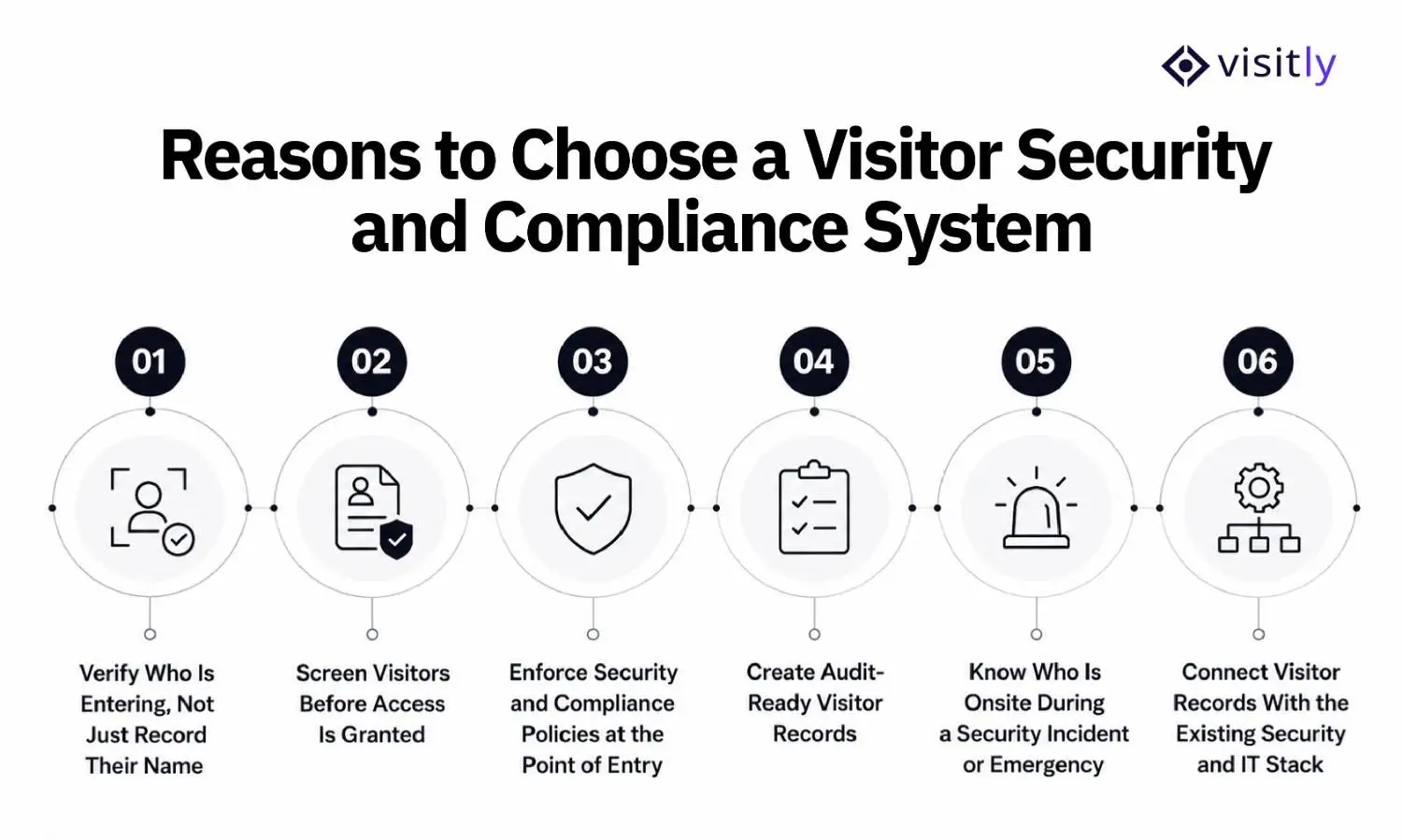
The following are the reasons to choose a visitor security and compliance system over a typical workplace management system:
1. Verify Who Is Entering, Not Just Record Their Name
2. Screen Visitors Before Access Is Granted
3. Enforce Security and Compliance Policies at the Point of Entry
4. Create Audit-Ready Visitor Records
5. Know Who Is Onsite During a Security Incident or Emergency
6. Connect Visitor Records With the Existing Security and IT Stack
A typical workplace platform may help manage people and resources around the office, but visitor security requires controls at the point where an external person is approved, identified, admitted, tracked, and eventually signed out. For organizations focused on workplace security and workplace compliance, these six capabilities matter most.
1. Verify Visitor Identity Before Granting Access
A visitor entering a name, company, and host into a check-in form is registration, not identity verification. Higher-security facilities may need to confirm that the person presenting themselves at reception matches an accepted identity document.
Visitly supports:
- Government ID scanning and verification for driver's licenses, passports, and national IDs
- Visitor photo capture
- Visitor-type-specific ID and photo requirements
- Custom data fields where additional information must be collected
Visitly allows administrators to configure photo capture, ID capture, documents, and required fields by visitor type, so a contractor can follow different requirements for a delivery driver or guest.
That distinction is important when evaluating how to improve security at workplace locations: knowing a visitor's stated name is not the same as verifying identity.
2. Screen Visitors Against Defined Security Rules
A verified identity still does not answer whether that person should be admitted.
Visitly's watchlist functionality can evaluate:
- Visitor fields such as name, email, phone, or company
- Stored facial images
- ID-validation outcomes
- Offender-check results
Administrators can assign Low, Medium, High, or Critical severity to watchlist rules. Visit-field rules can run during both pre-registration and sign-in, while facial, ID-validation, and offender-check rules apply at sign-in.
Visitly allows authorized admins to manually approve or decline visitor entry from the Visitor Log
This is where dedicated visitor screening software goes beyond simply recording arrivals. Feature availability varies by plan, so organizations should verify which screening controls their deployment requires.
3. Make Site Policies Part of the Entry Process
Security procedures are harder to enforce when they exist only in policy documents or reception instructions.
Visitly lets organizations configure requirements by visitor type and location, including:
- Supports visitor pre-registration with NDA delivery
- Government ID scanning and verification
- Photo capture
- Signed acknowledgments
- Configurable per-site policies such as NDA, citizenship, and PPE requirements.
Document templates can also have defined validity periods and can be configured to require acceptance during sign-in.
For organizations evaluating workplace compliance software, this is a critical distinction: the required policy becomes part of the visitor workflow rather than something staff must enforce manually.
4. Maintain Defensible Visitor and Compliance Records
When a security incident or audit occurs, the organization may need more than a visitor name. It may need evidence of what happened during that visit.
Visitly documents an append-only audit log that records events such as:
- Visitor check-ins
- Document acknowledgments
- Visitor badge issuance
- Relevant timestamps
Its compliance capabilities also include audit-log search and export, configurable retention, and SIEM event streaming. Visitor data retention can be configured so records are automatically removed after a defined period.
Visitly positions these as tools that support programs such as HIPAA, ITAR, CMMC, NISPOM, OSHA, and GDPR. It explicitly states that the organization remains responsible for its overall compliance program.
That makes the system a source of visitor-side workplace compliance evidence, not a guarantee of regulatory compliance.
5. Know Who Is Still Onsite During an Emergency
A visitor log becomes a workplace safety tool when an evacuation begins.
Visitly's emergency module provides a real-time onsite list containing visitor, employee, and contractor information such as:
- Name and photo
- Host
- Contact details
- Sign-in time
During emergency evacuation, teams can view who is on-site, account for individuals, disable further sign-ins, and retain evacuation history and reports.
This addresses one of the most important questions in workplace security: not simply who entered today, but who may still require accounting during an incident.
6. Connect Visitor Access to the Physical Security Stack
Visitor management should not stop at the reception desk. Visitly's Integration Hub includes SSO, employee directories, access control, emergency systems, communication tools, calendars, APIs, and webhooks. Current PACS integrations listed by Visitly include Genetec, Brivo, LenelS2, Kisi, and C•CURE 9000.
The Brivo integration shows why this matters. Visitly can:
- Issue a visitor credential at check-in
- Map visitor types to Brivo access groups
- Limit how long credentials remain valid
- Revoke credentials when the visitor signs out
When Is a Workplace Management System Still the Better Choice?
A workplace management system is still the better fit when the primary goal is managing how employees use the workplace, rather than controlling external access.
It is typically more appropriate for:
- Desk and meeting-room reservations
- Space utilization and occupancy planning
- Hybrid employee scheduling
- Workplace service requests
- Facility and real estate optimization
A dedicated visitor security system becomes more relevant when the priority shifts to identity verification, visitor screening, contractor access, physical access control, emergency accountability, audit records, and workplace compliance.
The choice does not have to be either/or. Organizations can use a workplace platform for employee and space operations while using a visitor management system as the security layer for guests and third parties. Visitly supports this connected approach through integrations with SSO, employee directories, PACS, SIEM, emergency systems, calendars, APIs, and webhooks.
Which Organizations Need Visitor Security and Compliance Capabilities Most?
Organizations with restricted areas, regulated facilities, contractors, or audit requirements have a stronger need for visitor security than businesses simply tracking front-desk arrivals. The requirements are especially important in these environments:
- Manufacturing: Manufacturing plants may need contractor screening, ID verification, restricted-area controls, PPE attestations, hazard acknowledgments, evacuation rolls, and audit evidence. Visitly specifically supports per-zone PPE requirements, ITAR-aware citizenship controls, watchlists, and plant-level visitor records.
- Healthcare: Hospitals and regulated healthcare facilities must control physical access to systems and facilities housing ePHI. HHS identifies facility access controls as a required HIPAA Security Rule physical safeguard.
- Government and Defense: Identity verification, visitor screening, approvals, restricted-area access, searchable records, and contractor accountability are particularly important where access must be tightly controlled in government facilities.
- Technology: Technology-related AI labs, cybersecurity companies, and enterprise SaaS organizations may require watchlist screening, audit trails, SSO/SCIM, SIEM integration, and controlled vendor access.
- Energy and Critical Infrastructure: Energy utilities may require visitor-entry records, escort tracking, contractor screening, site-specific badges, and multi-site audit evidence.
What Should You Look for in a Visitor Security and Compliance System?
When evaluating a visitor security platform, look beyond a digital visitor management system. Once the required visitor security controls are clear, evaluate whether the platform can support them across your actual sites, policies, IT environment, and compliance program.
Focus on these buying criteria:
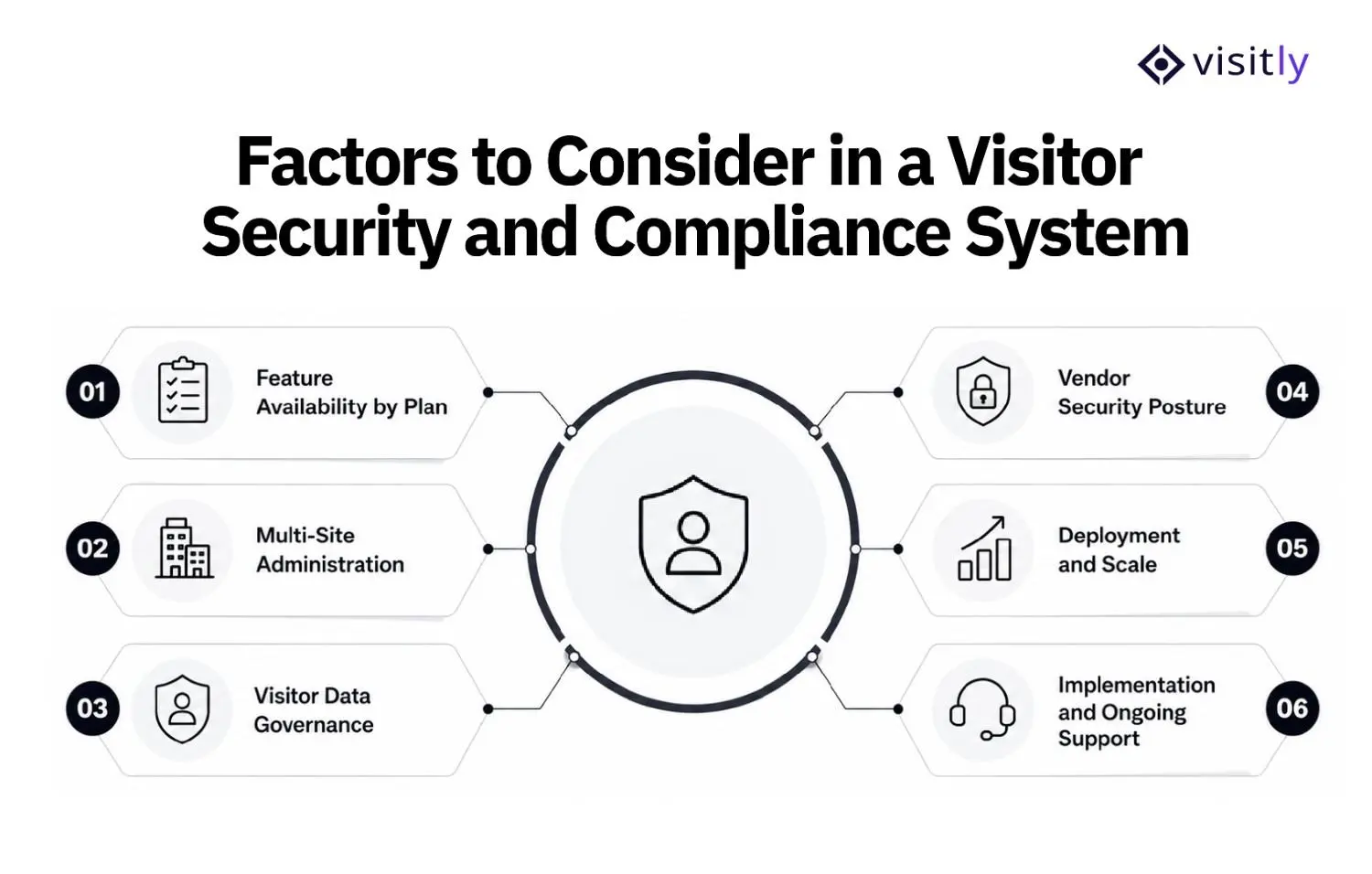
1. Feature Availability by Plan
Do not evaluate a platform from its complete feature list alone. Confirm which controls are included in the plan you are buying. With Visitly, for example, SSO and the audit log are included as standard, while watchlist screening is included at $2,000 per location per year. Our compliance experts can walk you through capabilities such as SCIM, SIEM streaming, PACS integrations, and ITAR-aware controls.
2. Multi-Site Administration
Organizations operating several facilities should check whether security standards can be centrally governed without eliminating local control. Important capabilities include:
- Global administration
- Per-site administrators
- Policy deployment across locations
- Bulk site provisioning
- Cross-site visitor search and reporting
Visitly documents these capabilities for multi-site operations.
3. Visitor Data Governance
Workplace compliance software collects sensitive visitor information, so buyers should examine how that data is retained and deleted. Check for configurable retention periods, automatic deletion, visitor-data deletion requests, and published privacy documentation. Visitly supports configurable auto-purge policies and deletion of associated photos, documents, and visit details.
4. Vendor Security Posture
The vendor itself becomes part of your workplace security environment. Procurement and InfoSec teams should review independent security attestations, data-processing terms, subprocessors, and security-testing practices.
Visitly is SOC 2 Type II and ISO 27001 certified and publishes its enterprise security compliance details, a DPA, and a subprocessor list and makes additional security documentation and penetration-test information available through its Trust Center.
5. Deployment and Scale
Confirm site limits, hardware requirements, administrator limits, and visit-volume restrictions before rollout. Visitly supports bring-your-own compatible iPads and printers; its published pricing covers up to 5 sites at $1,000 per location per year and up to 15 sites at $2,000 per location per year, larger deployments have unlimited sites (talk to sales for pricing), and visits per location are unlimited.
6. Implementation and Ongoing Support
Finally, assess what happens after purchase. Check onboarding, migration assistance, escalation paths, SLAs, and enterprise support. Visitly documents Switch Assist for migrations, implementation support, named customer success management, and a 99.9% SLA for larger deployments. Our team can take you through the details for your deployment.
How Does Visitly Support Visitor Security, Safety, and Compliance?
Visitly is built around four connected pillars: Security, Safety, Compliance, and Experience. Rather than managing desks or workplace utilization, the platform focuses on the controls and records associated with visitors, contractors, and other people entering a facility.
Security
Visitly supports visitor security from initial identification through onsite presence. Depending on the selected plan, capabilities include:
- Government ID scanning and verification
- Internal and third-party watchlist screening
- Visitor approvals and banned-visitor controls
- Real-time presence across locations
- ITAR-aware citizenship verification for controlled areas
- PACS and CCTV-linked visitor records
Advanced screening, PACS, CCTV, and regulated-area controls are available on higher tiers.
Compliance
For workplace compliance, Visitly creates visitor-side evidence that organizations can incorporate into their broader compliance programs. It provides signed and time-stamped acknowledgments, an immutable audit log, configurable data retention, audit-log search and exports, and SIEM event streaming. Visitly positions these capabilities as supporting programs such as HIPAA, ITAR, CMMC, OSHA, and NISPOM, rather than guaranteeing compliance by themselves.
Safety
Visitly connects visitor records with emergency response. Its safety capabilities include:
- Real-time accountability during incidents
- Site- or zone-level evacuation rolls
- Drill mode
- Mass alerts through supported channels
- PPE attestations and hazard acknowledgments
- Post-incident evidence exports
These controls also extend to contractors where required.
Visitor Experience
Security controls are combined with pre-registration, iPad and web check-in, walk-in QR sign-in, branded badges, host notifications, returning-visitor recognition, and recurring-contractor profiles.
Visitly can also connect visitor workflows with SSO, employee directories, PACS, CCTV, SIEM, emergency systems, calendars, REST APIs, and webhooks, allowing its workplace security records to operate within the organization’s existing technology stack.
Visitly also integrates with the broader security and IT environment through SSO, employee directories, PACS, CCTV, SIEM, emergency systems, calendars, APIs, and webhooks.
Closing Thoughts
A workplace management platform helps organizations understand how desks, rooms, and workplace resources are used. A visitor security and compliance system answers a different set of questions: Who entered? Were they verified and authorized? What policies did they acknowledge? Are they still on-site? And can the organization produce reliable evidence later?
For Corporate Security, IT, Facilities, EHS, and Compliance teams, those questions make visitor management a security and workplace compliance decision, not just another workplace feature.
For organizations that need identity verification, screening, audit trails, emergency accountability, and security integrations, Visitly is a strong choice because it is built specifically around Security, Safety, Compliance, and Visitor Experience.
Ready to strengthen visitor access without adding more disconnected tools?
Book a Visitly demo and see how the platform fits your security and compliance requirements.
For a side-by-side view of how the main platforms compare on single sign-on, screening and price, see our visitor management comparison.
FAQs
What is the difference between a workplace management system and a visitor security and compliance system?
A workplace management system manages how employees use the office: desk and room booking, occupancy and space planning. A visitor security and compliance system controls who comes in from outside. It verifies identity, screens visitors against your rules, records signed policies and keeps an audit trail of every entry and exit.
Does visitor management software improve security?
Yes, when it goes beyond digital sign-in. A name typed into a form is registration, not verification. Security improves when the system checks a government ID, screens the visitor against a watchlist, requires host approval, and shows the security team in real time who is still on site.
What features should a visitor security and compliance system include?
For a security-sensitive facility, look for identity verification, watchlist screening, signed policy acknowledgments, an audit trail and a real-time list of who is on site. Then confirm which plan each one sits in. With Visitly, single sign-on and the audit log are included as standard, and watchlist screening is included at $2,000 per location per year.
Should visitor management integrate with access control systems?
Yes, where visitors need to pass controlled doors. The integration issues a temporary credential when the visit is approved and revokes it at sign-out. Check that the vendor supports the access control system you already run, and that credentials can be limited by location, time and visitor type.
How does visitor management support workplace compliance?
It supplies the visitor-side evidence: entry and exit times, the host who approved the visit, signed acknowledgments and screening results. That evidence supports programs such as HIPAA, ITAR, CMMC and OSHA. It does not make an organization compliant on its own; your compliance team still owns the program and the audit.
When is a workplace management system still the better choice?
A workplace management system is the better choice when the main goal is how employees use space: desk and room reservations, hybrid scheduling and occupancy planning. Many companies run both. Visitly does not sell desk or room booking, so it works as the visitor security layer next to a workplace platform.