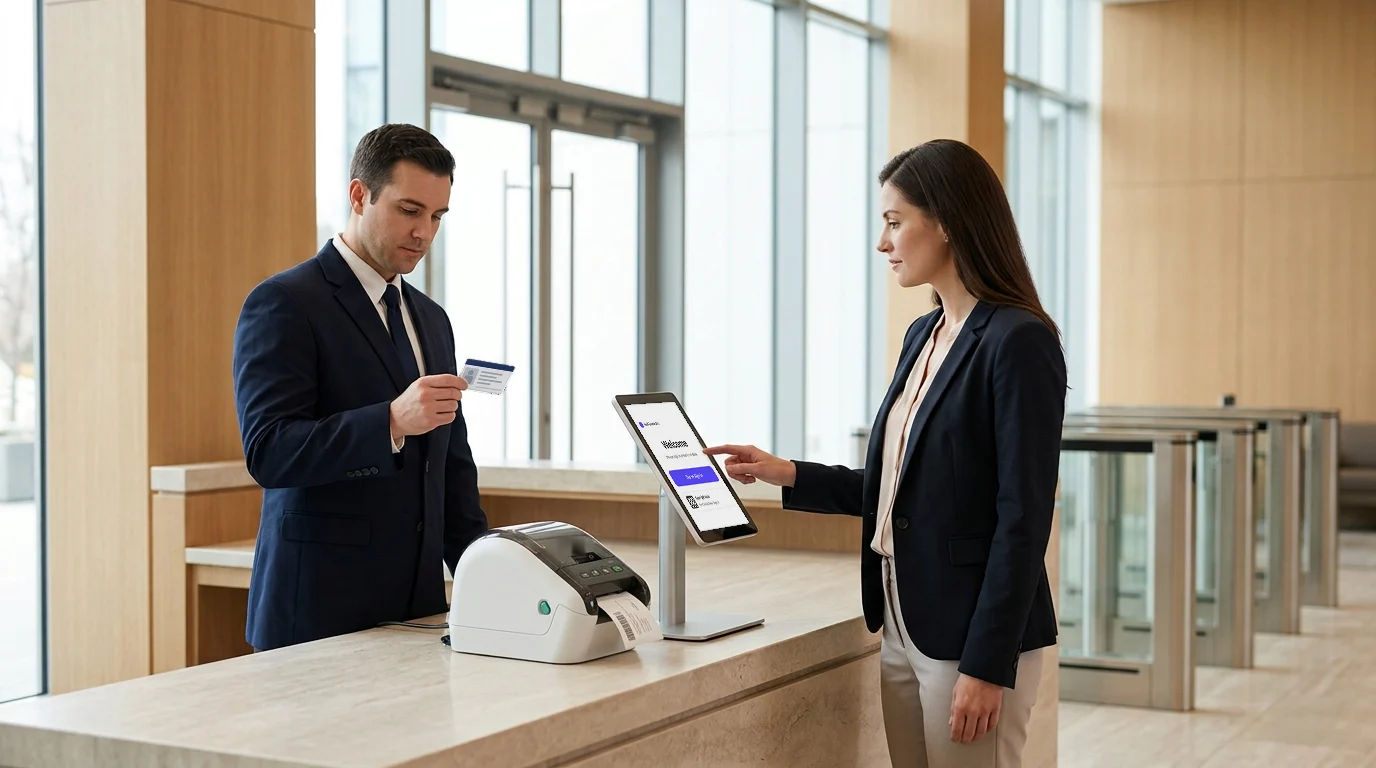
Picture this: your San Francisco headquarters runs a sleek digital check-in system. Your Dallas office still uses a paper register. Your Chicago branch relies on a standalone app that no one in IT actually manages.
This is the reality for most multi-site enterprises today. The Visitor management system isn’t broken at one location. It’s broken differently at every location.
The consequences go far beyond an inconsistent lobby experience. A terminated employee remains listed as an active host at Branch 7. A visitor flagged on your watchlist walks into a regional office because that site’s system never received the alert. Your compliance team is asked for a unified visitor audit trail and has to chase down records from 12 different sources.
This is exactly the gap that enterprise VMS software with SSO and Directory Sync is built to close.
Your entire visitor management operation runs on a single centralized platform connected directly to your identity provider, enforcing the same rules, workflows, and security standards across all locations.
What Is the Real Cost of Disconnected Visitor Management Across Multiple Sites?
The real costs of disconnected visitor management across multiple sites are:
As organizations expand across multiple offices, campuses, branches, or facilities, visitor management often becomes fragmented.
One location adopts a digital visitor management platform, another relies on spreadsheets, and a third follows entirely different check-in procedures. While these inconsistencies may seem manageable at first, they create significant operational, security, and compliance challenges as the organization scales.
The real issue is not visitor check-ins themselves. It is the lack of centralized control over visitor operations, user access, and reporting across the enterprise.
1. Each Site Running Its Own Tool Creates Visibility Gaps
When every location operates independently, security and operations teams lose the ability to monitor visitor activity at an enterprise level. Data becomes scattered across different systems, making it difficult to answer basic questions such as the following:
- Who visited which location?
- Which contractors are currently active across facilities?
- How many visitors entered the company premises last month?
- Are visitor policies being followed consistently across sites?
2. Manual Directory Updates Create Unnecessary Security Risks
In many organizations, IT teams manually update host lists whenever employees join, transfer departments, change locations, or leave the company. This process is time-consuming and prone to errors.
A delayed update can result in:
- New employees are unavailable as visitor hosts.
- Former employees remaining active in the system.
- Incorrect department or location information
- Visitor notifications are being sent to the wrong individuals.
3. Fragmented Systems Make Compliance More Difficult
Security and compliance teams are expected to maintain accurate visitor records and demonstrate accountability during audits. However, when visitor data is spread across multiple systems, locations, or spreadsheets, producing a complete audit trail becomes a challenge.
Instead of accessing a single source of truth, teams must collect records from different offices and reconcile inconsistent data formats. This increases administrative effort and slows compliance reporting, reducing its reliability.
For organizations operating in regulated industries, fragmented visitor records can quickly become a governance and audit-readiness concern.
4. Delayed Access Revocation Leaves Security Gaps
One of the most overlooked risks in disconnected visitor management software environments is outdated user access.
When an employee leaves the organization, their access should be removed immediately across every connected system. However, organizations that rely on manual updates often experience delays in deprovisioning accounts.
This creates situations where:
- Former employees remain listed as active hosts.
- Access permissions persist longer than intended.
- Security standards and policies are applied inconsistently across locations.
- Unauthorized access risks increase
How Does SSO Secure and Simplify Access to Your Enterprise VMS?
Let’s be honest: managing visitor operations across five, ten, or fifty locations is already complex enough. The last thing your IT team needs is fifty different sets of login credentials floating around for your VMS. That’s not just an administrative headache. It’s a live security liability.
Single Sign-On (SSO) solves this at the root level. When it’s built into an enterprise VMS, it fundamentally changes how your teams access, control, and govern electronic sign-in systems across every site you operate.
Here are five concrete ways it does that.

1. One Enterprise Credential Grants Access Across Every Site
Instead of each location maintaining its own VMS username and password, your staff logs in once with the same corporate identity they already use for email, Microsoft Teams, or your ERP. That single authenticated credential grants them appropriate, role-scoped access to the VMS across every site they’re authorized for.
The operational impact is immediate:
- No shared passwords scribbled on notepads at the reception desk
- No separate VMS accounts for staff who already have corporate credentials.
- No friction when employees transfer between locations; their access follows their identity
2. Local Admin Accounts and Unauthorized Logins Are Eliminated
Without SSO, here’s what quietly unfolds at the site level: each location creates its own VMS admin accounts. Contractors get temporary access that never gets revoked. A site manager shares credentials with a colleague “just this once.” Password resets get skipped because no one’s enforcing a rotation policy.
SSO removes the concept of local VMS admin accounts entirely. Access is granted through your identity provider (IdP), which means your existing IT governance, password policies, account lockouts, and session timeouts automatically extend to your visitor management system.
The biggest win?
If an employee’s corporate account is deactivated, their VMS access disappears at the exact same moment. No manual cleanup required. No gap window where a former employee can still log in and pull visitor records from your Mumbai or Chicago branch.
3. MFA Is Enforced at the Identity Provider Level — Not Left to Individual Sites
Here’s a question worth asking your team right now: if your VMS supports multi-factor authentication, who is actually responsible for ensuring it’s enabled at every location?
In a non-SSO setup, the answer is usually “whoever the local site admin is,” which means enforcement is patchy at best. One site has MFA enabled. Another skipped it because the setup was complicated. A third turned it off after someone complained it was slowing down morning check-ins.
With SSO, this inconsistency disappears entirely. MFA is configured once, inside your identity provider: Microsoft Entra ID, Okta, Google Workspace, or whichever platform your organization runs, and that policy applies to every user, at every site, without exception. Site admins don’t get a vote.
The security posture of your VMS in Bengaluru is identical to that in New York because authentication occurs upstream in both cases.
4. Role-Based Access Is Centrally Mapped and Automatically Applied
SSO enables clean, scalable access separation across your entire enterprise without anyone having to manually configure permissions site by site. Roles are mapped directly from your directory to defined VMS roles and applied automatically at login.
Here’s how that plays out in practice:
- Global Admin — your IT director or Head of Facilities logs in and sees visitor activity, compliance reports, and configuration settings across every location in your portfolio.
- The Site Admin at your Hyderabad campus logs in via the same SSO flow but can see only their site’s data and has no access to records from other locations.
- The receptionist role can check in visitors and send host notifications, with zero access to system configuration or sensitive compliance data.
5. Works With the Identity Infrastructure You Already Have
One of the first concerns IT teams raise when evaluating an enterprise visitor management system is compatibility with existing integrations. Nobody wants to bolt on a visitor management platform that requires a separate identity stack or a months-long implementation project.
SSO is built to plug directly into the identity ecosystem your organization already operates:
- Microsoft Entra ID (formerly Azure Active Directory)
- Okta
- Google Workspace
- OneLogin
- Any SAML 2.0-compliant identity provider
What Happens Without SSO: A Compliance Nightmare in Slow Motion
It’s worth pausing to spell out what the alternative actually looks like, because the risks tend to accumulate quietly until an audit or incident brings them into sharp focus.
Without SSO in a multi-site VMS integration deployment, you have:
- Fragmented credentials — each site managing its own login accounts, with no central visibility into who has access or when they last logged in
- Inconsistent security posture — some sites enforcing strong passwords, others not; some with MFA, most without
- Orphaned accounts — ex-employees, former contractors, and departed vendors retaining VMS access because deprovisioning requires manual action at every individual site
- Audit gaps — when a compliance auditor asks, “Who had access to visitor records at your Pune office in Q3?” the answer requires piecing together local records from a system with no central log.
- Shadow IT risk — when site staff find the VMS login process cumbersome, they work around it — sharing credentials, creating unofficial admin accounts, bypassing the system altogether.
How Does Directory Sync Eliminate Manual User Provisioning in an Enterprise VMS?
Directory sync eliminates manual user provisioning in enterprise VMs through the following:
1. Your IdP’s Employee List Is Auto-Pushed Into the VMS in Real Time
2. New Hires Are Instantly Available as Hosts Across All Sites
3. Offboarded Employees Are Automatically Removed From Every Location
4. All Major Protocols and Identity Providers Are Supported
5. No Stale Records. No IT Tickets. No Directory Drift.
A new hire was added to your directory on Friday, but appears as an unrecognized host in your VMS on Monday. Employee offboarded in Okta but was still listed as an active host in your Chennai and Dallas branches three weeks later.
These aren’t edge cases. In multi-site enterprises, they happen constantly, and in a manual provisioning model, they keep happening until someone builds a workaround that’s equally unreliable.
Directory Sync eliminates the problem at the source.
Here’s how.

1. Your IdP’s Employee List Is Auto-Pushed Into the VMS in Real Time
Directory Sync creates a live bridge between your identity provider and Visitly. Every change in your central directory, new hire, role update, or department change instantly reflects in your VMS. No manual import. No batch updates. No lag.
- The employee directory and VMS host list remain permanently in sync.
- Changes propagate across every site simultaneously.
- Zero IT intervention required to keep records current
2. New Hires Are Instantly Available as Hosts Across All Sites
The moment a new employee is added in Entra ID, Okta, or Google Workspace, they appear as an available host in Visitly at every location they’re associated with from day one.
- No manual additions by receptionists or IT teams
- Visitors can be pre-registered by name immediately.
- Host emergency notifications activate automatically, right from the start.
3. Offboarded Employees Are Automatically Removed From Every Location
This is where manual provisioning fails most dangerously and where Directory Sync delivers its sharpest security value.
When an employee is deactivated in your IdP, Visitly instantly removes them as an active host across all sites via SCIM.
- No visitor can be checked in against their name at any location.
- Pending visitor pre-registrations tied to their record are flagged or removed.
- No human action required, the risk of “forgetting to offboard” is structurally eliminated.
4. All Major Protocols and Identity Providers Are Supported
Visitly’s Directory Sync works with the identity infrastructure your enterprise already runs, whether cloud, on-premises, or hybrid.
- SCIM 2.0 — industry-standard automated provisioning protocol
- Microsoft Entra ID — for Microsoft-first environments
- Okta — for Okta-standardized enterprises
- OneLogin — for OneLogin IAM environments
- Active Directory (on-premise) — for legacy or hybrid directory setups
5. No Stale Records. No IT Tickets. No Directory Drift.
With Directory Sync running, the administrative overhead of maintaining a parallel VMS directory simply disappears.
- Stale host records are eliminated, and your directory reflects your real, current workforce.
- IT stops fielding “please add this person to the visitor system” requests.
- Compliance audits get cleaner: records are accurate, up to date, and traceable to your IdP.
- Every site stays consistent; no location is three months behind another.
How Enterprise VMS Software Unifies Visitor Operations with SSO and Directory Sync
Most organizations discover SSO and Directory Sync separately; one solves a login problem, and the other solves a directory problem. But the real value becomes visible only when you understand how they operate as a single, connected system within your enterprise VMS software.
Here’s the clearest way to think about it: SSO controls who can log in to administer your VMS. Directory Sync controls who appears as a host for visitors.
Two different functions. One shared source of truth, your identity provider.
Two Functions. One Identity Pipeline.
When both are active in Visitly, they create a closed-loop identity pipeline that runs automatically in the background:
- A new employee is added to Microsoft Entra ID → Directory Sync pushes them into Visitly as an available host across all sites → SSO ensures they can log in to the VMS dashboard with their corporate credentials, scoped to their role.
- An employee is offboarded in Okta → SSO immediately revokes their admin access to the VMS → Directory Sync simultaneously removes them as an active host → no visitor can be checked in against their name at any location.
- A manager is promoted and their role updated in your IdP → SSO maps their new permissions in Visitly → Directory Sync updates their host record enterprise-wide
Every change flows in one direction from your IdP outward with no manual reconciliation between HR systems, IT systems, and the VMS.
No More Three-System Problem
Without this integration, enterprises typically maintain three parallel records of their workforce:
- One in HR/IT (the IdP — the actual source of truth)
- One in the VMS admin panel (who can log in and manage the system)
- One in the VMS host directory (against which visitors can be checked in)
Keeping these three in sync manually is where errors accumulate, such as stale admin accounts, missing hosts, and orphaned records. SSO and Directory Sync collapse all three into a single solution.
Your IdP becomes the single source of truth for all visitor-management-related data, and Visitly reflects it in real time across every site you operate.
The Difference Between a Tool and a True Enterprise VMS Platform
This is ultimately what separates a basic visitor management feature from a genuine enterprise VMS software platform. A tool lets you check in visitors.
A platform integrates with the identity systems that govern your entire organization and stays continuously synchronized with them.
- A standalone VMS requires manual updates every time your workforce changes.
- An enterprise VMS platform receives those updates automatically, from the systems that already own that data.
- The result is a visitor management operation that scales with your organization, not one that creates administrative debt every time someone joins, moves, or leaves.
When SSO and Directory Sync operate together inside Visitly, your automated visitor management system stops being a separate thing your IT team has to maintain. It becomes a living extension of the identity infrastructure you already govern, accurate, automated, and always current across every site in your portfolio.
Why Does Visitly’s Enterprise VMS Stand Out for Multi-Site SSO and Directory Sync?
There’s no shortage of electronic visitor management system platforms on the market. But when you’re evaluating enterprise VMS software specifically for multi-site SSO and Directory Sync, the differentiators become very specific and very practical.
Here’s what sets Visitly apart.
1. SSO Integrations That Cover Every Major Identity Provider
Visitly’s SSO implementation isn’t built around one identity stack. It’s designed to work with whatever IdP your enterprise already runs without requiring migration or parallel infrastructure.
Supported SSO integrations include:
- Microsoft Entra ID (formerly Azure Active Directory)
- Okta
- OneLogin
- Google Workspace
- Any SAML 2.0-compliant identity provider
If your organization is standardized on any of these platforms, connecting with us is a configuration task rather than a project.
2. Directory Sync Across Cloud, Hybrid, and On-Premise Environments
Most enterprise VMS platforms support cloud-based Directory Sync. We go further in supporting on-premise Active Directory alongside modern cloud IdPs, making it one of the few platforms that genuinely serve hybrid enterprise environments.
Supported Directory Sync protocols and platforms:
- Microsoft Entra ID
- On-Premise Active Directory
- Okta
- OneLogin
- SCIM 2.0 — the industry standard for automated cross-platform provisioning
3. Role-Based Admin Access Built for Enterprise Governance
Our role architecture isn’t a flat permission model retrofitted for enterprise use. It’s purpose-built for organizations that need precise, location-scoped access control at scale:
- Global Admin — full visibility and control across every site, every visitor log, every configuration setting
- Site Admin — scoped access to a single location; cannot view or modify other sites’ data
- Evacuation Manager — real-time on-site presence and mustering access during emergencies, without broader system permissions
4. Frictionless for Visitors. Powerful for Employee Hosts.
Enterprise VMS software that burdens visitors with app downloads or complex check-in flows creates resistance at the front desk and reflects poorly on your organization. Visitly eliminates that friction entirely:
- No app download required for visitors; check-in is handled through a fully customizable iPad kiosk or QR-based flow, with no friction at arrival
- Check-in supports more than 150 languages, which matters when your sites span several countries
- The MyVisitly app is available for employee hosts; staff receive real-time visitor notifications, can pre-register guests, and manage their visits directly from their mobile devices.
- The experience is seamless on both sides, efficient for your operations team, and professional for every visitor.
5. Trusted by Global Enterprises Across Demanding Industries
Visitly isn’t being evaluated by enterprise organizations; it’s already deployed by them, including some of the most operationally complex and security-conscious enterprises in the world:
- Hitachi — global technology and infrastructure conglomerate
- Hyundai — multinational automotive and manufacturing enterprise
- Alstom — international rail and transport infrastructure leader
When organizations at this scale, operating across dozens of countries, under strict compliance mandates with zero tolerance for security gaps, choose Visitly as their enterprise VMS, it’s a meaningful signal of what the platform actually delivers under real-world enterprise conditions.
Closing Thoughts
Managing visitors across multiple sites shouldn’t require managing multiple systems, directories, and security gaps. Yet without a unified enterprise VMS, that’s exactly what’s happening, quietly and at scale.
Visitly fixes this with a single system, a single source of truth, and zero manual provisioning.
SSO secures who manages your VMS. Directory Sync keeps host data accurate and up to date. Together, they eliminate the operational and security gaps that disconnected, site-by-site visitor management automatically creates across every location you operate.
No stale records. No orphaned accounts. No manual reconciliation. Just a visitor management operation that’s governed, auditable, and always in sync.
See it in action across your sites. Schedule a personalized demo with Visitly today.
FAQs
What is enterprise VMS software?
Enterprise VMS software is a visitor management system built for organizations that run many offices, plants or campuses. One platform holds visitor registration, screening, badges, host notifications and the audit trail for every location, so the security team applies the same policy everywhere and reports on all sites from one place.
How does SSO improve security in an enterprise visitor management system?
SSO puts every admin and host login behind your identity provider, so the visitor platform has no separate passwords to manage. MFA is enforced once at the identity provider and applies at every location. When someone leaves the company, disabling the corporate account also ends their access to visitor records.
What is directory sync in an enterprise VMS?
Directory sync copies employee records from your identity provider into the visitor management system automatically. New hires appear as hosts without a manual upload, and departed employees are removed, so a visitor cannot be registered against someone who has left. Common sources are Microsoft Entra ID, Okta and Active Directory.
Why do multi-location organizations need centralized visitor management?
Centralized visitor management gives every location the same screening rules, visitor record and reporting. When each site runs its own sign-in process, the security team cannot see who is on-site across the company, and an auditor gets a different kind of record from each building. One system also means one admin list to review.
Can enterprise VMS software integrate with existing identity systems?
Yes, most enterprise platforms connect to the identity provider you already run, using SAML 2.0 for login and SCIM 2.0 or directory sync for user records. Visitly supports Microsoft Entra ID, Okta, ADFS, OneLogin, PingOne and Google Workspace for SSO. Our team can walk you through SCIM 2.0 and on-premises Active Directory.
Is SSO included in the price of an enterprise visitor management system?
It depends on the vendor, so check which plan carries SSO before you compare prices. Envoy lists SSO from its Premium plan at $362 per location per month, billed annually. Visitly includes SAML 2.0 SSO with MFA as standard, from $1,000 per location per year. Prices as of Q4 2026.