Did you know that during the 2024–2025 school year, US public schools reported 857,500 violent incidents, with 67% of schools experiencing at least one such event? Such figures underline the growing concerns around school safety and the urgent need to control who enters school grounds.
Visitor management systems (VMS) in schools effectively monitor and regulate visitors. These systems replace traditional paper logs with digital solutions that record visitor details, verify identities, and track entry and exit times. As schools face increasing security challenges, visitor management systems have become essential for maintaining safe environments.
Offender screening is a critical feature that strengthens these systems. This process involves checking visitors against criminal databases to flag anyone with a concerning background before they gain access to campus. Offender checking adds a vital security layer beyond essential visitor registration.
This blog will explain why offender checking should be a part of your school’s visitor management solution. Understanding this feature will help schools protect their communities and ensure a safer experience for students, staff, and visitors alike.
What is a Visitor Management System?
A Visitor Management solution is a digital solution designed to manage and monitor visitors entering and leaving a school. Instead of relying on paper logbooks, schools use this system to keep track of everyone who comes on campus, making the process more organized and secure.
Essential Functions of a VMS in Schools:
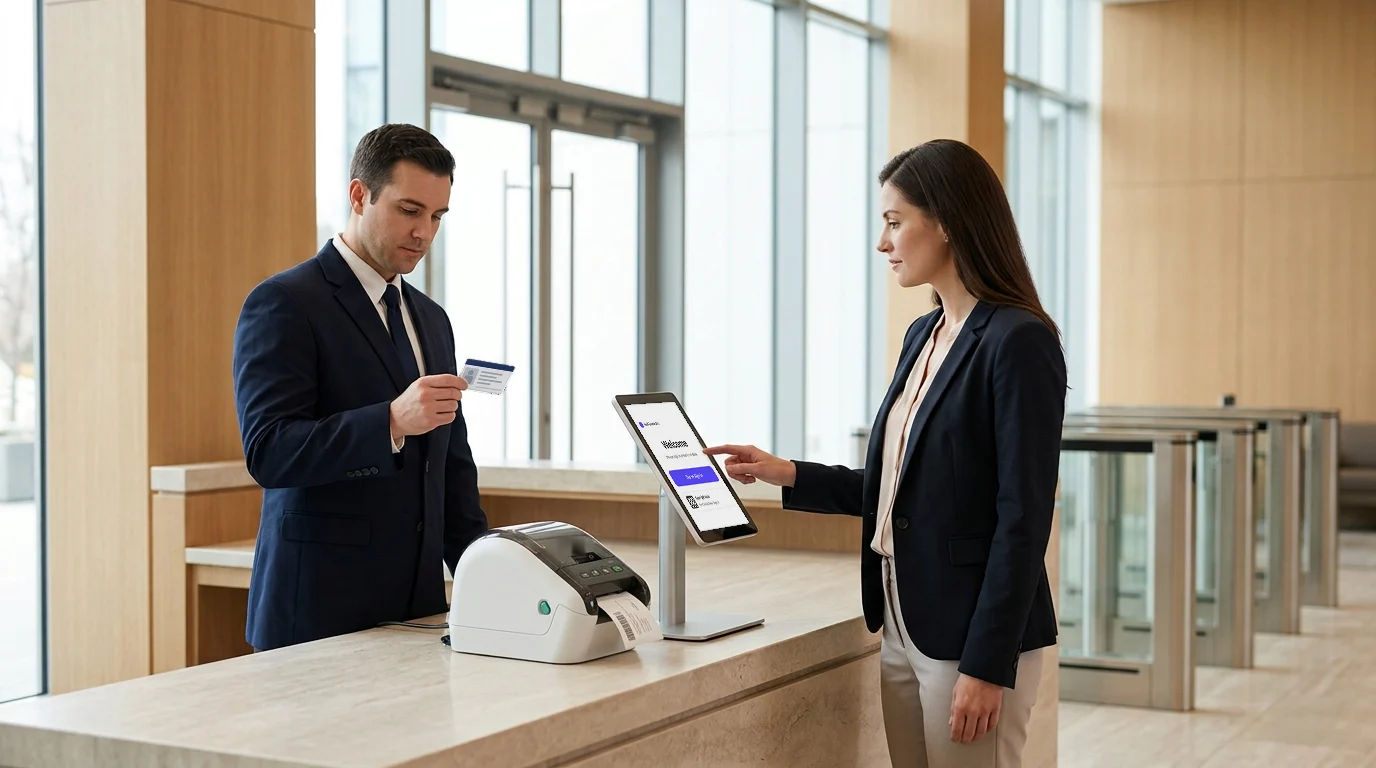
- Visitor Check-In and Check-Out: Visitors register their arrival and departure times by signing in on a tablet or using a self-service kiosk. It records who is on campus at any given time.
- ID Verification: Many systems scan or capture visitor identification to confirm their identity and prevent unauthorized access.
- Digital Logs: The system keeps an electronic record of every visitor’s details, which is easy to access, search, and analyze when needed.
What is Offender Screening and How Does It Work?
Offender screening is a process that checks whether a visitor has a criminal history or poses a potential risk before allowing entry to a school. It goes beyond the usual visitor check-in by verifying backgrounds against trusted databases.
Types of Checks Involved
- Searches through national criminal databases for past convictions.
- It checks sex offender registries and other restricted lists.
- Depending on the school’s location, it may include checks on local or regional watchlists.
Real-Time Automated Screening
- Visitor information is scanned instantly during check-in.
- The system matches visitor data against offender databases without delay.
- Allows immediate alerts if a visitor is flagged, enabling staff to respond quickly.
Difference from Basic Visitor Check-In
- Basic check-in records visitor details but doesn’t verify background or risks.
- Offender screening adds a security layer by proactively identifying unsafe visitors before entry.
Why Offender Screening is Crucial for School Visitor Management Systems
Ensuring the safety of students and staff is a top priority for every school. While visitor management help track and control who enters the campus, incorporating offender checking takes security to the next level.
This feature goes beyond recording visitor information by actively checking backgrounds against criminal records and risk lists. Integrating offender checking into visitor management solution strengthens the protection schools can offer, helping prevent potential threats before they enter the building.
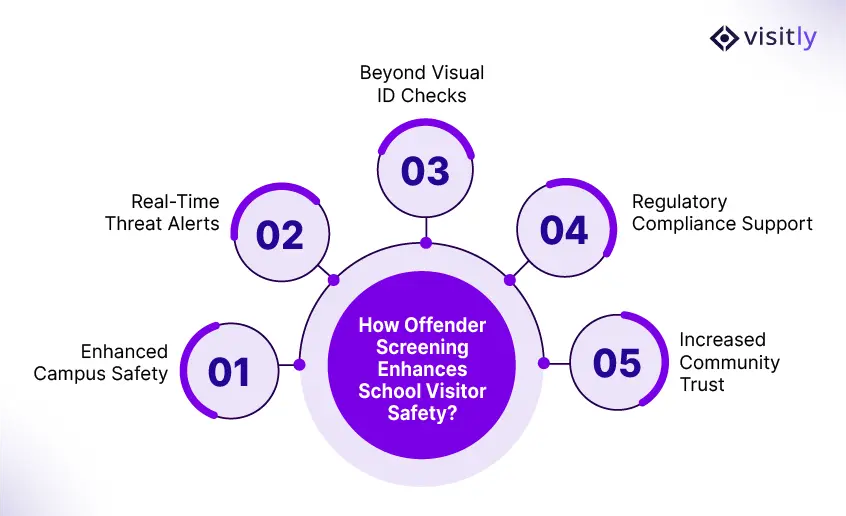
Protects Students, Staff, and Visitors
- Offender screening helps block entry to individuals with a history of violence or other serious offenses.
- This protection reduces the risk of harm on school grounds, creating a safer environment for everyone.
Enables Prompt Action by School Authorities
- When a visitor is flagged during check-in, school staff receive immediate alerts.
- It allows quick decision-making to deny access to ensure school safety.
Adds a Layer Beyond Visual ID Verification
- Visual checks alone can miss risks, especially if a visitor’s ID looks legitimate.
- Offender screening uses detailed background data to uncover potential threats that aren’t visible.
Supports Compliance with Safety Regulations
- Many school districts require visitor screening as part of safety policies.
- Integrating offender checking into visitor management systems helps schools meet these standards without added workload.
Builds Peace of Mind for Parents and the School Community
- Knowing the school uses thorough screening reassures parents about their children’s safety.
- It fosters trust in the school’s commitment to protecting its community.
Common Concerns About Offender Screening in Schools: (Myths vs Facts)
How safe is offender checking in schools, and what should parents, staff, and visitors know? With safety concerns rising, many schools rely on a visitor management solution that includes offender screening. However, some common concerns persist. Here’s a look at these concerns and the facts behind them.
Privacy Concerns and Legal Compliance
- Schools must comply with local, state, and federal privacy laws when screening offenders.
- Screening is limited to publicly available criminal records and conducted only to protect campus safety.
- Information collected is handled securely and used solely for visitor verification.
Offender Screening vs. Intrusive Surveillance
- Offender checking focuses on checking visitor backgrounds before entry, not monitoring movements on campus.
- It is a preventative measure designed to identify potential risks, not to track or surveil individuals unnecessarily.
Data Protection and Confidentiality
- Visitor data and screening results are stored securely within the visitor management systems.
- Access to this information is restricted to authorized personnel only, maintaining confidentiality.
Transparency and Respect for Visitor Rights
- Schools inform visitors about the screening process as part of clear visitor policies.
- Visitors have the right to understand what information is collected and how to use it.
How Visitly’s Visitor Management System Enhances School Security with Offender Screening.
Visitly offers a comprehensive visitor management solution explicitly designed to improve school security. Its platform streamlines visitor check-in while embedding critical safety features such as offender checking. Visitly’s solution helps schools manage visitors efficiently and ensures only safe individuals gain access to campus.
You can learn more about Visitly’s secure visitor management system for schools.
Automated Offender Screening During Check-In
Visitly’s system automatically screens visitor details against national and local criminal databases in real-time. This process runs seamlessly during check-in, requiring no extra effort from school staff. If a visitor matches a flagged record, the system alerts security personnel immediately, allowing swift action. Here are some visitor management features of visitly below.
Key Features That Enhance Security
- Real-Time Background Checks: Instantly verify visitor histories to prevent entry of high-risk individuals.
- Blocklist Management: Maintain and update a list of banned or restricted visitors easily.
- Instant Alerts: Receive notifications when a flagged visitor attempts entry, enabling prompt response.
Unique Benefits and Ease of Use
Visitly combines powerful security tools with an intuitive interface, making it easy for staff to operate without extensive training. The system integrates smoothly with existing security policies and infrastructure, reducing disruption. Schools using Visitly reported increased confidence in visitor management processes and improved overall campus safety.
By including offender checking as a core part of their visitor management solutions, Visitly helps schools protect students, staff, and visitors effectively while keeping the visitor experience smooth and welcoming.
Conclusion
Incorporating offender screening into your school’s visitor management systems is essential for maintaining a safe and secure environment. This added layer of protection helps schools identify individuals who may pose a risk before they gain access to the campus. By doing so, schools can better protect students, staff, and visitors, reducing potential threats and enhancing safety.
Offender screening also streamlines security operations by automating background checks and providing instant alerts. It reduces the burden on school personnel, allowing them to focus on other critical tasks while ensuring thorough visitor screening. Integrating these features into visitor management solutions strengthens compliance with safety policies and helps schools meet regulatory requirements.
To explore how Visitly’s visitor management system with offender checking can enhance your school’s security, book a demo with Visitly.
FAQs
What is offender screening in a school visitor management system?
Offender screening checks a visitor's details, usually read from a government ID, against sex offender registries during check-in. Visitly can also search criminal databases, run background checks and screen against the school's own watchlist. Schools use the result to decide whether a visitor may enter, must be escorted or is refused.
How does offender screening fit into visitor check-in?
It runs as a step in the check-in flow, before a badge prints. The visitor's ID is scanned at the kiosk, the details are compared with the registries, and a clear result lets check-in continue. On a possible match the check-in is held and a designated staff member is alerted, so the front office is not left to decide alone.
Is offender screening legal in schools?
In the US, sex offender registries are public records, and schools generally may check visitors against them. State law and district policy decide what follows a match, such as whether a registered parent may attend supervised events. Post a notice that visitors are screened, and have district counsel review the policy. This is general information and not legal advice.
What happens when a visitor is flagged as a possible match?
A flag is a possible match, and a person must confirm it. Staff compare the photo, name and date of birth on the registry entry with the visitor's ID, because common names produce false matches. In Visitly, check-in is held, security is notified, and the officer chooses Deny entry or Escort required, or clears a false match.
Can offender screening follow our district's policies?
Yes. Districts usually pair registry screening with their own lists, such as people barred from campus or adults restricted by a custody order. Policy also sets who is screened, for example every visitor or only those going past the front office, and who responds to a match. Write those rules down before configuring the system, so each school applies them the same way.
How is offender registry screening priced in Visitly?
For offender registry screening in Visitly, one of our compliance experts can walk you through the pricing. It screens against US state and national registries at the kiosk. Watchlist and photo ID screening against lists the district maintains are included at $2,000 per location per year. Sales can scope both for your schools.