You can’t control what you can’t see. Picture a marketing office lobby where contractors, clients, and delivery personnel come and go every day. Without a clear system, how do you know who belongs and who doesn’t? Or picture a manufacturing floor where temporary staff are arriving for the first time—are they properly accounted for in the event of an emergency?
In such situations, the printing of visitor badges becomes more than just auxiliary support for the workplace security system. It is an easy and visible way to boost workplace protection, increase productivity, and stay compliant with regulations.
In this article, we’ll break down how visitor ID badges integrate with a modern visitor management system, why they matter, and how you can implement them in your US workplace with ease.
What Is Visitor Badge Printing (and How It Fits into a VMS)
At its core, visitor badge printing is the automated process of issuing a temporary, physical identification card to a guest upon their arrival at your facility. It’s the final, tangible output of a robust Visitor Management System (VMS).
A modern visitor management system in the US automates the entire check-in process, usually starting with a sleek digital interface. A guest steps up to an iPad kiosk, enters their information, and signs an NDA/waiver, and the system instantly verifies them. Once approved, the visitor management system instructs an on-demand thermal or label printer to generate a visitor check-in badge.
What essential security elements should that badge contain?
- Visitor name and photo
- Host information
- Date and time of arrival
- Color-coding or expiration to indicate visitor type or access level
- Optional QR codes for digital tracking or secure sign-out
These badges, when integrated with a visitor management system like Visitly’s VMS, are printed on demand at an iPad kiosk or front-desk terminal, thereby eliminating manual sign-ins and providing your team with real-time information on who is in the building.
You don’t have to guess whether a visitor has clearance—a glance at the badge tells the story. Visitly VMS integrates seamlessly with badge printers, making your reception desk a hub for efficiency, robustness, and security & compliance.
5 Ways Visitor Badge Printing Improves Workplace Safety
The security standards and benefits of a printed badge go far beyond simply knowing a guest’s name.
A well-designed badge system fundamentally enhances five critical areas of workplace safety and security.
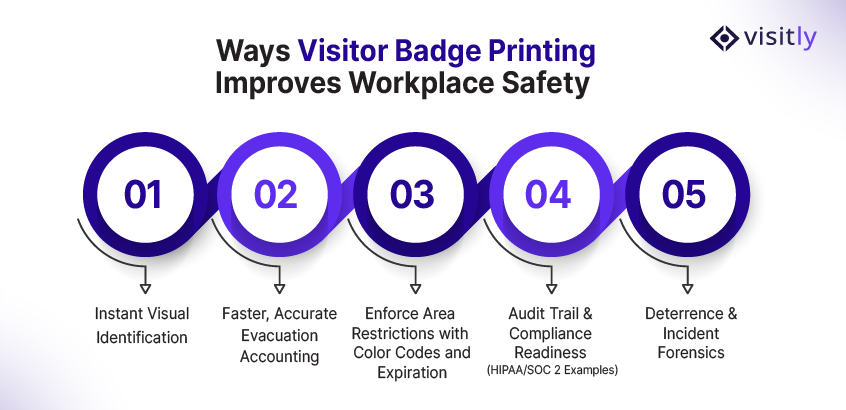
1. Instant Visual Identification
A person entering your building without a badge will be immediately noticed. With a printed badge, particularly one that includes a photo, your visitor check-in process is no longer an unknown variable but an instantly identifiable person.
How, then, does this system improve security?
- Employee Vigilance: This means that no one has to keep a log. They just look at the badge before answering, Yes, he or she is an authorized guest. An individual lacking a badge or sitting on a badge not belonging to him will, of course, stand out.
- Deterrence: Sometimes, simply requiring an official badge with a photo may be sufficient to deter unauthorized individuals from attempting entry.
2. Faster, Accurate Evacuation Accounting
Time is very precious in emergencies. Whether it’s a fire, a storm, or a security incident, the exact number of persons present in your building provides first responders with crucial information.
How does this speed up emergency response?
- Real-Time Manifest: A VMS with badge printing maintains a real-time, digital log of everyone currently on site. When the alarm sounds, your system instantly generates an evacuation report for every active guest, providing emergency management with vital information.
- Saves Time for Responders: Emergency workers at the muster location can be immediately given this digital manifest, thus getting rid of the dangerous and time-consuming process of manually counting people or checking an old paper log. In larger or multi-story commercial buildings, where emergency evacuation drills usually take 5-10 minutes, eliminating manual counting could be a lifesaver.
3. Enforce Area Restrictions with Color Codes and Expiration
Not all visitors need to be everywhere. Your IT server room, R&D lab, or private patient treatment areas need clear, visual control.
How does a badge manage access control?
- Color-Coding: Implementing a color-coding scheme makes enforcement effortless. For example:
- Red Badge: Vendor – Escorted Access Only
- Blue Badge: Client – Lobby/Meeting Rooms Only
- Yellow Badge: Executive Guest – Full Access Pass
- Expiration: Using a time-expiring adhesive badge or printing a clear expiration time prevents badge reuse. Once the ink or color disappears, the badge is void, adding an extra layer of simple, visual security that all staff can enforce.
4. Audit Trail & Compliance Readiness (HIPAA/SOC 2 Examples)
For many US businesses, from healthcare facilities providers to cloud service organizations, compliance is non-negotiable. Badges are a physical manifestation of a crucial digital audit trail.
How does this support compliance?
- HIPAA: Healthcare facilities (Covered Entities) must ensure that only authorized personnel have access to Protected Health Information (PHI). A visitor management app with badge printing directly supports the HIPAA Security Rule by providing a log of every person who enters a restricted area. The badge itself acts as a temporary credential that can be linked to a signed confidentiality agreement.
- SOC 2: Companies that handle customer data often require SOC 2 Type I or II audits. These audits require proof that the company’s physical controls protect customer data. The digital log created when the badge is printed—showing who was on-site, when, and who approved them—provides the unassailable evidence the auditor needs.
5. Deterrence & Incident Forensics
Contrary to popular belief, when something awful happens—be it theft, an accident, or unauthorized disclosure—the system can present itself as a very priceless investigative avenue.
What role does it play in an investigation?
- Photo & Log Retention: The electronic visitor management system stores the visitor’s photo, entry log, host, and all signed documents. This comprehensive record provides law enforcement or internal security with concrete data points for forensic investigation.
- Accountability: Knowing that the system captures a photo and logs their presence creates immediate accountability for all parties entering your facility.
Physical vs Digital Badges: The Real Tradeoffs
Mobile check-ins and QR codes have led many organizations to question the actual need for physical visitor badges. While all-digital solutions offer numerous conveniences, a printed badge still has its merits, especially for sites with extremely high security and traffic requirements.
Is a digital badge enough for your workplace security policies‘ needs?
Let’s look at the proven benefits of visitor badge printing for security in a side-by-side comparison.
Physical vs Digital Badges: Key Differences

While digital badges are useful for tech-forward workplaces, physical printed badges offer immediate visual control, especially in high-traffic lobbies or on manufacturing floors.
Quick Implementation Checklist (What to Buy + How to Configure)
Are you ready to implement your own visitor badge printing at work?
Here is the quick checklist to get you started so that you pick the best visitor badge printers for offices in 2026 and beyond:
- Procure Badge Printer (3–7 days): Choose based on volume: label printers for small offices, dye-sublimation or retransfer printers for durable cards.
- Stock Consumables (1–3 days): Card stock, label rolls, ink/toner.
- Set Up Visitly’s Kiosk Device (iPad or Windows tablet, 1 day): Place in lobby for self-check-in.
- Network & Cable Configuration (1 day): Ensure the communication between the printer and the kiosk is working.
- Design Badge Templates (1–2 days): Include logo, visitor info, color code, and optional QR code.
- Integrate SSO/Host Notifications (2–3 days): Alerts when visitors check in.
- Evacuation & Safety Integration (1–2 days): Ensure badges tie into emergency headcounts.
- Privacy & Signage Setup (1 day): Post signage about data usage and consent.
- Staff Training (1–2 days): Teach staff how to verify badges, escalate concerns, and handle visitors.
US-Specific Accessibility, Privacy, and Compliance Considerations
When in the U.S., ensure that your visitor badge printing software complies with the laws and standards pertinent to privacy and accessibility.
- Minimal PII: Collect only those data necessary for security and compliance.
- Retention Policy: Keep logs in accordance with your internal policy; perform automated purges whenever possible.
- HIPAA/SOC2: Badge printing helps track visitors’ movement, but in no way substitutes for the primary data protection requirements.
- Signage & Consent: Clearly communicate to visitors that check-in data is recorded.
- ADA/Accessibility: Ensure badges are wearable, legible, and visible at different heights for all visitors.

Conclusion
You’ve seen how visitor badge printing improves workplace safety, accountability, and compliance in your US workplace. It’s low-lift but high-impact — giving your team real-time visibility, audit-ready logs, and a professional reception experience.
Your front door is more than an entrance—it’s the first and most critical point of security control. In an era where the cost of security breaches and operational non-compliance is skyrocketing, relying on a paper logbook or a sticky note is simply an unacceptable business risk.
A modern, printed visitor check-in badge system powered by an integrated VMS is not a luxury; it’s the standard for professional workplace security solutions. It’s the difference between looking for a name on a messy list during an emergency and providing first responders with an accurate, real-time manifest of everyone in your facility.
Connect with us for more insights on how visitor badge printing enhances workplace safety.
Ready to move past the sticky note and secure your premises with confidence?.
FAQs
1. Can a printed badge integrate with my existing access control system (like key cards)?
Yes, many VMS platforms integrate directly with popular US access control systems (e.g., Avigilon, Brivo). For example, a PVC badge can be printed with an embedded RFID or barcode that is automatically activated by the VMS only after the guest has successfully checked in and been approved by the host.
2. How do I handle guests who refuse to have their picture taken?
This is a policy decision for your company. In high-security environments, mandatory photo capture for a printed badge is non-negotiable, and refusal may result in denial of entry. In lower-security offices, some VMS allow the receptionist to override the photo requirement and issue a name-only badge manually. However, for audit readiness and safety, a photo is always highly recommended.
3. Are digital badges enough?
Digital badges are especially helpful in tech-forward environments, but physical badges provide instant visual verification at a glance — crucial in high-traffic areas or during emergencies.
4. What printers work with iPad kiosks?
Common options include Dymo LabelWriter, Epson ColorWorks, and networked PVC card printers. Visitly VMS supports the most popular models for seamless badge printing.