ITAR visitor management system: U.S.-person checks, escorts and visit records
A vendor arrives for an equipment check. A partner's engineer comes to review a drawing. A customer's auditor is booked for a plant tour. Under ITAR, each of these visits is an export-control decision, and it has to be made before the visitor reaches a lab, a production floor or a drawing on a screen. Visitly applies your U.S.-person rules at the kiosk, routes foreign nationals to an escort, and keeps one defensible record per visitor.
Visitly holds SOC 2 Type II and ISO 27001 certifications · 1,300+ organizations across 40+ countries
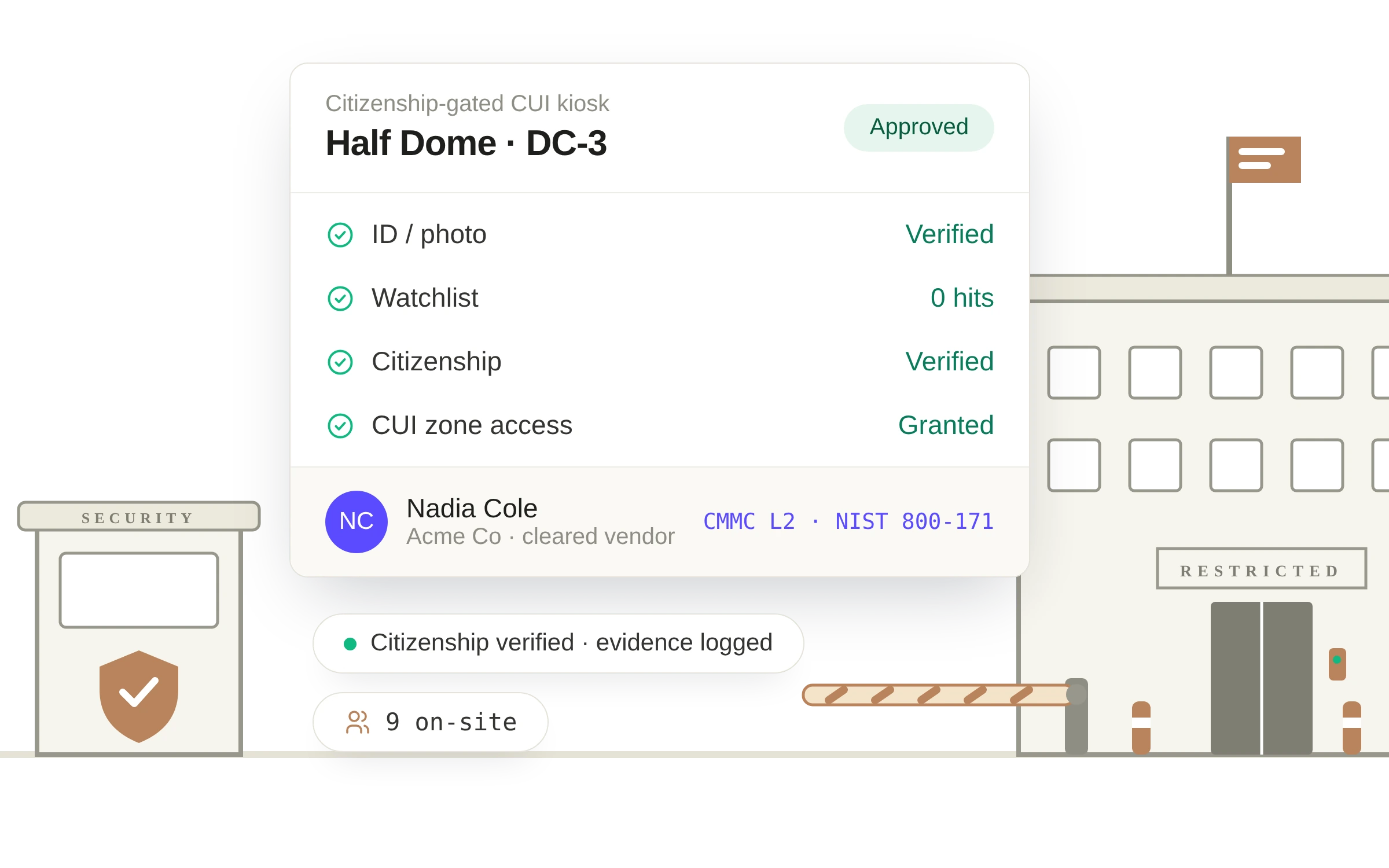
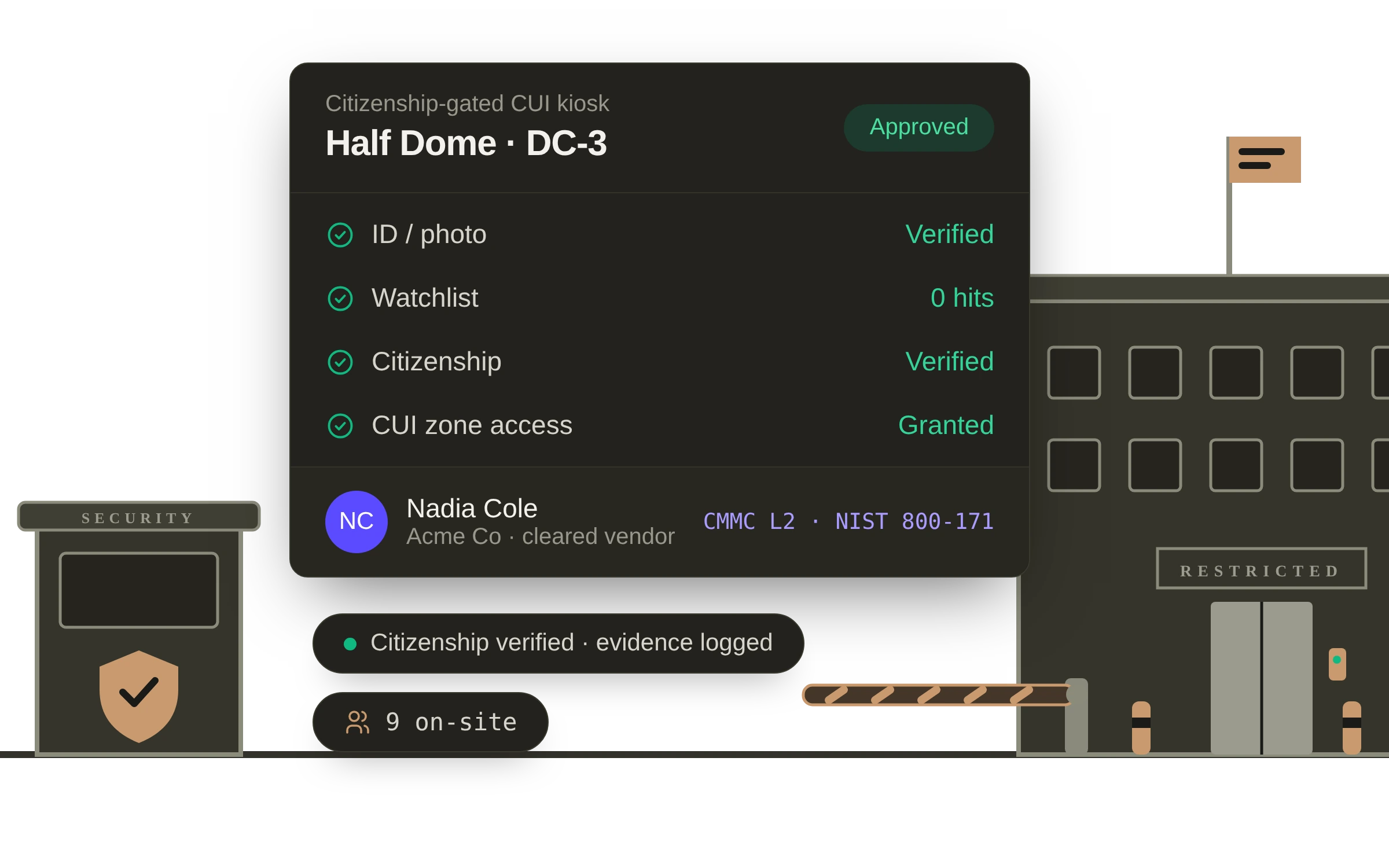
What are the ITAR requirements for visitors?
ITAR treats releasing controlled technical data to a foreign person inside the United States as an export (22 CFR 120.50). So a site that holds defense articles or technical data has to know each visitor's status before entry, keep foreign persons away from controlled work unless an authorization covers it, escort them where your policy says so, and record what happened. ITAR does not prescribe a visitor log format. Your technology control plan usually sets the visitor rules, and your empowered official decides how they apply.
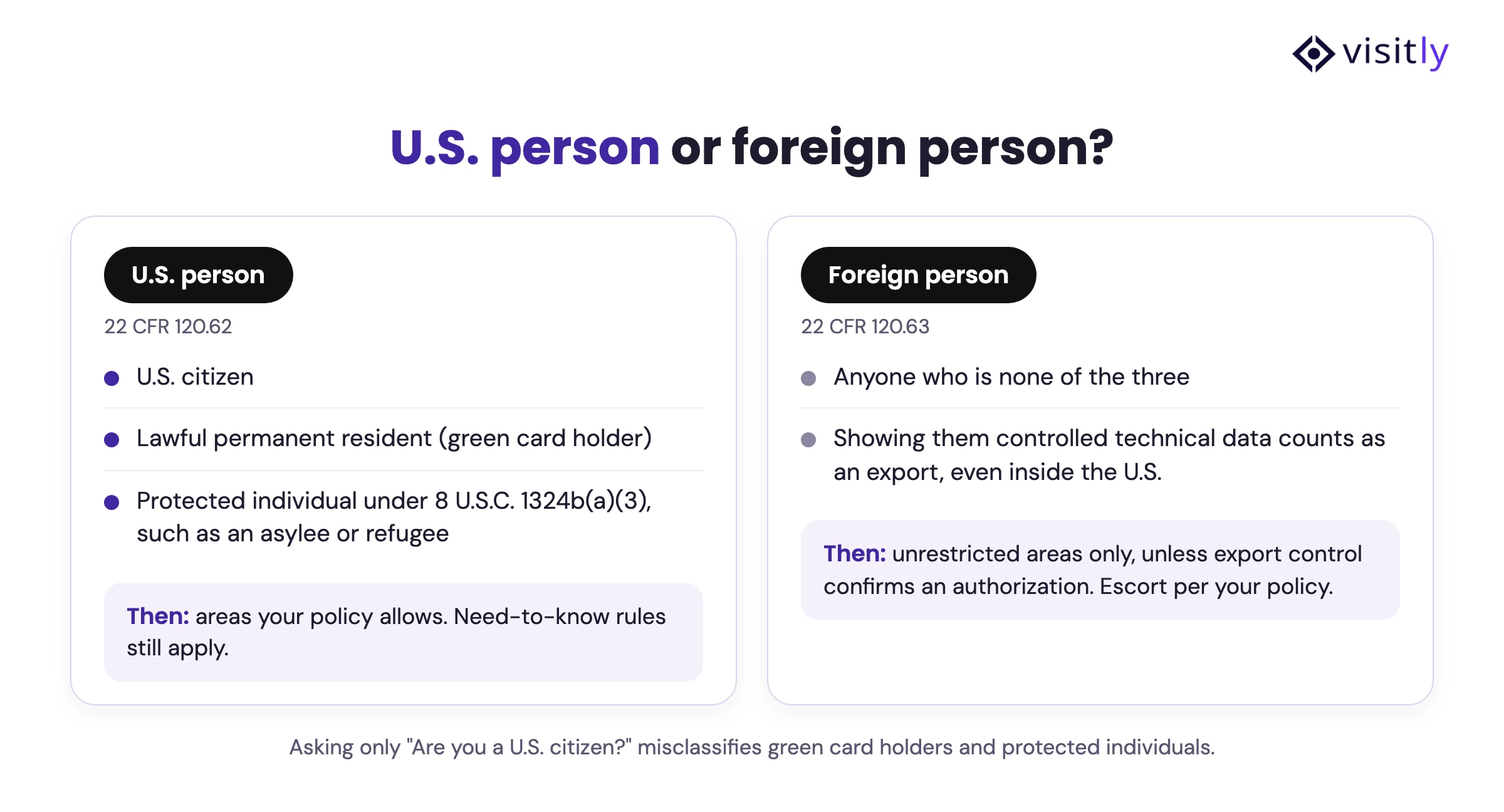
U.S. person or foreign person: what the visitor form has to ask
"Are you a U.S. citizen?" is the wrong question. ITAR turns on U.S.-person status, and a U.S. person includes more than citizens (22 CFR 120.62):
Visitly collects the status your policy defines, applies the rule you set for each area, and leaves the legal determination with your export-control team.
How citizenship gating works, step by step
Citizenship gating is a rules-based check in a visitor management system. It uses a visitor's citizenship, permanent residency or other status to decide what happens next: approve, restrict, escalate for review, or require an escort before a badge is issued. It works best as a controlled access workflow that starts before arrival, not as one question at the front desk.
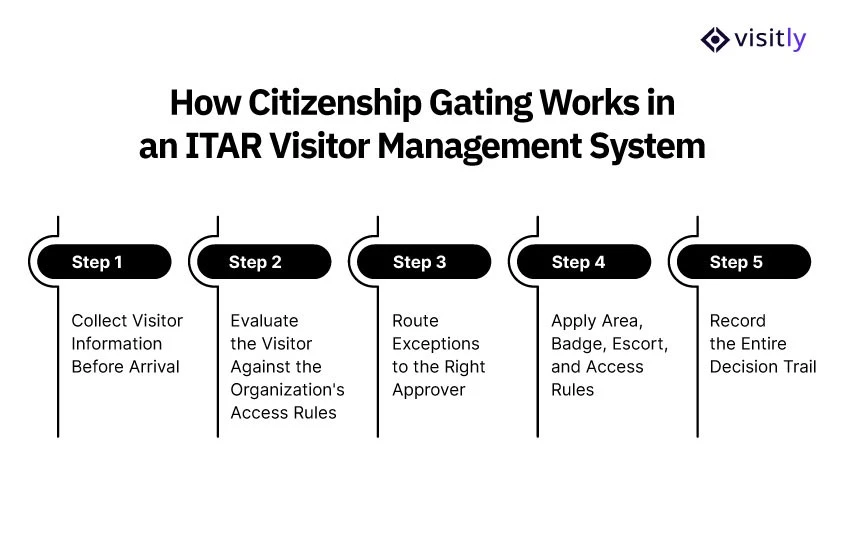
Step 1: Collect visitor information before arrival
Pre-registration lets security or export control review a visit before the person reaches the site. Collect only what your visitor and export-control policy needs: name and organization, host and purpose, the site or area, and the status information your policy defines. An exception found at the front desk forces a sensitive decision on the spot. One found at pre-registration leaves time to verify the visit and arrange an authorization or restrictions.
Step 2: Check the visitor against your access rules
The system applies the rules you configured for that site or controlled area. A routine visitor proceeds. Another may need export-control review before entering a regulated area. The system enforces your policy; it does not decide whether a person is legally authorized under ITAR.
Step 3: Route exceptions to the right approver
When a visit needs review, the normal check-in pauses and the request goes to the named security, export-control or compliance approver. The record shows who reviewed it, the decision and any conditions. Front desk staff are never asked to interpret export rules.
Step 4: Apply area, badge, escort and access rules
Approval does not mean the run of the facility. The decision sets the permitted areas, the badge type or zone, whether an escort is required, temporary physical-access permissions and the areas that stay restricted. This is where citizenship gating becomes access control rather than a check-in form.
Step 5: Record the decision trail
Keep what you need to reconstruct the visit: the details submitted, the screening result, the approver, the approved area, the host or escort, the badge or access event, check-in and check-out times, acknowledgments, and any exception or override. The chain runs from visitor information to access decision to physical entry.
When a foreign person needs to visit an ITAR site
A foreign person is not automatically barred from an ITAR facility. The question is whether the visit could give access to controlled technical data, defense articles or restricted areas without the required authorization.
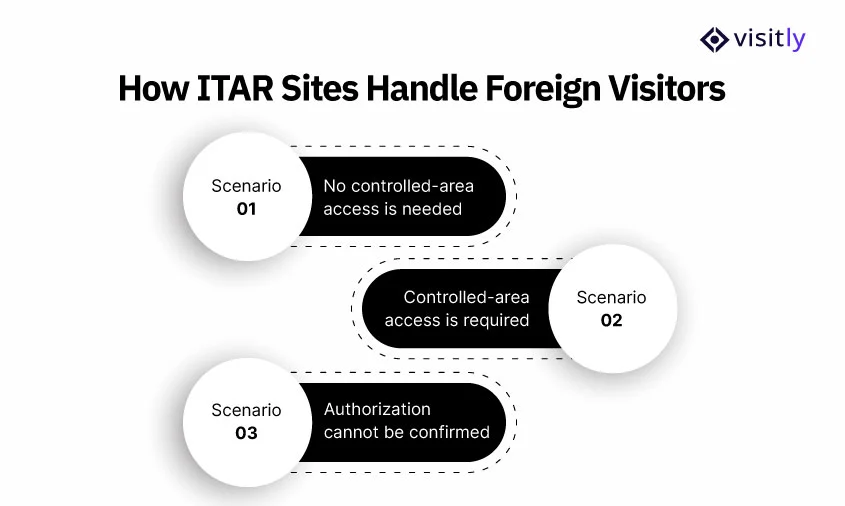
- No controlled-area access needed. Keep the visitor to unrestricted areas such as reception and meeting rooms, where controlled information is not accessible.
- Controlled-area access required. Send the visit to export control or compliance to decide whether a license, approval, exemption or other authorization covers it. ITAR provides exemptions in defined cases, so citizenship alone cannot answer this.
- Authorization cannot be confirmed. Keep the visitor out of the controlled area and away from the information.
In each case the visitor system enforces and documents the decision. The legal determination stays with your authorized export-control staff.
Screening visitors against denied-party and sanctions lists
U.S.-person status is one check. The other is whether the person or their company appears on a government list. Visitly screens each visitor against your own watchlists and against government lists such as the U.S. Treasury's OFAC sanctions lists, natively or through the screening platform your trade compliance team already uses, such as Visual Compliance (Descartes) or First Advantage. A match holds the check-in, alerts security and gives the officer a deny-entry or escort-required decision. Every result, clear or flagged, is logged with a timestamp.
Screening does not have to wait for the lobby. With PreScreen, Visitly screens a guest when the host sends the invitation, so a match is found and dealt with before anyone is turned away at the door.
Escorts, badges and ITAR signage for restricted areas
An escort rule only works if everyone can see who needs one. Visitly assigns the escort when the visit is approved, notifies the host on arrival and time-stamps each escort. Badges show where a visitor may go: printed with photo, host, authorized areas and expiry. Zone-color badges signal the allowed areas, and per-zone badges expire automatically and can be revoked.
Signs do the rest. Mark each controlled area at its entrance so a visitor, and the escort, know where the visit stops. Show the same areas on the visitor's badge.
ITAR requirements for contractors
Contractors come back often, and repeat visits should not skip the controls. A familiar contractor is not automatically an authorized one. A contractor workflow should:
- Pre-register recurring contractors before arrival.
- Record the project, host, site and areas they need.
- Apply your U.S.-person and foreign-person rules (22 CFR 120.62 and 120.63).
- Limit badges and physical access to approved zones.
- Assign an escort when your policy requires it.
- Revalidate access when the project, status, destination or authorization changes.
- Keep the screening, approval, access and visit records.
More on this in our guides:
What visitor records an ITAR audit needs
Keep one record per visit with the visitor's identity and status as declared, the host, the areas approved, the screening result, who approved any exception, escort details, the badge issued, and check-in and check-out times. Signed NDAs and ITAR acknowledgments belong in the same record. Your export-control lead or counsel sets how long to keep it.
Visitly keeps every check-in, check-out, host and signed document in an immutable audit log with time-stamped acknowledgments. Your team can search and export the log by site, date and visitor for the ITAR or EAR file, and retention follows the policy you set.
ITAR visitor access checklist
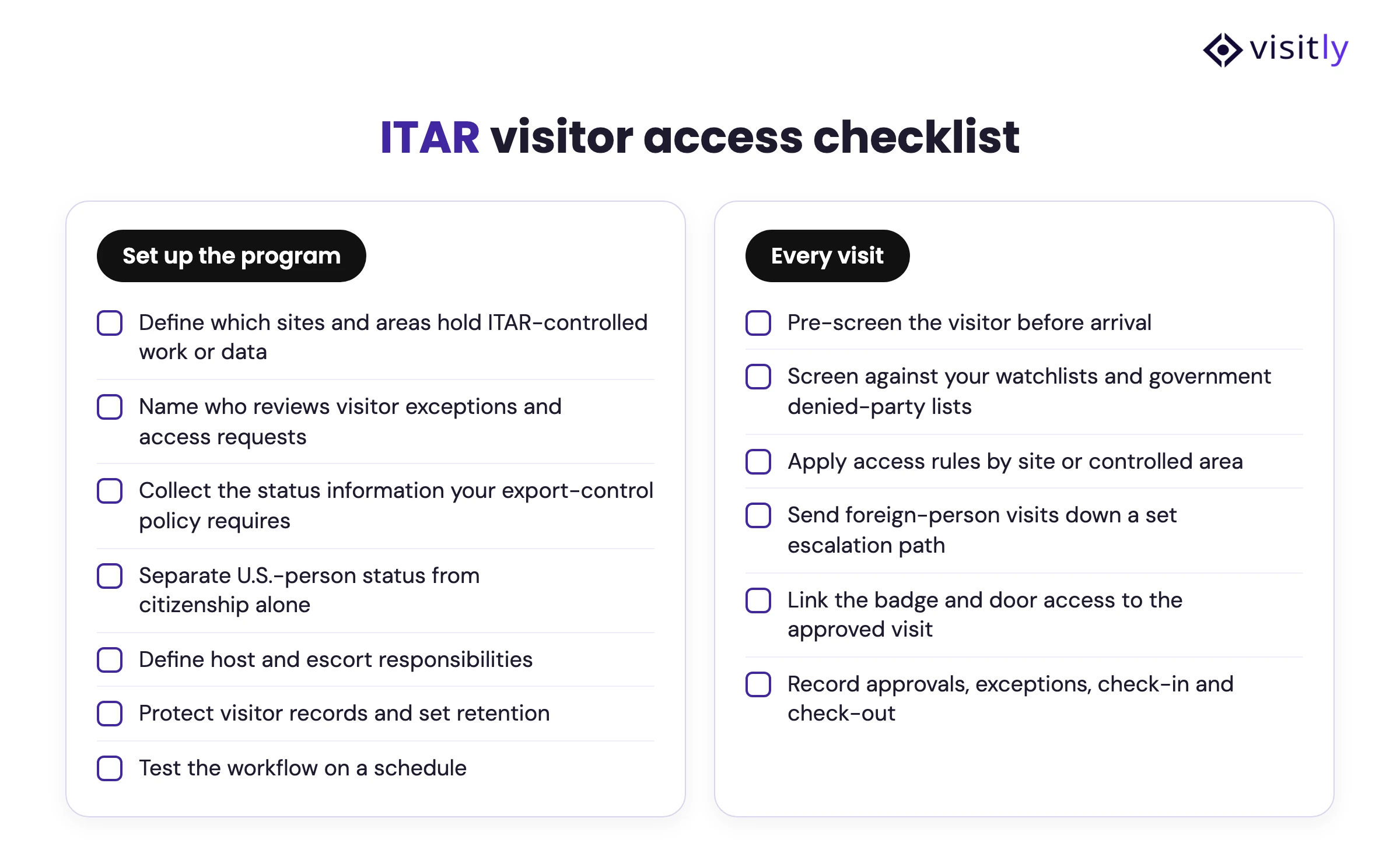
Use it to review your ITAR visitor policy, site by site.
- Define which sites, buildings and areas hold ITAR-controlled work or technical data.
- Name who reviews visitor exceptions and access requests.
- Collect the identity and status information your export-control policy requires.
- Separate U.S.-person and foreign-person status from citizenship alone.
- Pre-screen visitors before arrival whenever you can.
- Screen visitors against your watchlists and government denied-party lists.
- Apply access rules by site or controlled area.
- Set a clear escalation path for foreign-person visits.
- Define host and escort responsibilities.
- Link badge and physical-access permissions to the approved visit.
- Record approvals, exceptions, check-in and check-out.
- Protect visitor records and set retention.
- Test the workflow on a schedule to confirm the rules work as intended.
What a visitor system does and does not do
We support the program your team owns. Visitly doesn't certify, attest or guarantee your compliance.
From the lobby to the audit file. One defensible record per visitor.
EAR programs use the same controls. Running CMMC Level 2 as well? The same record supports it.
We support the program your team owns. Visitly doesn't certify, attest or guarantee your compliance.
Defense and aerospace manufacturers running ITAR programs use Visitly.
"Across fourteen plants, we reported zero ITAR audit findings in our last cycle. Visitly's citizenship gating and evidence tooling support our ITAR program. We replaced the iLobby module stack with one Visitly contract, on hardware we already owned." EHS Director, Hitachi Industrial Division






Your gate runs it from day one. Your team doesn't staff a project.
Visitors check themselves in, in under 15 seconds. Your gate sees photo, ID, watchlist and citizenship results in one view and handles only the exceptions. Contractor crews are pre-registered in bulk, up to 200 per event. A basic setup takes under an hour, integrations such as SSO, SCIM, access control and HRIS take a couple of days, and multi-site rollouts take one week to one month. Switch Assist handles the migration from your current system. SentinelOne moved off Envoy and went live across 7 sites in under a week.
Comparing Envoy for CMMC, ITAR and EAR? Look at what sits behind its Enterprise plan.
Envoy is a workplace platform, and it markets ITAR, EAR and CMMC support. Its ID scanning, blocklists and restricted-party screening are all Enterprise-only, at a custom price. Visitly is visitor compliance first: area-level citizenship gating, a NIST 800-171 mapping and GCC High, on one platform.

Visitly vs Envoy
ITAR visitor management: common questions
What is an ITAR visitor management system?
An ITAR visitor management system is visitor software configured to support a company's export-control procedures. It collects each visitor's status, applies the access rules the company has set for controlled areas, routes exceptions to an approver and keeps the record. It enforces the organization's policy and does not make the legal authorization decision; that stays with export-control staff.
What is citizenship gating in a visitor management system?
Citizenship gating is a check-in rule that uses a visitor's citizenship or residency status to decide what happens next: admit, restrict to certain areas, require an escort or hold for review. The company configures the rule for each site or controlled area. The system applies it the same way every time and logs the outcome for later audit.
Is citizenship enough to determine ITAR access?
No. ITAR turns on whether someone is a U.S. person or a foreign person, and U.S. persons include lawful permanent residents and certain protected individuals as well as citizens. A form that asks only about citizenship can misclassify those visitors. Collect the status your export-control policy defines, and let your compliance lead or counsel make the determination.
What happens when citizenship gating flags a visitor?
The normal check-in stops and the visit goes to a named approver in security or export control. That person can deny entry, limit the visitor to uncontrolled areas, require an escort or confirm that an authorization covers the access. The decision, the approver and any conditions are recorded. Front desk staff should never be asked to interpret export rules themselves.
What records should an ITAR visitor management system maintain?
It should keep the visitor's identity and status as declared, the host, the areas approved, the screening result, who approved any exception, escort details, the badge issued and sign-in and sign-out times. Signed acknowledgments belong in the same record. How long to retain them depends on the controlled activity; your export-control lead or counsel sets the period.
What are the ITAR requirements for visitors?
ITAR treats showing controlled technical data to a foreign person as an export, even inside the United States. A site must know each visitor's status before entry, keep foreign persons away from controlled work unless authorized, escort them where needed and record every visit. Your empowered official decides how the rules apply.
Start with 1–5 sites. Roll out to every site.
One watchlist and a live record of who is on site, the same at every location. Pilot a few sites with a defined end date, then decide how to scale.
Send this to your IT team