Did you know that over 60% of workplace compliance issues are linked to poor contractor tracking?
For organizations that regularly work with contractors, managing sign-ins, credentials, and on-site activity is critical but often overlooked.
Common Challenges Include:
- No real-time visibility into who is on-site
- Missed or incomplete contractor sign-ins
- Manual tracking of certifications, insurance, and safety forms
- Lack of alerts for arrivals, overstays, or emergencies
As such, contractor management software gives you complete control over the contractor lifecycle from pre-registration and credential checks to on-site monitoring and compliance reporting. It replaces outdated manual processes with automation, helping you keep your facility secure, compliant, and audit-ready at all times.
After reading about the 7 best contractor‑management systems, you’ll know which fits your business.
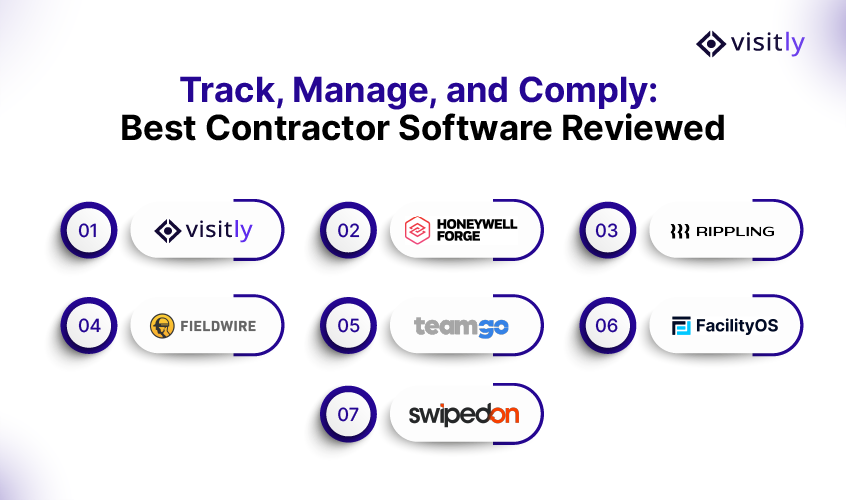
Which Are the Top 7 Contractor Management Tools?
Here are the 5 best contractor management software solutions to help you monitor employees and visitors.
- Visitly – Best for All‑in‑One Contractor + Visitor Monitoring
- Honeywell Forge Visitor & Contractor Management – Best for Enterprise & Industrial Security
- Rippling – Best for Global Contractor Compliance & Payroll Integration
- Fieldwire – Best for Job‑Site Contractor Projects & Scheduling
- Teamgo – Best for QR‑Code Sign‑In, Induction & Attendance
- FacilityOS – Best for Streamlined Facility Operations
- SwipedOn – Best for Rapid On-Site Tracking
Each platform brings unique strengths whether it’s real-time tracking, automated compliance, or touchless check-ins, so you can choose the one that fits your workplace needs best.
1. Visitly – Best for All‑in‑One Contractor + Visitor Monitoring (Top Pick)
Visitly stands out as a modern, cloud‑based system built to track employees, contractors, deliveries, and guests. It’s designed with clear workflows, ease of set‑up, and transparent pricing (from $1,000 per location per year; see visitly.io/pricing).
Key Features:
- All‑in‑one Dashboard: Monitor employee and visitor logs, visitor types, locations, and peak times in real time.
- Contractor & Visitor Forms: Pre‑registration forms capture necessary data: name, host, custom fields and allow bulk uploads for groups.
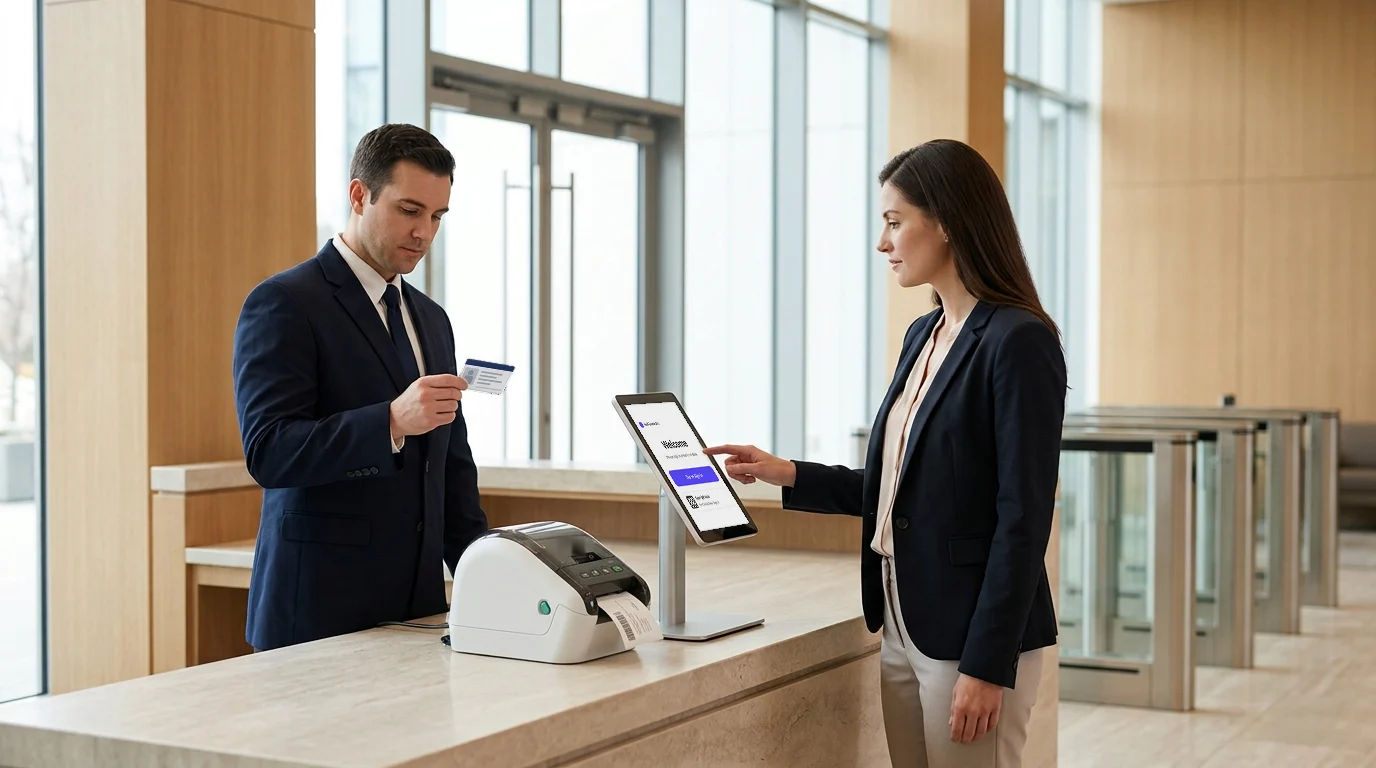
- Touchless Sign‑In: iPad or kiosk-based QR or facial recognition speeds up check‑in and auto‑pre‑fills returning visitors.
- Languages: Check-in supports more than 150 languages.
- Instant Notifications: Emergency notifications sent via Teams, Slack, email, or SMS when a contractor arrives or is cleared to begin work.
- Reporting & Compliance: Exportable CSV logs, evacuation reports, and visitor activity dashboards for audit trails and safety drills.
- Integrations: Integrates with Active Directory, Okta, Google Calendar, Meraki, Cisco Wi‑Fi systems, Microsoft Teams, Slack, and others for host matching and network access control.
- Scalable & Brandable: Supports multiple locations, customizable badge templates, watchlists, branding and host workflows.
Why Visitly Wins:
- Published pricing from $1,000 per location per year and a user-friendly setup.
- Unified management of employees, contractors, deliveries and visitors.
- Compliance‑ready features (evacuation, badge printing, audit logs).
- Responsive support, with a basic setup done in under an hour, backed by strong user reviews.
Pricing
Refer to our pricing plans for more details.
| Vendor | Published price | What that price includes |
|---|---|---|
| Visitly Starter | $1,000 per location per year | Visitor check-in, single sign-on, audit log |
| Visitly Business | $2,000 per location per year | Adds watchlist and photo ID screening |
| FacilityOS | ContractorOS: starting at $199/month | Visitor, emergency and security modules priced separately |
| SwipedOn | Now sold as Sign In App | Its pricing page redirects to Sign In App's |
Prices from each vendor's pricing page, Q4 2026. See Visitly pricing and the full comparison.
Here’s a table outlining Visitly’s key features and benefits:
| Feature | Details |
|---|---|
| Best For | Unified visitor, contractor, and employee tracking |
| Sign-In Options | Touchless (QR, Face ID), iPad kiosk |
| Compliance Tools | Safety induction at check-in, audit logs, evacuation reports |
| Integrations | Teams, Slack, Okta, Google Calendar, Meraki, AD, Cisco Wi-Fi |
| Scalability | Multi-location support, brand customization |
| Pricing | Starter $1,000 per location per year; Business $2,000; Enterprise custom |
| Trial | Talk to sales for a demo |
2. Honeywell Forge Visitor & Contractor Management – Best for Enterprise & Industrial Security
Honeywell Forge is an enterprise performance management software designed to optimize building operations, energy use, and asset performance. It delivers real-time insights across facilities, helping organizations improve efficiency, sustainability, and compliance.
Core Capabilities:
- iPad kiosk check-in with badge printing and face match options.
- Pre‑check workflows with document and credential verification.
- Instant host notifications and editable badge templates.
- Advanced reporting for compliance audits and long‑term analytics.
- Multilingual kiosk UI and custom safety induction steps.
- API support and integrations with Teams, Slack, etc.
Strengths & Weaknesses:
- Pros: Trusted by high‑security clients; scalable; polished hardware+software combo; robust automation and watch‑list capabilities.
- Cons: Setup can be complex; badge printers sometimes disconnect; support response occasionally slow; higher price point.
Pricing
See Honeywell Forge's pricing page for current plans.
Take a look at what Honeywell Forge offers in the table below:
| Feature | Details |
|---|---|
| Best For | High-security and regulated enterprise environments |
| Sign-In Options | iPad kiosk with badge printing, face match |
| Compliance Tools | Credential verification, audit-ready reports |
| Integrations | Slack, Teams, API integrations |
| Scalability | Enterprise-ready hardware and software suite |
| Pricing | Higher tier pricing (custom quotes) |
| Trial | Demo available |
3. Rippling – Best for Global Contractor Compliance & Payroll Integration
Rippling combines contractor onboarding, KYC verification, payroll, and document tracking. Ideal for businesses with global contractor operations or strict regulatory needs.
Key Features:
- Automated KYC & compliance checks (tax IDs, passports, certifications) and local compliance validation.
- Onboarding workflows that link contractor status, certification checks, and payment.
- Connected modules: payroll, benefits, HR, time tracking, audit documentation.
- Audit-ready outputs for legal, tax or compliance reviews.
Ideal For: Medium-to-large organizations with distributed contractors, where KYC verification, tax compliances, and payroll sync matter deeply.
Pricing
See Rippling's pricing page for current plans.
See how Rippling stacks up in the following feature table:
| Feature | Details |
|---|---|
| Best For | Global contractor onboarding, payroll, compliance |
| Sign-In Options | Admin dashboard; no kiosk interface |
| Compliance Tools | KYC checks, tax compliance, document tracking |
| Integrations | HR, payroll, benefits, time tracking |
| Scalability | Suitable for mid-to-large distributed teams |
| Pricing | See pricing page |
| Trial | Demo available |
4. Fieldwire – Best for Job‑Site Contractor Projects & Scheduling
Fieldwire is a jobsite management software built for construction teams to streamline task coordination, plan management, and field communication. It helps contractors, engineers, and project managers stay aligned with real-time updates and mobile access on-site.
What It Offers:
- Mobile time & GPS tracking: contractors clock in via app; location logged.
- Task checklists and RFIs: structured workflows for compliance task completion.
- Blue‑prints, drawings, job photos accessible on site.
- Free version for small teams (up to 3 projects).
Best Fit: Small to mid‑size specialty contractor networks requiring field visibility, checklists, and job documentation rather than badge-based front‑desk workflows.
Pricing
See Fieldwire's pricing page for current plans.
Explore Fieldwire’s features in the table below:
| Feature | Details |
|---|---|
| Best For | Construction, HVAC, field-based work |
| Sign-In Options | Mobile app with GPS check-in |
| Compliance Tools | Task checklists, job photos, RFIs |
| Integrations | Project management tools |
| Scalability | Great for small to mid-sized teams |
| Pricing | Free for 3 projects; see pricing page |
| Trial | Free plan available |
5. Teamgo – Best for QR‑Code Sign‑In, Induction & Attendance
Teamgo is built around QR codes, online inductions, compliance screenings, and attendance reporting, perfect for facilities that want contactless systems and automated pre-check workflows.
Features in Focus:
- Instant QR-based sign‑in for contractors or employees.
- Custom induction workflows: health & safety forms, document uploads, video acknowledgments, ID capture.
- Real-time reports: attendance, durations, capacity alerts.
- Unlimited kiosks and users, calendar integration, host notifications, multi-language support.
- Strong customer service support, with free setup and 24/7 online help.
Best For: Organizations needing flexible workflows, contactless sign-ins, capacity control and quick deployment without heavy infrastructure.
Pricing
See Teamgo's pricing page for current plans.
Take a look at what Teamgo offers in the table below:
| Feature | Details |
|---|---|
| Best For | QR code sign-ins, digital inductions, attendance |
| Sign-In Options | QR code, ID capture, multi-language support |
| Compliance Tools | Induction videos, health and safety forms |
| Integrations | Calendar tools, Slack, Teams |
| Scalability | Unlimited kiosks and users |
| Pricing | Custom plans; affordable for SMBs |
| Trial | 30-day free trial |
6. FacilityOS Contractor Management – Best for Streamlined Facility Operations
FacilityOS is a cloud-based platform designed to simplify contractor compliance and on-site management. It enables businesses to efficiently track contractors, automate documentation, and ensure regulatory compliance. This makes it a leading solution for modern facilities.
Core Capabilities:
- Contractor onboarding and credential verification.
- Real-time dashboards.
- Automated reminders for document expiry and compliance checks.
- Digital sign-in/out via mobile or tablet.
- Integration with existing facility management systems.
- Reports for audits and regulatory compliance.
Strengths & Weaknesses:
Pros: Easy-to-use interface; mobile-friendly; ensures compliance; scalable for multiple sites.
Cons: Limited advanced analytics; requires initial setup time; higher learning curve for first-time users.
Pricing:
FacilityOS ContractorOS is priced "Starting at $199/month" (Essentials, site-managed compliance) and "$499/month" (Advanced, vendor-managed compliance); the visitor, emergency and security modules are priced separately.
FacilityOS – Key Features and Benefits
| Feature | Details |
|---|---|
| Best For | Facilities seeking compliance and streamlined contractor management |
| Sign-In Options | Mobile, tablet, QR codes |
| Compliance Tools | Credential verification, audit-ready reports |
| Integrations | Facility management systems, APIs |
| Scalability | Multi-site, enterprise-ready |
| Pricing | ContractorOS: starting at $199/month |
| Trial | Demo available |
7. SwipedOn Contractor Management – Best for Rapid On-Site Tracking
SwipedOn is an automated platform that ensures real-time visibility of contractors on-site, helping businesses reduce risk and enhance operational efficiency.
Core Capabilities:
- Location-verified check-in via QR codes.
- Automated notifications when contractors arrive or leave.
- Document capture for certifications, PPE, and safety forms.
- Digital ID badge printing and verification photos.
- Pre-registration and induction workflows.
- Health and safety compliance tracking.
- Integration with workplace tools and apps.
Strengths & Weaknesses:
Pros: Fast setup; mobile-optimized; enhances workplace safety; intuitive features for specialized roles.
Cons: Limited offline functionality; advanced customization may require support; higher tier plans cost more.
Pricing:
Flexible plans for small to large businesses; free demo available.
SwipedOn is now sold as Sign In App: its pricing page redirects to Sign In App's.
SwipedOn – Key Features and Benefits
| Feature | Details |
|---|---|
| Best For | Businesses needing fast, secure contractor tracking |
| Sign-In Options | QR code, mobile, tablet |
| Compliance Tools | Automated document capture, audit-ready reports |
| Integrations | Slack, Teams, APIs |
| Scalability | Small to enterprise-ready |
| Pricing | Now sold as Sign In App |
| Trial | Demo available |
Which Contractor Software Is Right for You?
Here’s a quick side-by-side look at the top contractor management platforms based on key features like sign-in methods, compliance tools, and pricing. Use this table to identify which solution aligns best with your business needs and budget.
| Software | Best For | Sign-In Type | Compliance Tool | Pricing |
|---|---|---|---|---|
| Visitly | All-in-one visitor and contractor management | QR, Face ID, iPad kiosk | Safety induction, audit logs, evacuation lists | $1,000/location/year |
| Honeywell | Enterprise and industrial security | Kiosk, badge, face match | Credential checks, safety induction, reports | Custom quote |
| Rippling | Global compliance and payroll | Admin dashboard only | KYC, tax docs, onboarding workflows | See pricing page |
| Fieldwire | Field-site tracking and scheduling | Mobile app, GPS check-in | Task checklists, job reports | See pricing page |
| Teamgo | QR-based sign-ins and inductions | QR code, mobile, ID capture | Induction forms, safety docs | Custom SMB pricing |
| FacilityOS | Facilities seeking compliance and streamlined contractor management | Mobile, tablet, QR codes | Credential verification, audit-ready reports | ContractorOS: starting at $199/month |
| SwipedOn | Businesses needing fast, secure contractor tracking | QR code, mobile, tablet | Automated document capture, audit-ready reports | Now sold as Sign In App |
How Do You Choose the Best Contractor Management Software?
Here’s a checklist to guide your decision: Look beyond just check-in features. Consider compliance tracking, real-time visibility, and integration with your existing tools. The right platform should align with your workflows, scale with your operations, and simplify both security and administration.
- Use Case
- Are you managing front‑desk check‑ins and badge printing (choose Visitly or Honeywell)?
- Or are you focused more on field‑site attendance and job task tracking (choose Fieldwire)?
- Compliance & Audit Needs
- For certification capture and insurance tracking: Rippling or Honeywell. For evacuation reporting and a safety induction acknowledged at check-in: Visitly.
- For certification capture and insurance tracking: Rippling or Honeywell. For evacuation reporting and a safety induction acknowledged at check-in: Visitly.
- Budget & Scale
- Small businesses: Visitly or Teamgo are rapid installs.
- Larger enterprises: Honeywell or Rippling provide scalability and robustness.
- Integration Requirements
- Did you need host notifications via Teams/Slack, Active Directory sync, Wi‑Fi onboarding, payroll linkage?
- Visitly connects widely; Rippling covers HR/payroll; Teamgo and Honeywell integrate with comms and Wi‑Fi systems.
- Hardware vs Mobile
- Do you want a kiosk iPad setup and badge printing? Honeywell and Visitly support that.
- Prefer biometric or QR‑only mobile sign‑in? Teamgo and Visitly both support that too.
- Trial and Support
- Choose platforms offering a demo. Visitly offers straightforward setup. Teamgo also offers a 30‑day free trial with assistance. Honeywell and Rippling offer demos but enterprise‑oriented onboarding.
- Choose platforms offering a demo. Visitly offers straightforward setup. Teamgo also offers a 30‑day free trial with assistance. Honeywell and Rippling offer demos but enterprise‑oriented onboarding.

Final Thoughts
When evaluating contractor management software to monitor employees and visitors, the right platform elevates security, streamlines compliance, and brings visibility to on‑site activities.
- Visitly is your best overall solution for unified visitor, employee, and contractor tracking with intuitive setup, flexible workflows, compliance tools, and great value.
- Honeywell Forge delivers enterprise‑grade security and hardware integration for facilities with strict safety or access needs.
- Rippling is ideal when global compliance and payroll‑linked contractor onboarding are central.
- Fieldwire suits field‑service environments where tracking tasks, timesheets and GPS location on‑the‑go is key.
- Teamgo offers agile QR‑code workflows for contactless inductions and attendance management.
Talk to sales to see Visitly at your sites: contractor monitoring, agent tracking, visitor logs, host alerts, compliance reporting and badge printing in one platform.
FAQs
What does contractor management software do?
Contractor management software controls how outside workers are approved, checked in and recorded on your sites. Depending on the product, it covers pre-registration, document collection, safety inductions, sign-in at a kiosk or phone, and a live list of who is on site. Some products also verify insurance and certifications or handle contractor payroll, so check which part you need.
What are the main types of contractor management software?
There are four main types. Check-in and visitor management platforms record who is on site and what they signed. Contractor compliance products verify insurance, certifications and training before arrival. Workforce and payroll platforms onboard and pay contractors. Construction project tools assign tasks and track job progress. Most companies with regular site contractors need the first two; the others solve different problems.
How is contractor management different from visitor management?
Visitor management handles a short, hosted visit, while contractor management covers people who return to do work, often unescorted. Contractors need a safety induction, a defined work area and a record of hours on site, and some employers also verify insurance and training. Many companies run both through one check-in platform with a separate contractor workflow.
Which contractor management software tracks certifications and insurance?
Dedicated contractor compliance products do, and a check-in platform usually does not. FacilityOS sells ContractorOS as a separate module for this, starting at $199 per month. Visitly does not track contractor certifications or insurance. It handles contractor check-in at the kiosk and in the MyVisitly app, with a safety induction that is acknowledged and logged. Prices as of Q4 2026.
How do contractor management software prices compare?
Prices depend on which type you buy. For contractor check-in, Visitly starts at $1,000 per location per year. FacilityOS ContractorOS starts at $199 per month for site-managed compliance and $499 for vendor-managed, with visitor and emergency modules priced separately. SwipedOn is now sold as Sign In App, at $630 to $1,890 per site per year.
Do contractors need a kiosk or badge printer to sign in?
No, a kiosk is one option. Regular contractors can sign in from a phone app, and occasional ones can use a tablet at the entrance. Print a badge where staff need to see at a glance who is cleared and until when. Visitly runs on any current iPad with Zebra or Epson badge printers, and recurring contractors can use the MyVisitly app.