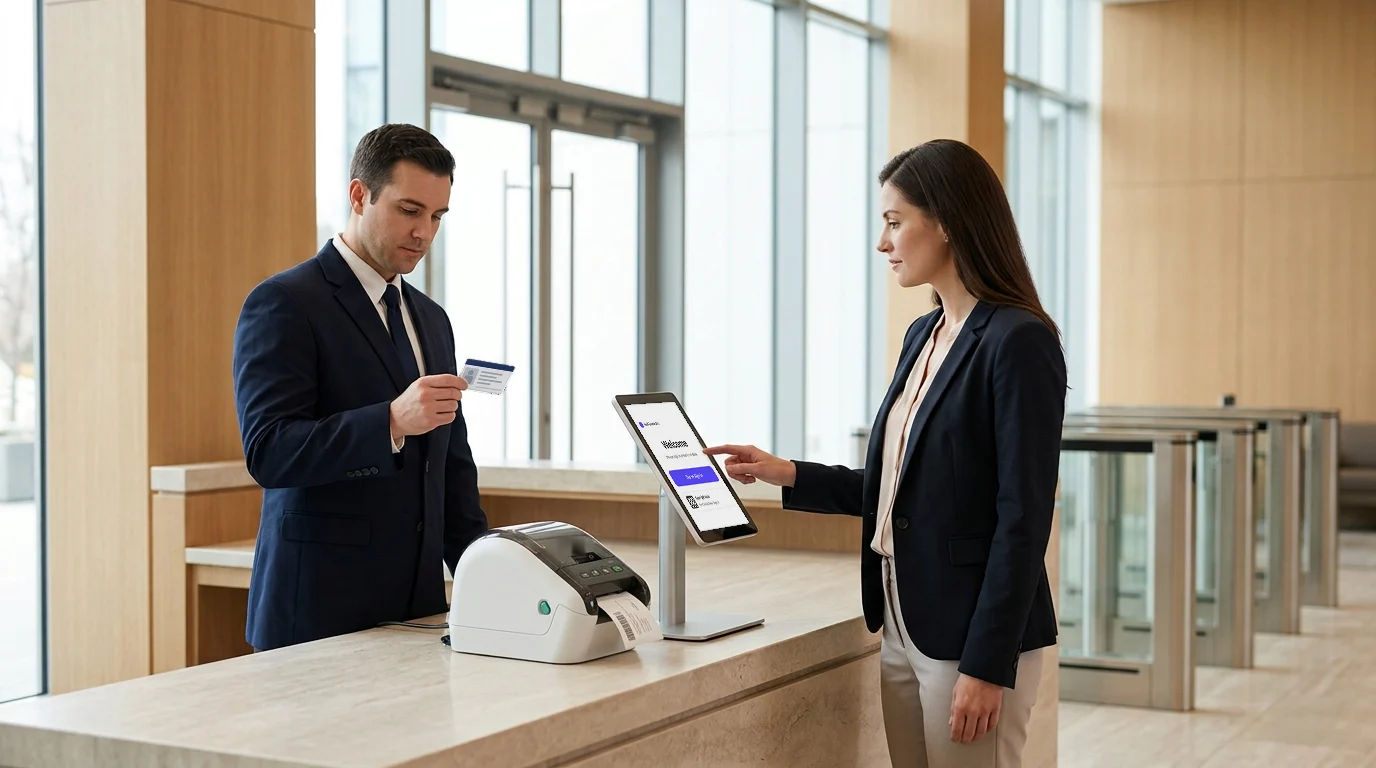
First impressions are formed in seconds and often, they start at the front desk.
No longer just a check-in spot, this space has become a meaningful part of a company’s identity. Every detail, from welcoming body language to smooth digital sign-ins, plays a role in shaping how visitors perceive your brand.
Here’s the problem: unclear signage confuses visitors, long wait times cause frustration, impersonal interactions leave visitors feeling unappreciated, and outdated processes can pose security risks.
The solution? A visitor management solution simplifies check-ins, enhances security, and personalizes the visitor experience. 65% of visitors judge a company within minutes of arrival, often based on their front desk interaction.
This blog highlights how a modern visitor management solution can improve first impressions, streamline processes, and elevate brand perception.
The Role of the Front Desk in Shaping Perceptions
A strong first impression sets the foundation for everything that follows.
When visitors walk into a building, their senses immediately absorb visual, verbal, and ambient cues. The front desk acts as the company’s ambassador, silently communicating values, efficiency, and trust.
The front desk plays a pivotal role in shaping how visitors perceive a company from the moment they walk through the door. Here are six key points that highlight its importance:
- First Point of Contact
The front desk is often the first interaction a visitor has with a company, making it crucial for setting the tone of the visit.
- Brand Representation
It serves as a direct reflection of a company’s values, professionalism, and attention to detail.
- Creating a Welcoming Atmosphere
Friendly body language, clear communication, and a warm greeting help make visitors feel valued and comfortable.
- Efficient Check-in Process
A smooth, quick check-in process ensures visitors don’t feel frustrated or unimportant, reinforcing a positive impression.
- Security and Trust
Proper visitor management ensures that safety protocols are met, which builds trust and demonstrates the company’s commitment to workplace safety.
- Personalized Experience
Customizing the interaction, whether through a personalized greeting or tailored services, can make visitors feel more connected and appreciated.
According to a Forbes study, people form a solid impression in just 7 seconds, a window too small for mistakes.
As such, every interaction at the front desk becomes a psychological anchor, affecting how visitors engage with the rest of the organization. The ripple effect of that first moment extends to meetings, interviews, and overall sentiment toward the brand.
What Visitors Expect at the Front Desk
Visitors arrive with a mental checklist of expectations. Whether they articulate them or not, these expectations shape how they evaluate the quality of service and security upon entry.
- Warm welcome: A smile and eye contact go a long way. Genuine hospitality makes visitors feel valued from the get-go.
- Professionalism and efficiency: Visitors want quick, clear communication—no fumbling with paper logs or confusion about who they’re meeting.
- Clear guidance: Signage, clear instructions, and attentive staff help eliminate confusion. Visitors should never feel lost.
- Comfort and convenience: Clean, well-lit waiting areas with comfortable seating signal respect and care. Bonus if there’s Wi-Fi, water, or reading material.
These are psychological markers that tell visitors whether or not they are in capable hands. Research shows that 55% of first impressions come from body language and tone, while 70% of visitors prefer an efficient check-in process. Additionally, 60% feel more confident about a company when safety and communication are prioritized at the front desk.
Directions and check-in instructions on a lobby screen
Clear guidance does not need a person to deliver it. A screen in the reception area can show directions to meeting rooms, a floor map and the steps to check in. Visitors read it while they wait, and the front desk answers fewer of the same questions.
Keep the content short and current. Show where to check in first, then where to go next. A screen that still carries last month's notice tells a visitor the same thing an unattended desk does.
Psychological Triggers that Influence Visitor Perceptions
People may forget what you said, but they never forget how you made them feel. That’s why front desk staff and environments need to be designed with psychology in mind.
The psychological triggers at the front desk are key to shaping visitors’ perceptions. Here’s why these factors play a crucial role in creating a positive and lasting impression:
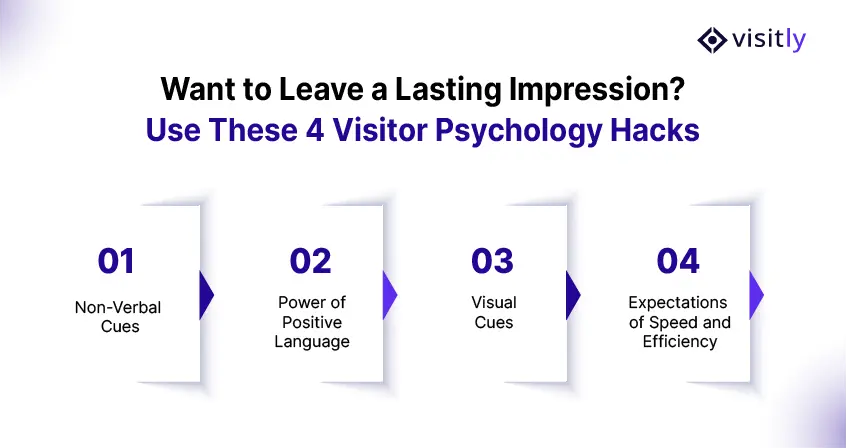
- Non-verbal cues
Posture, tone, facial expressions, all speak volumes. A welcoming posture with open gestures fosters trust. Moreover, consistent non-verbal communication helps reinforce a sense of professionalism and attentiveness.
- Trust-building: Open body language signals approachability, making visitors feel comfortable.
- First Impressions Matter: Positive non-verbal cues leave a lasting impression, enhancing satisfaction.
- Calming Effect: Friendly gestures reduce anxiety, creating a relaxed environment.
- Security and Compliance: Non-verbal cues reassure visitors that security protocols are followed.
- Positive language
Saying “Let me find the best person to help you” beats “I don’t know who you should talk to.” Similarly, using encouraging words can turn a neutral visit into a positive brand experience.
- Building Confidence: Positive language reassures visitors, reducing stress.
- Encouraging Cooperation: It fosters a collaborative atmosphere, making visitors feel involved.
- Enhancing Brand Image: Reflects professionalism and boosts the company’s reputation.
- Visitor Experience: Reframing interactions positively ensures a pleasant experience.
- Visual cues
A clutter-free, organized desk reflects order and attention to detail. In addition, intentional visual design creates an atmosphere of care and credibility.
- Professionalism: A tidy front desk reinforces a positive brand image.
- Mood Enhancement: Thoughtful decor and lighting create a welcoming atmosphere.
- Perceived Value: Clean surroundings contribute to a sense of value for visitors.
- First Impressions: Visual cues signal the company’s level of care and organization.
- Expectations for speed and efficiency
Visitors expect prompt attention. As a result, fast and seamless interactions significantly influence how a company is perceived.
- Visitor Satisfaction: Efficient service enhances visitor satisfaction.
- Reducing Frustration: Quick responses reduce frustration, ensuring a smoother experience.
- Enhanced Reputation: Companies known for efficiency build trust and respect.
- Trust and Security: Fast, organized check-ins reinforce confidence in security and service.
Understanding these cues gives businesses one brownie point in shaping memorable experiences that convert first-timers into loyal partners.
The Impact of Technology on Front Desk Interactions
Technology is redefining the art of making good first impressions. Thus, digital transformation is a key part of modern workplace management trends.
Here are 5 ways on the impact of technology on front desk interactions:
- Faster Check-Ins
Digital kiosks and pre-registration tools reduce wait times significantly. This improves efficiency while minimizing frustration, a key factor in avoiding a poor first impression.
- Enhanced Security
Modern visitor management systems track every guest and flag unauthorized access. This helps reduce workplace threats by maintaining a secure and accountable environment.
- Contactless Experience
Touchless check-ins using QR codes or facial recognition are now the norm. This not only boosts hygiene but also demonstrates that your workplace values innovation and safety.
- Real-Time Notification
Hosts get instant alerts when their guests arrive. This ensures prompt greetings and prevents visitors from feeling neglected or confused.
- Personalized Visitor Journeys
Smart systems remember returning visitors and tailor the experience. Whether it’s a custom welcome message or preferred meeting setup, personalization enhances brand perception.
However, tech should never replace human warmth. It should complement it. A sleek system paired with a friendly face hits the sweet spot of efficiency and connection.
Visitly: Elevating the Front Desk Experience
When it comes to streamlining visitor management while elevating brand experience, Visitly leads the way. It transforms chaotic receptions into smooth, professional entry points that reflect modern workplace safety standards.
The following are some key features of Visitly:
- Customizable Visitor Flows
Tailor every step of the check-in journey by creating different flows for clients, interviewees, contractors, and more. This ensures you collect the right data while offering a personalized and professional welcome.
- Contactless Sign In/Out
Use QR codes to enable fast, touch-free check-ins and check-outs. This improves hygiene, boosts efficiency, and supports a modern visitor experience.
- Facial Recognition
Quickly recognize and sign in returning visitors using facial recognition. It speeds up the process while showing guests they’re remembered and valued.
- Visitor Watchlist Rules
Set up alerts for specific names or flagged traits. When a match occurs, you’re notified instantly to take proactive action.
- Evacuation & Emergency List
Keep tabs on who’s inside the building during emergencies. With printable reports and live dashboards, you can ensure everyone’s accounted for quickly.
- Offender Check
Protect your workplace by screening visitor IDs against the Sex Offender Registry. Get alerts before access is granted, helping you avoid unwanted workplace threats.
Thus, Visitly curates moments that matter. It turns every visitor interaction into a smooth, welcoming, and memorable experience.
Conclusion
Businesses that invest in understanding visitor psychology and enhancing their visitor management systems not only make guests feel welcome, but also reinforce professionalism, trust, and workplace safety. As such, organizations must embrace smarter, more human-centric tools. Visitly offers a powerful solution that blends technology with thoughtful design to create a flawless welcome.
So the next time a visitor steps through your doors, make sure their first impression is one worth remembering. Book a demo with Visitly now to experience the exceptional!
FAQs
Why does the front desk experience matter?
The front desk is the first contact a visitor has with your company, and it shapes how they judge the rest of the visit. A long wait, a paper form or a host who cannot be found reads as disorganization. A quick, clear arrival tells clients, candidates and auditors that the site is well run and secure.
What are the important features of a reception area?
A reception area needs clear signage, an obvious place to check in, somewhere to wait and a visible security step. Visitors should know within seconds where to go and what to do. A screen in the lobby can show directions and check-in instructions. Add a staffed or self-service check-in point, a badge printer and a line of sight from the desk to the entrance.
What is the key duty of a receptionist when a visitor arrives?
The key duty is to make sure every visitor is identified, recorded and met by the right host. Greeting matters, but the record matters more: who came, who approved the visit and when they left. When software handles data entry and host alerts, the receptionist has time for the greeting and for exceptions.
How does a visitor management system improve the front desk experience?
It removes the waiting and retyping that visitors notice most. Guests are pre-registered, confirm their details at a kiosk or on their phone, and the host is alerted at once. Visitly's visitor flow takes under 15 seconds, and hosts are notified by Slack, Microsoft Teams, email or SMS when the guest checks in.
Does a faster check-in weaken front desk security?
No, a faster check-in can be a stricter one when the checks run in software. Photo capture, watchlist screening, document signing and badge printing happen in the same flow without a receptionist doing each by hand. Security steps that slow people down tend to get skipped; steps built into the flow get done every time.
How can we assess our own front desk experience?
Walk in as a visitor would and time each step from the door to the host. Note where you waited, what you had to write twice and whether anyone checked your identity. Repeat at a second site and compare. The gaps you find become the requirements list to take to a visitor management vendor.