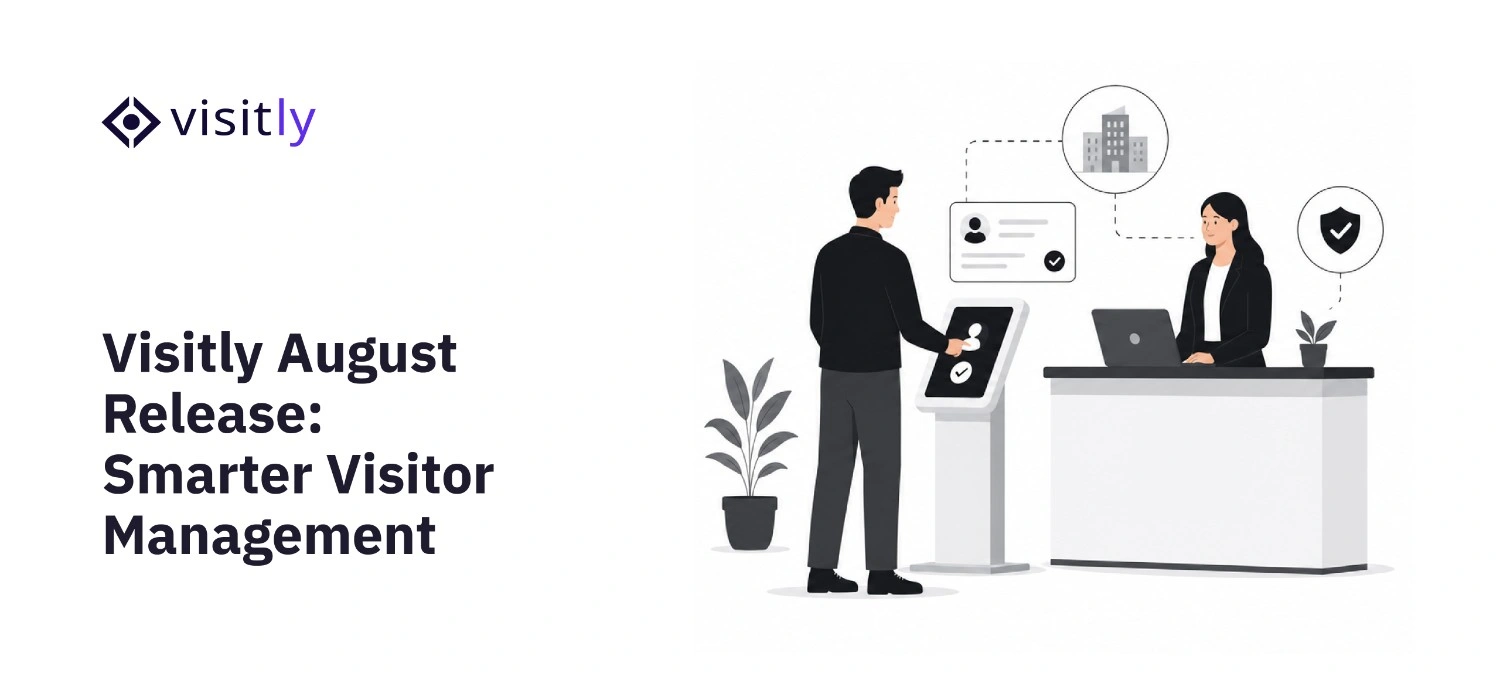
Security gets sharper. Integrations go deeper.
August brings a focused set of upgrades that tighten your watchlist controls, connect Visitly to your Google stack, give your Slack and Microsoft Teams notifications more context, and make visitor data exports faster and more flexible.
Whether you're managing a single office or a global enterprise, visitor management should help your team respond faster, reduce manual work, and maintain stronger security without adding operational complexity. This month's release focuses on the workflows security, IT, compliance, and workplace teams rely on every day.
From risk-based watchlist alerts and automated directory synchronization to seamless document archiving and richer collaboration notifications, these enhancements improve visibility across the visitor journey while simplifying routine administrative tasks. The result is a more connected, secure, and efficient visitor management experience that scales with your organization.
Explore what's new in the August 2026 release below.
SECURITY
Watchlist Severity: Know the Risk Level Before the Visitor Reaches the Desk
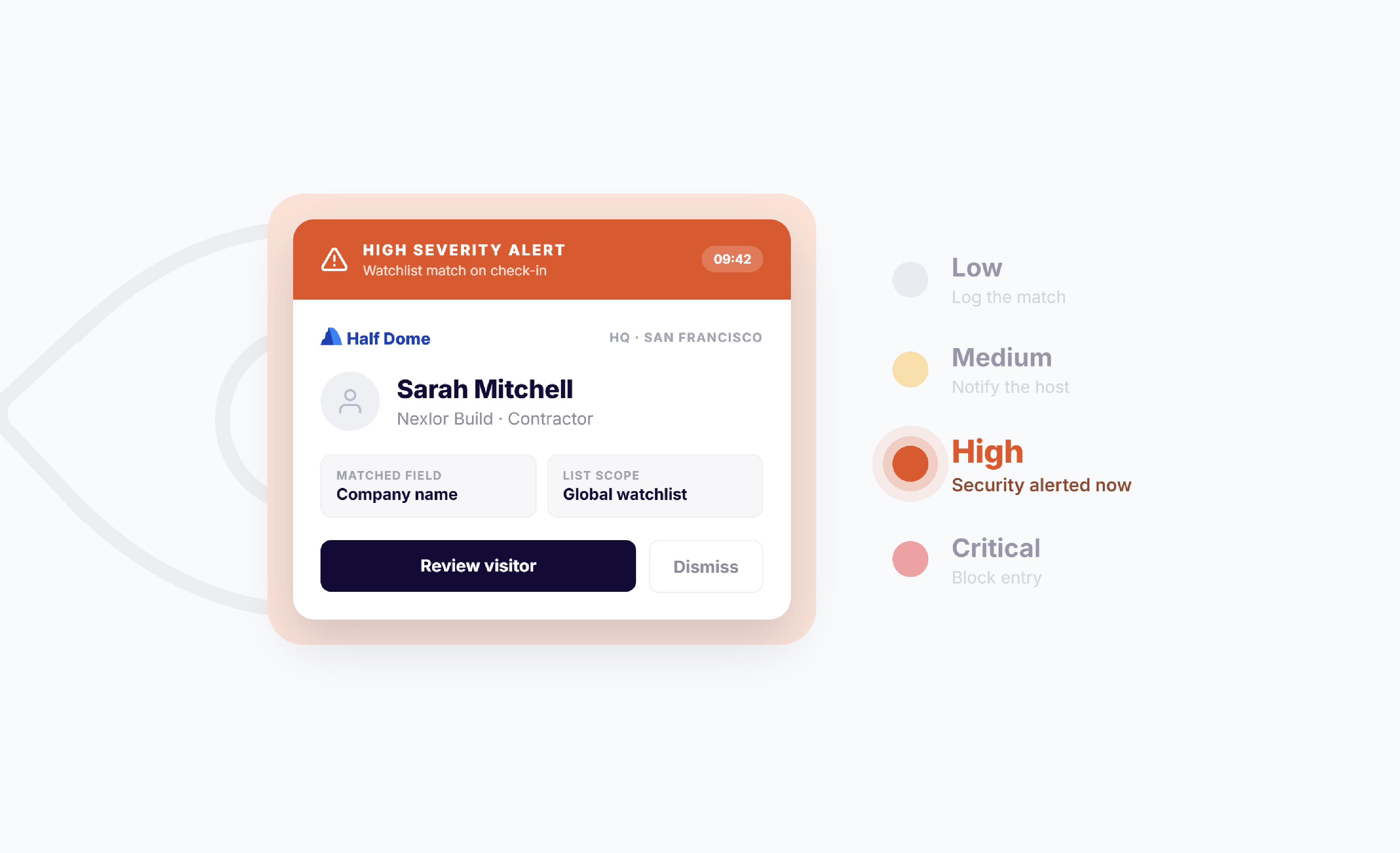
Not every watchlist match requires the same response. Some situations call for a simple review at reception, while others demand immediate attention from security personnel. Visitly's new Watchlist Severity feature helps your team distinguish between different risk levels, enabling faster and more appropriate action.
Visitly's Watchlist now supports four severity levels: Low, Medium, High, and Critical for both Location and Global Watchlists. Every watchlist entry is assigned a severity level, allowing your organization to prioritize responses based on the level of risk instead of treating every alert the same. This helps security teams focus on high-priority incidents while reducing unnecessary interruptions for lower-risk events.
- Severity-based notifications: Automatically route alerts based on the severity of each watchlist match, ensuring the right people are notified at the right time for quicker decision-making.
- Filter notifications by severity: Configure alerts for only the risk levels your team needs to monitor, reducing alert fatigue while ensuring critical events are never overlooked.
- Works across Location and Global Watchlists: Severity levels apply to all watchlist rule types, including Visit Field, Face Picture, ID Validation, and Offender Check, providing consistent risk management across every facility.
INTEGRATION
1. Google Workspace Directory Sync: Your Employee List, Always Current
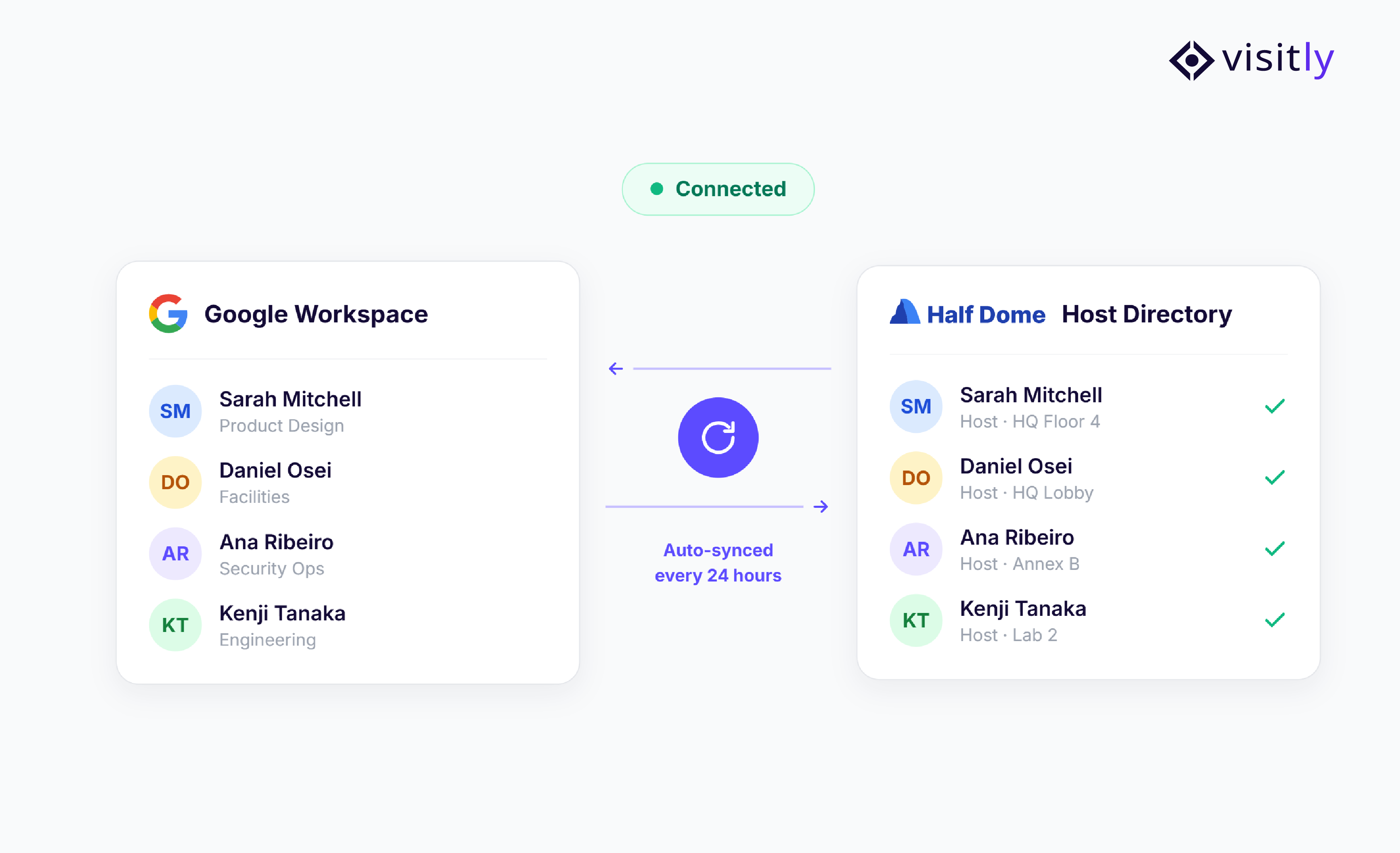
Visitly now connects directly to your Google Workspace directory. When you add, update, or remove employees in Google Workspace, those changes sync to Visitly automatically within 24 hours- no manual updates, no stale records.
- Manual sync on demand: Trigger an immediate sync anytime changes need to appear right away, with no waiting for the next scheduled cycle.
- Configurable sync scope: Narrow sync to specific Google Groups, Organizational Units, or email domains, giving you control over exactly which employees are pulled into Visitly.
- Automatic exclusions: Suspended and archived Google Workspace users are excluded from sync by default, keeping your directory clean.
2. Google Drive Integration: Signed Documents, Stored Automatically
Every signed visitor document now goes straight to your Google Drive the moment a visitor checks in, converted to PDF, organized by visit, and ready to retrieve without any manual downloads or file management. No more chasing PDFs at audit time.
- Automatic PDF storage: Signed NDAs, consent forms, and visitor documents are instantly uploaded to your chosen Google Drive folder on check-in.
- Least-privilege access: Visitly uses the drive.file scope only; it can only read or edit files it creates. Your existing Drive content is never accessed.
- Manual retrieval fallback: If any document fails to sync, it can be retrieved at any time from the Visitor Log by clicking the PDF icon on the visitor’s record.
NOTIFICATIONS
Custom Fields in Slack & MS Teams Notifications
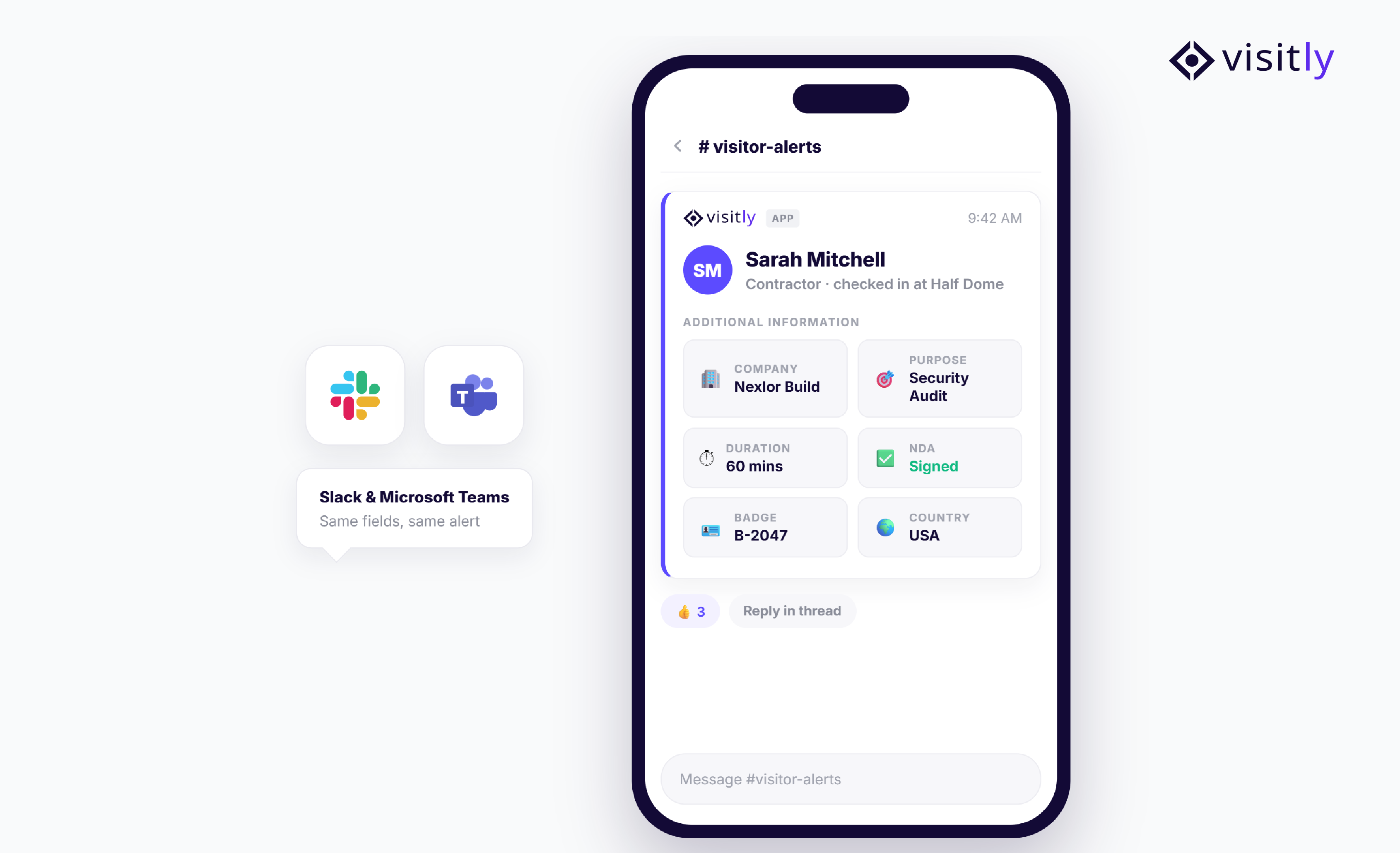
When a visitor notification appears in Slack or Microsoft Teams, teams often need to open Visitly to understand why the visitor is on-site or whether any action is required. Switching between systems slows response times, especially for reception, security, and workplace teams handling multiple visitors throughout the day.
With custom fields in notifications, the most important visitor details are included directly in the alert, giving teams the context they need to make faster decisions without leaving their collaboration platform.
- Works for all notification events: Sign-in, sign-out, watchlist hits, pre-registration, and more.
- Per-location configuration: Different locations can surface different data in their notifications.
COMPLIANCE
Visitor Log Export Upgrade: More Fields, More Control
Visitor records are often needed for audits, compliance reviews, security investigations, and operational reporting. However, exporting large volumes of data can take time and interrupt day-to-day work if every export is handled the same way.
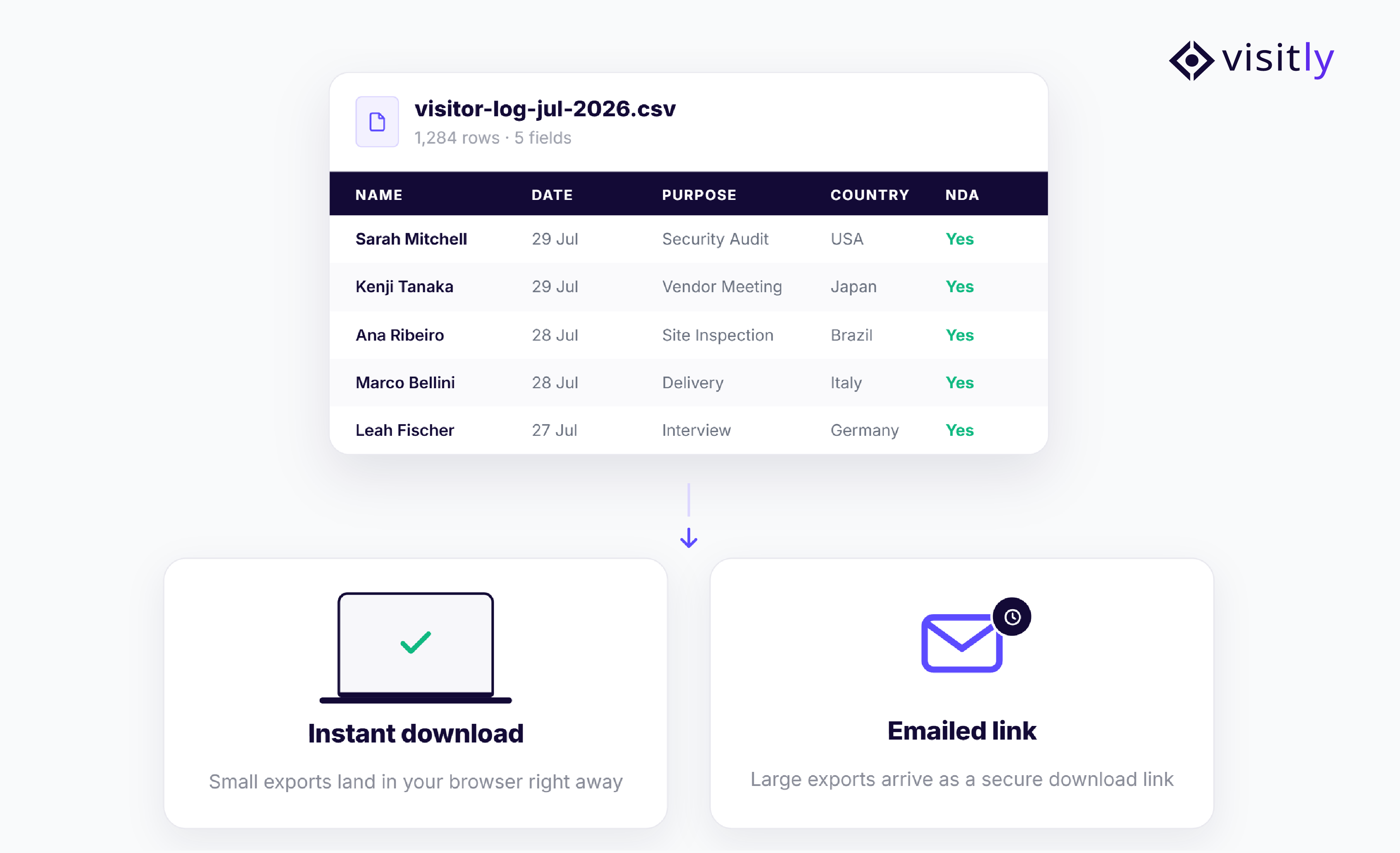
Visitly's upgraded Visitor Log Export intelligently processes exports based on the size of the request, ensuring smaller reports are available immediately while larger exports are generated in the background without disrupting your workflow. The result is a faster, more reliable way to access visitor data whenever your team needs it.
- Fewer than 2,000 records: The CSV file downloads directly to your device. The file name includes the export date for easy identification.
- 2,000 or more records: Visitly processes the export in the background. Once complete, a download link is sent to your account email address.
SharePoint:
SharePoint Integration: Visitor Documents, Always Where You Need Them
Managing signed visitor documents manually can quickly become time-consuming, especially for organizations handling high visitor volumes or preparing for audits. Downloading files individually, uploading them to SharePoint, and maintaining a consistent folder structure increases administrative effort and creates opportunities for missing or misplaced records.
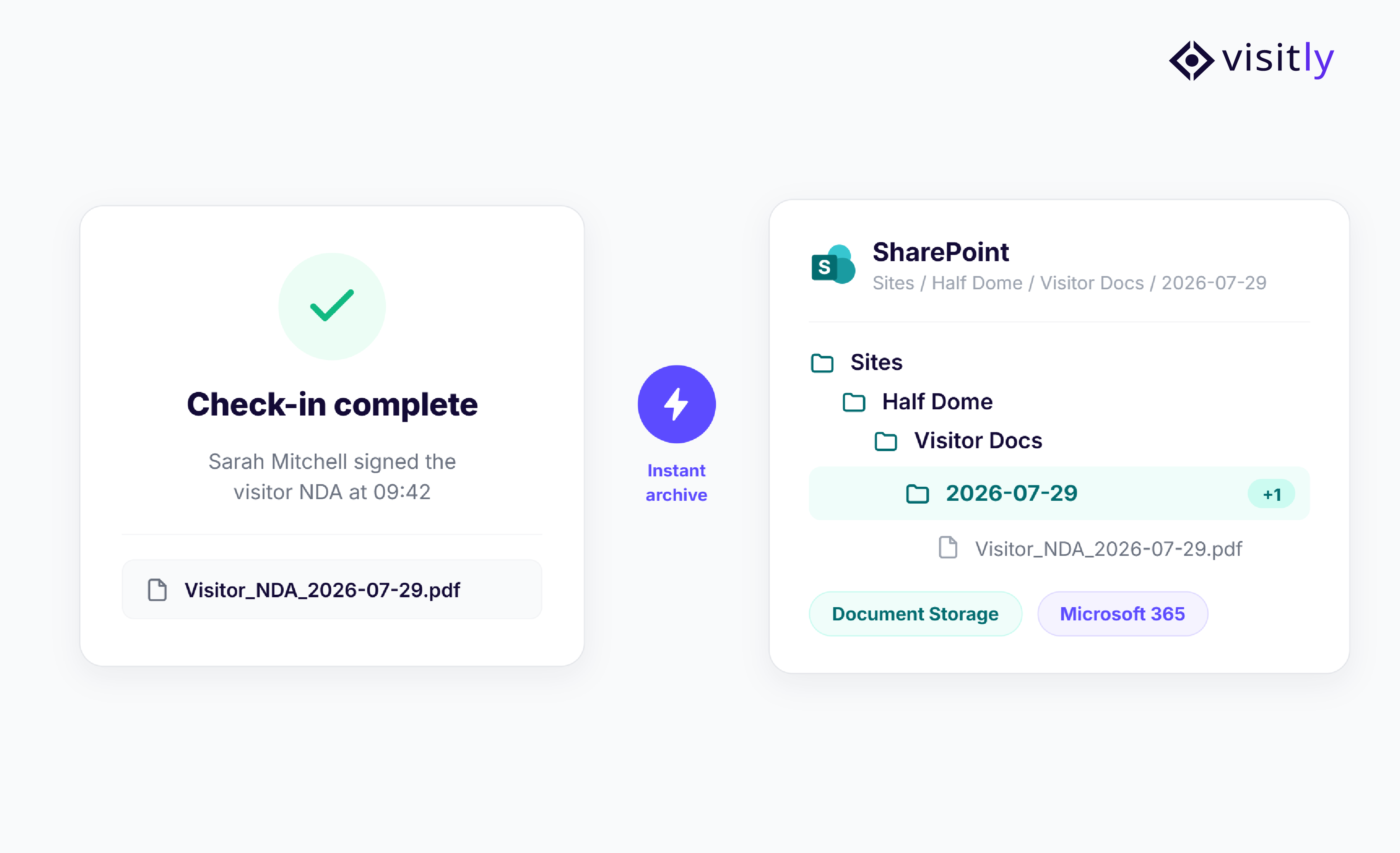
Visitly's SharePoint integration automates this entire process, ensuring every signed visitor document is securely archived in the right location as soon as a visitor checks in.
- Automatic archiving: Documents go straight to your chosen SharePoint site and folder the moment a visitor signs in.
- Organized and searchable: Per-site, per-visit folder structure keeps records easy to find inside SharePoint.
- Least-privilege access: App-only permissions mean Visitly never touches your existing SharePoint content.
EXPERIENCE
One-Tap Check-In for Returning Visitors
Frequent visitors, contractors, vendors, and consultants shouldn't have to complete the same sign-in process every time they arrive. Re-entering information at each visit slows down reception, creates unnecessary queues, and adds friction to an otherwise routine experience.
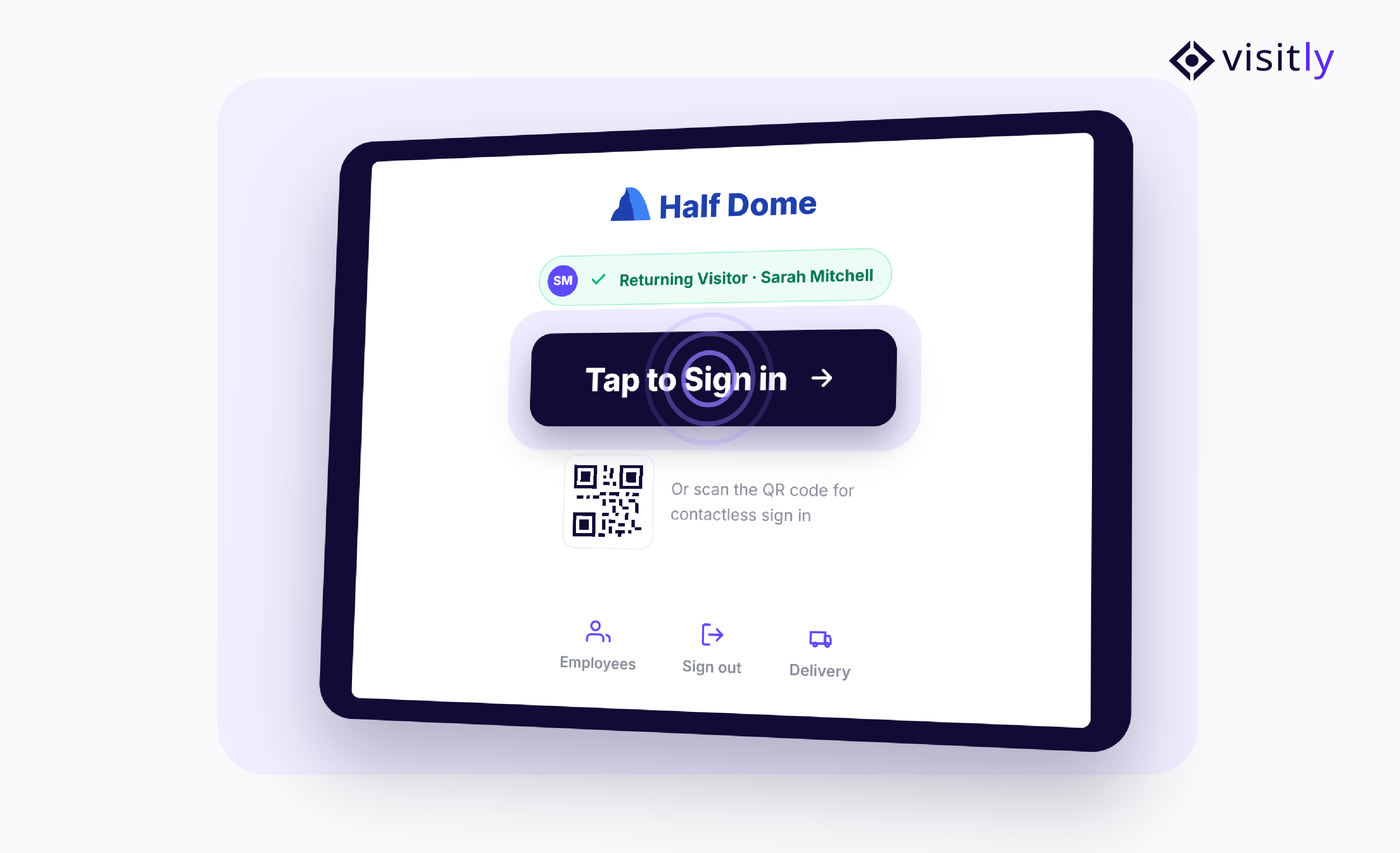
Visitly's One-Tap Check-In recognizes returning visitors and verifies their information automatically, allowing them to check in within seconds while still maintaining your organization's security and compliance requirements.
- Automatic recognition: Identifies returning visitors using a QR code, facial recognition, email address, or phone number, eliminating the need to re-enter previously provided information.
- Background validation: Required documents, agreements, and training videos are validated automatically. Visitors are prompted only if information has changed or additional action is required.
- One tap to confirm: Visitors simply tap Check In on their confirmation screen to complete the process and proceed.
More This Month
- New Slack Event Notifications
Five new events now fire to Slack: recurring pre-registration creation, recurring cancellations, employee check-in, employee check-out, and employee watchlist hits.
- MS Teams Channel Notifications
Visitor notifications can now be delivered directly to Microsoft Teams channels, not just direct messages.
Closing Words
August’s updates are designed to make visitor management more secure, connected, and efficient. From risk-based watchlist alerts and automated Google integrations to richer Slack and Microsoft Teams notifications and smarter visitor log exports, every enhancement helps reduce manual work while improving security visibility and compliance readiness.
Whether you're securing a corporate office, managing contractors, or preparing for audits, these features help your team respond faster and work with greater confidence.
Ready to see these updates in action? Schedule a demo and discover how Visitly helps modern organizations strengthen workplace security and simplify visitor management.
FAQs
1. Do Visitly’s August 2026 updates require teams to change their existing visitor workflows?
The updates are designed to improve existing visitor management workflows rather than replace them. Features such as severity-based alerts, directory synchronization, document archiving, and richer notifications help automate tasks that security, IT, and workplace teams may already handle manually.
2. Can Visitly support different visitor management requirements across multiple office locations?
Yes. Several Visitly features support location-specific configurations. Organizations can manage Location and Global Watchlists, configure notification details by location, and apply workflows that better match the security and operational requirements of individual facilities.
3. How do the new integrations help reduce administrative work for IT and compliance teams?
Google Workspace can automatically keep employee information updated, while Google Drive and SharePoint can store signed visitor documents without teams manually downloading and organizing files. This reduces routine directory maintenance and document-handling tasks.
4. Do the August updates help organizations prepare visitor records for audits?
Yes. Signed documents can be automatically archived in Google Drive or SharePoint, while the upgraded Visitor Log Export makes it easier to retrieve visitor records for compliance reviews, security investigations, and internal audits.
5. How do the August 2026 updates improve the experience for frequent visitors and contractors?
Returning visitors can use One-Tap Check-In instead of repeatedly entering the same information. Visitly can recognize them through details such as a QR code, email address, phone number, or facial recognition while still checking whether required documents or information need to be updated.