A fire alarm does not wait for your evacuation plan to catch up. Neither can your response.
For a large workplace with hundreds of employees, visitors, contractors, and vendors moving across multiple floors or locations, a basic emergency evacuation notice is not enough.
A reliable emergency evacuation plan must help safety teams answer critical questions in seconds: Who is inside the building? Where should they go? Who is responsible for guiding them?
Large workplaces face challenges such as:
- Changing workplace occupancy due to hybrid schedules, flexible seating, and rotating teams.
- Complex building layouts where evacuation routes differ across floors, offices, and locations.
- Multiple groups onsite, including employees, visitors, contractors, and vendors who may not appear in employee records.
- The need for real-time accountability to confirm everyone has reached safety during an emergency.
A 2026 Workplace Safety Report found that around one in five North American workers are completely unaware of their organization’s crisis management plan, highlighting a gap between having procedures and ensuring people understand them.
A structured emergency evacuation plan supported by technology helps workplace safety teams improve visibility, coordinate faster, and maintain accurate records of everyone onsite when every second matters.
What Types of Emergencies Should a Large Workplace Plan For?
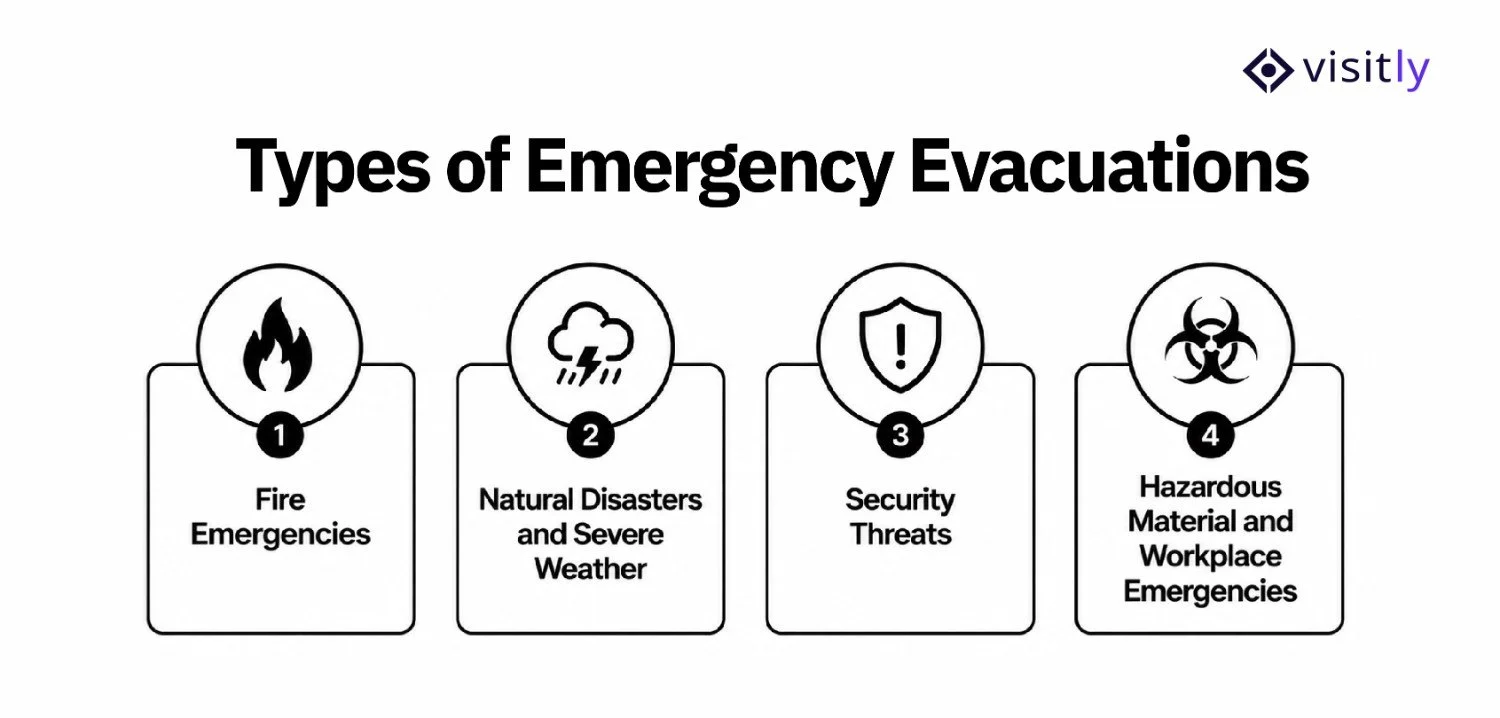
The types of emergencies a large workplace should plan for are:
1. Fire Emergencies
2. Natural Disasters and Severe Weather
3. Security Threats
4. Hazardous Material and Workplace Emergencies
A large workplace should tailor its evacuation procedures to the emergencies most relevant to its building, location, and operations. The response should not be identical for a fire, security incident, or hazardous material release because each can require different evacuation routes, communication methods, and assembly procedures.
1. Fire Emergencies
Fire requires immediate evacuation through designated routes while employees and visitors follow established assembly procedures.
Include:
- Fire alarms and detection systems
- Emergency exits and escape routes
- Fire wardens
- Emergency lighting and exit signs
- Fire extinguishers
- Fire evacuation drills
2. Natural Disasters and Severe Weather
Depending on the workplace location, emergencies such as earthquakes, floods, hurricanes, or severe storms may require evacuation or movement to a designated safe area.
Include:
- Location-specific hazards
- Primary and alternate routes
- Safe assembly or shelter locations
- Emergency communication procedures
- Procedures for employees and visitors who need assistance
3. Security Threats
Security incidents may require a full or partial evacuation depending on where the threat occurs.
Include:
- Defined evacuation or relocation procedures
- Security team responsibilities
- Emergency notification methods
- Alternative routes when an area is unsafe
- Coordination with emergency responders
4. Hazardous Material and Workplace Emergencies
Chemical spills, gas leaks, medical incidents, or other workplace hazards may require people to leave a specific area rather than the entire building.
Include:
- Area-specific evacuation procedures
- Hazard identification
- Emergency response responsibilities
- Restricted areas and alternate routes
- Accountability procedures
What Are the 4 Essential Emergency Evacuation Plan Checklists for Large Workplaces?
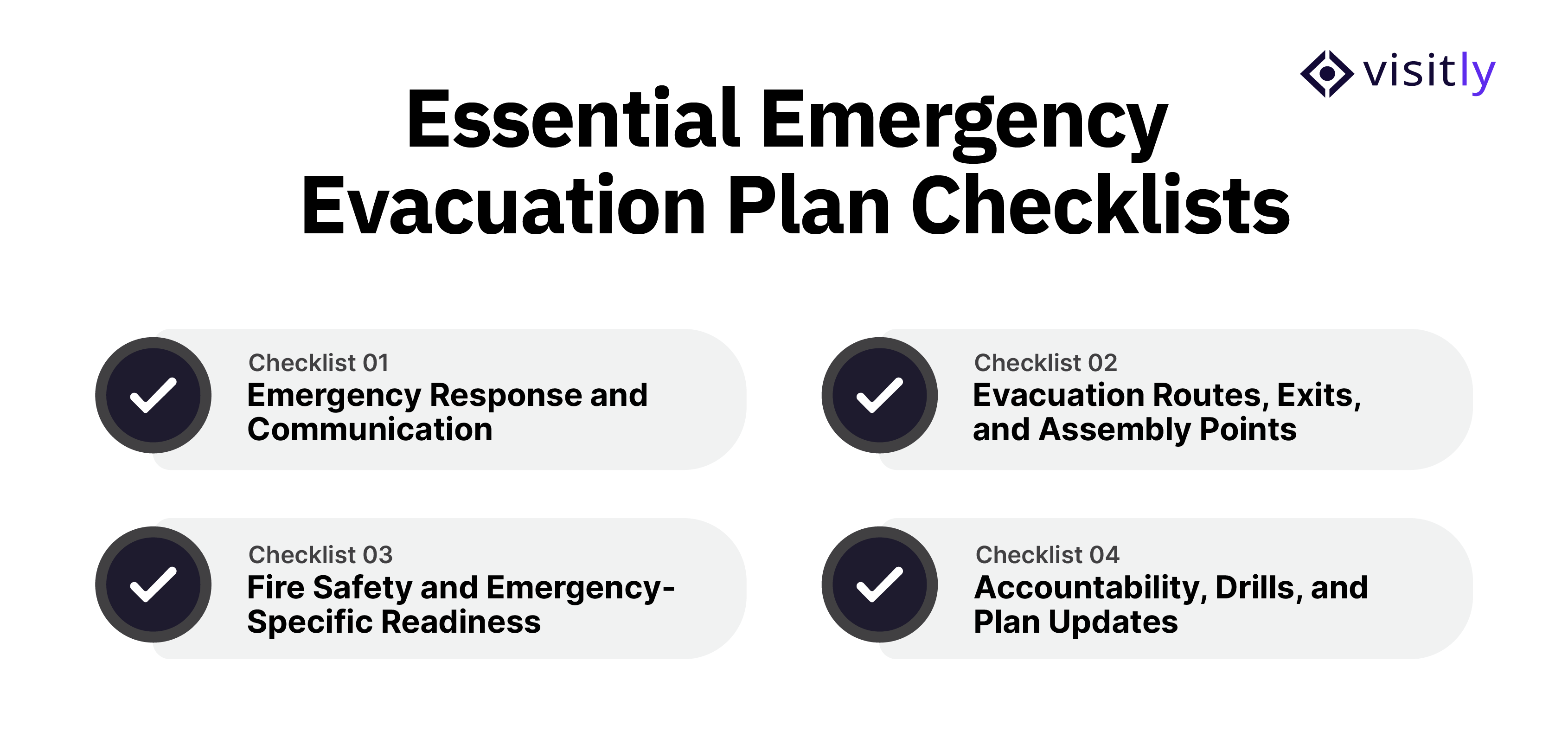
The 4 essential emergency evacuation plan checklists for large workplaces are:
Checklist 1: Emergency Response and Communication
Checklist 2: Evacuation Routes, Exits, and Assembly Points
Checklist 3: Fire Safety and Emergency-Specific Readiness
Checklist 4: Accountability, Drills, and Plan Updates
A large workplace emergency evacuation plan should bring these requirements together into four practical checklists. Each checklist covers a different part of evacuation readiness, so safety teams can review the plan without repeating the same checks across multiple sections.
Checklist 1: Emergency Response and Communication
The first checklist establishes who responds and how instructions are communicated. Everyone involved should know their responsibility before an emergency occurs.
Check:
- Assign an emergency coordinator and floor wardens
- Define the chain of command
- Assign backup personnel
- Identify who contacts emergency services
- Define who activates evacuation procedures
- Establish emergency notification methods
- Prepare communication procedures for different emergencies
- Coordinate responsibilities between security, facilities, and HR
Checklist 2: Evacuation Routes, Exits, and Assembly Points
The second checklist focuses entirely on where people go during an evacuation.
Check:
- Identify primary and alternate evacuation routes
- Keep emergency exits accessible and unobstructed
- Display updated evacuation maps
- Identify suitable assembly points
- Ensure assembly areas can accommodate current occupancy
- Review routes after renovations, expansions, or layout changes
- Account for different floors and workplace areas
- Maintain location-specific evacuation plans for multi-site organizations
Checklist 3: Fire Safety and Emergency-Specific Readiness
Rather than giving fire its own completely separate framework, use this checklist to verify that the workplace has specific preparations for the emergencies identified in its risk assessment.
Check:
- Inspect fire alarms and detection systems
- Check emergency lighting and exit signs
- Maintain accessible fire extinguishers
- Assign trained fire wardens
- Verify employees understand emergency signals
- Review procedures for severe weather, security threats, and hazardous materials where relevant
- Ensure emergency equipment and procedures match site-specific risks
Checklist 4: Accountability, Drills, and Plan Updates
The final checklist answers a critical question: How do you know the evacuation plan actually works?
Check:
- Maintain current employee, visitor, contractor, and vendor records
- Establish an assembly-point accountability process
- Identify missing people quickly
- Conduct regular evacuation drills
- Track evacuation completion time and accountability
- Document communication or route problems
- Review drill results
- Update the plan after drills, incidents, workplace changes, or changes in occupancy

Emergency Evacuation Checklist Template for Large Workplaces
A practical emergency evacuation checklist template helps facility and safety teams verify that critical evacuation procedures are prepared, tested, and updated. Large workplaces can use this checklist during safety reviews, evacuation drills, and compliance assessments.
| Checklist Area | What to Verify | Completed |
|---|---|---|
| Emergency Exits Reviewed | All exits are accessible, clearly marked, and free from obstructions. | ☐ |
| Evacuation Routes Updated | Floor maps and escape routes reflect the current workplace layout. | ☐ |
| Emergency Roles Assigned | Emergency coordinators, floor wardens, and backup personnel are assigned. | ☐ |
| Communication Systems Tested | Emergency alerts, notification methods, and communication channels are working. | ☐ |
| Employee Training Completed | Employees understand evacuation procedures, routes, and assembly points. | ☐ |
| Visitor Accountability Process Verified | Visitor and contractor records can be accessed during an emergency. | ☐ |
| Evacuation Drills Conducted | Drills are completed, response times are reviewed, and improvement areas are documented. | ☐ |
| Plan Reviewed and Updated | Emergency procedures are updated after workplace changes or drill findings. | ☐ |
How Visitly Helps Improve Emergency Evacuation Readiness
Visitly is a visitor management platform built to make check-ins secure, fast, and fully digital for visitors, contractors, and employees alike. That same real-time check-in data is exactly what large workplaces are missing from their evacuation plans.
Visitly helps workplaces improve emergency readiness by providing accurate visitor records and real-time visibility into who is inside the workplace during an evacuation.
During an evacuation, the biggest challenge is knowing who is actually inside the building. Visitly helps solve this by providing the following features:
- One-button evacuation alert with drill mode: Triggers a real evacuation or runs a scheduled drill from a single control, generating a live per-site evacuation roll call instead of a manual headcount.
- Live Auto-Refresh Visitor Log and real-time presence dashboard: See exactly who's on-site and at which location, without refreshing a screen or pulling a report mid-emergency.
- Mass broadcast via the MyVisitly employee app: Push drill or emergency notifications directly to employees' phones, alongside email and SMS alerts to visitors.
- Per-zone PPE and hazard acknowledgment: Visitors and contractors entering regulated or high-risk areas confirm safety briefings and PPE requirements at check-in, so accountability during an evacuation reflects who was actually briefed.
- OSHA evidence export: One-click export of sign-in, PPE, and hazard-acknowledgment records for a given audit window, turning drill and evacuation history into compliance-ready documentation.
- Emergency-system integrations: Connects directly with AlertMedia, Everbridge, InformaCast, Omnilert, and Rave, so evacuation alerts plug into the mass-notification systems large enterprises already run.
- Unlimited sites in one global admin console: Multi-location enterprises get evacuation readiness visibility across every site from a single dashboard, instead of comparing spreadsheets location by location.

Closing Thoughts
An effective emergency evacuation plan is not something organizations create once and store away. For large workplaces, it requires regular reviews, trained teams, updated procedures, and accurate visibility into everyone inside the building.
The seven evacuation checklists covered in this guide help safety teams review the critical areas that influence emergency readiness, from exit routes and communication procedures to visitor accountability and evacuation drills.
Technology can further strengthen these processes by helping organizations access real-time occupancy information, coordinate faster responses, and reduce uncertainty during emergencies.
Is your workplace prepared to account for everyone during an emergency?
Improve visitor visibility, strengthen evacuation readiness, and create a safer workplace with Visitly.
Explore Visitly Workplace Safety Solutions.
FAQs
What should an emergency evacuation plan include for a large workplace?
A large workplace evacuation plan should name who is in charge, how the alarm is raised, which routes and exits each area uses, and where people assemble. It also needs a way to account for employees, visitors and contractors at the assembly point, plus a schedule for training, drills and plan updates after layout or headcount changes.
What are the four checklists in an emergency evacuation plan?
The four checklists cover response and communication, then routes, exits and assembly points, then fire and hazard-specific readiness, and last accountability, drills and updates. Splitting the plan this way lets a safety team review one area at a time, for example checking every exit route after a renovation without reopening the whole document.
Does OSHA require a written emergency action plan?
Yes, where an OSHA standard calls for an emergency action plan, employers with more than 10 employees must keep it in writing. Under 29 CFR 1910.38 the plan must cover how to report an emergency, evacuation procedures and exit routes, and how employees are accounted for after evacuating. Your safety lead or counsel confirms which standards apply to your sites.
How do you account for visitors and contractors during an evacuation?
You need a current record of every non-employee on site, available away from the front desk. A paper sign-in sheet left in the lobby does not meet that test. Visitly keeps a live roster of visitors, contractors and employees per location, and wardens mark people safe at the muster point from that roll.
How often should a workplace evacuation plan be reviewed and drilled?
Review the plan at least once a year and after any change to layout, occupancy, shift patterns or hazards. OSHA's emergency action plan standard sets no drill frequency, so the schedule usually comes from the local fire code, the insurer and company policy. After each drill, record the evacuation time and who could not be accounted for.
Can visitor management software run evacuation drills?
Yes, some visitor management platforms include a drill mode that produces the same roll call as a real evacuation. Visitly sends evacuation alerts by SMS, email and voice call, stops new check-ins at the kiosk while an evacuation is running, and offers a drill mode. It does not replace the building alarm.