The Clipboard Problem: Why Paper Fails in a Crisis
It’s 2:17 p.m. on a Tuesday. An alarm goes off at a defense facility. The security and compliance head grabs a three-ring binder and starts calling out names: contractors from three different firms, cleared staff at various classification levels, unescorted visitors who checked in that morning. Some names are missing. Others appear twice. Nobody knows who left early.
This is not a hypothetical. It plays out regularly at facilities that still rely on manual sign-in sheets and clipboards to manage emergency headcounts.
The consequences are measurable. Studies on emergency response in complex facilities show that manual accountability processes add an average of 8 to 12 minutes to muster time, a window in which first responders cannot safely enter a building and incident commanders cannot make informed decisions. Every minute without a confirmed headcount is both a life-safety failure and a compliance exposure.
This matters to auditors, not just safety officers. ITAR auditors and ISO 27001 certification bodies look specifically at Physical Protection practices during declared incidents. If you cannot produce a timestamped, accurate personnel accountability record from the moment an alarm sounds, you have a documentation gap that examiners will find.
Paper doesn’t just slow you down. In a regulated environment, it actively creates risk.
What’s Actually at Risk Beyond Safety
Most facilities leaders understand the safety case for better emergency headcount. Fewer have mapped the full compliance exposure that a failed muster creates.
Consider what auditors examine when they review your emergency response procedures:
- ITAR: During an evacuation, cleared and uncleared personnel may move through shared spaces in ways that are tightly controlled under normal operations. If your evacuation log cannot demonstrate that access segregation was maintained, or at minimum documented, auditors treat that as an access control failure. Mixed-zone movement during a chaotic muster is exactly the kind of gap that findings are built around.
- SOC 2 Type II: Physical access audit trails must be continuous and tamper-proof, including during incidents. A manual log completed after the fact, even one completed in good faith, does not satisfy the “continuous” requirement. SOC 2 Type II auditors are specifically trained to look for gaps in the audit trail timeline, and incidents are a common place to find them.
- ISO 27001: The standard’s physical security controls require documented, verifiable emergency response procedures. A procedure that exists on paper but produces no verifiable output during an actual incident does not meet the standard. The procedure must be demonstrably executable, and the output must be inspectable.
In a physical security audit, the inability to produce an accurate, timestamped headcount during an incident is an immediate finding. It does not matter how well-documented your procedures are in normal operations. What matters is what you can produce when the alarm sounds.
This is not a paperwork problem. It is a risk architecture problem, and it has a direct solution.
How Visitly Works During an Emergency, Step by Step
Visitly’s emergency evacuation capability is built into the platform’s core, not bolted on as a separate module.
Here is how it works in practice.
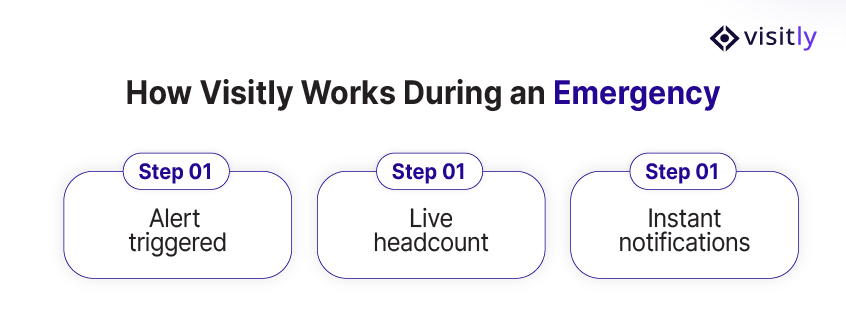
- Step 1: Alert triggered The security head or facilities manager initiates emergency mode directly from the Visitly dashboard or the mobile platform. The moment emergency mode activates, every active visitor, contractor, and employee currently on-site is instantly flagged in the system. No manual lookups. No cross-referencing sign-in sheets from three different entry points.
- Step 2: Live headcount A real-time occupancy list auto-generates for each location. The list shows exactly who is confirmed out, who is still unaccounted for, and who was expected to be on-site, with photos attached to each record. Security personnel conducting the muster can work directly from their mobile devices. There is no clipboard to misread and no binder to lose.
- Step 3: Instant notifications Automated alerts push to hosts through Slack, Microsoft Teams, or SMS the moment emergency mode is activated. Visitors who pre-registered receive QR-based safe exit confirmations, creating a timestamped record of their departure. The entire process generates a tamper-proof audit log from the first second of the incident, not reconstructed afterward.
The result is an account of every person on-site, accurate to the moment, with a documented chain of custody that supports ITAR, SOC 2 Type II, and ISO 27001 reviews.
Real Scale, Real Confidence
Organizations running Visitly at enterprise scale have tested this in real environments, not just proof-of-concept deployments.
SentinelOne’s Director of Security Operations, Brent Kennedy, put it directly: their teams were up and running in less than a week. For organizations that have delayed modernizing their emergency procedures because of implementation complexity, that timeline matters.
What a Modern Emergency Evacuation Protocol Looks Like
Use this checklist to assess where your current emergency procedures stand and where the gaps are. A modern protocol covers all of the following:
- Instant digital headcount by location, no clipboards
- Cleared vs. uncleared visitor status visible in real time
- Automated alerts to hosts and security teams via Slack, Teams, or SMS
- Tamper-proof audit log generated automatically and audit-ready from the moment an incident is declared
- Single dashboard view across all locations
- Integrates with existing badge readers (Lenel, Genetec, HID)
If any item on this list is currently handled manually, that gap is visible to your next auditor. More importantly, it is visible to your security team in the middle of an evacuation when someone is unaccounted for.

Test the headcount in drills
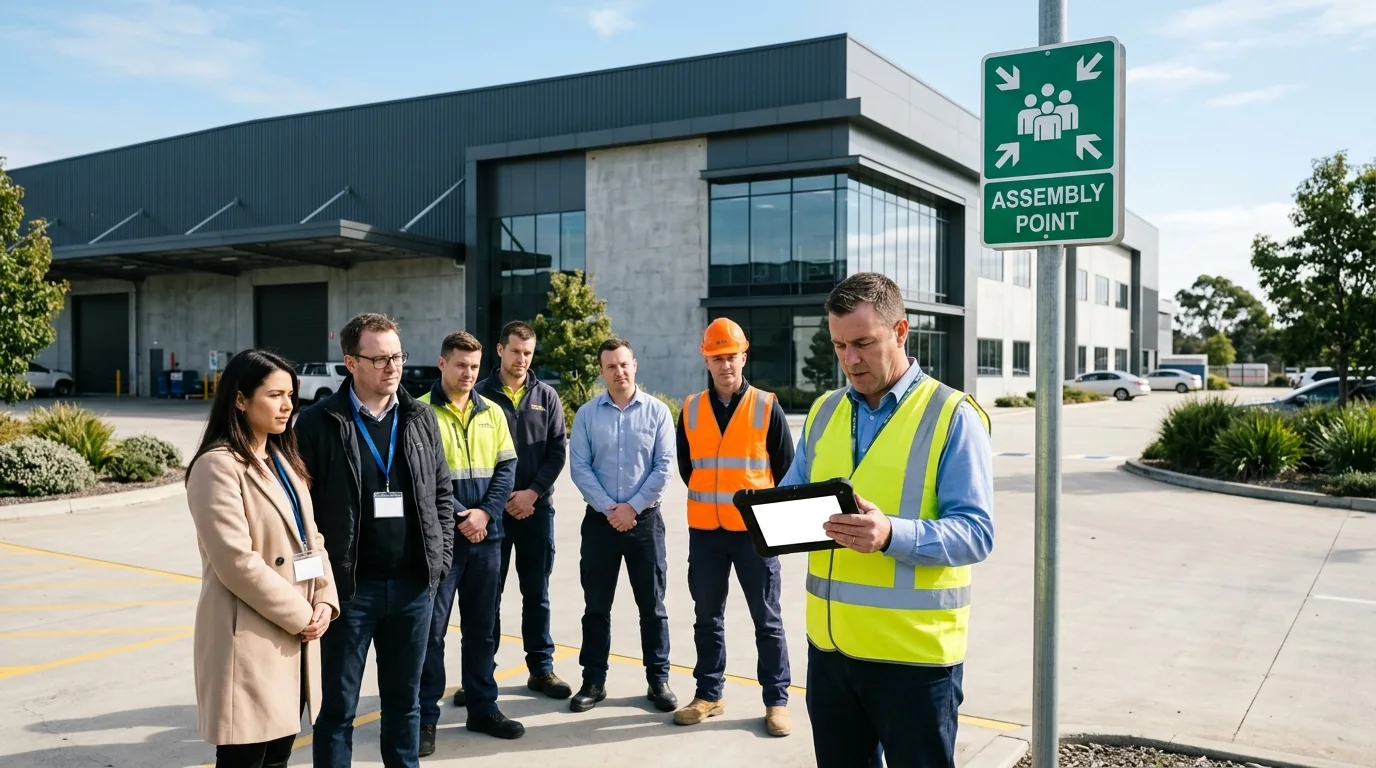
A muster point is the designated place where people gather after leaving a building so they can be counted. The count only works if it has been rehearsed with the people who will be there on the day.
- Run drills on different shifts, including nights and weekends.
- Rehearse a single zone as well as the whole site, and vary the scenario: a fire, a chemical release, a power failure.
- Include contractors and visitors. They know the site least and are the first to be left out of a rehearsal.
- Brief every visitor and contractor on routes and muster points at check-in.
- Name a warden at each muster point who answers for visitors and contractors, and say who stays with escorted visitors until the all-clear.
- Record each drill: the time to produce the roll, the names missing from it and the time until everyone is confirmed.
Visitly has a drill mode and reports who has checked in at each muster point.
Check the gates and checkpoints
The controls that protect a secure site on a normal day can slow people down in an alarm. Walk each evacuation route and look for three things.
- Badge readers, turnstiles or clearance gates that do not release when the alarm sounds.
- Manual override steps that are slow, or that only one person knows.
- Points where people stop because they are unsure whether the security rules still apply.
Decide the answer for each one, write it into the procedure and test it in the next drill.
Brief first responders before they need it
Responders should not see your site for the first time during an emergency. Share site maps, muster point locations and zone access rules with the local fire department and other responding agencies in advance. Agree how they pass security checkpoints without waiting. Invite them to a drill and hold a joint debrief afterwards, so both sides work from the same plan. On the day, the incident commander can then hand over the names still unaccounted for.
What the rules ask for
Accounting for employees after an evacuation is part of OSHA's emergency action plan requirements. Visitors and contractors fall to your own procedure, so write them into it. ITAR, CMMC and ISO 27001 concern who can reach controlled areas and information, and they set no headcount rule of their own. How an evacuation affects those controls, and which fire and life-safety codes apply to your site, is for your compliance lead or counsel to confirm. Review the procedure once a year and after any change to the layout.
Your Next Drill Shouldn’t Be a Guessing Game
Every day a defense or regulated facility runs emergency drills with paper-based headcount procedures is a day of compounding risk: compliance exposure that accumulates until an auditor finds it, or an actual incident makes it visible in the worst possible way.
The cost of inaction is not abstract. It is a finding on your next ITAR review, a gap in your SOC 2 Type II audit trail, and a security head standing in a parking lot at 2:17 p.m., trying to account for people she cannot locate.
Visitly closes that gap, and it deploys in days, not months.
Emergency preparedness has always been a matter of life safety. In defense and regulated environments, it is also a matter of legal standing, audit readiness, and organizational accountability.
That gap, between knowing you responded and being able to prove it, is exactly where paper-based systems fail and where a modern visitor security platform earns its place. The next alarm that sounds at your facility will not wait for a better process.
Build one now, and it will be ready when it counts.
Connect with Visitly now.
FAQs
What is an emergency headcount system?
An emergency headcount system is software that lists everyone on site when an alarm sounds and tracks who has been confirmed safe. It draws on employee, contractor and visitor check-ins instead of a paper log, shows the roll by location, and timestamps each confirmation so the security team has a record of the event.
How do defense facilities account for visitors and contractors during an evacuation?
They work from one live roll that covers employees, contractors and visitors, and mark each person safe at the muster point. Visitly builds that roll per location from check-in records and reports who has checked in at each muster point, so the incident commander can give first responders the names still unaccounted for.
What is a muster point?
A muster point is the designated place where people gather after leaving a building so they can be counted. A site may have several, assigned by building or zone, and each needs a warden with the current roll. In secure facilities the muster plan should also say who stays with escorted visitors until the all-clear.
Do ITAR, CMMC or ISO 27001 require an evacuation headcount?
Not directly. Accounting for employees after an evacuation is an OSHA emergency action plan requirement. ITAR, CMMC and ISO 27001 concern who can reach controlled areas and information, and CMMC Level 1 calls for escorting visitors and keeping physical access logs. How an evacuation affects those controls is for your compliance lead or counsel to decide.
Can a visitor management system connect to access control for emergencies?
Yes. Linking the two means a visitor's badge and the door system share one record of who was let in and where. Visitly integrates with Genetec Security Center, LenelS2 Netbox, C CURE 9000, Brivo and Kisi; talk to sales for those integrations. Ask any vendor how the roll is reached if the site network or power fails.
How should a regulated facility test its headcount process?
Run a timed drill with real visitors and contractors on site, not employees only. Measure how long it takes to produce the roll, how many people were missing from it, and how long until everyone is confirmed. Keep the roll and timings as a record, and include a shift change or a second entrance in the next drill.