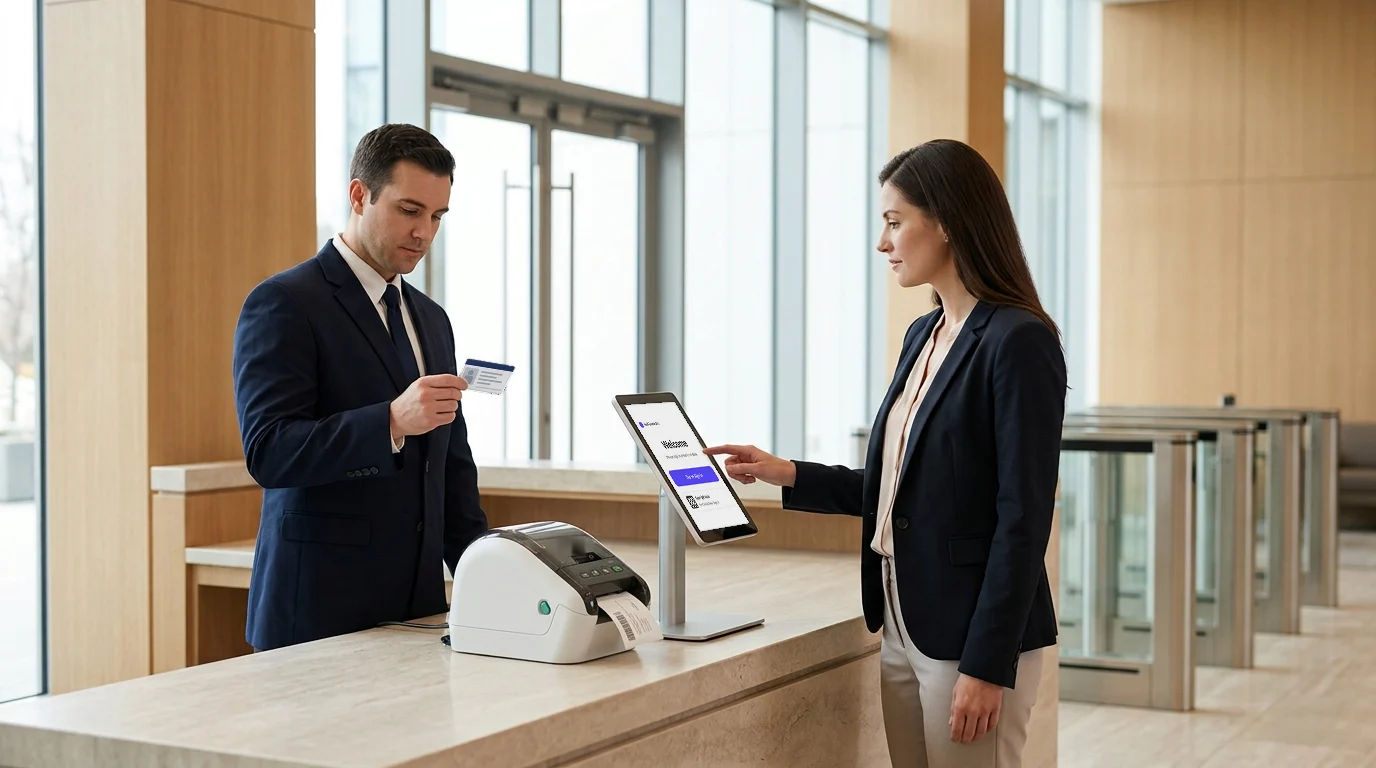
Mailroom management is a vital yet often overlooked component of business operations. It encompasses the systematic handling, sorting, and distribution of physical and digital mail within an organization. As businesses increasingly rely on diverse communication channels, the complexity of managing incoming and outgoing mail has escalated.
Traditional, manual mailroom processes are proving inadequate in meeting the demands of modern business environments. Research indicates that companies can lose up to $1.3 million annually due to inefficient workflows, with employees spending significant time on repetitive tasks.
Implementing a professional mailroom management system can address these challenges by automating sorting, tracking, and distribution processes. Solutions like Visitly offer businesses a streamlined approach to mailroom operations, enhancing efficiency and reducing the risk of errors. Embracing such systems is essential for organizations aiming to improve operational workflows and adapt to the evolving demands of the digital age.
This blog will discuss the key challenges businesses face without an efficient mailroom visitor management system and the benefits of adopting a professional solution. We will explore how mailroom automation improves business productivity, simplifies mail handling, saves time, and reduces errors, ultimately helping your organization streamline operations and improve productivity.
What is Mailroom Management?
Mailroom management involves managing, organizing, sorting, and distributing inbound and outbound mail within a business. This type of management assures that incoming mail, whether a letter, package, or document, arrives promptly in the correct department or to the right person.
Before automation, mailrooms depended solely on physical log books and manual sorting. Employees had to physically sort through piles of mail, often leading to delays and errors. A mailroom with a solid organizational strategy will turn mail faster, provide clarity around accountability, and reduce missed or lost items overall.
Approach streamlining mailroom management with good vision and clarity, and avoid the foolish payback of lost items. Overall, a good document management system can enhance and fast-track efficiency.
The Challenges Businesses Face Without a Professional System
Handling mail manually might seem manageable initially, but as volume increases, so do the risks. Businesses face disruptions affecting productivity, communication, and revenue when they make common mistakes with the visitor management system. Here are some of the key issues that arise:
Lost Mail
Manual Sorting Mistakes: It is easy to make mistakes when sorting through large amounts of mail, especially if done manually. Items may accidentally be directed to the wrong place or misplaced altogether.
Tracking Issues: Without a system to digitally track incoming and outgoing mail, there is no way to determine where something is or its status.
Missed Revenue: Important documents (contracts or invoices) could be lost. An untraceable item could also delay business operations or hurt the bottom line.
Inefficiency
Time-Intensive Process: Hand sorting and handling mail is a slow process that takes valuable time and people away from more critical tasks.
Multiple Touchpoints: Mail must go through several people before it reaches its destination.
Resource Wastage: Using a manual process and more people creates a wasteful process and increases costs.
Lack of Transparency
No Real-Time Updates: Without a system to keep track of your mail’s status updates, it will become a guessing game as to where the mail is currently located.
Unclear Accountability: There will be no clear way to pinpoint where responsibility lies when issues happen, like lost mail.
Delays in Communication: Not knowing when or where a piece of mail is can slow responses to clients, partners, or internal teams.
Security Concerns
Insufficient Access Control: Unauthorized access to mail containing sensitive documents is dangerous without a system that monitors and controls who handles it.
Data Lost: Some sensitive documents will undoubtedly go missing, which could put confidential company data at risk.
Compliance Risks: Various industries require strict handling of sensitive materials. Without a proper way to secure a mailroom, businesses risk not complying with regulations.
A visitor management system will help organizations address these issues by automating processes, allowing real-time tracking, and providing visitor security and accountability in handling routine and sensitive mail.
Key Benefits of Implementing a Professional Mailroom Management System
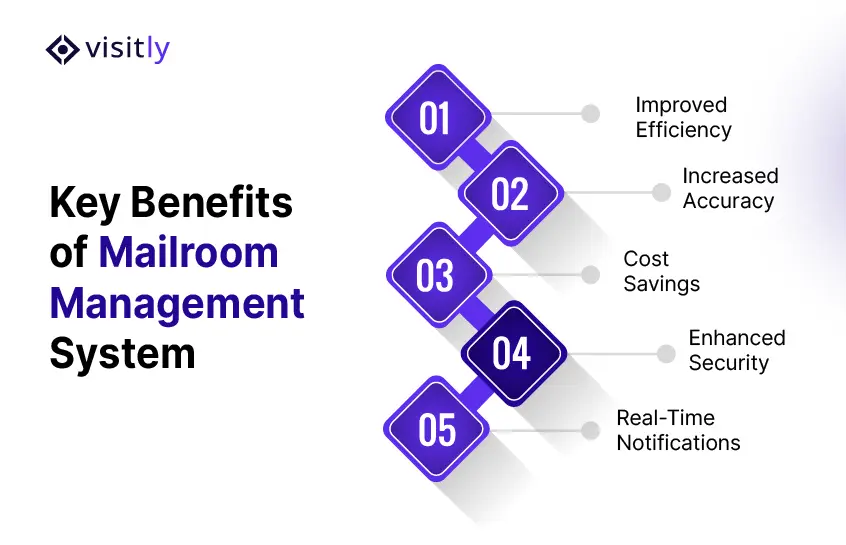
1. Improved Efficiency
A structured Mailroom Management system significantly reduces the time and effort required to handle incoming and outgoing mail.
- Automates sorting, routing, and internal delivery workflows.
- Barcode scanning and digital tracking reduce manual handling.
- Eliminates bottlenecks by assigning tasks automatically to the proper personnel.
- Enables staff to locate mail quickly without digging through physical piles.
2. Increased Accuracy
Manual processes often lead to lost packages or misrouted correspondence. A digital system reduces such issues.
- Uses recipient directories and delivery logs to ensure accurate routing.
- Scans and registers each item upon arrival to avoid misplacement.
- It reduces dependency on handwritten logs and manual input.
- Ensures every delivery step is recorded and verifiable.
3. Cost Savings
An optimized Mailroom Management system cuts both direct and indirect costs.
- Lowers labor costs by reducing manual sorting and delivery workloads.
- Limits the expense of misplaced or duplicated shipments.
- Helps organizations scale without proportionally increasing mailroom staffing.
- It reduces spending on paper, storage space, and courier errors.
4. Enhanced Security
With growing concerns about data protection and sensitive materials, mailrooms must be tightly controlled.
- Tracks each item from entry to delivery, with timestamped records.
- Adds access control to ensure only authorized personnel handle confidential packages.
- It allows for detailed reporting in case of disputes or audits.
- It protects against loss or theft through surveillance integration and digital check-in/check-out.
5. Real-Time Notifications
Fast communication improves service levels and supports time-sensitive operations.
- Sends automatic alerts to recipients when items are ready for pickup or delivery.
- Reduces internal follow-ups by providing status updates directly via email or SMS.
- Ensures timely collection, which prevents storage buildup and lost items.
- Allows administrators to monitor pending deliveries and take action as needed.
Why Visitly is the Right Tool for Mailroom Management
Visitly is a modern visitor and delivery management platform designed to simplify how businesses handle people and packages entering their premises. Built to focus on ease of use and reliability, Visitly supports front-desk operations and internal mailroom workflows.
With a straightforward interface and customizable settings, it adapts to the needs of organizations of all sizes, whether managing daily visitor check-ins or coordinating deliveries across departments.
Visitly Features Supporting Mailroom Management
- Delivery Notifications
Automatically alerts recipients when a package arrives, reducing delays and manual follow-ups.
- Digital Logs
Maintains accurate, timestamped records for every delivery—ideal for tracking sensitive or high-value items.
- Contactless Pickup
It enables safe and secure collection of packages through QR codes or PIN-based access.
- Multi-location Support
It streamlines mailroom handling across offices or campuses by centralizing visibility and reporting.
- Customizable Workflows
Allows businesses to tailor mail handling steps, such as assigning roles or automating pickup deadlines.
- Photo Capture for Deliveries
Document management system package condition and proof of delivery, helping prevent disputes and loss.
Benefits of Using Visitly for Mailroom Management
- Improves internal communication by notifying employees instantly when mail arrives.
- Automation and self-service pickup options help lower the staff workload.
- Track every package throughout its journey, from receipt to final delivery.
- Comprehensive delivery logs improve accountability across the mail handling process.
- Organized workflows and visual checks reduce the chances of mail being lost or misrouted.
- The system accommodates business growth, making it a fit for small teams and large organizations.
Efficient Mailroom Management starts with the right tools. Visitly.io helps reduce manual errors, improve visibility, and ensure timely delivery without complicating existing operations. Businesses looking to simplify their internal mail handling processes should explore Visitly’s full capabilities.
Visit visitly to see how it can fit into your organization’s daily operations.
How to Choose the Right Mailroom Management System for Your Business
Selecting the right solution for a document management system requires more than checking off features. A well-matched system should align with your organization’s size, workflow, and operational goals. Here are four key factors to consider when evaluating options:
1. Scalability
A reliable mailroom system should grow as your business expands.
- Supports increasing volumes of deliveries without performance issues.
- It handles multiple locations or departments within one central dashboard.
- Offers flexible user licensing or seat additions as staff numbers grow.
- Avoids the need for frequent platform changes as your mailroom needs evolve.
2. Integration
The system should work well with the tools your teams already use.
- It connects with workplace platforms like Slack, Microsoft Teams, or email clients.
- Integrates with visitor management, access control, or building management systems.
- It supports calendar syncing for scheduled deliveries or pickups.
- Minimizes disruption by blending into current IT workflows and infrastructure.
3. User-Friendliness
An effective Mailroom Management system must be easy to adopt across all departments.
- Offers a clean, intuitive interface that requires minimal training.
- It provides mobile access for remote notifications and updates.
- Simplifies daily tasks for reception, security, and office staff.
- Reduces the learning curve, helping new users adapt quickly.
4. Customization
Every business handles mail differently—your system should reflect that.
- Allows setting up unique delivery workflows or approval paths.
- Customize notification templates, pickup rules, and access permissions.
- Enables branding options to align with the company identity.
- It adapts to industry-specific needs, such as compliance or security standards.
Conclusion
Efficient Mailroom Management is key in maintaining order and accountability in business operations. This blog outlines the importance of implementing a structured system that supports efficiency, accuracy, security, and timely communication. A dedicated solution immediately improves mail handling by reducing manual tasks, minimizing delivery errors, and streamlining internal workplace management.
Visitly offers the tools to manage incoming packages, notify recipients in real time, and maintain clear delivery records from one platform. With features built around automation, security, and flexibility, Visitly simplifies mailroom tasks without adding complexity to your processes.
Adopting a professional visitor Management system is no longer optional for businesses looking to stay organized and responsive. Whether you’re managing a single office or multiple locations, a centralized solution ensures nothing gets missed, delayed, or misplaced.
Explore how Visitly can fit into your existing operations to bring clarity and structure to your mailroom. It’s a practical step toward smoother internal communication and better team service. Visit visitly to learn more and see how it can support your business.
FAQs
What is a mailroom management system?
A mailroom management system is software that logs every incoming letter and package, tells the recipient it has arrived and records who collected it. It replaces the paper log and the manual sort. Each item gets a scan on arrival, a storage location and a pickup record, so the mailroom can say where any item is.
How does a mailroom management system work?
Staff scan the label when an item arrives, and the system matches the name to the employee directory and notifies that person. The item waits in a recorded location until pickup, when a signature, code or photo closes the record. Reminders go out for items nobody has collected.
How much does a mailroom management system cost?
Cost depends on the number of sites, the monthly package volume and whether you need scanners or label printers. Ask each vendor whether it charges per location, per user or per package. For Visitly's Mailroom and Deliveries module, talk to sales for a figure.
When does a corporate mailroom need software instead of a paper log?
A corporate mailroom needs software once staff can no longer say where a given package is or who collected it. Common signs are packages sitting uncollected for days, repeated claims of lost items and several people handling the same parcel. One low-volume office can run on a log. Several buildings or a shared campus usually cannot.
How does a mailroom system protect sensitive or high-value mail?
It protects sensitive mail by keeping a chain of custody: a timestamped record of who received, stored and handed over each item. Access to the log is limited to named staff, and a photo or signature at pickup settles disputes. If your industry has handling rules for certain documents, your compliance lead decides what the record must show.
What should we check before choosing a mailroom management system?
Check four things: that it syncs with your employee directory, sends notifications through the channels your staff already use, covers every site from one account and exports the delivery log for audits. Then run a two-week pilot at your busiest mailroom and measure how long items wait for pickup before and after.