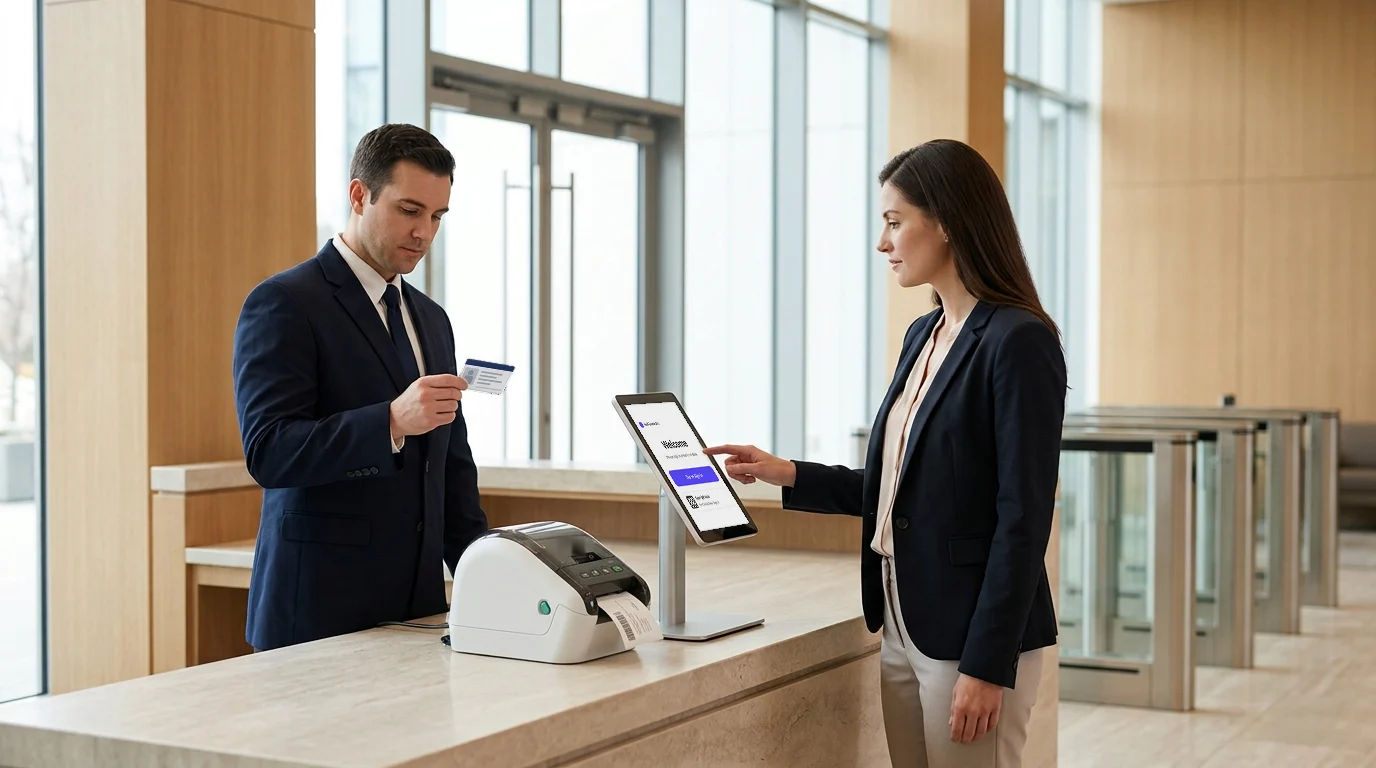
Looking for the best iPad visitor management software to streamline your front desk and boost security? Whether you run a corporate office, clinic, or school, using a modern visitor management system on iPad ensures smooth check-ins, accurate record-keeping, and regulatory compliance.
Unlike outdated paper logs, iPad-based check-in systems offer contactless registration, instant host notifications, and digital documentation, all from a compact tablet interface. In this guide, we’ll compare the top 4 iPad visitor management software solutions for 2025 and help you choose the right one for your business.
4 Best iPad Visitor Management Software for a Smooth and Secure Check-In
Let’s have a look at the leading iPad Visitor Management Software:
- Visitly
- Envoy
- Sign In App
- FacilityOS

1. Visitly – Best All-Around iPad Visitor Management Solution
Visitly is a user-friendly iPad-based visitor management software designed to simplify front desk check-ins with customizable workflows and instant badge printing. It enhances security with features like visitor photo capture, pre-registration, and real-time notifications to hosts.
Best for: Small to large businesses needing simplicity, compliance, and scalability.
Why Visitly stands out:
Visitly offers an iPad-native visitor management platform that’s fast to deploy, easy to customize, and packed with enterprise-grade features. It handles everything from check-ins to compliance documentation while keeping the interface clean and user-friendly.
Here are some key features of Visitly:
- Native iPad app for smooth performance
- QR code check-in or manual check-in options
- Instant emergency evacuation process.
- Custom visitor flows (contractors, employees, clients)
- Instant host notifications via SMS, email, or Slack
- NDA, consent, and health questionnaire capture
- Watchlist matching and badge printing
- Check-in in more than 150 languages
- Secure cloud-based data storage for audits
Pricing: $1,000 or $2,000 per location per year. For custom deployments, share your requirements and our team will put the pricing together with you.
| Vendor | Published price | What that price includes |
|---|---|---|
| Visitly Starter | $1,000 per location per year | Visitor check-in, single sign-on, audit log |
| Visitly Business | $2,000 per location per year | Adds watchlist and photo ID screening |
| Envoy Premium | $362 per location per month, billed annually ($4,344 per year) | Single sign-on and badge printing; watchlist and ID scanning need a custom Enterprise quote |
| FacilityOS | From $225 per month for visitor management | Emergency, security and contractor modules priced separately |
| Sign In App | $630, $1,260 or $1,890 per site per year | Evacuation at the entry price; ID scanning from $1,260; single sign-on and SCIM at $1,890 |
Prices from each vendor's pricing page, Q4 2026. See Visitly pricing and the full comparison.
Want to know further? Click here.
Why choose it:
Visitly balances usability and compliance. It’s ideal for companies that want to get started fast and scale easily without compromising on security.
Here’s a detailed feature breakdown of Visitly’s iPad visitor management platform:
| Feature | Details |
|---|---|
| Platform Type | Native iPad App |
| Offline Mode | Not available |
| Badge Printing | Yes |
| Host Alerts | SMS, Email, Slack |
| Visitor Types | Custom workflows for contractors, clients, employees |
| Watchlist and Face ID | Yes |
| NDA and Forms Capture | NDA, consent, health questionnaires |
| Integrations | Slack, Google Workspace, Microsoft AD, Teams |
| Evacuation Mode | Yes |
| Pricing | From $1,000 per location per year |
2. Envoy Visitors – Best for Enterprise Integrations and Office Automation
Envoy is a leading iPad visitor management system that offers a sleek, secure, and paperless check-in experience for guests. It includes features like ID scanning, NDA signing, host notifications, and health screening, making it ideal for modern workplaces.
Best for: Tech-driven offices and global enterprises.
Why Envoy is a strong check-in system:
Envoy is one of the most established visitor management platforms on the market. Its iPad app supports complex workflows and integrates with over 100 tools making it perfect for workplaces already using Slack, Zoom, Azure AD, and others.
Key features:
- Calendar-based pre-registration
- Instant badge printing with photos
- Host alerts via Slack, Teams, SMS
- Government ID scan and watchlist checks
- Full branding for kiosk, badges, and emails
- Integrates with access control, Wi-Fi, and meeting tools
Pricing: Freemium model with paid plans based on usage and integrations.
Envoy Premium is $362 per location per month, billed annually ($4,344 per year); watchlist and ID scanning need a custom Enterprise quote.
Why choose it:
Envoy works best if you need advanced integrations, want automated workflows, and run a high-volume visitor traffic environment.
Here’s what Envoy offers as an iPad-based visitor check-in solution:
| Feature | Details |
|---|---|
| Platform Type | iPad App with backend dashboard |
| Offline Mode | Yes |
| Badge Printing | Yes |
| Host Alerts | Slack, Teams, SMS |
| Visitor Types | Employees, guests, deliveries |
| Watchlist and ID Scan | Yes, with government ID verification |
| NDA and Health Forms | Screening, legal agreements |
| Integrations | 100+ tools including Zoom, AD, Wi-Fi, access control |
| Branding | Fully customizable kiosk, badge, email |
| Pricing | Free basic plan; premium tiers available |
3. Sign In App: Best for Published Per-Site Pricing
Sign In App is the visitor management product of Sign In Solutions, a group backed by the investor PSG. SwipedOn, which Sign In Solutions bought in 2024, is now sold as Sign In App, and The Receptionist for iPad, also part of the group, is moving its customers onto Sign In App. That is why neither is listed separately here.
Best for: Single offices and mid-market teams that want a published price per site.
Why Sign In App is worth considering:
Sign In App publishes its prices, and the entry price includes evacuation lists. Single sign-on and SCIM provisioning come only at the top published price, so a multi-site team should price the level that has the controls IT needs.
Key features:
- Visitor check-in and evacuation lists at the entry price
- Pre-registration portal and ID scanning from $1,260 per site per year
- Single sign-on, SCIM and telephone support at $1,890 per site per year
- SOC 2 Type II and ISO 27001, stated by the vendor
Pricing: $630, $1,260 or $1,890 per site per year, with custom pricing above that.
If you are on The Receptionist today, see how teams switch from The Receptionist.
Why choose it:
Sign In App suits a single office or a few sites that want a published price and do not need single sign-on at the entry price.
| Feature | Details |
|---|---|
| Entry price | $630 per site per year |
| Evacuation | Included at the entry price |
| ID scanning | From $1,260 per site per year |
| Single sign-on and SCIM | $1,890 per site per year |
| Security certifications | SOC 2 Type II and ISO 27001, stated by the vendor |
| Pricing | $630 to $1,890 per site per year, custom above that |
4. FacilityOS – Best for High-Security and Compliance-Driven Facilities
FacilityOS (formerly iLobby) is an enterprise-grade iPad visitor management system designed for high-security and compliance-focused environments like healthcare and pharmaceuticals. It offers features like pre-registration, badge printing, host notifications, and watchlist screening for a smooth and secure check-in experience.
Best for: Manufacturing plants, data centers, government buildings.
Why FacilityOS leads in compliance:
FacilityOS is built for facilities where security, documentation, and compliance are non-negotiable. It integrates with access control systems and offers detailed audit trails to satisfy regulatory demands.
Key features:
- iPad check-in with ID scanning
- Access control and badge sync
- Multi-language support
- Contractor and vendor credential management
- Real-time evacuation lists
- Health and safety screenings
Pricing: FacilityOS visitor management starts at $225 per month; the emergency, security and contractor modules are priced separately.
Why choose it:
If you operate in a high-risk or heavily regulated industry, FacilityOS delivers a complete compliance-ready visitor management ecosystem.
This table shows how FacilityOS (iLobby) delivers high-security visitor check-ins:
| Feature | Details |
|---|---|
| Platform Type | Enterprise iPad kiosk |
| Offline Mode | Yes |
| Badge Printing | Yes |
| Host Alerts | Email, SMS |
| Visitor Types | Contractors, vendors, compliance officers |
| Watchlist and ID Scan | Deep screening with access control sync |
| NDA and Safety Forms | Custom legal, safety, and health workflows |
| Integrations | Access control systems, SSO, enterprise platforms |
| Audit and Compliance Logs | Regulatory-ready tracking and exports |
| Pricing | From $225 per month |
Compare Features, Pricing & Use Cases at a Glance
This side-by-side guide helps you quickly identify which iPad visitor management software fits your facility, compliance needs, and budget.
| Software / Feature | Visitly | Envoy | Sign In App | FacilityOS |
|---|---|---|---|---|
| Best For | Balanced Performance | Enterprise Integrations | Published pricing | High-Security Compliance |
| Offline Mode | Not available | Yes | Not published | Yes |
| Badge Printing | Yes | Yes | Yes | Yes |
| Host Alerts | SMS, Email, Slack | Slack, Teams, SMS | Not published | Email, SMS |
| Watchlist / ID Scan | Yes | Yes | ID scan from $1,260 | Advanced + Access Sync |
| Forms | NDA, Consent, Health questionnaire | NDA, Health Forms | Not published | Legal and safety forms |
| Pricing | From $1,000 per location per year | Freemium + Paid | From $630 per site per year | From $225 per month |
Why the iPad Matters in Visitor Management
The iPad plays a central role in modern visitor management systems. Its portability, reliability, and touchscreen interface make it ideal for front desk use. Unlike bulky desktop setups, iPads offer a clean, professional experience that visitors can use with minimal guidance.
Key benefits of using an iPad:
- Touch-Friendly Interface: Easy for all ages and visitor types to navigate.
- Quick Setup: Mount it as a kiosk or use it handheld, no complex wiring or hardware needed.
- Portability: Move it between entrances or check-in points as needed.
- Battery Powered: Keeps working even during power disruptions.
- Professional Appearance: Offers a sleek, modern look that aligns with your brand image.
With the right software, the iPad becomes a powerful check-in tool that enhances security, improves efficiency, and leaves a strong first impression
Tips to Choose the Best iPad Visitor Management Software
Choosing the right iPad visitor management software can significantly enhance your front desk efficiency and leave a great first impression on guests. With so many options available, it’s important to focus on what truly matters for your workplace.
Here’s what to consider before selecting the right iPad-based solution:
1. Evaluate Your Visitor Types
Do you mostly host clients, vendors, contractors, or internal staff? Choose a tool that supports customizable check-in workflows based on visitor category.
2. Look for Real-Time Notifications
Instant alerts to hosts via SMS, email, or Slack ensure faster visitor handling and reduce bottlenecks at the reception.
3. Consider Compliance Needs
If you need signed NDAs, health questionnaires, or audit logs, choose a platform like Visitly or iLobby with built-in compliance workflows.
4. Think About Badge Printing
Visitor badge printing adds a layer of security and identification. Most tools support AirPrint or connected printers.
5. Prioritize iPad App Optimization
Ensure the software is built specifically for iPads—not just a web wrapper. Native apps run faster and support kiosk mode better.
6. Look at Integration Options
For mid-to-large businesses, integrations with Google Workspace, Microsoft 365, Zoom, and access control systems are a big plus.
7. Check Data Security Standards
Choose a solution with GDPR compliance, encrypted data storage, and admin controls over access and deletion.
8. Trial Before You Commit
Always test a product with a demo. See how it handles check-ins, real-time sync, and user experience on your iPads.
Conclusion
iPad visitor management software is essential for modern workplaces. Whether you need to speed up check-ins, maintain visitor records, or stay compliant with safety regulations, the right platform will help you do it securely and efficiently.
The best iPad visitor management system is the one that meets your operational needs today and scales with your workplace tomorrow. Visitly stands out as the best all-around option with its easy setup, solid compliance tools, and real-time alerts, all built specifically for iPad use. Book a demo now!
FAQs
What is iPad visitor management software?
iPad visitor management software turns an iPad at the entrance into a self-service check-in point. Visitors enter their details or scan a QR code, sign any required documents and have a photo taken, then the host is notified and a badge prints. The records go to a cloud account where the security team can search them across every location.
Which iPad models work with visitor management software?
An existing iPad usually works, but check each vendor's minimum version before reusing older tablets. Envoy, for example, says its Visitors product needs an iPad running iOS 10 or later. Also budget for a secure stand and a badge printer, and decide whether the kiosk stays locked to the check-in screen.
Does iPad visitor management software work offline?
Only partly, so plan for a reliable connection. Host notifications, watchlist screening and the live roster all depend on the network. Some products store sign-ins on the device and sync later; ask each vendor exactly what keeps working. Visitly does not have an offline mode today, so its kiosk needs a connection. For sites with weak Wi-Fi, put the kiosk on a wired or cellular connection.
Can I print visitor badges from an iPad?
Yes. The iPad sends the badge to a label printer on the same network when the visitor finishes check-in. A badge normally shows name, photo, host and expiry. Visitly runs on any iPad model on the current iPadOS, supports Zebra and Epson badge printers and charges no per-printer fee. Confirm which printer models a vendor supports before buying hardware.
What do iPad visitor management vendors charge per site?
Published prices run from $630 to over $4,000 per site per year. Sign In App is $630 to $1,890 per site per year. Visitly starts at $1,000 per location per year. Envoy Premium is $362 per location per month, billed annually. FacilityOS starts at $225 per month with an iPad included. Prices as of Q4 2026.
Are SwipedOn and The Receptionist still separate iPad visitor apps?
Both are now brands of Sign In Solutions, which is steering customers to Sign In App. SwipedOn's pricing page redirects to Sign In App's, and The Receptionist says it plans to move customers to Sign In App on a timeline that suits them. If either is on your shortlist, evaluate Sign In App's plans and prices.