What if nearly two out of every three companies had already suffered a breach—not in data, but in workplace security?
In fact, recent industry data show that around 60% of companies have experienced lapses in their physical security measures over the last five years.
That’s a big red flag, especially when traditional locks, keys, and paper visitor logs are still widely used. A modern physical access control system can dramatically increase workplace safety by ensuring only authorized individuals enter your premises and by allowing you to track access events in real time.
But security isn’t the only win. The proper access control system also streamlines entry, simplifies visitor and contractor management, and scales with your business—turning access from a hassle into an asset.
In this guide, you’ll discover what makes a physical access control system essential, how these systems work, and what you need to look for when choosing one for your office.
Let’s begin by exploring the basics.
What is a Physical Access Control System?
A physical access control system is a security measure that restricts access to physical spaces within an office or building. This system controls who can enter various areas based on criteria such as roles, security clearance, or time of day.
Using digital authentication methods such as keycards, biometrics, or mobile credentials provides a secure, scalable, and efficient way to manage office access.
Key Components of a Physical Access Control System:
- Entry Points (Doors, Gates): Physical barriers that regulate access, often equipped with electronic locks or readers.
- Access Control Devices: Tools like smartcards, biometrics, or PINs that authenticate individuals’ identities.
- Control Panels and Software: These are used to manage user data and access permissions, and to monitor system activity in real time.
- Security Monitoring Systems: Cameras, sensors, and alerts integrated with the access control system to monitor and respond to suspicious activities.
Why is Physical Access Control Important for Modern Offices?
Businesses, both large and small, are moving away from traditional lock-and-key systems toward modern physical access control systems to safeguard sensitive areas and enhance overall office security.
Let’s break down why adopting such a system is essential for modern offices.
1. Addressing Security Risks
Unauthorized access poses a significant security risk, often leading to data breaches, theft, or even workplace violence. A physical access control system helps eliminate these risks by regulating entry to sensitive areas.
With features like real-time monitoring and automatic access restrictions, businesses can prevent unauthorized access, ensuring the safety of employees and critical assets.
2. Compliance with Regulations
Regulatory standards such as GDPR and HIPAA require businesses to protect sensitive data physically. Modern access control systems ensure security and compliance by providing secure access logs, encrypting data, and controlling who can enter restricted areas.
This makes audits easier and helps companies meet industry-specific regulations.
3. Cost-Effective and Scalable
Traditional lock-and-key systems may appear cheaper initially, but can lead to higher operational costs due to lost keys, manual security standards, and inefficiency.
Access control systems, particularly cloud-based solutions, are more cost-effective and scalable. This allows businesses to expand security as they grow without incurring substantial upfront costs, making them ideal for growing organizations.
What are the Types of Access Control Systems?
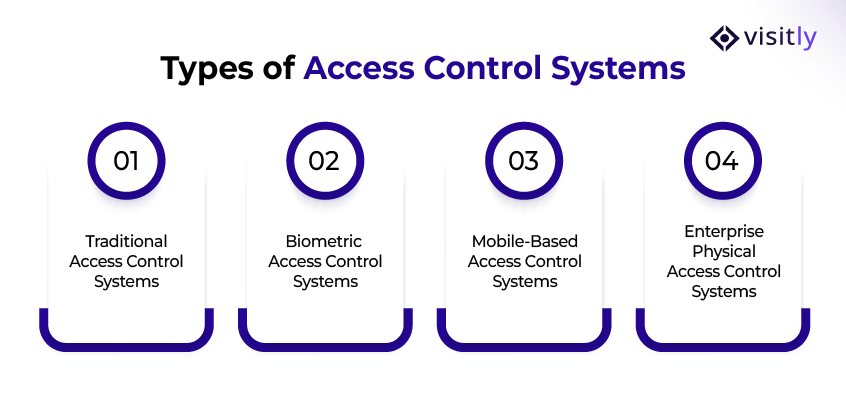
The types of access control systems are:
1. Traditional Access Control Systems
2. Biometric Access Control Systems
3. Mobile-Based Access Control Systems
4. Enterprise Physical Access Control Systems
Understanding the various physical access control systems available is crucial for selecting the right one for your office’s security needs.
Below is a breakdown of each type, along with its components, pros, and cons.
1. Traditional Access Control Systems
Traditional access control systems are the most basic form of office security. These systems rely on physical methods, like keycards, key fobs, or PIN codes, to control access to restricted areas.
They are designed to ensure that only authorized individuals can enter specific spaces, such as offices, meeting rooms, or server rooms.
Traditional systems are relatively simple and have been in use for decades. They remain popular due to their cost-effectiveness and ease of implementation, especially in smaller or less complex office environments.
- Keycards
Traditional keycard systems are one of the most widely used types of physical access control systems. These systems use cards embedded with a unique identifier (RFID or magnetic stripe), which are swiped or scanned to grant access to a building or specific areas.
Components:
- Keycard: A card with a unique code or RFID chip.
- Card Reader: A device that scans the keycard and grants or denies access.
- Control Panel: Manages the system and determines whether access is granted.
- Software: Tracks activity and manages user permissions.
Pros:
- Simple and Affordable: One of the most cost-effective solutions for small to medium-sized businesses.
- Quick Setup: Easy to install and manage.
- Widely Used: Most employees are familiar with keycard systems, making training minimal.
Cons:
- Lost or Stolen Cards: Cards can be easily lost, stolen, or duplicated, potentially compromising security.
- Limited Security: Can be vulnerable to breaches, as the keycard alone doesn’t authenticate identity.
- PIN-based Systems
What it is:
PIN-based systems require users to input a unique code to gain access. This type of access control is often used alongside other methods, such as keycards or biometrics, offering an additional layer of security.
Components:
- PIN Pad: The device where users enter their PIN code.
- Control Panel: Compares the entered PIN with stored data to grant or deny access.
- Software: Manages users’ access permissions and logs activity.
Pros:
- Simple to Use: Requires no physical card, reducing the need for carrying extra items.
- Affordable: Relatively inexpensive compared to more advanced systems, such as biometrics.
- Customizable: Easy to assign and update PIN codes for individual users.
Cons:
- Vulnerable to Hacking: PINs can be stolen through shoulder surfing or brute force attacks.
- Memory and Sharing Risks: Employees may forget PINs or share them, compromising security.
2. Biometric Access Control Systems
What it is:
Biometric access control uses unique physical traits, such as fingerprints, facial features, or retina scans, to authenticate an individual’s identity. These systems provide a high level of security and are increasingly popular for high-security areas.
Components:
- Biometric Scanner: Captures the user’s physical data (fingerprint, face, etc.).
- Control Panel: Compares the biometric data to stored records to grant or deny access.
- Software: Maintains and processes biometric templates and records access logs.
Pros:
- Highly Secure: Unique to each individual, making it difficult to replicate.
- No Need for Cards or PINs: Users do not need to carry cards or remember codes, reducing the risk of loss or theft.
- Contactless Options: Increases hygiene and ease of use with facial recognition and retina scanning.
Cons:
- Costly: Implementation can be expensive, particularly for larger organizations.
- Privacy Concerns: Some users may feel uncomfortable with the collection of biometric data.
- Environmental Factors: Biometric scans can be affected by environmental factors such as dirt on the fingers or poor lighting.
What it is:
Facial recognition systems use a person’s facial features to grant or deny access. This touchless method offers ease and convenience, especially in high-traffic areas.
Components:
- Camera: Captures the user’s face and processes it for comparison.
- Control Panel: Validates the face scan against stored data and grants access if a match is found.
- Power Supply: Powers the system components.
- Software: Matches facial data to stored templates and maintains records of access attempts.
Pros:
- Touchless and efficient, ideal for high-traffic areas.
- More convenient than keycards or PINs.
Cons:
- Expensive to implement and maintain.
- Potentially less accurate in poorly lit environments or when appearance changes.
3. Mobile-Based Access Control Systems
What it is:
Mobile-based access control systems use smartphones or mobile apps to grant access. Using technologies like NFC (Near Field Communication) or Bluetooth, these systems allow users to unlock doors or gates without physical cards.
Components:
- Mobile App: Installed on the user’s smartphone for access control.
- Reader: An NFC or Bluetooth-enabled device that scans the mobile app data.
- Control Panel: Validates the access request and grants permission based on the app’s data.
- Software: Manages mobile credentials and tracks activity logs.
Pros:
- Convenient: Users can unlock doors with their smartphones, eliminating the need for physical cards.
- Contactless: NFC and Bluetooth ensure a touchless experience, enhancing security and hygiene.
- Easy Integration: Integrates with existing security and building management systems.
Cons:
- Dependent on Mobile Phones: Users must have a smartphone with an app installed and a working battery.
- Potential for Device Vulnerabilities: If a phone is lost or compromised, access to sensitive information can be at risk.
- Limited by Range: Some mobile-based systems require proximity to the reader, which could limit their use in large offices.
4. Enterprise Physical Access Control Systems
What it is:
An enterprise physical access control system is designed for large organizations that need to manage access across multiple office locations or facilities. These systems are scalable and offer centralized control, enabling businesses to integrate security across departments or buildings.
Components:
- Centralized Management Platform: A software system that allows administrators to manage access across all locations from one central point.
- Access Devices: Keycards, biometric scanners, or mobile apps installed at different entry points.
- Control Panels: These panels are distributed across locations and communicate with the centralized system.
- Software: Integrates with other business systems (HR, payroll, etc.) and manages user permissions.
Pros:
- Highly Scalable: Ideal for growing businesses with multiple office locations or a large number of employees.
- Centralized Control: Enables streamlined management of access rights, making it easier to track and modify user access.
- Integration with Other Systems: Can be integrated with HR, building management, and security systems for a more unified approach.
Cons:
- Complexity: The setup can be more complicated than simpler systems and may require dedicated personnel for management.
- Cost: High initial setup and maintenance costs make this system more suitable for larger enterprises rather than small businesses.
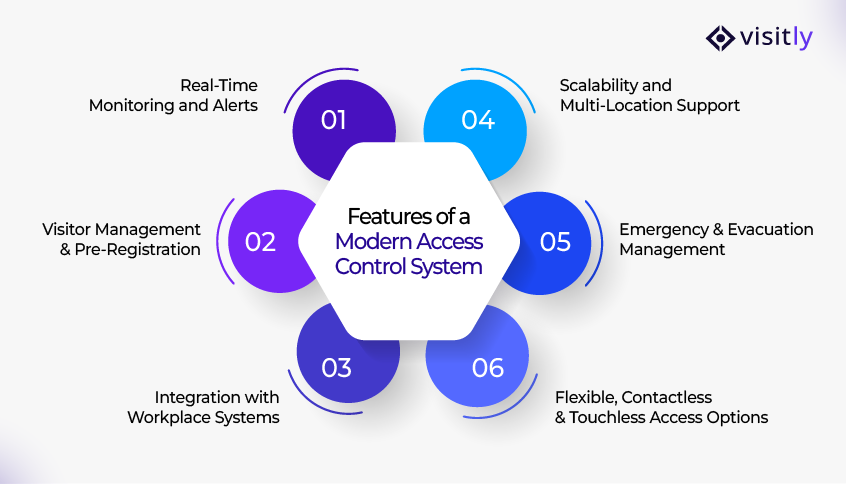
What are the Features of a Modern Access Control System?
The features of a modern access control system are:
- Real‑Time Monitoring and Alerts
- Visitor Management & Pre‑Registration
- Integration with Workplace Systems
- Scalability and Multi‑Location Support
- Emergency & Evacuation Management
- Flexible, Contactless & Touchless Access Options
When adopting an advanced physical access control system, businesses should look for the following key features to ensure they are investing in a scalable, secure, and efficient solution.
Here are the essential features modern offices should expect when adopting an advanced access control system:
1. Real-Time Monitoring and Alerts
What it is:
With real-time monitoring, you can instantly track who enters and exits the building or specific zones within the office.
Key Features:
- Track entry logs to identify who accessed which areas and when.
- Receive live alerts for unauthorized access attempts, tailgating (when someone follows another person into a restricted area), or forced entries.
- Keep audit logs to support compliance and security audits.
2. Visitor Management & Pre-Registration
What it is:
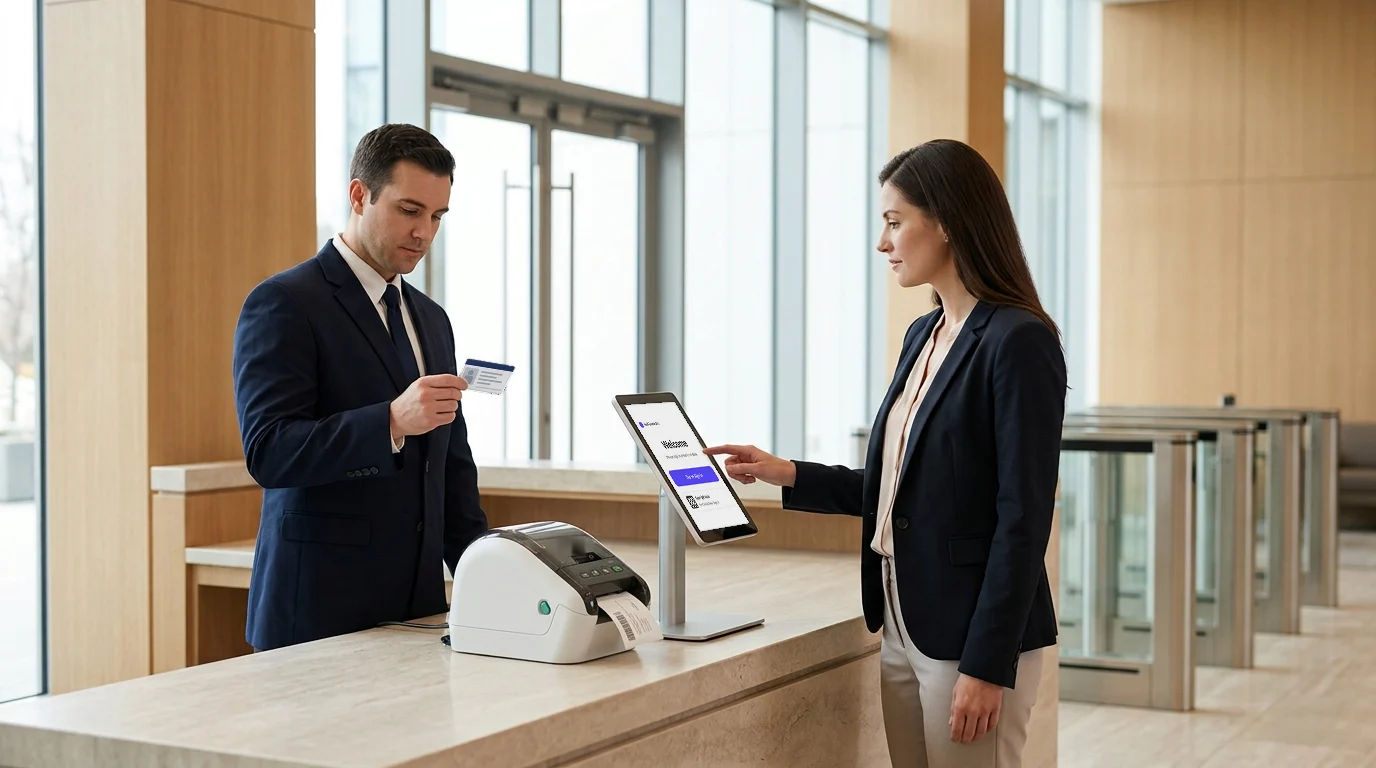
A visitor management system integrates with access control to streamline guest access, enabling smoother operations for both visitors and employees.
Key Features:
- Allow visitors, contractors, and guests to preregister before arriving at the office.
- Enable front-desk staff or hosts to approve or deny entry in advance, reducing wait times.
- Digital sign-in with ID scanning and automated badge generation upon arrival for easier access and identification.
3. Integration with Workplace Systems
What it is:
Integrating your access control system with other workplace management systems ensures a smooth, cohesive operation across all areas of the business.
Key Features:
- Seamlessly integrate access control with HR systems, employee databases, and scheduling tools for automatic updates of access rights.
- Sync employee access rights based on roles, employment status, or time-sensitive access needs.
- Integrate with building management systems to automate door locks, lighting, HVAC, etc., based on office occupancy.
4. Scalability and Multi-Location Support
What it is:
As businesses grow, the need for flexible, scalable access control systems that can easily manage multiple locations or expand as needed also grows.
Key Features:
- Manage access for multiple office locations from a centralized dashboard, saving time and resources.
- Easily add or remove users, modify access zones, or change permissions as the business evolves.
- Modular architecture, allowing upgrades from basic to enterprise-level features as required.
5. Emergency & Evacuation Management
What it is:
A modern access control system is not only about managing daily access but also plays a crucial role in emergency management and evacuation situations, ensuring the safety of everyone in the office.
Key Features:
- Real-time presence tracking of employees and visitors to ensure everyone is accounted for during an emergency.
- Generate evacuation lists or manifests to confirm who is in the building and where they are located.
- Send alerts and block further entries during lockdowns, critical events, or emergencies.
6. Flexible, Contactless & Touchless Access Options
What it is:
Contactless technology for access options provides a seamless, touch-free experience, which is especially important in post-pandemic offices or high-traffic environments where hygiene and convenience matter.
Key Features:
- Support for cardless entry, mobile credentials (NFC/Bluetooth), and biometric authentication (fingerprint or facial recognition).
- Offer touchless entry solutions to reduce physical contact and improve hygiene standards.
- Provide a frictionless access experience that ensures employee convenience while maintaining high security standards.
List of Access Control Systems for Modern Offices
When choosing an access control system for your office, consider options that align with your workplace’s security needs, scalability, and ease of use.
Below is a list of three popular access control systems, highlighting their features, pros, cons, and ideal use cases.
1. Visitly: visitor management that integrates with access control
Overview:
Visitly offers a modern visitor management system that integrates with your access control system and does not control doors itself. The system allows businesses to manage check-in for both visitors and employees, providing a customizable solution for offices of all sizes.
Pros:
- Real-Time Notifications: Instantly alert hosts when a visitor arrives, streamlining the process.
- Customizable Sign-In: Fully customizable to your office needs, including visitor pre-registration, ID scanning, and badge generation.
- Visitor Tracking: Shows who is checked in, at which location and for which host, to improve the visitor management system security.
Cons:
- Focus on Visitor Management: May not be as comprehensive for employee access management compared to enterprise-grade solutions.
- Cloud-Dependent: The system relies on cloud connectivity, which can be an issue if your office has unreliable internet.
Ideal Use Cases:
- Small to Medium Businesses: Offices that need an easy-to-use, customizable solution for handling the visitor check-in process and real-time access monitoring.
- Offices with Frequent Visitors: Ideal for businesses that regularly host contractors, vendors, or clients, ensuring a streamlined and secure check-in system.
2. Envoy Access Control System
Overview:
Envoy is a popular visitor management system that integrates with various physical access control technologies. It is designed to enhance office security by offering seamless visitor registration, badge printing, and notifications.
Pros:
- User-Friendly Interface: Simple, easy-to-use platform with minimal setup required.
- Cloud-Based: Enables access to the system from anywhere, making it ideal for remote management.
- Visitor Experience: Provides a smooth check-in experience with self-service kiosks and mobile apps.
Cons:
- Limited Employee Access Control: Primarily focused on visitor management; may require additional systems for comprehensive employee access control.
- Integration Needs: May require integration with other access control systems for physical security management.
Ideal Use Cases:
- Tech Companies: Ideal for businesses that need robust visitor management alongside their employee access systems.
- Offices with High Visitor Traffic: Perfect for workplaces with frequent external visitors or contractors needing access control and streamlined check-in processes.
3. HID Access Control System
Overview:
HID is one of the leading providers of enterprise physical access control systems, offering comprehensive solutions for large-scale offices with complex security needs. The system provides flexible credentialing and offers a wide range of hardware options, including keycards, fobs, and biometrics.
Pros:
- Highly Secure: Known for its robust security features, including smartcards and biometrics for highly sensitive areas.
- Scalable: Easily scalable to meet the needs of large enterprises with multiple locations.
- Integration with Other Security Systems: Seamlessly integrates with other security systems, including video surveillance and alarm systems.
Cons:
- Costly: Initial setup and ongoing maintenance can be expensive, making it less ideal for small businesses.
- Complex Setup: Can be complex to configure and manage, requiring IT expertise.
Ideal Use Cases:
- Large Corporations: Ideal for enterprises with multiple office locations, needing a high level of security for both employees and visitors.
- High-Security Areas: Businesses in sectors like finance, healthcare, or government, where sensitive data and areas must be protected.
How to Choose the Right Access Control System for Your Business?
Here are the key factors to consider when evaluating and selecting the right system for your business:
1. Security Needs
The first step in choosing the right access control system is to assess the specific security risks your office faces. Different offices have different security concerns.
For instance, a financial institution may have stricter requirements for securing sensitive data and limiting access to restricted areas. At the same time, a tech company may focus more on controlling access to sensitive intellectual property.
Ask yourself:
- Do you need access restrictions for specific areas of your office?
- Are you dealing with high levels of sensitive data?
- Are there high-profile visitors, contractors, or personnel that need additional clearance?
- Once you have identified the risks, you can choose a system that aligns with these needs, such as biometric systems for highly restricted areas or RFID-based systems for broader access management.
2. Scalability
As your company grows, your access control system should grow with it. Look for a scalable system—one that can easily handle the addition of new users, new locations, or expanded areas without requiring a complete overhaul.
- Does the system allow you to add users or assign new access levels without additional hardware?
- Can you integrate the system with other security features, such as surveillance cameras or alarms, to enhance protection?
- Can the system support multiple office locations, remote workers, or satellite offices as your business expands?
3. Cost-Effectiveness
Total cost of ownership is an essential factor in choosing an access control system. This includes both the initial installation costs and the ongoing maintenance expenses.
- Installation Costs:
- How much will it cost to install the system across your offices?
- Some systems, such as biometric systems, may have a higher upfront cost, while others, such as keycard-based systems, may be more affordable.
- Consider your budget and whether the investment is justifiable based on the level of security required.
- Maintenance Costs:
- After installation, what are the ongoing maintenance requirements?
- This includes software updates, hardware repairs, and user management.
- Some systems are cloud-based, reducing the need for physical maintenance, while others require more frequent servicing.
4. Compliance
In many industries, there are strict regulations around access control and data protection. Whether it’s protecting financial records, healthcare data, or classified information, the right access control system will help ensure your company stays compliant with industry regulations, such as:
- HIPAA (Healthcare): If you’re in healthcare or managing patient data, ensuring physical access control to sensitive areas is essential for compliance.
- GDPR (General Data Protection Regulation): Businesses dealing with European customers must ensure they have adequate controls in place to prevent unauthorized access to personal data.
- PCI-DSS (Payment Card Industry Data Security Standard): For businesses handling payment card information, physical security is essential to protecting cardholder data.
How Visitly Enhances Your Office Security and Access Management?
Having a reliable and seamless physical access control system is crucial for maintaining security while ensuring convenience.
Visitly elevates your office’s security by seamlessly integrating with existing systems, offering a range of advanced features that improve access management.
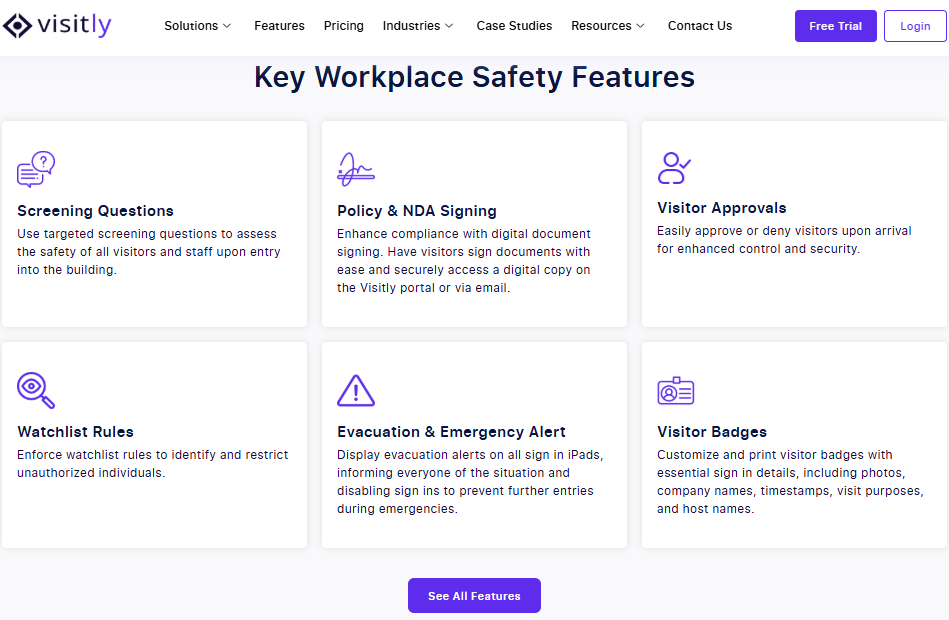
Here’s how Visitly enhances explicit security and efficiency:
1. Seamless Integration with Access Control Systems
- Visitly effortlessly integrates with existing access control systems, including keycards, biometrics, and mobile-based solutions.
- It ensures real-time syncing between visitor data and physical security systems, ensuring authorized access and reducing manual intervention.
2. Instant Notifications for Hosts and Security Personnel
- As soon as visitors check in, Visitly sends real-time alerts to designated hosts, providing immediate visibility into guest arrivals.
- Security teams are instantly notified of unauthorized access attempts or security breaches, helping them respond quickly.
3. Emergency Response and Evacuation Management
- Real-time presence tracking ensures you have up-to-date information on all employees and visitors, which is crucial during emergencies.
- Visitly generates instant evacuation lists, ensuring no one is left behind in an emergency.
- When an evacuation is started in Visitly, the kiosk stops new check-ins. Visitly does not lock doors.
4. Compliance with Regulatory Standards
- Visitly supports your compliance with security regulations by requiring visitors to sign NDAs and safety waivers and answer screening questions before entering.
- Digitizing these processes reduces human error and streamlines your compliance documentation.
5. Contactless and Efficient Visitor Management
- Visitly eliminates the need for physical sign-ins, replacing them with a digital visitor management system via mobile or ID scanning, improving security and hygiene.
- The system generates automated badges upon visitor arrival, ensuring smooth, efficient access.

Closing Thoughts
Modern offices are evolving rapidly, and so is the need for robust physical access control systems. By embracing the latest advancements in physical access control systems, businesses can not only enhance security but also streamline access management, increase employee convenience, and ensure compliance with industry regulations.
To summarize, here are the key takeaways:
Key Takeaways:
- Improved Security: Modern access control systems ensure only authorized individuals enter, reducing security risks.
- Efficiency Boost: Streamline employee and visitor access management with seamless integrations.
- Cost-Effectiveness: Save on maintenance and avoid the costs of traditional security methods.
- Compliance: Ensure adherence to regulations like GDPR and HIPAA.
- Scalable Solutions: Easily expand as your business grows, adding locations or employees without hassle.
Ready to elevate your office security and streamline access management?
Contact Visitly to explore how our Visitor Management System integrates seamlessly with your access control systems to ensure smooth, secure check-ins, real-time notifications, and efficient visitor tracking.
Start today and experience the future of office security—Check in Smart. Check in Fast. Check in with Visitly. It supports your compliance processes with signed documents and a record of every visit.
FAQs
What is a physical access control system?
A physical access control system (PACS) decides who can open which doors, and when. People present a credential such as a card, phone or fingerprint at a reader; a controller checks it against the rules and releases the lock. The software keeps a log of every attempt, which security teams use for investigations and audits.
What are the components of a physical access control system?
A physical access control system has five parts: credentials, readers, door controllers, locking hardware and management software. The credential identifies the person, the reader passes it to the controller, and the controller checks permissions and signals the lock. The software is where administrators set schedules and access groups and review the event log.
Which credential type is right for an office: key card, mobile or biometric?
Key cards suit most offices because they cost little per person and work with nearly every reader. Mobile credentials remove card handling and can be issued or revoked remotely. Biometrics tie access to the person and suit high-security rooms, but they bring privacy obligations. Many offices mix them: cards or phones at the perimeter, biometrics on sensitive doors.
How much does a physical access control system cost?
Cost is driven by the number of doors, so ask for a per-door quote. Each door needs a reader, a controller port, locking hardware and cabling, plus installation labor. On top comes a software license, often an annual subscription for cloud systems. Older buildings cost more to wire. Get quotes from two integrators for the same door list.
Does a physical access control system manage visitors?
Not well on its own. A PACS is built for people who hold a standing credential, while visitors need identity checks, screening, signed documents and a host. A visitor management system does that work and then passes the approved visit to the PACS. Visitly integrates with Genetec Security Center, Brivo, LenelS2 Netbox, Kisi and C CURE 9000, and does not control doors itself.
Which compliance frameworks expect physical access control?
Several do. HIPAA's Security Rule includes facility access controls, PCI DSS restricts physical access to cardholder data, and ISO 27001, SOC 2 and CMMC all include physical security requirements. None names a product; they ask you to limit entry, log it and review the logs. Your compliance lead or auditor decides which controls apply to your sites.