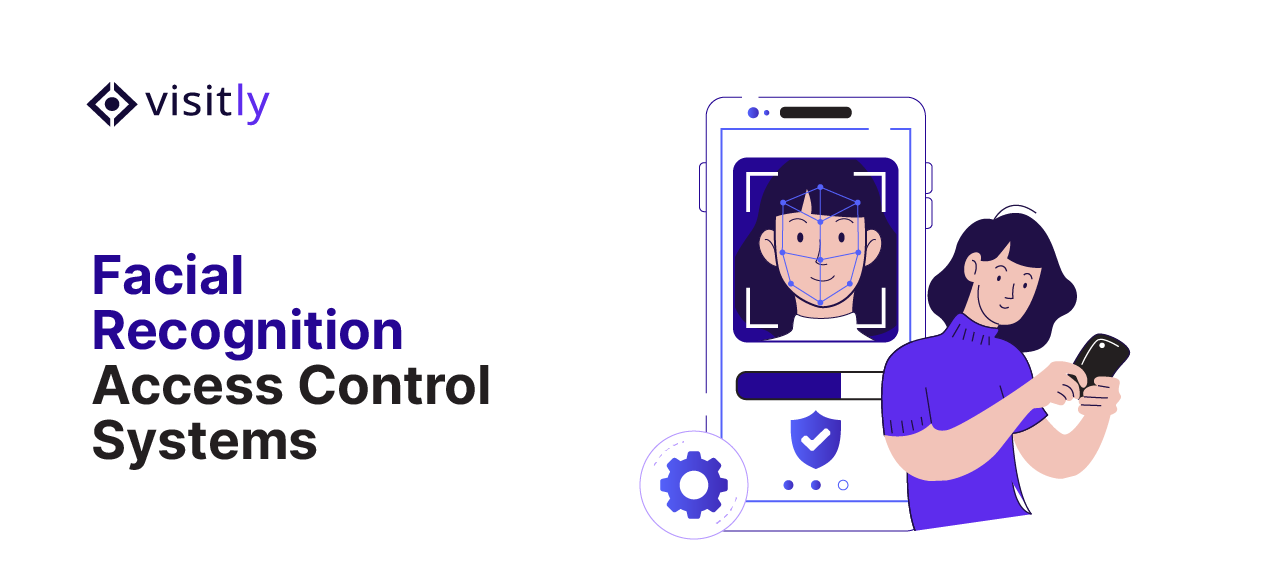
Facial recognition access control is moving from high-security government facilities into mainstream enterprise environments.
Offices, healthcare institutions, manufacturing plants, BFSI organizations, and data centers are increasingly replacing cards, badges, and PIN-based systems with biometric authentication. Additionally, they pair it with visitor management systems that enforce security and compliance at every entry point.
But the buying criteria have changed.
Today, enterprises are not just asking, “Does a facial recognition system improve access security?”
They are asking:
- Is biometric data encrypted, stored securely, and compliant with GDPR, CCPA, and BIPA?
- Can the system support audit trails, visitor tracking, and real-time access monitoring?
- Will it integrate with existing security management systems and identity platforms?
- Does it reduce unauthorized access and tailgating without slowing operations?
That shift matters because poorly implemented facial recognition security creates compliance exposure, biometric privacy risks, and visitor governance failures that legacy access systems were never designed to handle.
This guide compares six facial recognition access control systems designed for compliance-conscious enterprises, evaluating security and compliance readiness, visitor management features, and operational scalability.
What are the 6 Facial Recognition Access Control Systems for Security and Compliance?
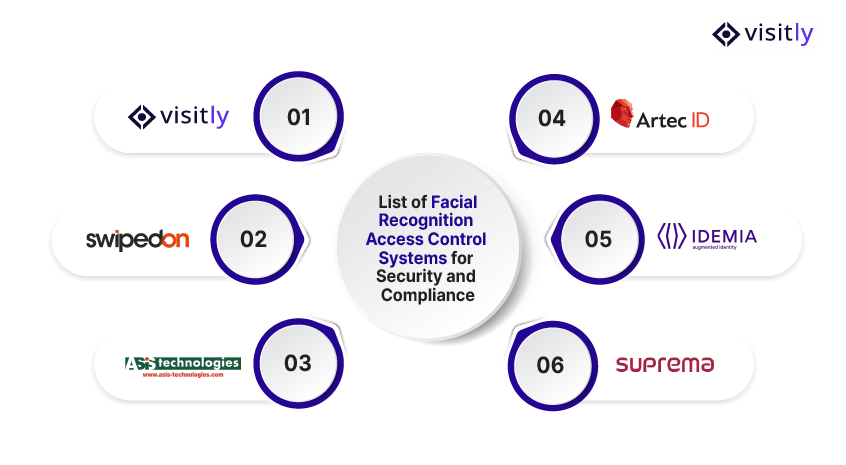
The 6 facial recognition access control systems for security and compliance are:
1. Visitly
2. SwipedOn
3. ASIS Technologies
4. Artec ID
5. IDEMIA
6. Suprema
1. Visitly
Visitly is a compliance-first digital visitor management system that transforms enterprise front desks into secure, audit-ready check-in environments.
It manages the full visitor lifecycle, from visitor pre-registration and identity verification to real-time host alerts and departure logging, without requiring visitors to download an app.
Designed for enterprises operating across multiple locations, Visitly combines facial recognition at check-in with structured visitor governance workflows that satisfy both operational and regulatory requirements. It integrates with your access control system and does not control doors.
Key Facial Recognition and Compliance Capabilities
- Facial recognition-powered check-in that identifies returning visitors and flags watchlisted individuals in real time.
- ID scanning with identity verification at the point of entry
- Custom visitor screening questions tailored to site-specific security and compliance requirements
- Digital document signing for NDAs, safety waivers, and compliance acknowledgments at check-in
- Bulk pre-registration for contractors, vendors, and large visitor groups
- Real-time host emergency notifications via SMS and email, the moment a visitor checks in
- Audit-ready visitor logs with timestamped entry and exit records for regulatory review
- Workplace safety workflows, including health screening and emergency evacuation lists
- GDPR and SOC 2-aligned data handling with defined data retention and deletion controls
- iPad visitor sign-in system with a fully customizable interface; no hardware overhaul required
Best Fit For
- Enterprise corporate offices managing high visitor and contractor volume
- Healthcare facilities requiring documented visitor screening and compliance trails
- Manufacturing and R&D facilities with restricted access zones
- Multi-tenant buildings needing centralized visitor governance across floors or units
- Organizations in regulated industries where visitor auditability is a compliance requirement
Where Visitly Stands Out:
Visitly is the only system in this list that combines facial recognition with a purpose-built visitor and contractor management platform.
While other systems focus on employee access control, Visitly governs the entire visitor lifecycle, from pre-arrival screening to post-visit audit logs. This makes it the strongest choice for enterprises where visitor management compliance is as critical as perimeter security.
It’s no-app-required experience reduces friction for external visitors while maintaining the documentation standards that regulated industries demand, with pricing plans from $1,000 per location per year.

2. SwipedOn
SwipedOn is a workplace visitor and employee sign-in platform designed for straightforward front-desk digitization. It replaces paper sign-in books with a touchless, iPad-based check-in experience suited to SMBs and mid-market organizations.
Key Facial Recognition and Compliance Capabilities
- Touchless visitor check-in with screening question workflows
- Visitor logs with basic audit trail support.
- Workplace safety features, including emergency evacuation lists
- Employee in/out tracking and desk management
Best Fit For
- Small to mid-sized businesses are digitizing front desk operations
- Offices with straightforward visitor management needs
- Organizations that do not yet require enterprise-grade biometric security.
Limitations to Consider
SwipedOn’s facial recognition depth is limited compared to enterprise-grade systems. It is primarily a visitor sign-in tool rather than a full access control platform. This makes it less suitable for regulated industries requiring advanced biometric compliance, identity verification, or multi-location access governance.
3. ASIS Technologies
What ASIS Technologies Does
ASIS Technologies delivers enterprise physical security solutions with a focus on identity and access management. It is designed for large organizations that need to converge physical security infrastructure with centralized access governance.
Key Facial Recognition and Compliance Capabilities
- Enterprise identity and access management integrations
- Physical security convergence across multiple zones and facilities
- Centralized access monitoring and audit support
- Role-based access governance for high-security environments
Best Fit For
- Large enterprises and government facilities
- High-security environments requiring physical and digital security convergence
- Organizations with complex, multi-zone access control requirements
Limitations to Consider
ASIS Technologies is positioned primarily as a security standards and integration platform rather than a standalone facial recognition access control product. Organizations seeking a deployable, out-of-the-box biometric system with built-in visitor management will need to evaluate additional tooling alongside it.
4. Artec ID
Artec ID specializes in 3D biometric authentication, offering contactless identity verification with industry-leading anti-spoofing technology. It is built for high-security environments where accuracy and liveness detection are non-negotiable.
Key Facial Recognition and Compliance Capabilities
- 3D facial recognition with high-accuracy biometric matching
- Liveness detection to prevent spoofing via photos or masks
- Contactless authentication adaptable to varied lighting and environmental conditions
- Biometric data encryption with identity verification at the hardware level
Best Fit For
- High-security facilities and restricted R&D zones
- Enterprises requiring spoof-resistant biometric authentication
- Sensitive environments where false positives carry significant risk
Limitations to Consider
Artec ID’s strength lies in biometric hardware accuracy, not in visitor management or compliance workflow automation. Enterprises needing audit trails, visitor screening, or contractor governance will require additional platforms to complement Artec ID’s access control layer.
5. IDEMIA
IDEMIA is a global biometric identity solutions provider delivering facial recognition access control at government and enterprise scale. It supports high-volume authentication across large, distributed deployments with a strong compliance and encryption foundation.
Key Facial Recognition and Compliance Capabilities
- AI-powered biometric matching with government-grade accuracy
- Advanced biometric data encryption and identity governance
- Centralized audit logs across large-scale deployments
- Multi-modal biometric support, including face and fingerprint
Best Fit For
- Airports, government institutions, and critical infrastructure
- Large corporate campuses requiring centralized biometric governance
- Enterprises with high-volume authentication demands across multiple locations
Limitations to Consider
IDEMIA is engineered for large-scale government and enterprise deployments, making it a complex, resource-intensive solution for mid-sized organizations. It does not offer native visitor management or front-desk compliance workflows out of the box.
6. Suprema
Suprema delivers AI-based biometric access control with edge processing, designed for smart offices and enterprise campuses that require fast, touchless authentication at scale without a centralized server dependency.
Key Facial Recognition and Compliance Capabilities
- AI-based facial recognition with edge processing for low-latency authentication
- Touchless access control across high-traffic entry points
- GDPR-compliant biometric data storage with defined retention controls
- Centralized monitoring and distributed access control management
Best Fit For
- Smart offices and enterprise campuses with high foot traffic
- Organizations requiring distributed access control with centralized oversight
- Healthcare and BFSI environments with strict biometric compliance mandates
Limitations to Consider
Suprema’s platform is focused on access control and does not natively support visitor management, contractor screening, or front-desk compliance workflows. Enterprises managing external visitor governance alongside employee access will need a dedicated visitor management system, in addition to Suprema’s deployment.
How Does a Visitor Management System With Facial Recognition Improve Compliance?
A touchless visitor management system with facial recognition improves compliance through the following:
- Stronger Visitor Identity Verification
- Better Audit Trails and Compliance Reporting
- Reduced Tailgating and Unauthorized Access
A digital visitor management system with facial recognition closes the compliance gaps that badge-based and manual sign-in systems were never designed to address. This turns visitor governance from a manual process into a documented, enforceable workflow.
1. Stronger Visitor Identity Verification
Traditional sign-in systems rely on self-reported information. Facial recognition replaces assumption with verified identity at the point of entry.
- Biometric check-in confirms visitor identity in real time, eliminating credential sharing and impersonation
- ID scanning cross-references government-issued identification against pre-registration data before access is granted
- Watchlist screening flags restricted individuals automatically, without front desk intervention
- Every entry generates an auditable identity record, not just a name on a paper log
2. Better Audit Trails and Compliance Reporting
Regulated industries need documented proof that access was controlled, screened, and recorded, not just secured.
- Timestamped entry and exit logs attach a verified identity record to every visitor interaction
- Digital document signing creates a legally defensible record of NDAs, safety briefings, and compliance declarations
- Audit-ready reports are generated on demand for regulatory inspections without manual data compilation
- Data retention and deletion controls keep biometric records compliant with GDPR, CCPA, and BIPA
3. Reduced Tailgating and Unauthorized Access
Tailgating is one of the most common and hardest-to-detect physical security failures. Facial recognition addresses it at the point of entry.
- Real-time biometric authentication ensures every individual is verified independently, not just the first person to badge in
- Unrecognized entry attempts trigger immediate alerts to security or front-desk staff
- Visitor movement is restricted to pre-approved zones, preventing lateral access into restricted areas
- Contractor and vendor workflows apply the same verification standard to non-employee access
Which Facial Recognition Access Control System Is Right for Your Business?
Not every facial recognition access control system is built for the same environment. The right choice depends on three factors: how complex your security requirements are, how seriously compliance is weighted in your procurement process, and whether the system can scale with your operations.
1. Choose Based on Security Complexity
- Basic workplace access
- Enterprise visitor management system
- High-security biometric authentication
| Security Need | Recommended System |
|---|---|
| Basic workplace visitor access | Visitly |
| Enterprise visitor management and compliance | Visitly |
| Contractor and vendor access governance | Visitly |
| Physical security and enterprise integration | ASIS Technologies |
| Advanced 3D biometric authentication | Artec ID |
| AI-powered touchless access control | Suprema |
| Large-scale government or campus deployment | IDEMIA |
2. Evaluate Compliance Before Features
- Privacy controls
- Data handling
- Audit support
- Regulatory alignment
3. Consider Operational Scalability
- Multi-site support
- Visitor volume
- Contractor workflows
- Integration requirements

Closing Thoughts
Facial recognition access control has moved beyond physical security; it is now a compliance, auditability, and operational decision that directly impacts how enterprises manage risk.
The strongest systems do more than authenticate identity. They help organizations:
- Reduce unauthorized access
- Improve visitor governance
- Strengthen compliance readiness
- Simplify workplace operations
- Scale security across distributed environments
For enterprises that need to combine secure workplace access with compliance-ready visitor management, Visitly delivers exactly that: purpose-built visitor governance, contractor management, and audit-ready workflows in a single, frictionless platform.
Ready to see how Visitly can transform your front desk into a security and compliance asset?
Book a free demo today and experience a smarter, safer workplace access from day one.
FAQs
What is facial recognition access control?
Facial recognition access control is a physical security method that verifies a person by matching a live image of their face against an enrolled template before a door, turnstile or check-in step lets them through. It replaces or backs up badges, PINs and access cards, and each match or rejection is written to an access log the security team can review.
Are facial recognition access control systems compliant with privacy regulations?
Not on their own: whether a deployment meets privacy law depends on how the organization runs it. Laws such as GDPR and the Illinois Biometric Information Privacy Act treat face data as sensitive and generally call for notice, consent or another lawful basis, and a retention and deletion policy. Your compliance lead or counsel decides what applies at each site.
How does facial recognition improve visitor management?
It shortens check-in for people who visit often and adds a screening step at the kiosk. Visitly, for example, recognizes returning visitors so they do not re-enter their details, and its facial recognition also matches visitors against your watchlist. First-time visitors still go through photo capture, ID screening and document signing. Each visit is recorded in the audit log.
What is the difference between a biometric door reader and a visitor management system with facial recognition?
A biometric door reader decides whether an enrolled person may open a door, and a visitor management system decides whether a visitor should be on site at all. Readers mostly serve employees who are enrolled once. Visitly is a visitor management platform: it screens, badges and logs visitors, and integrates with access control systems such as Genetec, Brivo and LenelS2 Netbox.
What features should you look for in a facial recognition access control system?
Look first for liveness detection, so a photo or mask cannot pass as a person. After that, check that face templates are encrypted, that consent is captured and logged, that retention periods are configurable, that every match is written to an audit log, and that the system connects to the access control platform your sites already run.
What should a security team do before deploying facial recognition at its sites?
Start with a privacy impact assessment led by your compliance lead or counsel, because biometric rules differ by state and country. Then decide who is enrolled, how consent is recorded, how long templates are kept and what the alternative is for people who decline. Pilot at one site before rolling out to every location.