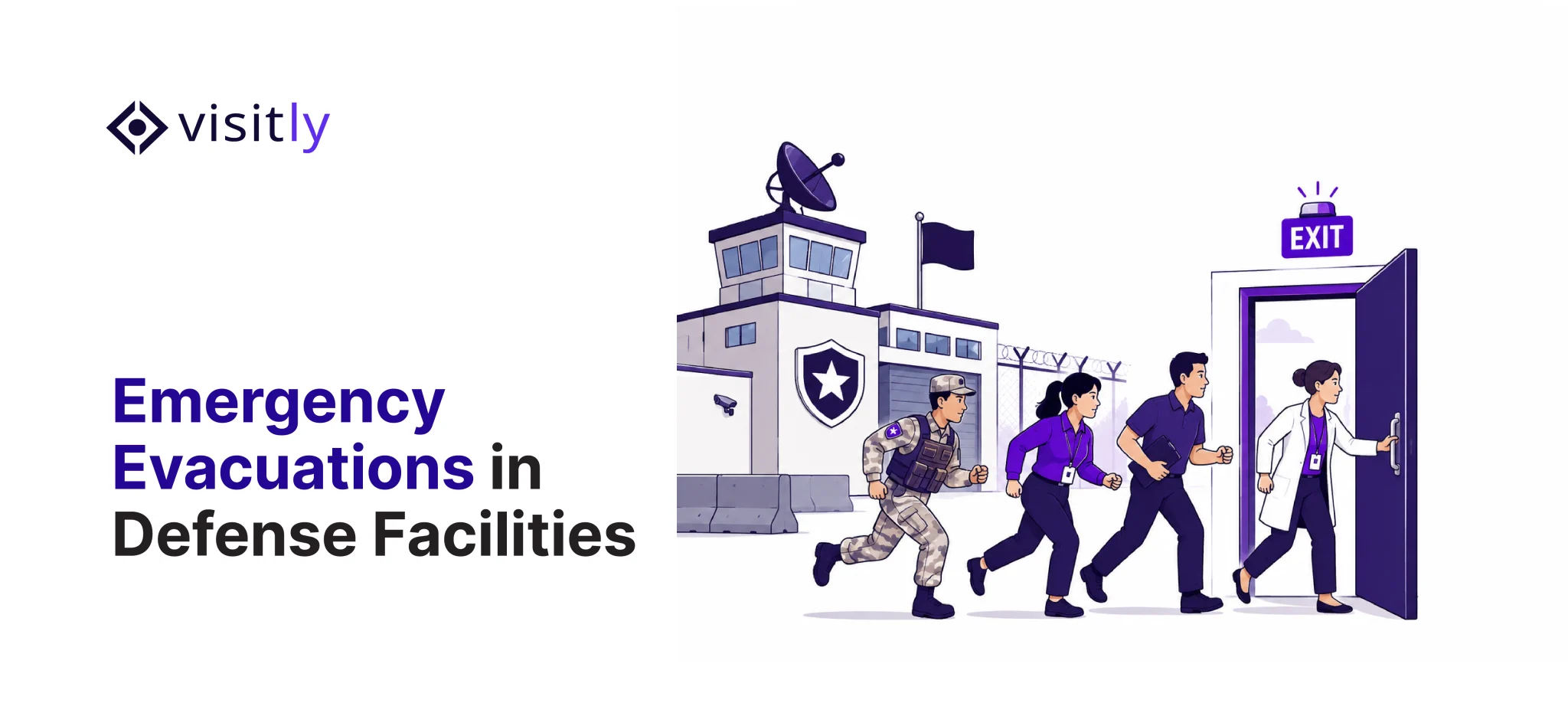
The alarm goes off. Your team has 60 seconds to answer one question: Who is inside right now?
If you rely on paper sign-ins, you’ll miss check-outs, lose pages, and waste time reading handwriting. That delay can turn into a real risk.
In the US, according to reports, non-residential structure fires reached 119,500 in 2024. And workplace incidents can escalate to violent acts, causing 740 workplace fatalities in 2023, per OSHA’s summary of BLS data. OSHA also emphasizes the need for rapid, accurate accounting in evacuation planning.
So, what is a visitor’s log monitoring system in emergencies?
A visitor log monitoring system is visitor log-in software that becomes your live visitors monitoring system and visitor tracking system during an incident—supported by a clear logging and monitoring policy and tied into a visitor management system access control where needed.
- Real-time onsite roster (visitors + contractors)
- One-click export for responders
- Visitor notification system with escalation
- Role-based access + audit trail
- Incident timeline reporting for audits
This blog will help you shortlist a visitor’s log monitoring system that holds up in real emergencies. You’ll learn the 5 best visitor log systems to demand (live rosters, rapid exports, alerts, audit trails, and access control alignment) and how these tools approach emergency readiness. With that foundation, let’s examine each system in detail.
So, let us start!
What are the 5 Visitors Log Monitoring Systems During Emergencies?
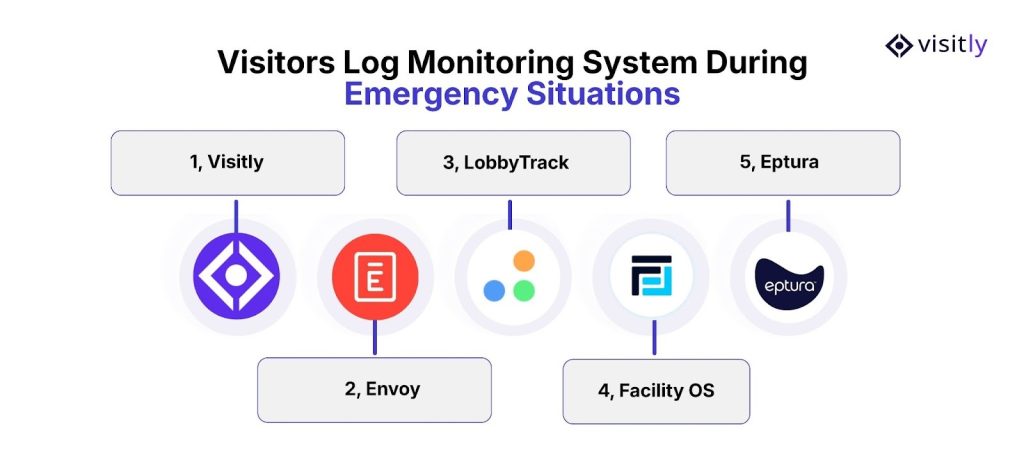
The 5 visitors log monitoring systems during emergencies are:
1. Visitly
2. Envoy
3. Lobbytrack
4. FacilityOS
5. Eptura
The best visitor log monitoring systems provide real-time tracking, instant access to evacuation lists, and automated notifications, enabling quick decision-making.
Let us explore the best visitor tracking system and visitor monitoring system for effectiveness.
1. Visitly
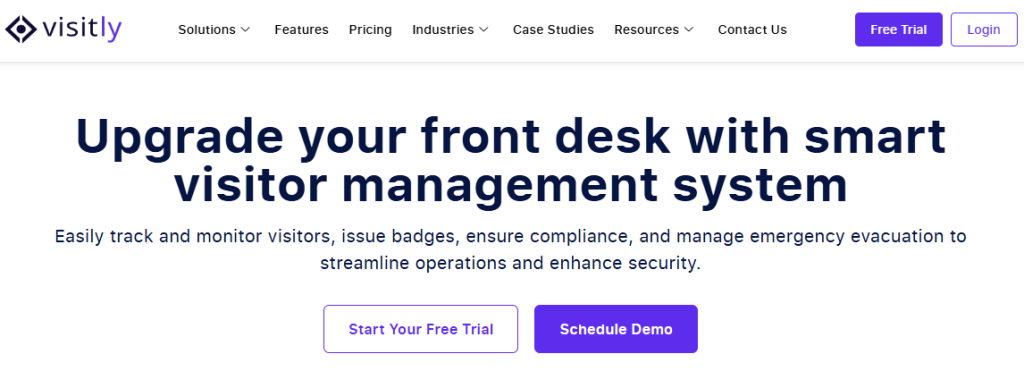
Visitly is a modern visitor log-in software built for fast visitor check-in processes and clean, searchable logs. It helps you run a tighter visitors log monitoring system when things get chaotic.
It focuses on structured check-in data, quick identity capture, and instant host updates—so your team can pull an accurate on-site roster during emergency management.
Visitly targets workplace safety and compliance, including emergency evacuation support on its management pages.
Emergency + evacuation features:
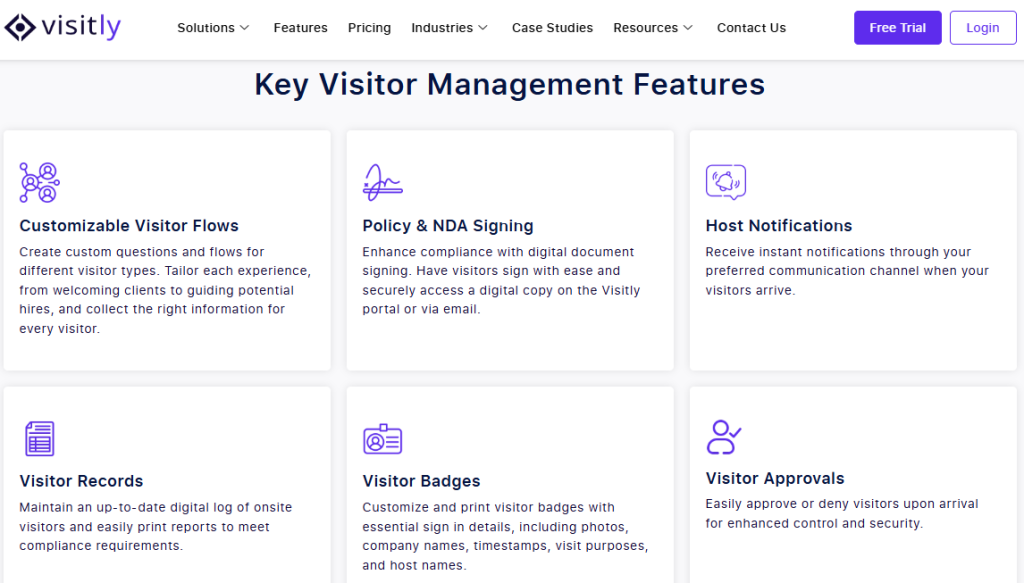
- Live, structured visitor log (no handwriting, no missing pages).
- Visitor pre-registration and bulk workflows are available.
- ID scans for quick identity verification and accurate logs.
- Auto sign-out reduces ghost visitors.
- Visitor approvals and watchlist rules for higher-risk sites.
- Digital document signing for policy and audit requirements.
- Real-time emergency notifications so hosts can respond fast during incidents.
- Security standards or controls, like approvals/watchlists.
- Supports visitor monitoring and emergency evacuation management.
Pros
- Strong for data quality (ID scans + structured check-in and check-out system), which improves roster accuracy.
- Built for enterprise scale (mentions SSO, bulk pre-reg, and scalable workflows).
- Clean foundation for a defensible logging and monitoring policy (digital signing + consistent records).
Watch-outs
- Verify how fast you can generate an incident-ready export (filters by location, visitor type, and time window).
- If you need deep “mass notification orchestration,” confirm whether you’ll rely on a dedicated visitor notification system layer alongside Visitly.
Best suited for
- Enterprises and regulated teams that want a reliable visitor log system with strong front-desk controls and security/compliance posture.
Alt text: Discover how next-level visitor log systems can transform your emergency preparedness.
2. Envoy
Envoy is ideal for teams that want emergency readiness tied to real-time occupancy and rapid communication. Its Emergency Notifications feature displays a list of on-site employees and visitors and lets teams send alerts across multiple channels in a few clicks. That’s useful when your visitor notification system matters as much as the log itself.
Envoy also provides real-time visibility for employees, visitors, and contractors across industries such as manufacturing, supporting evacuation accountability and rapid decision-making.
Features (emergency-relevant)
- Emergency Notifications: shows a list of employees and visitors onsite, + send alerts across multiple channels.
- Emphasis on live logs / real-time tracking as a core input to emergency response planning.
Pros
- Strong fit if emergency comms is your priority: occupancy + alerting in one flow.
- Clear narrative for safety teams: “know who’s on-site, notify fast.”
Watch-outs
- Verify visitor + contractor handling for your reality: multi-tenant buildings, vendor-heavy sites, and multi-site rollups.
- Confirm export formats and audit evidence (what gets logged when alerts are sent and lists are exported).
Best suited for
- Organizations that want a combined visitor monitoring system and emergency alert workflow, especially where fast communication matters most.
3. Lobbytrack
Lobbytrack leans into evacuation execution. It promotes a Guard App that enables security to view real-time visitor activity and manage evacuations using a live on-site list. You can maintain a real-time roster, break it down by location, and use it during an evacuation.
Lobbytrack offers emergency alerts with mass notifications, multi-channel and location-based alerts for efficient tracking under pressure.
Features:
- Manage Evacuation with real-time lists for visitors, employees, and contractors; filter by location/entry point.
- Emergency alerts with clear instructions + communication logs (per their emergency alert system page).
- The ability to generate evacuation reporting is referenced in third-party product documentation for their desktop product.
- Also lists “Control Access” and “Manage Evacuation” among key product features.
Pros:
- Very direct emergency feature: evacuation list on a phone (guard-friendly).
- Location filtering helps multi-entry facilities reduce confusion.
- Maintains a record of emergency communications (useful for reviews).
Watch-outs
- Verify audit readiness: exports, retention controls, and role permissions (security vs compliance access).
- Confirm how well it handles enterprise needs, such as SSO/directory services or multi-site governance (if required).
Best suited for
- Sites that want a practical visitor tracking system built around security staff workflows and evacuation accountability.
4. FacilityOS
FacilityOS (EmergencyOS) focuses on mass communication and status visibility during incidents. It positions its mass notification capability to instantly alert everyone on-site—employees, visitors, and contractors—via SMS and email.
It also highlights real-time status updates and automated tracking, so incident leads can see who received messages and track safety status during response. This works well when your biggest risk is slow communication and fragmented roll calls across teams or sites.
Features:
- Mass notifications to employees, visitors, and contractors via SMS and email.
- Real-time status updates and automated tracking during events.
Pros
- Strong “broadcast + visibility” approach—useful when your biggest failure mode is communication breakdown.
- Designed around incident operations language (notifications, status, visibility).
Watch-outs
- You still need a high-quality source roster (your visitor log-in software must be accurate). Confirm how EmergencyOS ingests/updates visitor data.
- Verify reporting outputs for compliance (export formats, evidence packs, retention).
Best suited for
- Emergency preparedness teams prioritize the strength of the visitor notification system and operational coordination over the depth of the front-desk workflow.
5. Eptura
Eptura’s visitor stack includes an “Emergency List” feature. It frames this feature as a way to streamline emergency management across multiple locations and to provide responders with an accurate list.
In press coverage, Eptura describes the Emergency List as accessible via a dashboard or mobile app, reducing reliance on manual printed lists and enabling post-emergency reporting to improve future evacuation procedures. If you run multi-site operations and care about structured reporting and process evidence, this positioning can matter.
Features:
- Emergency List feature: trigger evacuation alerts; notify security teams and people in the workplace.
- Broad “workplace ecosystem” integration positioning (visibility + security).
Pros
- Clear emergency workflow anchor: “Emergency List” as the go-to during incidents.
- Fit for enterprises with integrated workplace platforms.
Watch-outs
- Validate how the Emergency List is built (visitor/contractor inclusion, freshness, filtering).
- Confirm audit evidence pack: alert history, list exports, access logs, and retention.
Best suited for
- Regulated, multi-site groups needing visitor management in workplace platforms plus formal emergency workflows.
What Should a Visitor’s Monitoring System Do During an Emergency?
A visitor’s monitoring system should do these things during an emergency:
- Live onsite roster (visitors + contractors)
- Rapid export for the incident team
- Multi-site / zone filtering
- Role-based access and “break-glass” mode
- Activity log for post-incident review
Here’s a checklist of non-negotiable features your visitors’ monitoring system should offer during emergencies:

- Live Onsite Roster
- Rapid Export For the Incident Team
- Multi-Site/Zone Filtering
- Role-Based Access and “Break-Glass” Mode
- Activity Log For Post-Incident Review
1. Live Onsite Roster (Visitors + Contractors)
- Why it’s critical: The ability to instantly identify who is on-site, including contractors and visitors, is essential during emergencies such as fires, intruder alerts, or evacuations. A live roster ensures no one is left behind.
2. Rapid Export for Incident Teams
- Why it’s critical: In an emergency, responders need immediate access to the visitor log. A quick export feature lets incident management teams download an accurate list of all visitors and staff in real time, speeding up response times.
3. Multi-Site / Zone Filtering
- Why it’s critical: For larger facilities with multiple buildings, floors, or departments, filtering by zones or locations is essential. It helps responders know exactly where to focus their efforts, whether it’s clearing specific floors or securing particular areas.
4. Role-Based Access and “Break-Glass” Mode
- Why it’s critical: During emergencies, the ability to access critical visitor information without restrictions is necessary. Role-based access control entry ensures that only authorized personnel can retrieve sensitive data while ensuring that emergency personnel can override these restrictions during a crisis.
5. Activity Log for Post-Incident Review
- Why it’s critical: Once the emergency has passed, it’s important to review what happened. An activity log will record every action taken during the event, from visitor sign-ins to exports and notifications. This data is crucial for compliance purposes and to improve future emergency protocols.
How Does a Visitor’s Tracking System Help Evacuation and Lockdown Workflows?
In an emergency, having a visitor tracking system that can provide immediate, accurate data is crucial for managing evacuation and lockdown scenarios.
Here’s how these systems contribute to smoother, faster, and more organized emergency workflows:
1. Evacuation vs Shelter-in-Place Logic
- Evacuation Logic: In emergencies like fires, knowing who’s onsite and their location helps security direct people to exits. An up-to-date visitor log system tracks entries and exits in real time.
- Shelter-in-Place Logic: In cases such as natural disasters or intrusions, the system provides sheltering instructions and tracks those in safe zones. Filtering visitors by location helps authorities manage who needs to be moved or secured.
2. Muster List and Accountability
- Muster lists track individuals during evacuations to assembly points. With a visitor log monitoring system, you can instantly generate real-time lists to ensure no one is missed. Automated updates eliminate the need for manual checks during emergencies.
3. Last-Known Host/Location Logic
- When integrated with location-based services, the system tracks visitors’ last known locations. This feature helps security locate unaccounted individuals, especially in multi-floor or multi-building facilities.
What Makes a Visitor Notification System Work Under Pressure?
A visitor notification system works under pressure with the following:
- Message templates per incident type
- Host + security escalation
- Two-way confirmation (SAFE / NEED HELP)
- Avoiding alert spam (roles + throttling)
During emergencies, timely and clear communication can make all the difference. Here’s how a well-designed visitor notification system helps during high-pressure situations:
1. Message Templates per Incident Type
Predefined messages allow for immediate communication during incidents (e.g., fire, lockdown, intruder). This reduces delays and ensures the right message is sent quickly for evacuation or sheltering.
2. Host + Security Escalation
If a visitor hasn’t signed out during an evacuation, the host is immediately notified. The system can escalate to security teams if needed, triggering appropriate actions.
3. Two-Way Confirmation
Visitors and employees can confirm their status with a SAFE or NEED HELP response button, ensuring no one is overlooked and helping security prioritize actions.
4. Avoiding Alert Spam
Role-based access and throttling ensure only relevant personnel receive alerts, preventing message overload and allowing security to focus on critical areas.
Closing Thoughts
In emergencies, a visitor log monitoring system becomes your lifeline. To ensure safety and smooth response operations, the system must be equipped with the following capabilities:
- Live onsite roster to know who is in the building, right down to contractors.
- Real-time notifications to keep hosts and security teams informed.
- Logging and monitoring policies to comply with safety regulations.
- Export capabilities for incident teams to quickly access visitor data.
- Role-based access control system to ensure the right people can act when needed.
Visitly stands out as a strong choice for any organization that requires secure, real-time check-ins, accurate rosters, and automated emergency workflows. Its flexibility in integrating visitor log systems with emergency preparedness protocols makes it the ideal solution for compliance and efficiency during critical events.
Ready to experience Visitly in action?
Book a demo today and see how it can elevate your emergency preparedness.
FAQs on Workplace Threats
1. What is a visitor’s log monitoring system?
A visitor’s log monitoring system is digital visitor log-in software that tracks who enters and exits your facilities. It replaces manual visitor logs with real‑time data, enabling accurate headcounts, improved insight into the visitor tracking system, and faster incident response during emergencies.
2. How does a visitor’s monitoring system support emergency evacuation?
A modern visitors monitoring system provides a real‑time onsite roster, live occupancy updates, and an automated visitor notification system. This speeds up evacuation, ensures accountability, and helps responders verify who is inside and who has exited safely.
3. Why is the logging and monitoring policy important in emergency plans?
A logging and monitoring policy outlines how visitor data is collected, stored, and used during incidents. It ensures your visitor log system complies with regulations, protects privacy, and provides a reliable audit trail for post‑event review and regulatory reporting.
4. How does visitor management system access control improve safety?
Integrating a visitor management system and access control ensures that only authorized visitors gain entry and allows security teams to correlate access points with evacuation needs. This tightens site security and enhances emergency preparedness and accountability.
5. Can a visitor notification system improve emergency communication?
Yes. A robust visitor notification system automatically sends timely alerts to visitors, hosts, and security teams in emergencies. It supports real‑time tracking, reduces confusion, and helps direct people to muster points or safe zones efficiently.