


We’ve heard it a million times – first impressions matter.
But did you know that a clunky visitor check-in process can leave 75% of visitors frustrated before they even step inside?
Thus, businesses aiming to boost workplace efficiency now see visitor management systems as essential tools.
The growing importance of secure, seamless, and efficient check-ins for visitors, employees, and contractors boils down to three key reasons:
- Enhanced workplace security to protect people and data.
- Improved security and compliance with regulations and protocols.
- A better visitor experience that leaves a lasting positive impression.
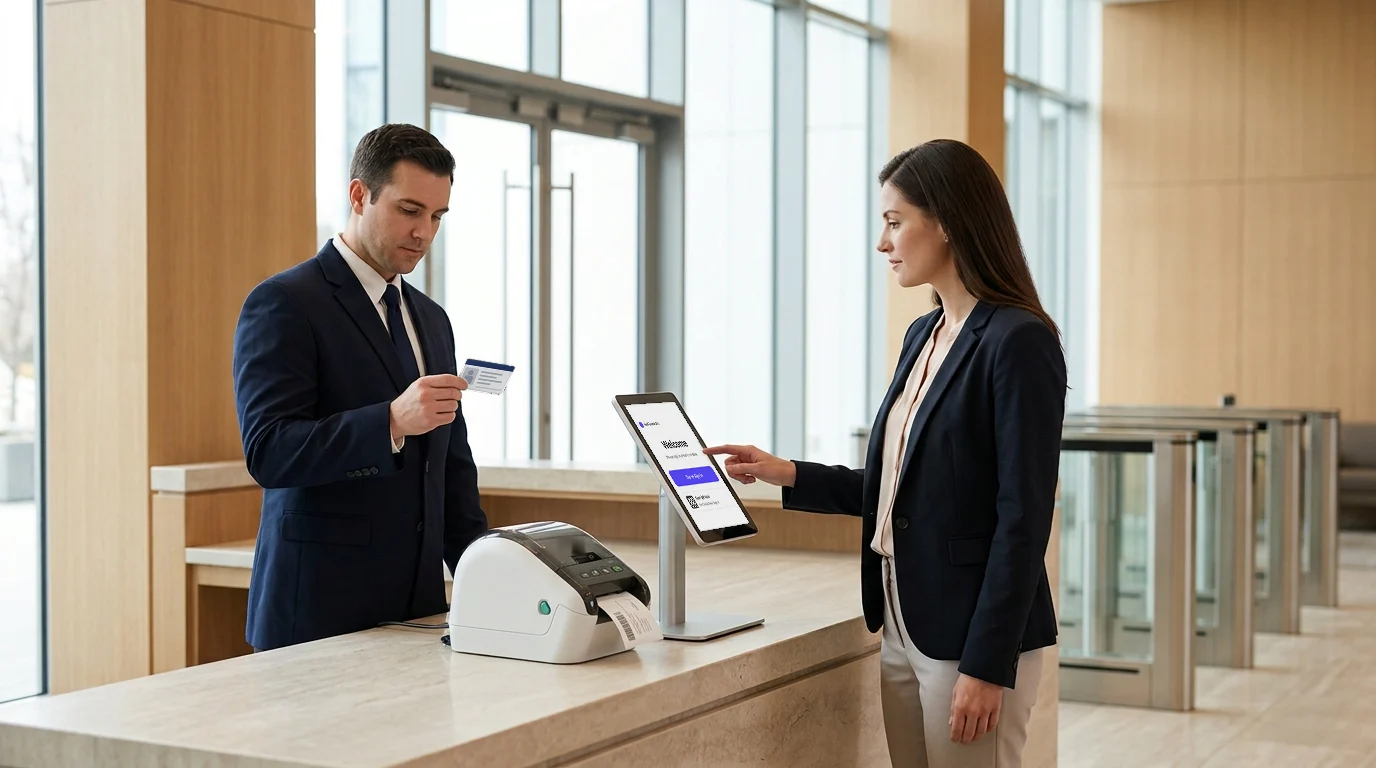
For instance, imagine a client arriving at your office and gliding through a sleek, digital visitor management system that prints a personalized badge while notifying their host.
How professional does that sound? Pretty impressive, for sure!
Beyond convenience, a visitor management system also plays a crucial role in mitigating workplace threats by keeping unauthorized individuals out and ensuring a secure environment.
In this blog, we’ll cover the top 5 visitor management systems in the US to help you choose the right one for your needs.
Let’s get started!
List of the Best Visitor Management Systems
A smooth office check-in process sets the tone for a professional and secure environment. With workplace safety being a top priority, businesses are turning to advanced solutions for seamless visitor tracking.
Here’s the complete guide to the five top visitor management systems that enhance security, efficiency, and compliance.
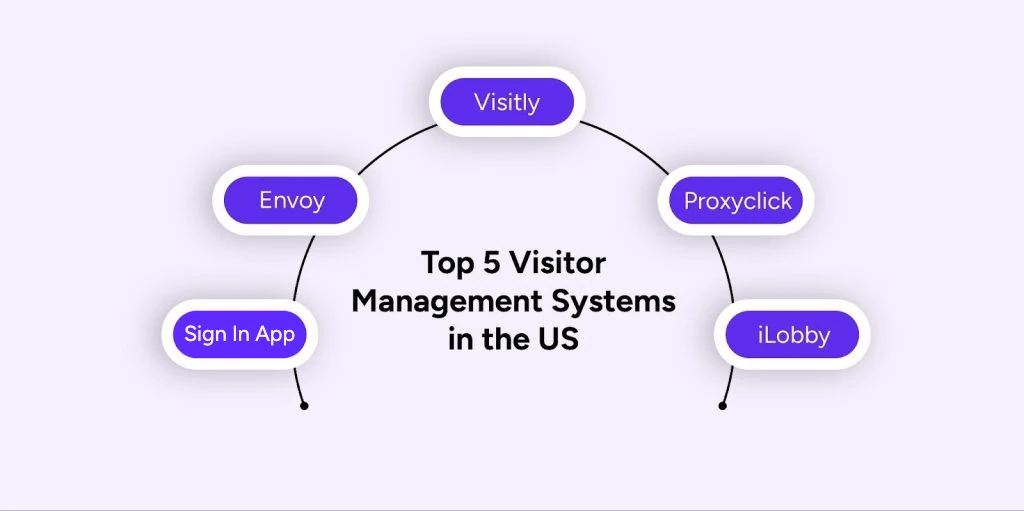
The 5 best visitor management software in the US for 2026 are:
- Visitly
- Envoy
- Sign In App (SwipedOn, The Receptionist, Sign In Solutions)
- Proxyclick
- iLobby
- Visitly
Visitly is one of the best visitor management systems in the United States. It is a safe and secure solution that makes check-in easier for guests, contractors, and workers.
Visitors are not required to download anything to check in. They can simply use the given tablet or kiosk for a smooth sign-in process. They can sign in using their smartphone by scanning the QR code on the kiosk.
Visitly also serves as:
- Visitor management system for hospitals
- Best visitor management system for schools
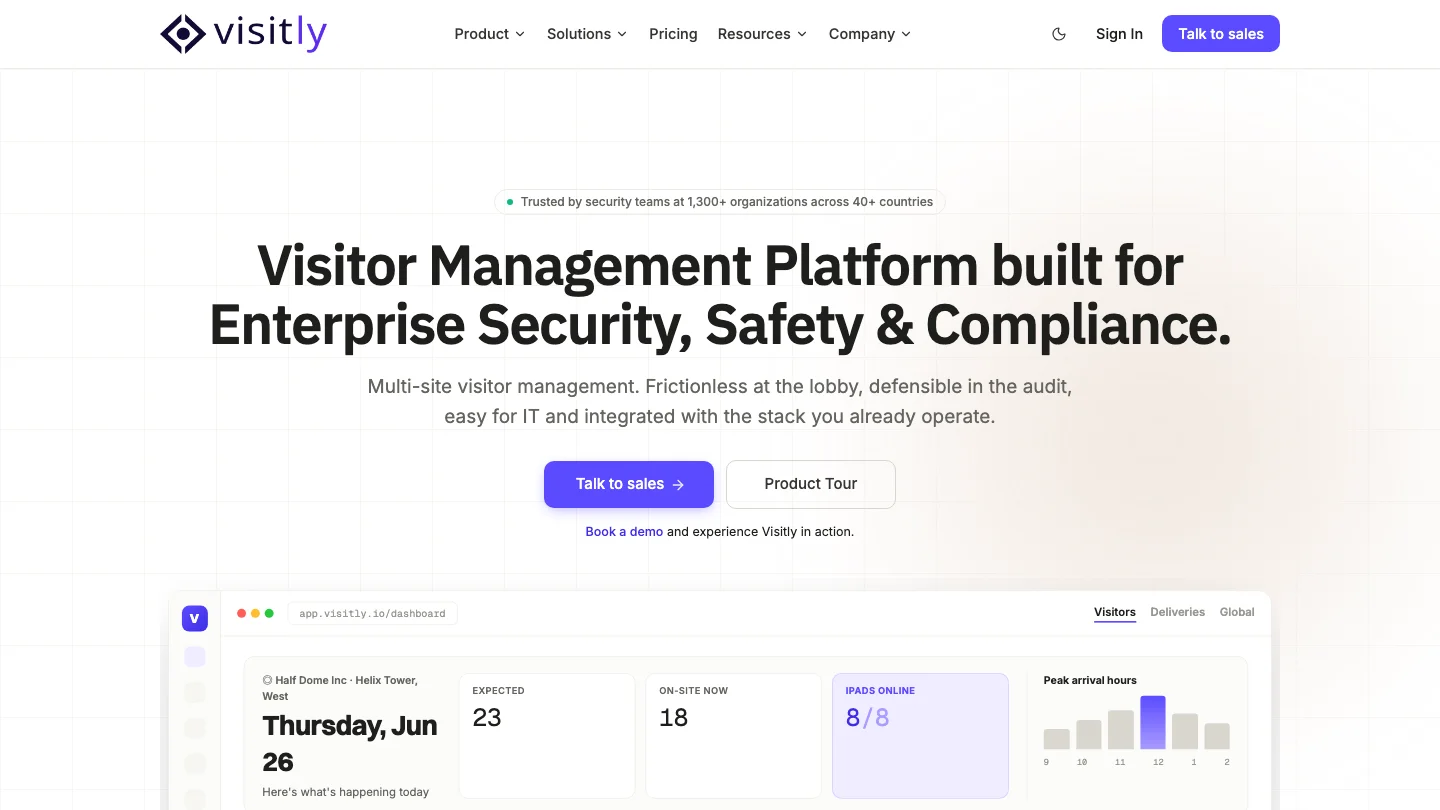
Here are some of the exceptional visitor management system features of Visitly:
- iPad-Enabled: Enjoy a seamless, modern check-in process with iPad visitor sign-ins and sign-outs. Visitors register quickly and receive personalised badges, streamlining both security and efficiency.
- Emergency Evacuation: Access real-time visitor lists during emergencies to ensure everyone is accounted for and evacuated swiftly. This emergency management system helps keep both staff and visitors safe.
- Facial Recognition: Use facial recognition technology to streamline check-ins. Visitors can quickly and securely register without needing physical badges, improving speed and security.
- Visitor Watchlist: Flag and monitor specific visitors with Visitly’s built-in watchlist. This feature allows you to detect unauthorised individuals instantly upon entry, enhancing security.
Pros:
- User-Friendly Platform: The system requires no technological knowledge and fits seamlessly with your existing process.
- High-Security Standards: Visitly promotes safety and security management systems by utilizing real-time watchlist warnings and Face ID technology.
Pricing:
Visitor management system price for Visitly
| Vendor | Published price | What that price includes |
|---|---|---|
| Visitly Starter | $1,000 per location per year | Visitor check-in, single sign-on, audit log |
| Visitly Business | $2,000 per location per year | Adds watchlist and photo ID screening |
| Envoy Premium | $362 per location per month, billed annually ($4,344 per year) | Single sign-on and badge printing; watchlist and ID scanning need a custom Enterprise quote |
| FacilityOS | From $225 per month for visitor management | Emergency, security and contractor modules priced separately |
| Eptura Visitor | No published price | Quote only |
| Sign In App (SwipedOn, The Receptionist) | Core $630, Enhanced $1,260, Pro $1,890 per site per year | ID scanning from Enhanced; SSO and SCIM on Pro |
Prices from each vendor's pricing page, Q4 2026. See Visitly pricing and the full comparison.
Want to see Visitly against your current system? Talk to sales.

- Envoy
Envoy is a comprehensive platform for the best visitor management software, transforming any workspace into a collaborative hub and enabling all teams to thrive. It streamlines operations, making workplaces seamless and productive.
Here’s what makes Envoy stand out:
- Contactless Check-Ins: Visitors may check in quickly and simply without touching anything, ensuring a pleasant and sanitary experience for everyone who walks through your doors.
- Integration with Popular Tools: Envoy integrates smoothly with technologies such as Slack, Zoom, and Google Calendar, letting teams keep up with and manage visits without switching between applications.
- Health & Safety Screening: Add health questionnaires to your check-in process to ensure a safe environment for everyone. Visitor management app can complete health checks before entering the building, keeping things secure.
- Visitor Badge Printing: Envoy allows you to print visitor badges on-the-spot, which speeds up check-in. Each guest receives a personalized badge, which improves security and the overall tourist experience.
Pros:
- Seamless Integrations: It seamlessly connects with the technologies your team already uses, such as Slack and Zoom, making guest management simple.
- User-Friendly Interface: The simple and easy design means that anyone may use it without additional training.
Cons:
- Higher Price Point: Smaller teams or enterprises may find Envoy’s pricing too costly.
- Premium Plans for Advanced Features: Some of the most useful features are only present on the higher-tier plans.
Pricing:
Visitor management system price for Envoy
Envoy Premium is $362 per location per month, billed annually ($4,344 per year); watchlist and ID scanning need a custom Enterprise quote.
- Sign In App (SwipedOn, The Receptionist, Sign In Solutions)
Sign In App is sold by Sign In Solutions, which also owns SwipedOn and The Receptionist. SwipedOn is now sold as Sign In App, and The Receptionist's customers are moving onto it. It serves small and mid-sized offices with published per-site prices. Here are the main visitor management features of Sign In App:
- Pre-Registration and Screening (Enhanced plan): Pre-registering and screening guests ahead of time can help keep your workplace secure. This speeds up check-ins and guarantees that only guests can enter.
- Customizable Visitor Badges: Create visitor badges that are consistent with your company’s look. These badges allow visitors to identify themselves immediately and offer a professional touch to the experience.
- Evacuation Management: Sign In App tracks who is in your building during emergencies. This feature helps to ensure that everyone is safe and accounted for in critical situations.
Pros:
- Quick and Helpful Support: There will always be assistance available when you need it because the customer service crew reacts and resolves issues promptly.
- Great for Remote Workplaces: Sign In App is ideal for teams who manage numerous locations or work remotely. It helps you stay organized no matter where your team is.
Cons:
- SSO on the Pro Plan: SSO and SCIM sit on the Pro plan, $1,890 per site per year.
- ID Scanning on Enhanced: ID scanning starts on the Enhanced plan, $1,260 per site per year.
Pricing:
Visitor management system price for Sign In App
Sign In App lists Core at $630, Enhanced at $1,260 and Pro at $1,890 per site per year. SwipedOn's pricing page now redirects to Sign In App's.
Using SwipedOn or The Receptionist today? Sign In App is moving those customers onto its own plans, and your renewal is when you choose where to go. See how a switch to Visitly works. On The Receptionist for iPad? See the switch guide for The Receptionist.
- Proxyclick
Proxyclick is a premium online visitor management system for large enterprises used by companies such as Airbnb and L’Oréal. In 2025, Proxyclick became Eptura Visitor. It offers advanced features and integrations that effortlessly streamline operations.
The following are the key visitor management system features of Proxyclick:
- Pre-Registration for Visitors: Guests can pre-register, making check-ins smooth and stress-free. It saves time and enhances the visitor experience.
- Access Control and Custom Badges: You can easily create personalized badges and manage access levels. This ensures security while keeping the process professional.
- Microsoft Integration: Proxyclick integrates seamlessly with Microsoft tools like Teams and Outlook. It helps sync schedules and simplifies workplace management.
- Detailed Analytics and Reporting: The system delivers detailed analytics for tracking visitor data and identifying trends. These insights help businesses improve processes effectively.
Pros:
- Built for Big Businesses: Proxyclick easily scales to handle large operations across multiple locations, making it an ideal solution for global companies.
- Smart Reporting: The detailed reports provide valuable insights into visitor data, which help companies make better decisions about workplace management.
Cons:
- Pricey Compared to Others: The premium features have a higher price tag. It’s better suited for businesses with bigger budgets.
- Takes Time to Set Up: Setting it up can feel complicated, especially for first-time users. It might require additional time and guidance to get started.
Pricing:
Visitor management system price for Proxyclick
Eptura Visitor (formerly Proxyclick) has no published price; quote only.
- iLobby
iLobby is the best visitor management system, which is sophisticated, cloud-based, and ideal for businesses of any size. It has strong security features and runs efficiently even when not connected.
Let’s look at some of the key visitor management system features of iLobby:
- Visitor Registration and Badges: iLobby makes registering guests and printing custom visitor badges easy. This allows you to keep track of who is in the building and keeps everything organized.
- QR Codes for Frequent Visitors: Frequent visitors receive personalized QR codes for easier check-ins. This feature saves time and provides a more seamless experience for returning customers.
- Offline Mode for Emergencies: The system works even when the internet goes down. This ensures that your operations stay on track during unexpected network issues.
- Mobile App for On-the-Go Management: You can manage everything from a mobile visitor management app available on Android and iOS. Everything may be managed using a mobile app for Android and iOS. It’s ideal for monitoring guests while you’re out and about.
Pros:
- Works Without the Internet: The offline mode is a lifesaver during emergencies. It keeps the system running so you never miss a beat.
- Compliance Made Easy: iLobby includes tools to help businesses meet safety and legal standards. This feature gives businesses peace of mind regarding regulations.
Cons:
- Limited Customization: Compared to other systems, customization options feel a bit restricted. Businesses looking for highly tailored solutions might find this challenging.
- Some Features Cost Extra: A few advanced features are paid add-ons, which might increase costs for businesses that need those specific tools.
Pricing:
Visitor management system price for iLobby
FacilityOS (formerly iLobby) visitor management starts at $225 per month; the emergency, security and contractor modules are priced separately.
How to Choose the Right Visitor Management System for Your Business
Selecting the best visitor management software requires careful consideration.
Here are key factors to help you make an informed decision on adopting an integrated workplace management software:
1. Understand Your Business Needs
- Business Size: Smaller offices may seek more straightforward solutions, and larger companies may need scalable systems to handle high-volume visitors.
- Industry Requirements: Each industry has its requirements. Healthcare facilities may have strict privacy laws that must be adhered to, while corporate offices are focused on security and visitor flow.
- Compliance Requirements: Check to see if you can comply with the systems to your local needs (data privacy, health screening, or safety standards unique to your location).
- Integration Options: Look for systems that can integrate with existing tools you already have in place, for example, access control systems, calendars, or communication software, to maximize efficiency.
- Budget: Set a clear budget, but balance cost against the system’s features and long-term value.
2. Why Customization Matters
Customization ensures the system fits your processes rather than forcing you to adapt. This can include branded employee check-in software, tailored workflows, or specific reporting needs.
A flexible system adapts as your business grows or regulations change, saving time and resources.
3. Evaluating Vendors and Requesting Demos
- Research vendors’ reputations, customer support quality, and update frequency.
- Request live demos to see the system and ask how it handles your requirements.
- Involve your front desk or security team in the evaluation to gather practical feedback.
Taking these steps will help you choose the best visitor management system that fits your business now and in the future.

Final Thoughts
Choosing the right electronic visitor management system is all about determining what works best for your company. If you want a solution that is simple to use, secure, and full of valuable features, Visitly is an excellent choice.
It streamlines check-ins, enhances security, and provides tools like evacuation management to help keep your workplace safe. Furthermore, its modern, user-friendly design offers a smooth experience for tourists and employees alike.
Visitly excels at managing frequent guests and handling emergencies with ease. Its features provide a smooth check-in process while keeping your workplace secure and organized.
Make the smart move today and upgrade your workplace with Visitly. It’s time to transform your check-in process and take security to the next level.
Book a demo today!
FAQs
Which visitor management systems do US companies compare most often?
The five in this post are Visitly, Envoy, Sign In App (which now sells SwipedOn and is moving The Receptionist's customers onto its plans), Eptura Visitor (formerly Proxyclick) and FacilityOS (formerly iLobby). They differ in two ways: whether visitor management is the whole product or one module of a workplace suite, and which plan carries the security features.
What is a visitor management system?
A visitor management system is software that records and controls who enters a facility. It replaces the paper logbook with pre-registration, check-in at a kiosk or on the visitor's phone, badge printing and host alerts, and it keeps a time-stamped record of each visit that security teams can search during an audit or an evacuation.
How much does a visitor management system cost in the US?
Published US prices run from about $630 to more than $4,000 per location per year. Sign In App lists $630 to $1,890 per site per year, Visitly lists $1,000 and $2,000 per location per year, and Envoy Premium is $362 per location per month billed annually. Prices as of Q4 2026.
Which US regulations affect how visitors are managed?
No single US law requires a visitor management system, but several programs expect visitor controls or records. ITAR restricts foreign-person access to controlled technical data, CMMC Level 1 asks defense contractors to escort visitors and keep physical access logs, and the HIPAA Security Rule calls for facility access controls. Your compliance lead decides which apply.
Are visitor management systems secure?
Security depends on the vendor, so ask for evidence before you buy. Request the vendor's SOC 2 Type II report and ISO 27001 certificate, confirm encryption in transit and at rest, and check how long visitor data is kept. Visitly holds SOC 2 Type II and ISO 27001 certifications and shares the full report under NDA.
How do I choose between US visitor management systems?
Start with the security features you need, then find the plan that carries them at each vendor. Single sign-on, watchlist screening and access control integration often sit in different tiers. Price each shortlisted vendor at your real number of locations, and ask for a demo that uses your own visitor types and policies.