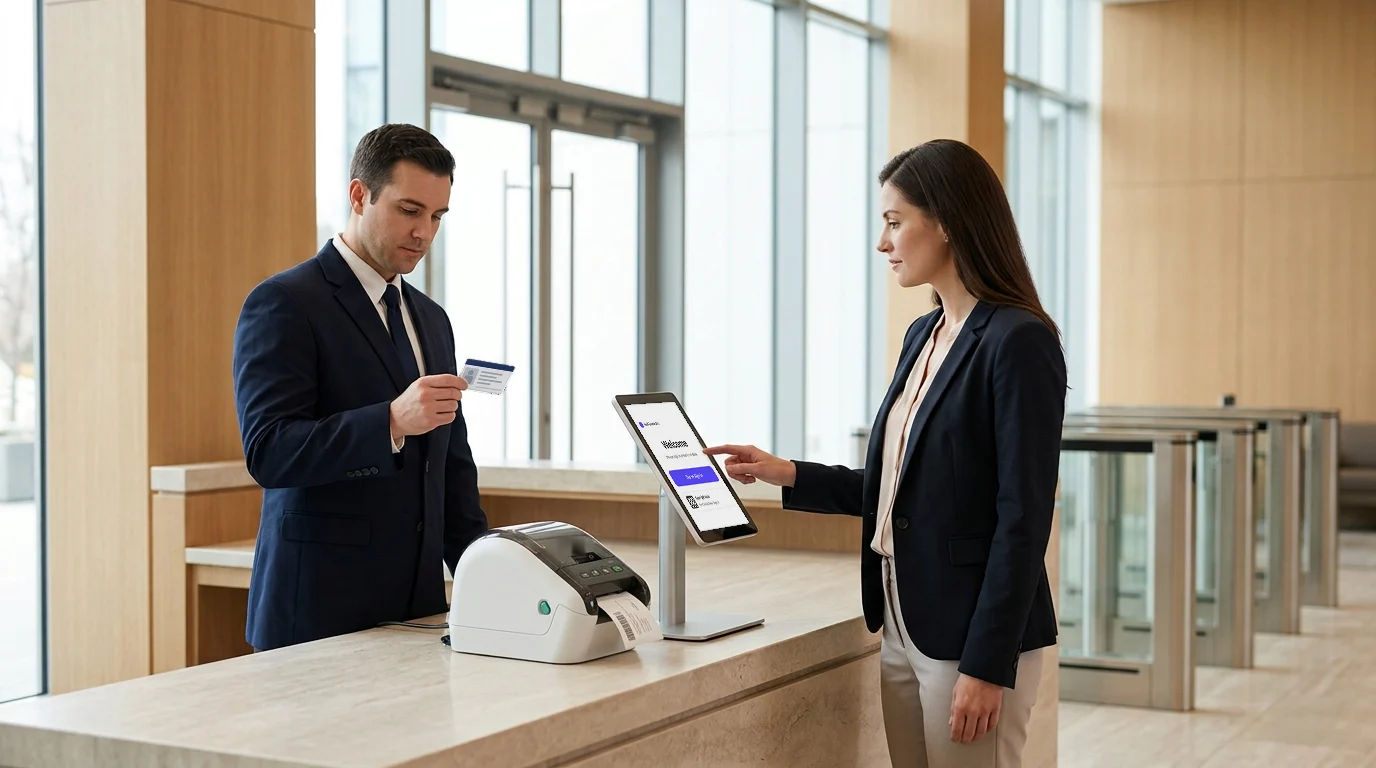
Government offices must remain publicly accessible while tightly controlling visitor entry, movement, and recordkeeping—something not easily achieved with paper logs or basic sign-in tools.
When visitor data is incomplete, access is loosely managed, or records are hard to retrieve, the risks go beyond front-desk inefficiency. They affect security standards, accountability, workplace compliance, and emergency response.
That is why choosing the right visitor management system for government offices matters.
For government offices, it is not just about replacing manual check-in with a digital screen. It is about creating a secure, trackable, and well-managed visitor check-in process that supports both public access and internal control.
In this blog, we will look at seven essential criteria that help government teams choose a system built for workplace security, accuracy, and operational reliability.
Reasons For a Visitor Management System For Government Offices: Essential Criteria to Look For
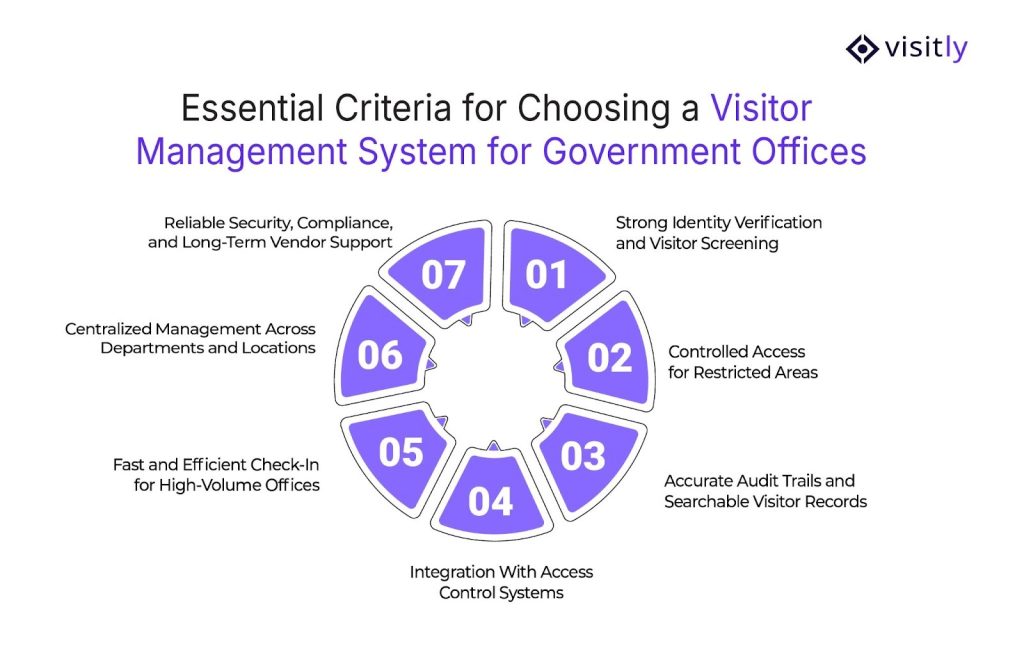
Essential criteria for choosing a visitor management system for government offices are:
1. Strong Identity Verification and Visitor Screening
2. Controlled Access for Restricted Areas
3. Accurate Audit Trails and Searchable Visitor Records
4. Integration With Access Control Systems
5. Fast and Efficient Check-In for High-Volume Offices
6. Centralized Management Across Departments and Locations
7. Reliable Security, Compliance, and Long-Term Vendor Support
Choosing a visitor management system for a government office requires more than comparing basic visitor management features. This section breaks down the seven key criteria that matter most for security, control, compliance, and day-to-day operations.
1. Strong Identity Verification and Visitor Screening
Government offices need to know exactly who is entering the building. An electronic visitor management system should not stop at collecting names. It should verify identity, capture key visitor details, and support screening before granting access.
This helps reduce the risk of unauthorized entry and gives front-desk teams a more reliable process. For offices handling public traffic, contractors, and official visits, strong screening creates a safer and more controlled environment from the moment a visitor arrives.
- ID capture and verification
- Visitor photo or badge match
- Screening questions before entry
- Approval-based check-in for sensitive visits
2. Controlled Access to Restricted Areas
Not every visitor should be able to move freely across a government office. Some may only need access to a lobby or service desk, while others may need supervised entry into restricted departments.
A strong automated visitor management system should support access rules based on purpose, role, and destination. This helps security teams manage movement inside the building, not just entry at the door. It also reduces manual confusion and ensures that access stays aligned with internal security protocols.
- Access control system based on visitor type
- Department-level restrictions
- Escort-based entry where needed
- Temporary access for vendors or contractors
3. Accurate Audit Trails and Searchable Records
Government offices often need to retrieve visitor records during audits, reviews, or incident investigations. That is why visitor data should be accurate, complete, and easy to search.
A good digital visitor management system keeps digital logs with entry time, exit time, host details, and visit purpose in one place. This makes compliance easier and reduces the risk of missing or incomplete information. Instead of relying on paper sheets or scattered records, teams get a dependable audit trail that supports accountability and faster reporting.
- Time-stamped entry and exit logs
- Searchable visitor history
- Host and purpose-of-visit records
- Easy report access for audits
4. Integration With Access Control Systems
An office visitor management system works better when it connects with the rest of the office security setup.
Integration with access control systems helps ensure that only approved visitors can enter certain spaces. This removes the need for staff to manage every step manually and creates a more consistent process.
For government offices with secure rooms, records areas, or restricted departments, this connection is important. It strengthens physical security while making visitor entry smoother and more manageable for reception and security teams.
- Works with door access or visitor badge printing systems
- Supports secure entry workflows
- Reduces manual approvals at reception
- Improves access control entry across secure zones
5. Fast and Efficient Check-In for High Visitor Volume
Many government offices handle frequent walk-ins, scheduled appointments, and interactions with vendors and service providers throughout the day. A slow check-in process can create long lines, put extra pressure on reception staff, and lead to a poor visitor experience. A strong, touchless visitor management system enables faster entry without reducing control.
Features like visitor pre-registration, instant notifications, and streamlined sign-in help manage large visitor volumes more efficiently. This improves daily operations while maintaining security management systems and recordkeeping.
- Quick digital sign-in
- Pre-registration for expected visitors
- Faster host emergency notifications
- Reduced queues at reception
6. Centralized Management Across Departments and Locations
Government organizations often operate across multiple buildings, branches, or departments. Reception management software should be easy to manage at scale, not just in one reception area.
Centralized controls help maintain consistency across locations while allowing different workflows where needed. This benefits admin, compliance, and security by improving visibility and coordination. Central oversight supports smoother visitor handling organization-wide.
- One system for multiple offices
- Role-based permissions for staff
- Department-specific workflows
- Central visibility for admin teams
7. Reliable Security, Compliance, and Vendor Support
Choosing the best visitor management system is also about choosing a vendor that can support government-level expectations. The system should protect visitor data, maintain stable performance, and support compliance requirements over time. Just as important, the vendor should offer dependable onboarding, training, and support for staff.
Government offices need a solution they can trust for the long term, not one that creates new risks or technical issues after rollout. Strong product reliability and vendor support make the system easier to manage and more valuable in day-to-day use.
- Secure visitor data handling
- Strong system reliability
- Compliance-ready recordkeeping
- Ongoing support and onboarding

How Do You Compare The Best Visitor Management System Options For A Government Office?
Choosing the best visitor management system for a government office takes more than checking feature lists. The right visitor management benefits must match how the office actually works day to day. It should support secure check-ins, controlled access, clean audit trails, and easy coordination across reception, security, IT, and administration.
A visitor management software may look strong in a demo, but if it is hard to manage, difficult to scale, or weak on compliance and reporting, it will create more work rather than solving the problem.
What to compare
- Questions to ask every vendor: Ask how the system handles identity verification, visitor approvals, restricted-area access, audit logs, data storage, and multi-location administration.
- What to request in a demo: See the full visitor journey, from pre-registration and check-in to badge printing, host notifications, sign-out, and reporting.
- What to test in a pilot rollout: Check ease of use for front-desk teams, approval workflows, reporting accuracy, and how smoothly the system fits existing security processes.
- How to compare total usability, not just feature count: Focus on how simple the system is for staff, visitors, and admins. A long feature list means little if daily use feels slow or confusing.
- A short buying checklist for internal teams: IT should review integrations and data security, facilities should assess rollout ease, security should validate access control and logs, and procurement should review support, reliability, and long-term value.
Quick comparison checklist
| Area | What to Assess |
|---|---|
| Security | ID checks, approvals, visitor screening, restricted access |
| Compliance | Audit trails, data privacy, record retention, reporting |
| Access Control Integration | Badge systems, door access, secure workflows |
| Ease of Rollout | Setup time, staff training, admin simplicity |
| Reporting | Searchable logs, export options, incident visibility |
| Support | Onboarding, responsiveness, issue resolution |
| Multi-Location Readiness | Central control, location-based workflows, scalability |
Why is Visitly a practical fit for government and regulated facilities?
Visitly is a practical fit for government and regulated facilities because its visitor management system software is built around the real needs of secure, high-accountability environments.

It combines the visitor management system features that public-sector teams actually use every day: custom screening questions, bulk pre-registration, real-time host notifications, ID scanning, digital document signing, badge printing, and automated visitor logs.
That matters because government offices do not just need faster check-ins. They need a visitor management system (VMS) that supports control, traceability, and smooth front-desk operations without adding manual work.

Here is why Visitly stands out:
- Secure check-ins and controlled access: Visitly supports ID scans, smart ID validation, visitor approvals, watchlist rules, and off-business-hours access controls for tighter entry management.
- Screening questions and visitor approvals: Teams can use custom screening questions and approval workflows before a visitor is allowed in, which is useful for offices with stricter protocols.
- Custom ID badges: Visitly includes visitor badge printing and advanced badge customization, which helps offices identify visitor types and apply access rules more clearly.
- Automated sign-in/out logs: The platform tracks sign-ins and sign-outs digitally, making visitor records easier to retrieve during audits, reviews, or incident checks.
- Emergency and evacuation visibility: Visitly includes evacuation and emergency lists, as well as emergency notifications, giving teams real-time visibility into who is on-site.
- Integrations and compliance-focused workflows: Visitly supports integrations such as SSO, directory sync, Teams or Slack notifications, and access-control-related workflows that strengthen visitor management system access control in regulated settings.

Closing Thoughts
Government offices need more than a digital sign-in tool. They need a visitor management system that strengthens security, controls access, maintains audit-ready records, and remains easy for staff to manage day to day. The best decision comes from looking beyond surface-level features and choosing a system that fits real operational needs across compliance, visitor flow, and multi-level approvals.
That is where Visitly stands out.
With secure check-ins, custom screening questions, visitor approvals, ID scanning, automated logs, and real-time visibility, Visitly provides government offices with a smarter, more reliable way to manage visitors. For teams looking for the best visitor management system for government offices, Visitly is a strong place to start.
Book a demo with Visitly and see how secure, compliant, and efficient visitor management can look in practice.
FAQs
What is a visitor management system for government offices?
It is a platform that registers each visitor, verifies identity, issues a badge, notifies the host and keeps a timestamped record of the visit. In a government office it has to do this for public walk-ins, contractors and official visitors at once, while keeping restricted departments closed to anyone not approved to enter.
What criteria should a government office use to choose a visitor management system?
Use seven criteria: identity verification and screening, controlled access to restricted areas, searchable audit records, integration with access control, fast check-in for high volume, central management across departments and locations, and the vendor's own security and support record. Score each vendor against all seven in a demo using your real visitor types.
Can a visitor management system integrate with access control?
Yes. The visitor system approves the person and the access control system opens the door, so linking them means only approved visitors reach restricted areas. Visitly integrates with Genetec Security Center, Brivo, LenelS2 Netbox, Kisi and C CURE 9000. Our team can show you how these integrations work and put the pricing together with you. Ask any vendor which access control products and versions it supports.
How does a visitor management system help with audits and records requests?
It keeps one searchable record per visit: who came, who they saw, why, when they arrived and left, and what they signed. Staff can pull a date range or a single visitor in minutes instead of reading paper sheets. Retention periods can be set to match your records schedule, which your records officer or counsel defines.
Is Visitly FedRAMP authorized?
No. Visitly is not FedRAMP authorized. It holds SOC 2 Type II and ISO 27001 certifications, is HIPAA compliant, hosts on AWS with US region pinning, and serves state, county and transit-authority customers. If FedRAMP is a hard requirement in your procurement, raise it at the start so both sides can review the requirement before a pilot.
What should a government office test in a pilot before buying?
Test the things a demo hides: how long a walk-in takes at peak hour, whether front-desk staff can run approvals without help, whether reports match what auditors ask for, and how the system fits existing security procedures. Involve IT, security, facilities and procurement, and run the pilot at your busiest public counter.