Did you know: According to reports, nearly 80% of organizations still rely on manual visitor logs, even though IDC reports that human-driven visitor check-in processes are responsible for 52% of workplace security incidents?
It’s a risky gap in a world where offices handle constant foot traffic from clients, contractors, interview candidates, and partners.
Today’s businesses need more than a sign-in sheet. They need a modern visitor management system, one that protects people, enforces compliance, and delivers a smooth guest experience from the moment someone walks in.
But here’s where most teams get stuck:
Envoy, Proxyclick, and Visitly all position themselves as powerful visitor management software options. On paper, they appear similar. In reality, they differ widely in security controls, iPad check-in workflows, pricing transparency, scalability, and overall ease of rollout.
This comparison cuts through the confusion.
You’ll learn how Visitly, Envoy, and Proxyclick (now Eptura Visitor) stack up across real-world criteria, which tool fits which type of workplace, and what matters most when selecting a guest sign-in app for a growing business.
Let’s break it down!
What Should Businesses Look For in a Guest Sign-In App Today?
Many companies still rely on paper logs or basic tablets, even though studies show that more than half of workplace security issues start at reception.
This makes choosing the right guest sign-in app a key decision for any modern workplace using a visitor management system.
Here’s what matters most when comparing Visitly, Envoy, and Proxyclick.
1. Fast, Intuitive Check-In Experience
Your visitor sign-in app, iPad, or iPad guest sign-in app needs to be quick and frictionless.
Look for:
- One-tap or QR code check-in system
- App-free “sign in as a guest” flows.
- Brand customization
- Smooth returning-visitor experience
2. Real-Time Host Notifications
A strong sign-in app visitor management tool instantly alerts hosts through email, SMS, Slack, or Teams—cutting visitor waiting time and improving coordination.
3. Compliance, Agreements & Watchlists
Your visitor management software must support:
- NDA & policy signing
- Screening questions
- Watchlist checks
- Audit-ready logs
4. Strong iPad-Based Experience
Most companies rely on an iPad visitor sign-in app, so stability and customization matter.
Look for:
- Branded screens
- Touchless sign-in
- Simple admin controls
5. Emergency Evacuation Features
Your office visitor management system must help you act quickly during an emergency.
Essential features:
- Real-time onsite list
- Evacuation alerts
- Visitor safety confirmation
- Printable reports
6. Integrations With Your Tech Stack
A modern guest sign-in app should connect to tools you already use:
- Google Workspace
- Microsoft 365
- Slack / Teams
- Access control systems
7. Transparent Pricing
Avoid tools that charge extra for basics like badges, emergency notifications, or watchlists.
How Do Visitly, Envoy, and Proxyclick Compare on Core Visitor Management Features?
Choosing the right guest sign-in app becomes easier when you break it down into the features that actually shape day-to-day operations—speed, security, compliance, emergency readiness, and staff workflows.
Below is a practical comparison that decision-makers can use to shortlist the best-fit tool for their workplace.

1. Visitor Registration & Check-In Experience (Speed, UX, iPad Readiness)
A fast, frictionless check-in flow sets the tone for your visitor experience. The best-performing platforms deliver an intuitive iPad visitor sign-in app interface, a smooth iPad guest sign-in app journey, and instant onboarding without training visitors.
How They Compare:
Visitly
- Clean, modern iPad UI with customizable branding
- App-free onboarding—guests sign in as a guest with a contactless QR code scanning system or touch.
- Supports visitor pre-registration, recurring visitor profiles, and bulk invites
- Lightning-fast load speed, ideal for busy lobbies
- Fully customizable visitor flows.

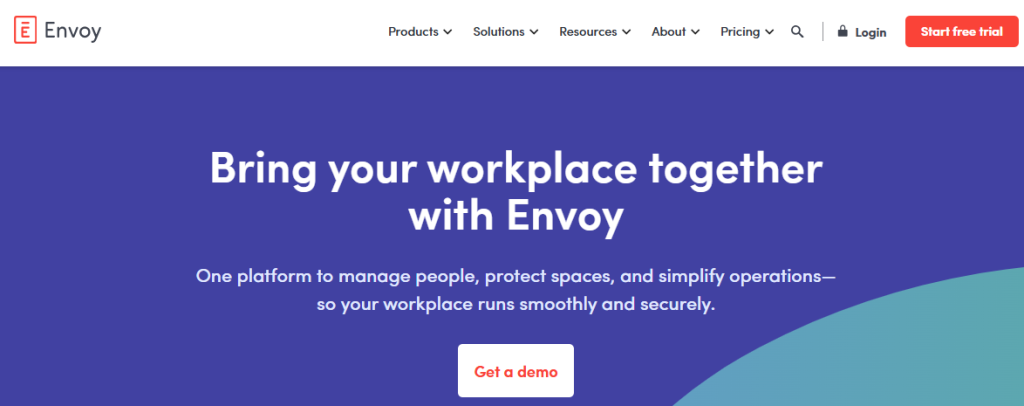
Envoy
- Good iPad experience, but template-based customization
- Strong QR check-in, but guest flows feel heavier for smaller teams.
- Requires more setup for branding flexibility
- Better suited for enterprises with complex visitor flows
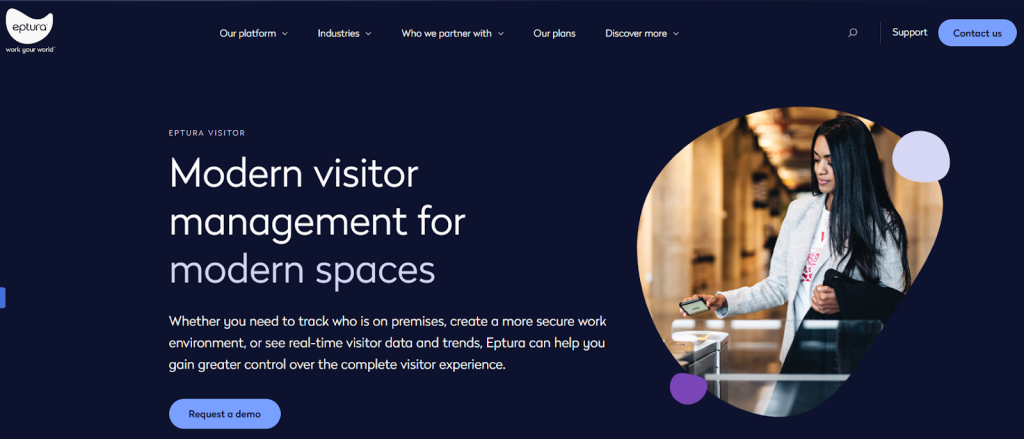
Proxyclick
- Enterprise-focused visitor flows
- Advanced pre-registration, but heavier onboarding for casual visitors
- Custom branding options, but at higher pricing tiers
Key Takeaway
If you want a clean, fast, and reliable visitor sign-in app for iPad in high-traffic environments, Visitly offers the simplest UX with the quickest time-to-value.
2. Security & Compliance Features Compared
Security has become the top filter for evaluating automated visitor management software, especially in industries with strict audit, risk, and data policies.
Here’s how the three tools stack up for workplace safety.
Visitly
- Automated watchlists with block/flag rules
- ID scanning for identity validation
- Digital NDA and policy signing directly on the iPad.
- Photo capture for accurate visitor verification
- Exportable, audit-ready trails
- Ideal for regulated industries like healthcare, manufacturing & education.
Envoy
- Strong security suite, with advanced badge printing & visitor screening
- Deeper integrations with enterprise security tools
- Access control system integrations are available at higher tiers.
Proxyclick
- Built for enterprise-grade compliance
- Robust audit trail, ID match, and advanced risk scoring
- Powerful but expensive for mid-size organizations
Key Takeaway
All three offer strong security, but Visitly balances compliance strength + ease of use without the complex setup or premium pricing of Envoy/Proxyclick.
3. Workplace Safety & Emergency Evacuation Tools
In real emergency management, speed and visibility matter. The right guest sign-in app should provide instant on-site visibility and automated evacuation support.
Visitly
- Real-time visitor tracking with accurate presence photos
- iPad-based evacuation alerts that freeze additional sign-ins
- Host notifications for missing visitors
- Printable evacuation lists for audits
- Designed for fast response across multi-location offices
Envoy
- Offers evacuation notifications & roll-call features
- Best suited for organizations with full Envoy ecosystem adoption
Proxyclick
- Comprehensive visitor safety tools, but require advanced configuration.
- More complex interface for teams without dedicated admin support
Key Takeaway
Visitly offers the most straightforward yet most powerful emergency workflow, especially for teams with limited training time.
4. Employee, Staff, and Contractor Management
Modern workplaces need a unified way to manage visitors, contractors, vendors, and temporary workers through a single staff and visitor sign-in app.
Visitly
- Dedicated staff check-in/out workflow
- Contractor approvals & workflows
- Bulk pre-registration for large teams
- Full cross-location presence visibility
- Ideal for hybrid workplaces
Envoy
- Strong employee attendance & hybrid work features
- Better for organizations using Envoy Workplace or Rooms
Proxyclick
- Contractor management is strong but more enterprise-focused
- Configuration-heavy for smaller teams
Key Takeaway
If you want visitor, staff, and contractor management in one streamlined interface, Visitly offers the most balanced and scalable approach.
Visitly vs. Envoy vs. Proxyclick - Feature Comparison
| Feature Category | Visitly | Envoy | Proxyclick |
|---|---|---|---|
| Check-In Speed and iPad UX | Fast, simple, customizable iPad visitor sign-in app | Strong but more complex | Enterprise-focused, heavier workflows |
| Pre-Registration and QR Entry | Easy and fast | Strong | Strong |
| Sign In As a Guest (App-Free) | Yes | Yes | Yes |
| Brand Customization | Extensive | Moderate | Enterprise tiers |
| Watchlists and Security | Included | Premium | Enterprise |
| Digital Agreements (NDA) | Built-in | Available | Available |
| ID Verification | Simple and fast | Available | Advanced |
| Emergency Evacuation | Real-time, intuitive | Good | Strong but complex |
| Staff and Contractor Management | Best unified experience | Good if using Envoy Workplace | Heavy for small teams |
| Integrations (Google, M365, Slack, Teams) | Smooth | Deep | Enterprise-grade |
| Pricing Transparency | Clear and publicly listed | Higher tiers | Enterprise pricing only |
| Best For | Startups to Mid-Enterprise | Enterprise offices | High-security enterprises |
Pricing Comparison: Visitly vs. Envoy vs. Proxyclick
Here’s the part most teams underestimate:
The various guest sign-in apps can look similar on the surface, but their pricing models can be miles apart—especially once you add more locations, kiosks, and security features.
Let’s look at how Visitly, Envoy, and Proxyclick compare on cost, what’s included by default, and where hidden costs usually show up.
How Much Does Visitly Cost?
Visitly keeps pricing transparent and straightforward, with plans clearly listed on its site and marketplaces:
- $1,000 per location/year
- 1 connected iPad
- Up to 50 employees
- Up to 100 visits/month
- $2,000 per location/year
- Unlimited connected iPads
- Up to 250 employees
- Unlimited visits
- Larger rollouts: talk to sales
- Fully featured, unlimited iPads, priority support, and advanced controls.
Talk to sales for a demo.
Notably, Visitly’s paid plans include core visitor management features and capabilities such as:
- iPad-based check-in (iPad visitor sign-in app experience)
- Customizable sign-in flows
- Real-time host notifications
- Badge printing
- Visitor types (guests, contractors, staff)
- Integrations with existing systems
You get the basics at the published prices.
| Vendor | Published price | What that price includes |
|---|---|---|
| Visitly Starter | $1,000 per location per year | Visitor check-in, single sign-on, audit log |
| Visitly Business | $2,000 per location per year | Adds watchlist and photo ID screening |
| Envoy Premium | $362 per location per month, billed annually ($4,344 per year) | Single sign-on and badge printing; watchlist and ID scanning need a custom Enterprise quote |
| Eptura Visitor | No published price | Quote only |
Prices from each vendor's pricing page, Q4 2026. See Visitly pricing and the full comparison.
How Much Does Envoy Cost?
Envoy takes a more “enterprise SaaS” approach to pricing:
- Envoy Visitors Basic: Free
- Limited features: up to 50 employees and 100 entries a month
- Host notifications
- iPad sign-in (a good entry-level sign-in app with a visitor management option).
- Premium – $362 per location per month, billed annually
- Custom branding, analytics, SSO integrations, visitor photos, and more security features.
- Enterprise – custom quote
- Access control, blocklists, advanced ID scanning, deeper security
Envoy’s own site pushes you to “contact sales” for full workplace pricing.
The most advanced security, SSO, and access-control integrations sit in the upper tiers, making Envoy powerful—but also significantly more expensive as you scale locations and kiosks.
Envoy Premium is $362 per location per month, billed annually ($4,344 per year); watchlist and ID scanning need a custom Enterprise quote.
How Much Does Proxyclick/Eptura Visitor Cost?
Proxyclick has been rebranded as Eptura Visitor. Officially:
- Pricing is not listed publicly on the leading site.
- Eptura uses a tiered pricing structure across its Workplace/Asset/Visitor products, with quotes provided by sales.
Recent product and pricing reviews indicate:
- Eptura Visitor has no published price; it is quote only.
- Pricing is considered “high cost with opaque pricing”, with details shared only after sales conversations.
In short, Eptura Visitor is positioned as an enterprise-grade visitor management system, typically suited for large organizations with dedicated workplace/IT teams and bigger budgets.
Eptura Visitor (formerly Proxyclick) has no published price; quote only.
Pricing Comparison - Visitly vs. Envoy vs. Proxyclick
| Plan | Visitly | Envoy | Proxyclick |
|---|---|---|---|
| Starter / Basic | $1,000/location/year - 1 iPad, up to 50 employees, 100 visits/month | Free plan available - limited features | No public starter plan |
| Business / Premium | $2,000/location/year - unlimited iPads, up to 250 employees, unlimited visits | Premium $362/location/month, billed annually | Custom pricing |
| Enterprise | Custom pricing - unlimited iPads, priority support, advanced controls | Custom pricing | Custom pricing |
| Free Trial | Talk to sales for a demo | Free plan available | Demo on request |
| Pricing Transparency | Publicly listed | Partially listed | Contact sales only |
Sign In as a Guest: How Smooth is the Visitor Experience Across These Three Platforms?
This section compares how Visitly, Envoy, and Proxyclick handle the complete guest sign-in workflow—from scanning a QR code to recognizing returning visitors. If your workplace experiences high foot traffic, this is the factor that affects daily efficiency the most.
Visitor Experience Comparison Across Platforms
| Visitor Experience Feature | Visitly | Envoy | Proxyclick |
|---|---|---|---|
| QR Code Sign-In | Instant and app-free | Good, some app reliance | Strong but complex |
| Returning Visitor Recognition | Fast, no setup | Good | Very advanced |
| Face Recognition | Available | Available | Available |
| Language Support | Multilingual | Multilingual | Extensive enterprise-level |
| Accessibility | Simple, intuitive | Clean but layered | Complex |
| App-Free Check-In | Yes | Partial | Partial |
| Ease for First-Time Visitors | Very easy | Moderate | Advanced but lengthy |
| UI Simplicity | Clean and modern | Feature-packed | Enterprise-heavy |
1. QR Code Sign-In Experience
A modern visitor sign-in app on an iPad should reduce friction, not create steps. QR codes have become the gold standard for fast entry.
Visitly
- Visitors scan a QR code and check in instantly—no app needed.
- Works great for daily guests, contractors, and vendors.
- Supports pre-registration for even faster access.
Envoy
- Strong QR workflows, but the best features sit behind higher-tier plans.
- Some steps require an app installation, depending on the configuration.
Proxyclick
- Enterprise-led QR flows with custom configurations.
- Setup takes longer and may require admin training.
2. Face Recognition & Returning Visitor Speed
Visitors hate having to retype the exact details. A smart iPad guest sign-in app should remove that.
Visitly
- Fast returning visitor identification.
- No profile setup needed
- Ideal for recurring contractors, part-time staff, or vendor teams
Envoy
- Offers returning visitor detection
- Works best with app-based visitor profiles
Proxyclick
- Very advanced visitor recognition
- Best fit for enterprise security needs, but complex to configure
3. App-Free Visitor Experience
No one wants to download an app to sign in as a guest.
Visitly
- 100% app-free
- Works instantly across iPad, QR code, and browser
- Reduces visitor friction dramatically
Envoy
- Encourages app usage for premium features
- Web check-in works, but is not as seamless.
Proxyclick
- Mostly enterprise-driven flows
- App-free sign-in is supported, but not as intuitive.
4. Language Support and Accessibility
Modern workplaces host global teams—language inclusivity matters.
Visitly
- Check-in supports more than 150 languages
- Clean UI for accessibility needs
- Easy customisation for hospitality, education, tech, and logistics
Envoy
- Supports multiple languages
- Some advanced configurations require higher-tier plans.
Proxyclick
- Excellent language coverage for global enterprises
5. Accessibility
A guest sign-in app should support all visitors—elderly guests, differently abled individuals, and international customers.
Visitly
- Clear, minimalist UI
- Large touchpoints on iPad
- Guided flows for effortless navigation
Envoy
- Professional UI, but sometimes feels feature-heavy for new visitors.
Proxyclick
- Enterprise UI with more steps
Staff and Visitor Sign-In App: Which Tool Handles Both Best?
1. Staff Time Tracking: Efficient & Accurate
It’s no secret that companies need to track both visitor and staff attendance. But staff time tracking requires a system that integrates with payroll systems, HR tools, and workplace security policies.
Here’s how the three platforms compare:
Visitly
- Staff Time Tracking: Robust and simple integration for tracking employee check-in/out times
- Customizable Fields: Ability to add notes for special staff requirements
- Touchless Entry: Streamlined, especially for frequent workers using the iPad guest sign-in app
- Integrated with HR: Works with most HRIS systems for smooth payroll integration
Envoy
- Staff Time Tracking: Basic functionality for employee check-ins, but limited features for deeper tracking and reporting
- Integrated with Google Calendar: Syncing works well, but lacks full payroll system integration.
- Touchless Entry: Available, but requires a higher-tier subscription plan.
Proxyclick
- Staff Time Tracking: Robust for large organizations but lacks deep integration with other HR tools
- Advanced Reporting: Offers detailed reports for larger enterprises, making it a fit for companies with 100+ employees
2. Employee Presence Dashboard: Real-Time Visibility
The employee presence dashboard is a feature most companies ignore until it becomes a necessity. Knowing who is in or out of the office helps your HR, IT, and security teams react quickly and accurately.
Visitly
- Real-Time Presence: View live check-ins and check-outs across multiple locations
- Access Control: Syncs seamlessly with physical access control systems
- Guest + Staff Split: Simple, intuitive dashboard to separate visitor check-ins and staff presence
Envoy
- Real-Time Presence: Provides real-time updates for visitors, but is less flexible for employee presence
- Location-based Dashboards: Supports multi-location dashboards with the enterprise plan
- Staff Reporting: Not as integrated with employee tracking as Visitly
Proxyclick
- Real-Time Presence: Has a centralized dashboard for all offices, great for enterprises
- Advanced Admin Controls: Provides deeper control over staff permissions, but is more complex to manage
- Customizable: Tailor presence reporting with advanced filters
3. Visitor + Staff Separation in Reporting
Managing visitor and staff data together is necessary for security and auditing. But for efficiency, you’ll want a system that easily separates both record types and enables seamless reporting.
Visitly
- Dual System: Visitor data is separated from employee data, yet remains viewable in a single interface.
- Visitor Reports: Easily exportable visitor lists for emergency evacuations
- Staff Reports: Time-logged check-ins, with the ability to sync to HR systems for payroll
Envoy
- Integrated Reporting: Strong visitor reports with added capabilities for staff integration, but often requires higher-tier plans
- Manual Report Separation: Can get a bit cluttered for multi-use cases
Proxyclick
- Customizable Reports: Ideal for large enterprises needing granular separation between staff and guest data
- Complex Configuration: Requires setup expertise for best results
4. Touchless Entry
With the shift toward contactless interactions, your sign-in app should integrate touchless entry options that cater to modern needs.
Here’s how the three apps measure touchless visitor management:
Visitly
- Touchless QR Check-In: Scans QR codes easily for visitors and employees without any app download
- Efficient: Instant recognition for returning visitors with facial recognition capabilities
- Fast, Contactless Entry: Touchless visitor management system that is simple with intuitive flows for all types of guests
Envoy
- Touchless Check-In: Requires an app or tablet for scanning, but QR code and RFID card options are available on premium plans
- Facial Recognition: Only available with higher plans
- Enterprise Solution: High price point for top-tier touchless features
Proxyclick
- Touchless Entry: Advanced RFID and QR-based entry with complex setup
- Advanced Security: Uses face recognition and high-grade access protocols
- Enterprise-Focused: Primarily for large, high-security environments
Visitly vs. Envoy vs. Proxyclick: Which Fits Different Types of Organizations?
Choosing the right guest sign-in app comes down to your specific needs, whether that’s budget, compliance, or ease of use.
- For Startups and Mid-Size Businesses: Visitly stands out as the most user-friendly option with simple integrations and a fast, intuitive deployment process.
- For Enterprises with Strict Compliance Needs: Both Envoy and Proxyclick offer advanced compliance features, including watchlists, NDA signing, and access control integration. Proxyclick is perfect for larger businesses with extensive compliance and reporting needs.
- For Multi-Location Businesses: Visitly offers centralized management without the complexity, making it an excellent choice for businesses with a few offices. Proxyclick excels for large enterprises, offering advanced reporting and access-control integration capabilities.
Quick Summary: Visitly vs. Envoy vs. Proxyclick
When to Choose Visitly:
- Best for Startups & Growing Businesses
Simple, intuitive design with a focus on essential features that streamline visitor management without unnecessary complexity.
- Key Strengths:
- Pricing from $1,000 per location per year
- Customizable iPad-based system
- No app download required
- Strong security & contractor management
When to Choose Envoy:
- Best for Enterprises with Multiple Locations
A robust, enterprise-grade solution that excels at handling large volumes of visitors across several offices.
- Key Strengths:
- Extensive integrations with third-party tools (e.g., Slack, G Suite)
- Comprehensive reporting and multi-location management
When to Choose Proxyclick:
- Best for High Compliance Needs
Ideal for industries with strict security and audit requirements.
- Key Strengths:
- Advanced visitor data management
- Access control integrations
- Strong NDA signing and security features
Why Visitly Is the Better Choice for Fast, Secure, and Modern Visitor Check-Ins
Let’s explore why Visitly stands out from the competition, offering smart check-ins, robust security, and a streamlined process that make it the ideal choice for businesses of all sizes.
1. Effortless Check-Ins with Intuitive Design
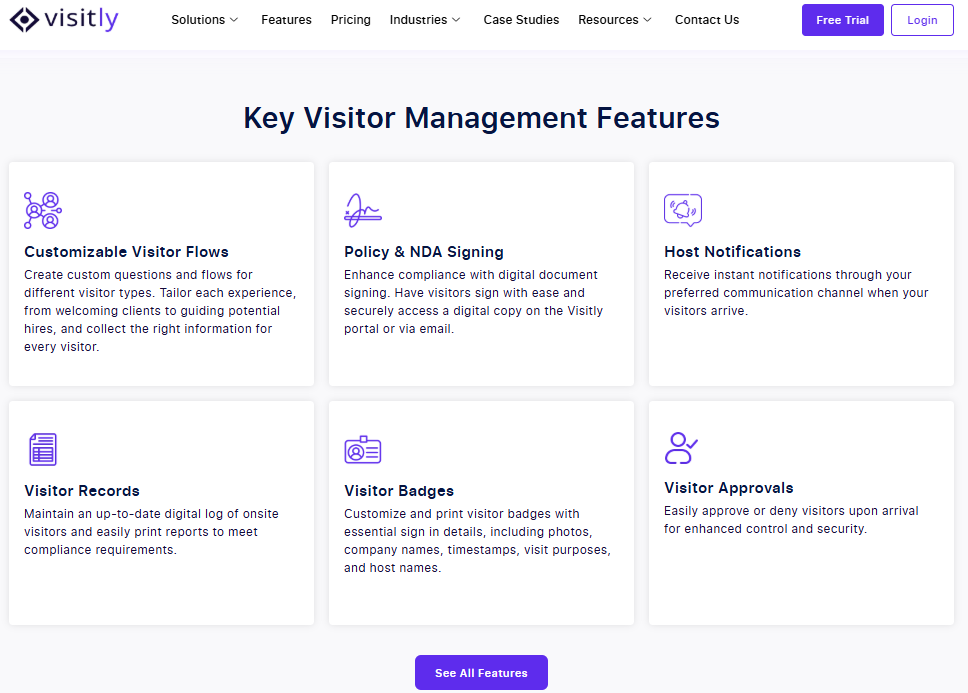
Visitly’s interface is designed for simplicity. It’s easy for office admins and front desk teams to get started with minimal training. Whether it’s a quick check-in for a visitor or contractor, the system’s user-friendly interface ensures smooth operations from the get-go.
2. No Unnecessary Features, Just What You Need
Many platforms bloat their offerings with features that you don’t need and inflate costs. Visitly focuses on core, essential features like pre-registration, real-time notifications, and ID scanning without overcharging you for extra functionalities.
3. Top-Notch Security with Watchlists and ID Verification
Visitly’s security features ensure your workplace stays safe. With watchlists, ID verification, and real-time alerts, you can manage access and support your compliance program.
4. Contractor Management Made Seamless
Managing contractors doesn’t have to be a hassle. Visitly makes it easy to integrate contractors into your visitor management workflow with features like bulk pre-registration and customizable check-in forms.
5. Streamlined Emergency Management
In case of an emergency, Visitly provides real-time notifications and visitor tracking via the iPad interface, making emergency management efficient and transparent.
6. Flexible Pricing for Mid-Market Companies
Visitly offers flexible pricing that’s tailored to the needs of mid-market businesses. It provides scalable solutions that grow with your company, unlike other platforms that might overcharge you for features you don’t need.
7. Customer Support that Works for You
One of the most significant advantages of Visitly is its dedicated customer support team. Whether you’re setting up your system or troubleshooting an issue, Visitly’s support team responds quickly and keeps downtime to a minimum.
In Summary: Why Choose Visitly
- Effortless check-ins with an intuitive design
- No unnecessary features
- Robust security with watchlists and ID verification
- Seamless contractor management
- Real-time emergency management for fast responses
- Flexible pricing tailored to growing companies
- Responsive customer support that’s always there when you need it

Closing Thoughts
The comparison between Visitly, Envoy, and Proxyclick highlights key distinctions that will shape your decision on the best guest sign-in app for your business:
- Visitly stands out for its intuitive design and easy integration with your existing systems. For companies seeking a no-fuss, secure solution, it checks all the boxes.
- Envoy is great for large enterprises that need advanced features like multi-location management, but it comes at a premium price.
- Proxyclick shines for businesses with strict compliance needs, but it too can become expensive as your needs scale.
Why Visitly?
With its transparent pricing, strong security features, and simple setup, Visitly is the perfect solution for growing businesses needing a reliable guest sign-in app. It’s especially suitable for companies that want to keep things simple but secure.
Take Action
Explore Visitly further or talk to sales today. It’s time to simplify your visitor management and ensure your office security without the complexity.
FAQs
What is a guest sign-in app?
A guest sign-in app is the software a visitor uses to check in at a workplace, on a lobby kiosk or on their own phone. It captures who they are and who they are visiting, collects any signature required, prints a badge and alerts the host. The record it keeps replaces the paper logbook.
How do Visitly, Envoy and Proxyclick differ?
They differ in scope. Visitly is visitor-management-first. Envoy is a workplace platform that also covers resource booking, mailroom and signage. Proxyclick became Eptura Visitor in 2025 and is one of six products in Eptura's suite.
How much do Visitly, Envoy and Proxyclick cost?
Visitly lists $1,000 and $2,000 per location per year. For larger rollouts, our team will work out the pricing with you for all your locations. Envoy Premium is $362 per location per month billed annually, or $4,344 a year. Eptura Visitor, formerly Proxyclick, publishes no price and is quote only. Prices as of Q4 2026.
Which guest sign-in app is most secure?
Judge each by the plan that holds the security controls. Visitly includes single sign-on and the audit log as standard, with watchlist and photo ID screening included at $2,000 per location per year. Envoy starts single sign-on at Premium and lists blocklist checks and ID scanning under Enterprise. Eptura puts access control integration in its Power tier.
What integrations matter most in a guest sign-in app?
Four integrations do most of the work. An identity provider handles single sign-on and the employee directory. A calendar turns meeting invites into pre-registrations. Slack or Microsoft Teams carries the host alert. Access control gives an approved visitor a door credential that expires when the visit ends.
Which guest sign-in app suits a small or growing business?
A single office with light traffic can start on an entry tier. Envoy Basic is free for up to 50 employees and 100 entries a month. A growing company should check three limits before it commits: the number of sites, the plan that adds single sign-on, and how price changes with each new location.