In safety-sensitive industries like construction, manufacturing, and energy, managing visitors and contractors isn’t just about logging who enters a facility. It’s about ensuring security, workplace compliance, and smooth operations.
Without an efficient electronic visitor management system, unauthorized access can pose serious risks, including data breaches and costly fines.
Improperly tracking contractors and visitors significantly increases workplace threats.
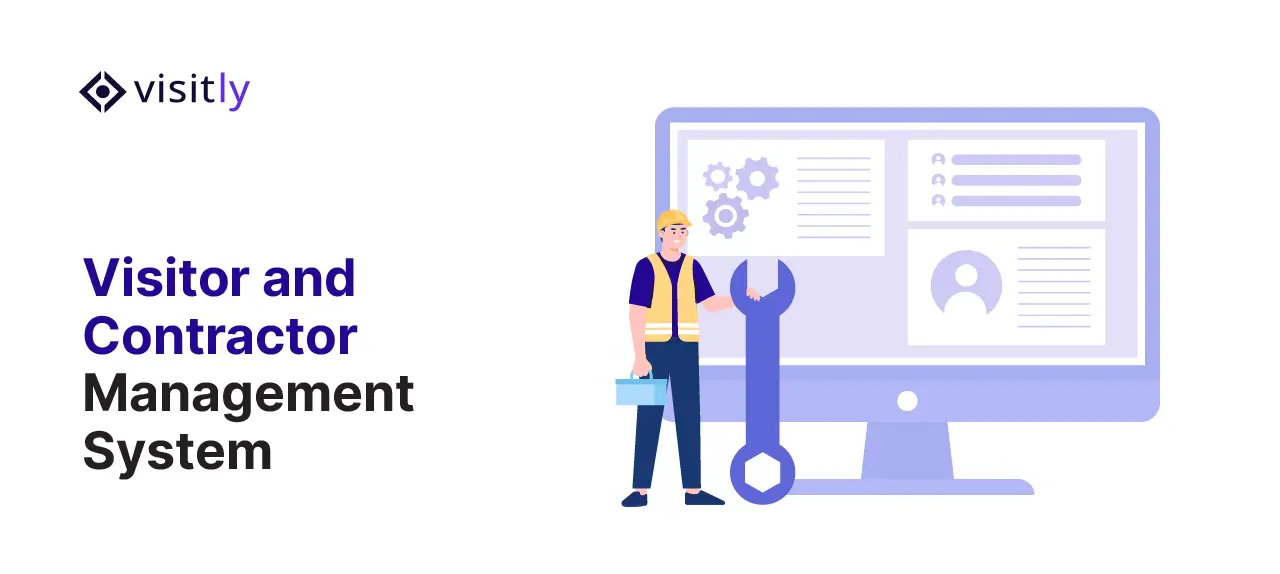
A Visitor and Contractor Management System (VCMS) ensures that only authorized, compliant personnel enter high-risk areas and provides real-time tracking and robust security.
To understand the value of visitor and contractor management software, let’s examine how it streamlines workplace safety, helps your business meet regulatory standards, and reduces operational risks in safety-sensitive environments.
Why is a Visitor and Contractor Management System Important in Safety-Sensitive Areas?
A visitor and contractor management system improves safety in sensitive areas by:
- Enhancing security protocols and minimizing risks
- Compliance with safety regulations and industry standards
- Preventing unauthorized access to critical areas
- Real-time monitoring for emergency responses
- Improved operational efficiency
Safety-sensitive areas, such as construction sites, energy plants, and manufacturing facilities, demand strict control over who enters, what they do, and how long they stay.
Unauthorized access or noncompliant visitors pose significant safety risks, trigger regulatory violations, and cause financial losses.
A Visitor and Contractor Management System (VCMS) is essential in these environments to ensure smooth operations, with security and compliance systems.
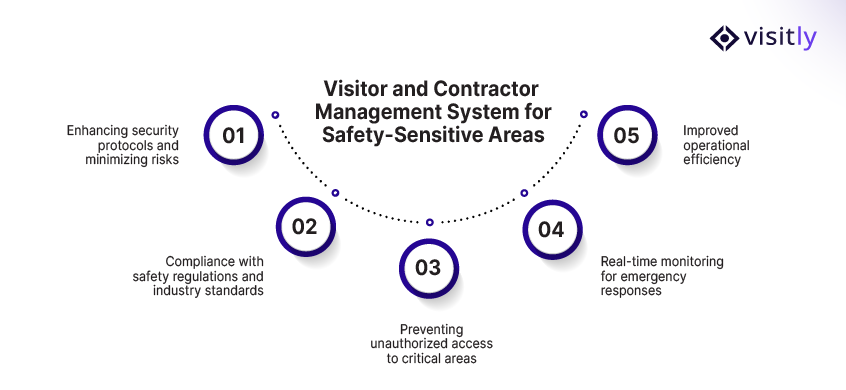
Here’s why implementing a VCMS is critical for safety-sensitive areas:
1. Enhancing Security Protocols and Minimizing Risks
Managing who enters your facility is paramount in ensuring safety and reducing operational risks. A VCMS improves workplace security by automating the entry process, verifying identity, and keeping a real-time record of which contractors and visitors are on site.
If your system lacks robustness, unauthorized access can go undetected, leading to security breaches or incidents.
- Automated Entry Control: A VCMS automatically checks contractors and visitors against your security requirements before entry. For example, confirming a completed safety induction or conducting criminal background checks can be done in real time, eliminating the risks associated with manual checks.
- Digital Visitor Records: The system records each check-in by badge, facial recognition, or QR codes, and a connected access control system limits entry to restricted areas. This minimizes the risk of human error, which could allow unauthorized individuals to enter critical zones.
- Alerts and Notifications: Real-time emergency notifications are sent for any breaches or when a visitor or contractor attempts to enter an unauthorized area. This preemptive security measure helps promptly address potential issues.
Example: In a manufacturing plant, where heavy machinery and hazardous materials are present, unauthorized access to the production floor could result in accidents. A VCMS reduces these risks by limiting access and recording who is on site, so no one enters hazardous zones without clearance.
2. Compliance with Safety Regulations and Industry Standards
Compliance is a significant concern in safety-sensitive industries. Regulations such as OSHA (Occupational Safety and Health Administration) standards and ISO standards are in place to protect employees and contractors from workplace hazards.
A contractor and visitor management system helps your business meet regulatory requirements by ensuring contractors and visitors follow security standards before entering your site.
- Pre-Screening and Documentation: Before a contractor or visitor can access restricted areas, the VCMS shows the site safety induction and records the acknowledgment. The system also stores the documentation signed at check-in, such as NDAs and site agreements, with the visit record. Insurance certificates and training records usually sit in a contractor prequalification system, separate from visitor management.
- Audit-Ready: The VCMS maintains detailed logs of all visitors and contractors, providing an audit trail of their activities and compliance status. This data is invaluable during regulatory inspections or safety audits, as it demonstrates your organization’s compliance with required safety standards.
Example: Consider a construction site where specific safety gear is required to enter certain areas. A VCMS can flag any visitors or contractors who have not completed safety briefings or lack proper gear, preventing non-compliant personnel from entering dangerous zones.
3. Preventing Unauthorized Access to Critical Areas
In any safety-sensitive environment, only a VCMS restricts access to authorized individuals, preventing costly damage, safety violations, or injuries. This system protects both your facility’s integrity and everyone’s safety within it.
- Role-Based Access Control: A VCMS allows you to set up role-based access, where different individuals have access to specific areas based on their assigned roles. For instance, contractors working on electrical systems may be permitted in electrical rooms but not in storage areas or chemical-handling zones.
- Physical and Digital Access Integration: The VCMS can integrate with access control systems, such as biometric scanning, key cards, or turnstiles, ensuring physical security barriers align with your digital records.
- Visitor Screening: A VCMS can also screen visitors to verify legitimacy and identify potential threats. If someone doesn’t meet the qualifications or has been flagged in the system, their entry can be denied in real time.
Example: A pharmaceutical manufacturing plant must adhere to strict regulations governing who may enter its chemical storage areas. The VCMS ensures that only pre-approved personnel who have acknowledged the site induction are granted access, preventing unauthorized individuals from entering dangerous areas.
4. Real-Time Monitoring for Emergency Responses
When an emergency occurs, such as a fire, chemical spill, or security breach, it’s crucial to know exactly who is on-site and at which location. Real-time monitoring from a VCMS enhances emergency management capabilities and helps ensure compliance with safety protocols.
- Instant On-Site List: In an emergency, the VCMS can instantly generate a list of everyone currently on-site, by location and host. This improves evacuation procedures and helps emergency teams identify who remains in the building.
- Real-Time Notifications: When a safety issue arises, the system can send real-time alerts to security personnel, facility managers, and HR teams, allowing them to take immediate action.
- Post-Emergency Reporting: After an emergency, the VCMS can provide a detailed log of visitor and contractor activity, helping identify protocol violations and improve future safety measures.
Example: In a chemical plant, during a chemical leak, knowing who is on site is vital. A VCMS gives emergency responders a current list of everyone checked in, so they can account for each person.
5. Improved Operational Efficiency
A VCMS enhances safety and improves efficiency by automating manual visitor and contractor management processes. This saves time and minimizes errors in security checks.
- Streamlined Check-In Process: Automating the visitor check-in process eliminates paper logs, ensuring accurate, easy-to-access information. Visitors pre-register to expedite entry, while contractors complete the safety induction and sign documents at check-in.
- Automated Record-Keeping: The system records and stores all relevant data, including entry and exit times, safety checks, and compliance documentation, thereby reducing your team’s administrative burden.
- Data-Driven Insights: By collecting data on visitor and contractor behavior, a VCMS provides valuable insights into access patterns and potential gaps in security management systems, enabling your team to continuously improve safety and operational processes.
Example: A manufacturing facility might use a VCMS to automatically track contractors working on-site. This allows HR and security teams to focus on higher-priority tasks, such as addressing safety concerns, rather than manually logging arrivals or chasing signatures.
How Does Contractor Management Software Improve Safety?
Contractor management software improves safety in the following ways:
- Streamlining contractor onboarding and screening
- Ensuring contractor compliance with safety protocols
- Simplifying access control and permissions
- Monitoring contractor performance and behavior on-site
Managing contractors in safety-sensitive areas requires precision, compliance tracking, and real-time monitoring. Contractor management software (CMS) streamlines the entire process, improving safety, efficiency, and compliance.
Here are the main ways CMS enhances safety:
1. Streamlining Contractor Onboarding and Screening
Contractor management software streamlines onboarding by automating pre-registration and showing each contractor the site safety induction before they enter the facility.
- Automated Pre-Screening: Asks site-specific screening questions and records the answers. Certifications, training records and permits are verified in a prequalification system.
- Compliance Check: Ensures contractors meet safety protocols and regulatory requirements before entry.
2. Ensuring Contractor Compliance with Safety Protocols
CMS ensures contractors follow safety protocols throughout their time on-site, significantly reducing the risk of accidents.
- Digital Safety Briefings: Contractors must complete safety training before starting.
- Real-Time Monitoring: Tracks whether contractors are adhering to safety standards in real time.
3. Simplifying Access Control and Permissions
Contractor management software integrates with access control systems to limit contractor access to designated areas based on their approved visit.
- Role-Based Access: Grants access to specific zones based on role and host approval.
- Real-Time Monitoring: Shows which contractors are on site. Door-level movement is recorded by the access control system.
4. Monitoring Contractor Performance and Behavior On-Site
Tracking contractor performance and behavior ensures compliance with safety standards and operational goals.
- Time and Job Tracking: CMS tracks hours worked and tasks completed.
- Incident Reporting: Logs safety violations and near misses for review and corrective action.
Site induction and signed acknowledgment at check-in
A verbal briefing leaves no record. The stronger control is an induction the contractor completes at check-in, before a badge prints.
- The contractor sees the site induction: the hazards, the site rules and the protective equipment required for the area.
- They acknowledge it and sign the site safety policy, and an NDA where the work calls for one.
- The host approves the visit.
- The acknowledgment and signatures are kept with the visit record, with a time stamp.
Visitly shows the induction at check-in before entry and logs the acknowledgment, and NDAs, waivers and other documents are signed in the same flow. It does not track contractor certifications, training records or insurance, so keep those in your prequalification process.
Best Practices for Implementing a Visitor and Contractor Management Software for Small Businesses
In this section, we’ll explore best practices for selecting and implementing a cost-effective, scalable contractor management system (CMS) that meets the unique needs of small businesses while ensuring safety and compliance.
Cost-Effective Solutions for Small Businesses
One of the main concerns for small businesses when adopting a Visitor and Contractor Management Software is the cost. Unlike large enterprises, small businesses often have budget constraints. Fortunately, there are cost-effective solutions that deliver robust features without requiring large-scale investments.
- Affordable Pricing Tiers: Many VCMS providers offer usage-based pricing plans, allowing small businesses to start with basic features and upgrade as needed.
- Cloud-Based Systems: Opt for cloud-based CMS solutions, which generally cost less upfront since they don’t require expensive hardware installations and maintenance. These systems often offer subscription-based pricing, making them more affordable for small businesses.
- No Additional Software Requirements: Some CMS systems, such as Visitly, do not require additional hardware or apps, reducing implementation and training costs. Everything can be handled through an iPad visitor sign-in.
Customization Options for Small Business Needs
As small businesses often have unique operational needs, the customization options in a contractor management system are crucial. A flexible CMS can be tailored to your business’s specific requirements, ensuring it aligns with your workflows.
- Tailored Onboarding: You can customize the contractor onboarding process to fit your business requirements. This could include tailored safety briefings, screening questions, and documentation collection to ensure contractors meet your specific safety standards.
- Access Control Customization: Customize access levels for contractors and visitors based on their roles. For example, only contractors a host has approved for high-risk work may be permitted to enter high-risk areas, while other visitors are restricted to low-risk zones.
- Scalable Features: As your business grows, your CMS should enable you to add more visitor management features—such as real-time tracking, incident reporting, or automated notifications—to meet evolving needs. Choose a system that can grow with your business.
Key Features to Look for in a Scalable Contractor Management System
When selecting a contractor management system for your small business, ensure it offers key features that deliver value from day one and scale as your business grows.
Here are the top features to consider:
- Automated Check-Ins: Automating the visitor and contractor check-in process makes it faster and more accurate. Visitors can pre-register online, reducing wait times and manual entries at the front desk.
- Real-Time Notifications: Send instant notifications to hosts when their visitors or contractors arrive, improving communication and enhancing operational efficiency.
- Signed Safety Acknowledgments: Show the site induction at check-in and keep each contractor's acknowledgment and signed documents with the visit record. Certifications, insurance and work permits are usually tracked in a separate prequalification system, so ask each vendor which side it covers.
- Access Control Integration: Integrate with existing physical access control systems, such as RFID cards, biometric scanners, or turnstiles, to grant or deny access based on the contractor’s clearance level.
- Incident Reporting: Easily log and track any incidents or safety violations, which can be accessed in real-time for immediate response or future audits.
What are the Key Features of a Visitor Management System like Visitly for Safety-Sensitive Areas?
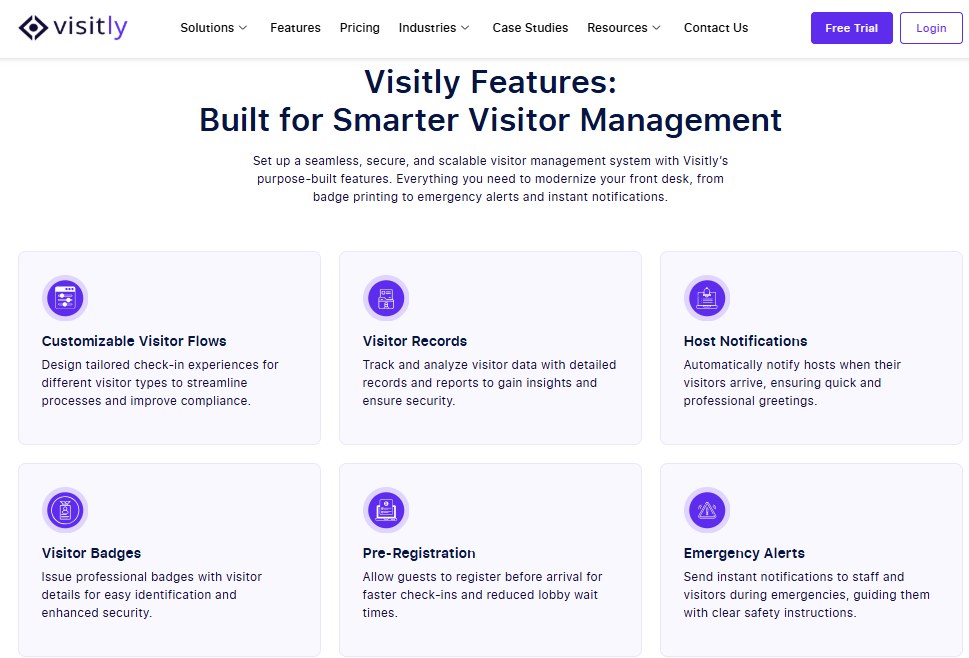
A modern visitor and contractor management system like Visitly goes beyond basic check‑ins.
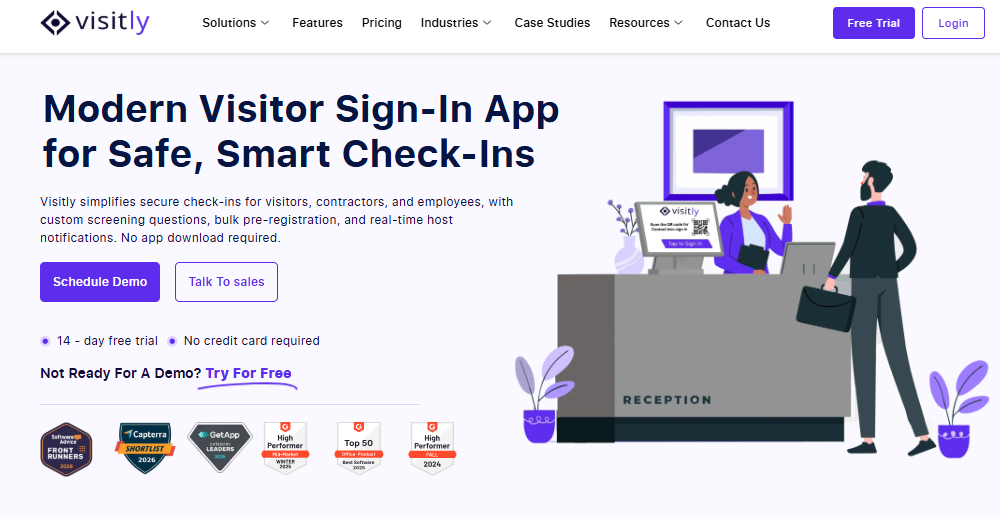
In safety‑sensitive environments—such as construction sites, energy facilities, manufacturing plants, and healthcare campuses—these solutions must ensure safety, compliance, and efficient access control.
The key features of a visitor management system for safety-sensitive areas are:
- Digital Sign-In and ID Verification
- Custom Screening Questions
- Real-Time Host Notifications
- Integration with Access Control Systems
- Touchless Sign-in and Visitor Tracking
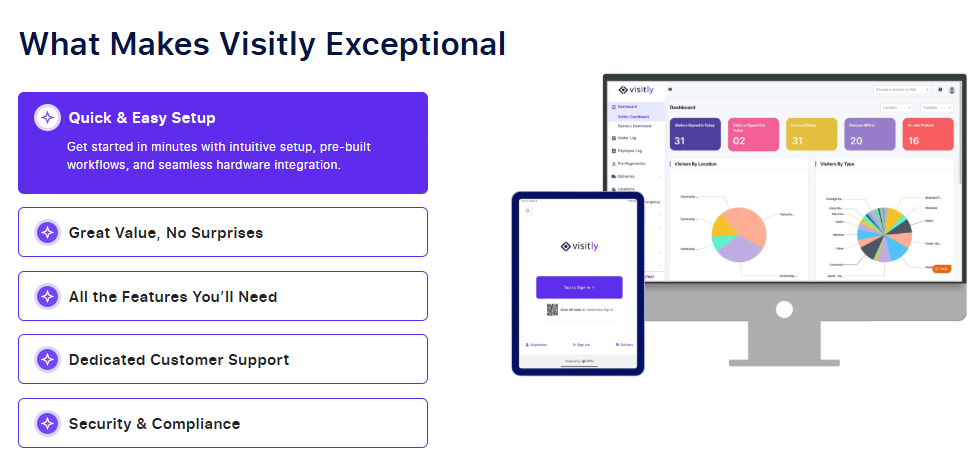
Let’s break down the essential features that make a VMS effective for high-security environments.
1. Digital Sign-In and ID Verification
A digital sign-in system simplifies and secures the visitor check-in process.
- Touchless Check-In: The touchless visitor management system enables visitors to check in via self-service kiosks or mobile apps, reducing wait times.
- ID Verification: Scans visitors’ IDs or licenses for instant identity verification, ensuring only authorized individuals are allowed on-site.
- Instant Record-Keeping: All visitor data is securely stored for future reference to ensure compliance.
2. Custom Screening Questions
A VMS can include custom screening questions tailored to specific safety and compliance requirements for visitors.
- Pre-Screening: Ask visitors the safety questions your site sets before they enter. Visitly records the answers and does not verify certifications.
- Risk Assessment: Questions help assess the risk level, ensuring only qualified visitors enter restricted areas.
- Logged Acknowledgment: Visitors acknowledge the site safety rules before entry, and the acknowledgment is stored with the visit.
3. Real-Time Host Notifications
Real-time notifications enhance communication between visitors, hosts, and security teams.
- Instant Alerts: Hosts are notified when their visitors arrive, allowing them to prepare or take necessary action.
- Access Control: Integration with access control systems ensures hosts can approve or deny access based on visitor details.
- Efficient Coordination: Streamlines operations, improving the visitor check-in experience and security coordination.
4. Integration with Access Control Systems
A VMS should integrate with existing access control entry systems, such as RFID, biometric scanners, or key cards, to restrict access to certain areas based on visitor credentials.
- Role-Based Access: Only authorized visitors with appropriate clearance are granted access to sensitive zones.
- Real-Time Presence: Shows who is checked in, at which location and for which host. Door-level movement comes from the access control system.
- Audit Trail: The system maintains a detailed log of every visitor’s access, making it easier to review activities and maintain compliance.
5. Touchless Sign-In and Visitor Tracking
The touchless sign-in feature reduces physical contact, enhancing both safety and security.
- QR Codes & Facial Recognition: Visitors can check in using QR codes or facial recognition for a smooth, contact-free experience.
- Automated Logging: The system logs each check-in and check-out in real time, so the on-site list stays current.
- Enhanced Data Accuracy: Reduces human error in recording and tracking visitor data.
Closing Thoughts
In safety-sensitive areas, the right Visitor and Contractor Management System (VCMS) is essential for ensuring security, compliance, and operational efficiency. With features such as automated check-ins, real-time notifications, and integrated access control, a robust system streamlines visitor tracking and strengthens safety protocols.
Visitly is the ideal partner for businesses seeking to streamline visitor and contractor management while maintaining the highest safety standards. With its customizable features and seamless integration with existing systems, Visitly supports your compliance program and keeps visitor and contractor entry secure.
Ready to elevate your safety standards?
Contact Visitly today and discover how our system can help manage visitors and contractors effortlessly while enhancing your security.
FAQs
What is a visitor and contractor management system?
A visitor and contractor management system is one platform that registers, screens and records everyone on site who is not an employee. Visitors and contractors go through different check-in flows but land in the same on-site roster and audit log. In safety-sensitive areas that single record matters, because an evacuation or investigation covers everyone present.
How does a contractor management system improve safety in high-risk areas?
It improves safety by putting a gate between arrival and the hazard. Contractors see the site induction, acknowledge the hazards and the protective equipment required, and are approved by a host before a badge prints. The system records each acknowledgment with a time stamp, so supervisors can confirm it happened before work starts in a restricted zone.
What features matter most in safety-sensitive areas?
Four features carry most of the weight: identity checks at sign-in, screening questions specific to the hazard, a logged safety acknowledgment and a live roster for emergencies. Host notification matters too, because an unescorted contractor is a risk in itself. Check that each location can set its own questions while security keeps one central record.
How does a visitor management system work with access control?
The visitor management system decides who is approved, and the access control system enforces it at the door. On check-in, the visitor platform passes the approved visit to the access system, which issues a credential limited to set areas and hours. Visitly integrates with Genetec, Brivo, LenelS2 Netbox, Kisi and C CURE 9000; talk to sales for integration pricing.
Should visitors and contractors be managed in one system or two?
Use one system for entry and presence, so the roster, badges and audit trail cover everyone on site. A second system makes sense only for contractor prequalification, such as insurance and certification tracking, which sign-in platforms often leave out. Visitly handles the entry side and does not track contractor certifications or insurance.
Does a visitor and contractor management system help with OSHA requirements?
It helps by supplying records, and it does not make a site compliant. Visitly supports OSHA programs with per-zone PPE attestation, hazard acknowledgment, drill mode, evacuation rolls and an OSHA evidence export. Your safety lead decides how those records fit the written safety program and which standards apply to each work area.