Every 15 seconds, a worker dies from a work-related accident or disease. That’s more than 2.3 million lives lost every year, according to the ILO’s SafeWork program—and millions more left with injuries, illnesses, and financial devastation that never make the news.
For high-risk sites—construction zones, manufacturing floors, oil rigs, and warehouses—these aren’t just statistics. They represent real failures in workplace safety processes: inspections that were skipped, hazards that weren’t logged, and contractors who walked onto a site without proper screening.
Yet most high-risk operations still rely on paper-based checklists that get lost, filled in retroactively, or ignored under deadline pressure.
This guide breaks down the top 10 workplace safety checklists every high-risk site needs, why paper systems are quietly failing your teams, and how digital tools are helping safety managers close workplace compliance gaps before they become incidents.
So, let us look at some do’s and don’ts for a workplace safety inspection checklist.
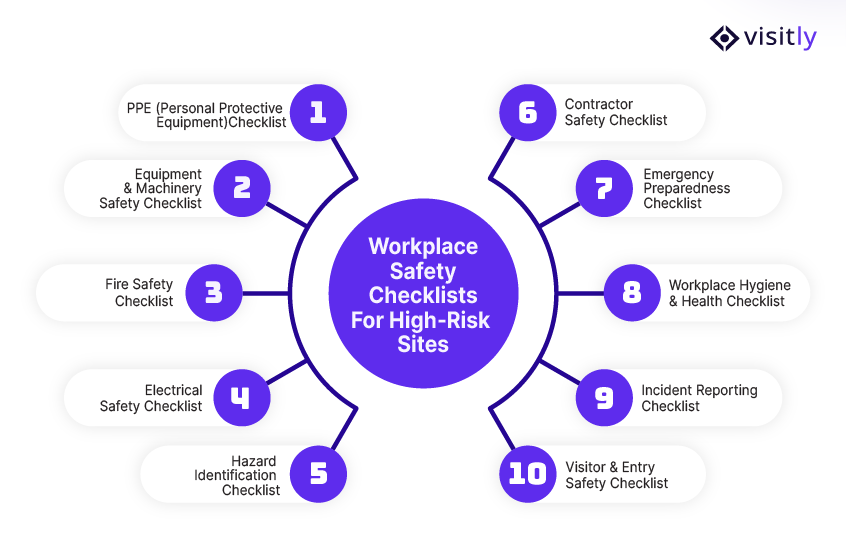
What Are the Top 10 Workplace Safety Checklists for High-Risk Sites?
The top 10 workplace safety checklists for high-risk sites are:
1. PPE (Personal Protective Equipment) Checklist
2. Equipment & Machinery Safety Checklist
3. Fire Safety Checklist
4. Electrical Safety Checklist
5. Hazard Identification Checklist
6. Contractor Safety Checklist
7. Emergency Preparedness Checklist
8. Workplace Hygiene & Health Checklist
9. Incident Reporting Checklist
10. Visitor & Entry Safety Checklist
No two high-risk sites are identical, but accidents often stem from similar problems: missed inspections, unverified contractors, and safety measures that exist only on paper.
The following 10 workplace safety checklists address those gaps directly, giving your team a practical framework to standardize safety across every shift, every site, and every person who walks through your gates.
1. PPE (Personal Protective Equipment) Checklist
A PPE checklist is the first line of defense in any workplace safety inspection checklist. If PPE fails, everything else becomes irrelevant. Yet, many incidents happen because equipment is either missing, misused, or poorly maintained.
A strong PPE checklist ensures every worker is protected before they even step onto the site.
Key checkpoints include the following:
- Availability of required PPE (helmets, gloves, goggles, harnesses)
- Proper usage based on role and task
- Condition checks for wear, damage, or expiry
- Fit and compliance with security standards.
- Replacement tracking and inventory control
For distributed teams, manual tracking often leads to gaps. This is where integrating PPE checks with a digital workplace safety program helps maintain consistency across sites.
2. Equipment & Machinery Safety Checklist
Heavy machinery is one of the biggest risk factors in high-risk environments such as manufacturing facilities or supply chain processes. A missed inspection or delayed maintenance can lead to severe injuries and operational downtime. That’s why this checklist plays a critical role in any workplace safety audit checklist.
Instead of reactive maintenance, this checklist ensures proactive monitoring of equipment health and safety readiness in healthcare settings.
Key checkpoints include:
- Machine guards are properly installed and functional.
- Maintenance logs are updated and verified.
- Emergency shutoff systems are tested regularly.
- Equipment calibration and performance checks.
- Operator certification and authorization.
The challenge? Paper-based logs often fail to capture issues in real time. Teams miss updates. Data gets lost. Accountability drops.
Using workplace safety software solves this. It gives you:
- Real-time equipment status visibility
- Automated emergency notification for overdue inspections
- Centralized logs across multiple sites
3. Fire Safety Checklist
Fire incidents escalate fast and leave little room for error. A well-defined fire safety checklist is a core component of any workplace safety inspection checklist, especially in industries that handle flammable materials, electrical systems, or heavy machinery.
This checklist ensures your site is always prepared, not reacting in panic.
Key checkpoints include:
- Fire extinguishers are accessible, charged, and inspected.
- Alarm systems are functional and tested regularly.
- Emergency exits are clearly marked and unobstructed.
- Emergency management plans are displayed and understood by all workers.
- Fire drills are conducted and documented.
Many teams fail here due to poor visibility. Fire safety logs are stored in files rather than actively tracked.
With workplace safety software, you can automate inspections and ensure compliance readiness at all times. When combined with a visitor management system, you can also track who is inside the building during an emergency—critical for evacuation accountability.
4. Electrical Safety Checklist
Electrical hazards remain one of the leading causes of workplace injuries. A comprehensive electrical checklist is essential in any workplace safety audit, especially in high-risk environments with complex systems.
This checklist focuses on preventing invisible risks that often go unnoticed until failure.
Key checkpoints include:
- Wiring condition and insulation checks.
- Lockout/tagout procedures are in place and followed.
- Electrical panels are secure and properly labeled.
- Overloaded circuits are identified and resolved.
- Regular inspection of tools and electrical equipment.
Manual audits often miss recurring issues. That’s where digital tracking helps.
Using a workplace safety program supported by digital tools ensures:
- Scheduled inspections never get skipped.
- Risk patterns are identified early.
- Compliance documentation stays audit-ready.
5. Hazard Identification Checklist
Every site has workplace threats or hazards. The real risk comes from not identifying them early. This checklist forms the backbone of any proactive workplace safety program.
It helps teams move from reactive incident handling to proactive risk prevention.
Key checkpoints include:
- Chemical storage and labeling compliance.
- Slip, trip, and fall hazards across the site.
- Exposure to noise, dust, or harmful substances.
- Environmental risks, such as temperature or ventilation issues.
- Unsafe work practices were observed during operations.
Without structured tracking, hazards remain undocumented or ignored.
By digitizing this checklist through workplace safety software, teams can:
- Log hazards in real time.
- Assign corrective actions instantly.
- Track resolution status across teams.
6. Contractor Safety Checklist
Contractors often introduce the highest safety risks because they operate outside your internal systems. Yet, many companies still manage them manually.
This checklist ensures every contractor meets workplace security policies before and during site access.
Key checkpoints include:
- Pre-qualification and documentation verification.
- Safety training and certifications validated.
- Insurance and compliance records checked.
- Role-based access control systems and permissions are defined.
- Entry approvals and activity tracking.
Here’s where most systems fail: they separate safety from access control entry systems.
Using a contractor management system like Visitly, you can:
- Pre-register contractors with the contractor management app for safety screening questions.
- Have contractors sign required documents and agreements at check-in using the contractor management software.
- Track every contractor entering your facility in real time with contractor tracking software.
7. Emergency Preparedness Checklist
Emergencies test how prepared your systems really are. This checklist ensures your team can respond quickly and effectively under pressure.
It’s a critical part of both a workplace safety audit checklist and operational readiness.
Key checkpoints include:
- Clearly defined emergency response plans.
- Regular drills for fire, medical, and evacuation scenarios.
- Communication systems are tested and accessible.
- Emergency contacts and escalation paths documented.
- Availability of first-aid kits and emergency equipment.
Most organizations document plans but fail to execute them.
With a digital workplace safety program, you can:
- Track drill participation.
- Monitor response readiness.
- Ensure every team knows their role.
8. Workplace Hygiene & Health Checklist
Health risks are often overlooked until productivity or compliance suffers. This checklist maintains a safe workplace from hygiene and health perspectives.
It is especially important in manufacturing, warehousing, and shared environments.
Key checkpoints include:
- Cleanliness of work areas and common spaces.
- Air quality and ventilation checks.
- Waste disposal and hazardous material handling.
- Availability of sanitation facilities.
- Monitoring of workplace illness or exposure risks.
A strong safety checklist for an office workplace also includes hygiene practices for employees and visitors.
9. Incident Reporting Checklist
Incidents are not just events—they are data points. If you don’t track them properly, you end up repeating them.
This checklist ensures proper recording, analysis, and resolution of each incident.
Key checkpoints include:
- Clear reporting timelines and protocols.
- Detailed incident documentation.
- Root cause analysis process.
- Corrective and preventive actions assigned.
- Follow-up tracking and closure verification.
Manual reporting often leads to incomplete data and delayed action.
Using workplace safety software, you can:
- Capture incidents in real time.
- Automate escalation workflows.
- Identify patterns and recurring risks.
10. Visitor & Entry Safety Checklist
Most safety systems focus on the workplace. But risk often enters from outside—through visitors, vendors, and unauthorized access.
This checklist ensures every person entering your site meets security and compliance standards.
Key checkpoints include:
- Identity verification before entry
- Physical access control system based on role and purpose
- Mandatory safety briefing at check-in
- Health declarations or compliance forms
- Real-time tracking of all entries and exits
Traditional logbooks fail here. They don’t provide visibility or control.
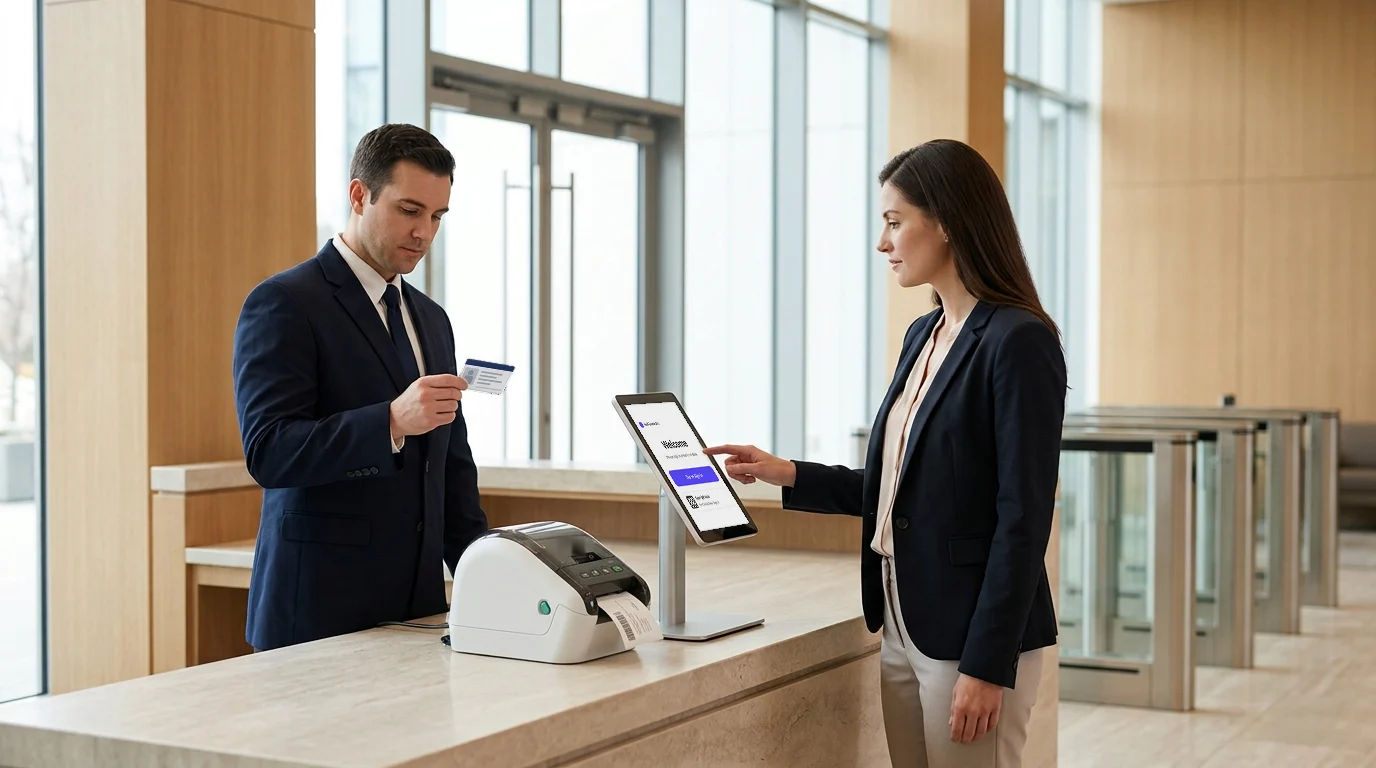
With a digital visitor management system like Visitly, you can:
- Digitize check-ins with ID and facial recognition verification.
- Pre-register visitors and contractors.
- Send real-time host notifications.
- Maintain compliance-ready logs automatically.
What Is a Safety Checklist for Office Workplace and Why It Still Matters?
A safety checklist for the office workplace is a structured list of safety checks used to ensure employees, visitors, and facilities remain safe in low-risk environments.
Many teams assume offices are “safe enough.” That assumption creates blind spots. Slips, fire hazards, unauthorized access, and poor emergency readiness still cause real incidents in office environments.
Even in low-risk settings, workplace safety checklists help standardize processes and ensure compliance across locations.
Why does it still matter?
Because safety risks don’t disappear—they just look different.
A well-defined workplace safety inspection checklist for offices ensures:
- Consistent safety practices across teams.
- Faster response during emergencies.
- Better visitor management compliance during audits.
- Clear visibility into daily safety conditions.
How Visitly Helps You Execute Workplace Safety Checklists in Real-Time?
What is the biggest gap in workplace safety checklists today?
Execution. Most teams create checklists, but they struggle to enforce them in real time. That’s where systems like Visitly change the game.
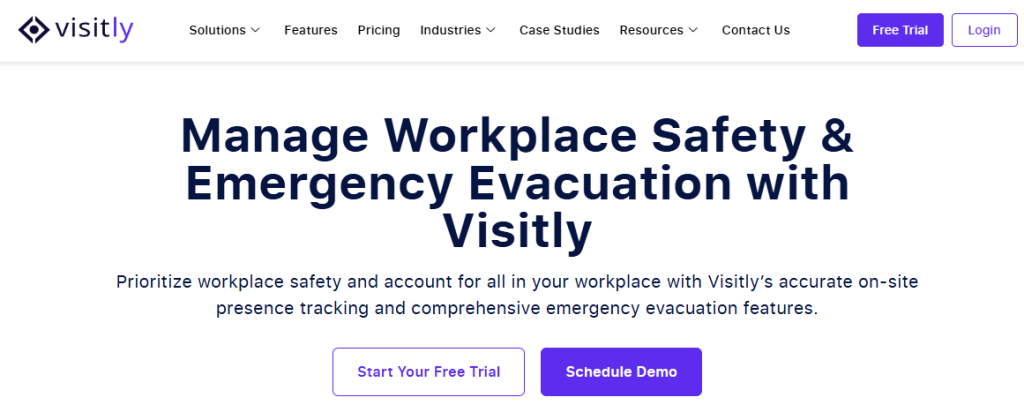
Visitly doesn’t replace your workplace safety checklists—it helps you execute them at the most critical point: entry and access.
Think about this. Every safety risk starts when someone enters your site without proper validation. Contractors, vendors, or even visitors can bypass safety protocols if your process is manual.
Visitly solves this by turning your safety checklist into a live, enforceable workflow.
Key Visitly Features That Strengthen Your Workplace Safety Program
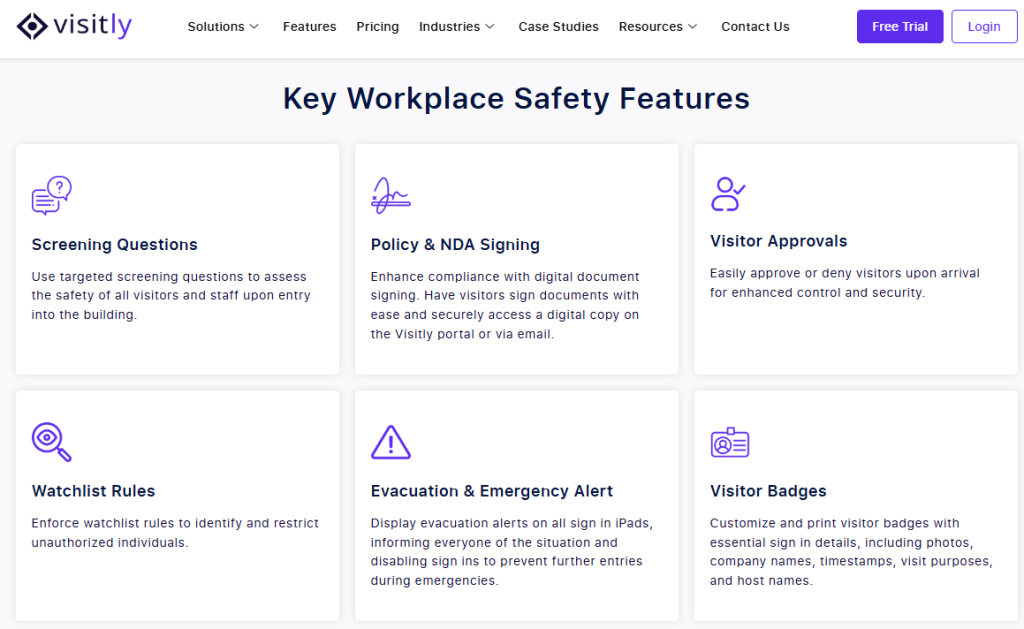
1. Digital Check-Ins for Complete Visibility
Manual logbooks don’t scale. They miss data, delay tracking, and fail audits.
With Visitly’s features of a visitor management system, you can:
- Digitize every check-in across sites.
- Track visitors, employees, and contractors in real time.
- Maintain centralized logs for compliance.
2. Pre-Screening Questions for Safety Compliance
What if you could enforce safety before entry?
Visitly allows you to add custom screening questions aligned with your workplace safety inspection checklist:
- Safety training confirmation
- Health declarations
- Compliance acknowledgments
3. Contractor Tracking Without Manual Gaps
Contractors introduce high variability and risk. Most teams track them manually, which leads to compliance issues.
With Visitly’s contractor management system, you can:
- Pre-register contractors with the required documents.
- Show a safety induction at check-in and log the acknowledgement.
- See which contractors are checked in, at which location and for which host.
4. Real-Time Notifications for Faster Response
Delays create risk. Whether it’s a missed approval or an unexpected entry, response time matters.
Visitly enables:
- Instant alerts when a visitor or contractor checks in
- Real-time notifications to hosts or supervisors
- Faster decision-making and approvals
5. Compliance-Ready Logs for Audits
Audits don’t wait. And incomplete records create legal exposure.
Visitly automatically generates:
- Time-stamped entry logs
- Digital records of approvals and screening
- Centralized data across locations

Closing Thoughts
What is the real purpose of workplace safety checklists?
To prevent incidents before they happen. But checklists alone don’t achieve that—execution does.
Across high-risk sites, workplace safety checklists form the foundation. They standardize inspections, reduce human error, and ensure compliance. But without real-time tracking, ownership, and visibility, even the best checklist becomes a document—not a system.
The shift is clear:
- Checklists are the foundation.
- Execution matters more.
- Digital tools close the gap.
That’s where Visitly comes in. It connects your workplace safety program with check-in at the entrance, contractor safety inductions, and a record of who was on site—so safety starts at the front door, not after a failure.
If you want to move from reactive safety to proactive control, it’s time to rethink how your checklists work. Book a demo today. Start building a safer, smarter workplace with Visitly.
FAQs
What is a workplace safety checklist?
A workplace safety checklist is a fixed list of inspections and tasks that a named person completes on a set schedule to find hazards before they injure someone. Each line is a check that can be answered yes or no, with a place to record the fault and who will fix it.
Which safety checklists does a high-risk site need?
A high-risk site needs ten: PPE, equipment and machinery, fire safety, electrical safety, hazard identification, contractor safety, emergency preparedness, hygiene and health, incident reporting, and visitor and entry safety. Construction, manufacturing, oil and gas and warehousing sites use all ten. The line items change with the hazards on each site.
What should be included in a workplace safety inspection checklist?
An inspection checklist should list each item to check, the standard it must meet, who inspects it and how often. Add a field for the fault found, the corrective action, the owner and the due date. A checklist that records problems without assigning the fix does not reduce risk.
How often should workplace safety checklists be completed?
Frequency follows risk. Checks tied to a high-risk task, such as PPE and machine guarding, are done every shift or every day. Fire equipment, electrical panels and housekeeping are usually checked weekly or monthly. Full audits run quarterly or yearly. Where a regulation or the equipment maker sets an interval, that interval wins.
Does OSHA require workplace safety checklists?
OSHA does not prescribe one universal checklist. Individual OSHA standards require specific inspections, training and records, and employers must keep the workplace free of recognized hazards. A checklist is how most sites show those checks were done. Your safety lead or counsel decides which standards apply to your operations.
How do you enforce visitor and contractor safety checks at the entrance?
Put the checks into the sign-in itself, so nobody gets a badge until they finish. Visitly shows a safety induction at check-in, records the acknowledgment and supports PPE attestation by zone, which gives your OSHA program dated evidence. Visitly does not track contractor certifications, training records or insurance, so keep those in your contractor qualification system.