Managing security standards across multiple locations becomes difficult when every site follows different visitor processes, stores records separately, or relies on manual tracking. Security teams need clear visibility into who enters each facility, when they arrive, and how visitor information can be accessed during audits or incidents.
Choosing the right enterprise security management software requires evaluating more than digital check-ins.
Organizations need a solution that provides centralized visibility, scalable operations, compliance, and effective visitor access control across all locations. Basic visitor sign-in systems often fail to provide the oversight required for modern workplace safety.
The software you choose determines whether your security team gets real visibility or just more disconnected data. Here’s what actually matters when comparing options and where Visitly fits into that picture.
What Is Enterprise Security Management?
Enterprise security management is the practice of overseeing workplace security policies, access controls, and security operations across every location a business runs, not just one building. It brings visitor records, contractor access, and security policies into a single system, rather than leaving each site to manage things its own way.
Traditional single-site security relies on a few basic tools:
- A front desk or sign-in sheet at each location
- Standalone badge readers or access control panels
- Records that stay local to that one building
- Security decisions made independently, site by site
A centralized enterprise security management system works differently. It replaces that patchwork with the following:
- One system tracking visitors, contractors, and access across all sites
- A single, consistent set of security policies applied everywhere
- Real-time visibility into who accessed what, where, and when
- Records and audit trails that a security team can pull from any location, instantly
What Challenges Should You Solve Before Choosing Enterprise Security Management Software?
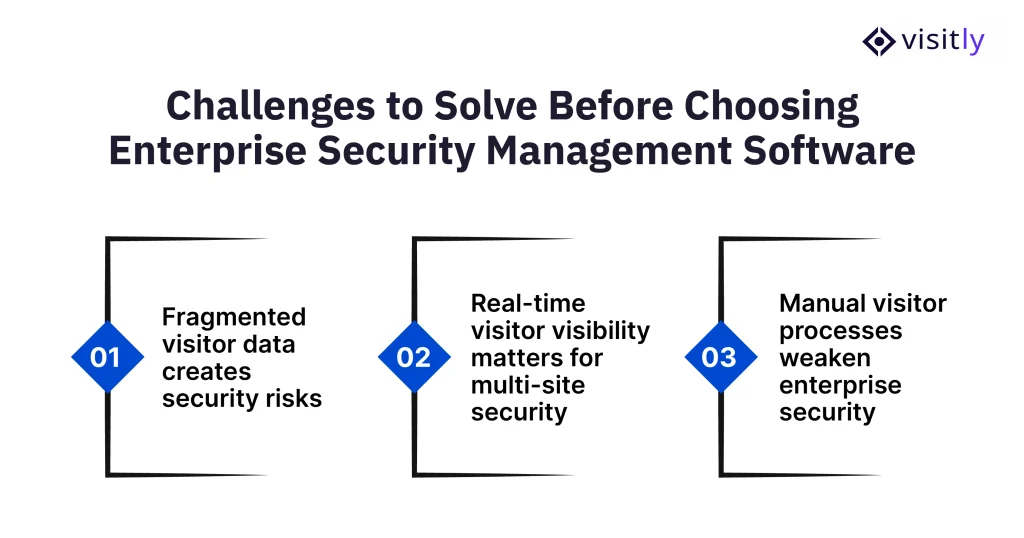
The challenges you should solve before choosing enterprise security management software are:
- Fragmented visitor data creates security risks
- Real-time visitor visibility matters for multi-site security
- Manual visitor processes weaken enterprise security
Before investing in enterprise security management software, organizations need to identify the security gaps affecting their current processes. Multi-site enterprises often struggle with disconnected visitor records, limited visibility, and manual workflows that make it harder to maintain consistent security standards across locations.
1. Fragmented Visitor Data Creates Security Risks
When each site keeps its own visitor log, there’s no single source of truth. Information sits in disconnected systems: one location’s spreadsheet, another’s paper register, a third’s standalone app.
Key challenges include:
- Visitor information is stored across different locations or systems.
- No centralized source of truth for visitor records.
- Difficulty identifying who accessed a facility and the exact timing of their visit.
- Limited ability to review visitor activity across multiple sites.
2. Real-Time Visitor Visibility Matters for Multi-Site Security
Knowing who signed in yesterday isn’t the same as knowing who’s inside your building right now. Multi-site security depends on live visibility, not historical records.
Important considerations include:
- Real-time visibility into active visitors across locations.
- Faster access to visitor information during emergencies.
- Better control over visitor movement and facility access.
- Improved coordination between security teams and workplace staff.
3. Manual Visitor Processes Weaken Enterprise Security
Paper logs and spreadsheets weren’t built to scale across locations, and it shows.
Common challenges include:
- Incomplete or inaccurate visitor records.
- Higher risk of missing critical access information.
- Slower compliance reporting and audit preparation.
- Increased workload for front desk and security personnel.
What Features Should You Evaluate in Enterprise Security Management Software?
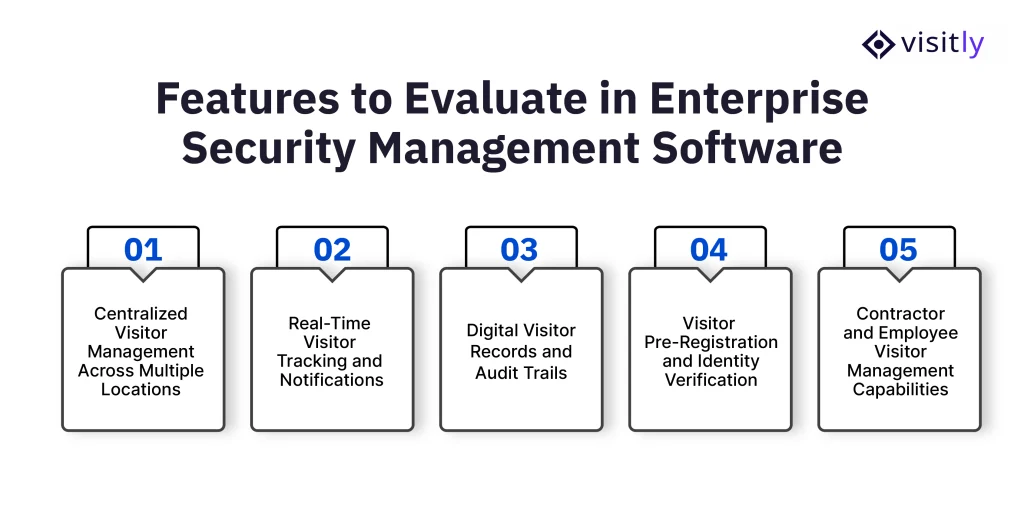
Features you should evaluate in enterprise security management software are:
- Centralized Visitor Management Across Multiple Locations
- Real-Time Visitor Tracking and Notifications
- Digital Visitor Records and Audit Trails
- Visitor Pre-Registration and Identity Verification
- Contractor and Employee Visitor Management Capabilities
Selecting enterprise security management software requires evaluating whether the platform can support the day-to-day security needs of a growing organization. For multi-site enterprises, the right solution should provide centralized visibility, automate visitor workflows, maintain accurate records, and support enterprise compliance audit requirements across every location.
Before choosing a platform, security teams should evaluate capabilities such as:
- Bulk visitor pre-registration and host emergency notifications to simplify planned visits and ensure hosts are informed immediately when visitors arrive.
- Custom screening questions based on location, visitor type, or role to apply site-specific security requirements.
- ID scanning and digital document signing to improve identity verification and maintain digital records.
- Contractor management capabilities to track access periods and site-specific requirements.
- Compliance-ready audit logs with searchable records and export options for reporting or audits.
1. Centralized Visitor Management Across Multiple Locations
Multi-site organizations need a centralized system that provides visibility across all facilities without managing separate visitor records for each location. A unified visitor management software helps security teams maintain consistent processes while allowing individual sites to manage their daily visitor activity.
Key capabilities to evaluate:
- Single dashboard for managing visitors across multiple facilities.
- Consistent visitor management system security and workflows across locations.
- Location-level reporting and visibility into visitor activity.
- Centralized visitor records for easier monitoring and review.
- Digital workflows that reduce dependence on manual processes.
2. Real-Time Visitor Tracking and Notifications
Knowing who is currently inside a facility is essential for maintaining workplace security. Real-time visitor visibility helps security teams and employees respond quickly when visitors arrive, leave, or require assistance.
Important capabilities include:
- Live visibility into active visitors at each location.
- Automatic host notifications when visitors check in.
- Instant updates on visitor arrivals and departures.
- Quick access to visitor details during emergencies.
Why it matters:
- Reduces uncertainty about visitor presence.
- Improves coordination between security teams and employees.
- Supports faster emergency response and workplace safety checklists.
3. Digital Visitor Records and Audit Trails
Accurate visitor records are critical for security reviews, compliance checks, and incident investigations. Enterprise security management software should maintain complete digital records that can be accessed whenever required.
Key capabilities to evaluate:
- Searchable visitor history and activity records.
- Accurate check-in and check-out timestamps.
- Digital documentation of visitor interactions.
- Compliance-ready audit logs that can be reviewed or exported.
Why it matters:
- Helps organizations prepare for audits.
- Provides evidence during security investigations.
- Improves accountability for facility access.
4. Visitor Pre-Registration and Identity Verification
A strong electronic visitor management system should allow organizations to verify visitor information before they arrive. This reduces check-in delays while helping security teams apply the right screening process for different visitor types.
Important capabilities include:
- Visitor pre-registration workflows.
- ID scanning for identity verification.
- Custom screening questions based on security requirements.
- Visitor approval processes before access is granted.
- Digital document signing for required forms.
5. Contractor and Employee Visitor Management Capabilities
Contractors often require different access control entry systems compared to regular visitors. Enterprise security management software should support contractor-specific workflows to manage temporary access, credentials, and compliance requirements.
Key capabilities to evaluate:
- Contractor tracking software across locations.
- Temporary access management.
- Collecting required documents at check-in. Certification tracking usually sits in a contractor prequalification system, separate from visitor management.
- Different workflows for employees, contractors, and guests.
- Monitoring contractor access windows.
What Should Enterprises Consider Before Implementing Security Management Software Across Multiple Sites?
Factors enterprises should consider before implementing security management software across multiple sites are the following:
- Scalability Across Locations
- Ease of Use for Visitors and Staff
- Security and Compliance Requirements
- Integration With Existing Workplace Systems
Features matter, but they’re not the whole decision. A few practical factors determine whether the software actually works once it’s live across all your locations, not just in a demo.
1. Scalability Across Locations
Software that works well for three sites doesn’t automatically work for thirty. Before committing, check whether it can grow with you.
- Can new sites be added without a lengthy setup process each time?
- Do workflows, screening rules, and reporting stay consistent as you scale, or does each new location need its own configuration from scratch?
- Can the system handle rising visitor volumes without slowing down or requiring a plan change?
2. Ease of Use for Visitors and Staff
Security software that’s difficult to use gets worked around, and workarounds are exactly what create gaps.
- How fast is check-in for a visitor walking in for the first time?
- How much training does front desk or facility staff actually need to run it?
- Does it reduce front desk workload or add another system for staff to manage on top of everything else?
3. Security and Compliance Requirements
This is where a lot of platforms fall short; they handle check-in well but aren’t built with security and compliance in mind.
- How is visitor and contractor data stored and protected?
- Can the system produce audit-ready records on demand, without manual compilation?
- Does it support the specific security policies your industry or region requires?
4. Integration With Existing Workplace Systems
New software shouldn’t mean ripping out what already works. Check how well it fits into your current setup.
- Does it work with your existing access control or visitor badge systems?
- Can it connect with the workplace tools your teams already rely on?
- Does it fit into existing security workflows, or does it require rebuilding processes around the new platform?
Why Choose Visitly for Enterprise Visitor Security Management?
For enterprises managing multiple locations, security visitor management depends on having clear visibility, consistent processes, and reliable records.
Visitly helps organizations replace manual visitor tracking with a secure digital visitor management system designed to improve check-in experiences, strengthen workplace safety, and provide better control over visitor activity.
1. Secure Visitor Check-In Without Complicated Processes
An automated visitor management system should improve security without slowing down visitors or front desk operations. Visitly simplifies the check-in experience through a secure, customizable process that helps organizations collect visitor information while maintaining a smooth entry experience.
Key capabilities include:
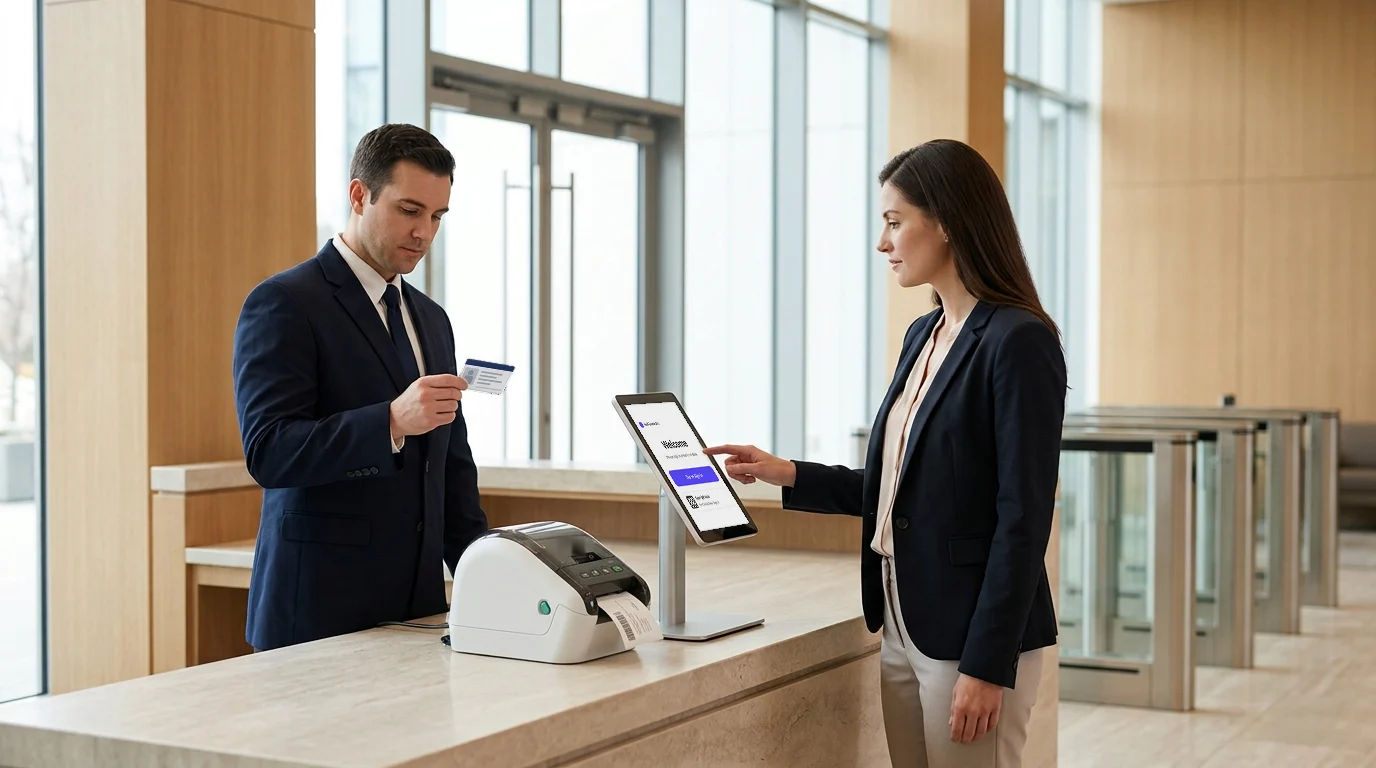
- iPad-based visitor sign-in for a modern and efficient front desk experience.
- No app download required, allowing visitors to complete the visitor check-in process quickly.
- Customizable visitor workflows based on organization requirements, visitor types, and security policies.
- Digital visitor registration system to reduce dependency on paper-based processes.
2. Improve Visibility Across Multiple Locations
Managing visitors across multiple sites requires centralized access to accurate visitor information. Visitly helps security and compliance software teams maintain better visibility into visitor activity through digital records and real-time updates.
Key capabilities include:
- Real-time host notifications when visitors arrive at a facility.
- Centralized visitor records for easier tracking and management.
- Better visitor tracking across workplace locations.
- Improved coordination between visitors, employees, and security teams.
3. Support Compliance and Workplace Safety
Maintaining accurate visitor information is essential for security reviews, audits, and emergency situations. Visitly helps enterprises create reliable visitor records while supporting safer workplace operations.
Key capabilities include:
- Digital visitor records that provide accurate check-in and check-out information.
- Visitor history tracking for reviewing past facility access activity.
- Custom screening questions to collect the required visitor information before access.
- Emergency visibility to help organizations understand who is present inside a facility when quick action is needed.
Closing Thoughts
A basic security check-in system was never going to hold up across multiple sites, and by now, the gaps are hard to ignore. Fragmented visitor records, manual sign-in sheets, and inconsistent processes from one location to the next aren’t small operational annoyances. They’re exactly where enterprise security breaks down, often long before anyone notices.
The software you choose needs to close those gaps, not add to them. That means centralized visibility across every site, compliance records that hold up without hours of manual work, and a check-in process fast enough that staff and visitors actually use it correctly, every time.
Visitly delivers exactly that.
For enterprises managing security across multiple locations, it’s the platform built to handle the scale, the compliance demands, and the day-to-day reality of running security across an entire organization, not just one building.
Ready to strengthen security across every site you operate? Book a Visitly demo today and see how a truly centralized visitor management system works.
FAQs
What is enterprise security management software?
Enterprise security management software gives a security team one place to run physical security across every location. It brings visitor records, contractor access and site policies into a single system, so each site no longer keeps its own log. The team can see who is on-site at any facility and pull audit records without calling the front desk.
What features should enterprises look for in security management software?
Evaluate central control first: one dashboard, one policy set and reporting by location. Then check real-time visibility of active visitors, host notifications, pre-registration, ID scanning, screening questions and document signing. Require a searchable, exportable audit log and single sign-on. Confirm integrations with your access control and identity systems before you compare prices.
How much does enterprise security management software cost across multiple locations?
Most visitor platforms price per location per year, so cost scales with your footprint. Visitly publishes $1,000 per location per year for up to 5 locations and $2,000 for up to 15, with custom pricing for unlimited locations. Envoy Premium is $362 per location per month billed annually, which is $43,440 a year for ten locations. Prices as of Q4 2026.
Why do multi-location organizations need centralized security management?
Because separate logs at each location leave no single record of who entered where. With one platform, the security team sets one visitor policy, sees active visitors at every location, and can pull any site's records during an incident or audit. A person banned at one location is also stopped at the others, which separate systems can't do.
How does enterprise security management software support compliance?
It supports compliance by producing the evidence, and the program stays yours. A central platform keeps time-stamped visitor records, signed documents and approval history for every location, and exports them when an auditor asks. Visitly holds SOC 2 Type II and ISO 27001 certifications, is HIPAA compliant, and supports customer programs such as ITAR and CMMC. It does not certify a customer's compliance.
Does enterprise security management software track contractor certifications?
Some platforms do, so check before you shortlist. Certification, training-record and insurance tracking is a contractor compliance function, and many visitor platforms leave it to a dedicated system. Visitly does not track contractor certifications or insurance. It handles contractor check-in at the kiosk or in the MyVisitly app, shows a safety induction before entry, and logs the acknowledgment.